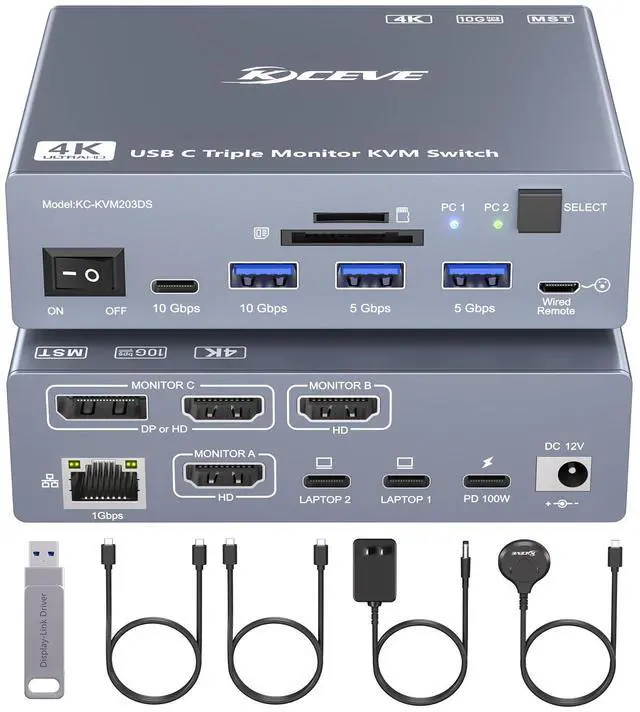
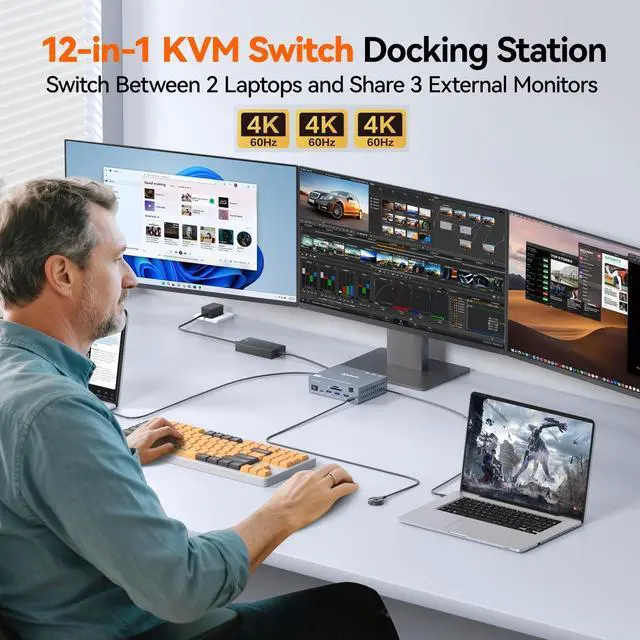
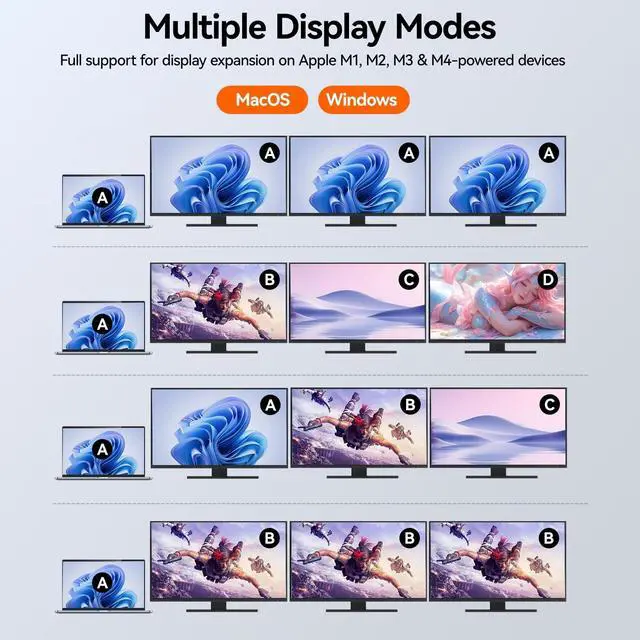
Thunderbolt 4 KVM Switch 3 Monitors This 12-in-1 USB C KVM switch docking station enables seamless 3 monitors switching between 2 laptops. It shares multiple USB peripherals via 10Gbps USB-C/A, 25Gbps USB-A ports, supports SD/TF card reading, Deliver 50W PD charging and Gigabit Ethernet connectivity to each laptop simultaneously. Effortlessly switch a triple-monitor docking station between 2 laptops. ^^ Break Display Limits of M1-M5 Unlike traditional 3 monitors KVM switches, this DisplayLink KVM switch enables extended display for Macs with M1/M2/M3/M4/M5 processors. Fully compatible with Win10+ & macOS 11+, supporting mirror (AAAA) and extended modes (ABBB/ABBC/ABCD).
^^ Critical Notice1. This USB-C triple monitor KVM switch requires the installation of a DisplayLink driver to function properly (Use the included driver disk or download the driver from the official DisplayLink web2. It is recommend using an Intel Core i7 or higher CPU and a minimum of 16GB of RAM. ^^ Strong Compatibility DisplayLink 3 monitors KVM switch docking works with USB4, Thunderbolt 5/4/3, fullfeatured USBC Windows laptops, MacBook, Mac Mini, MacBook Neo; supports Win10+, ChromeOS 100+, macOS 11+, Ubuntu.
NOTE: Not compatible with Linux/Unix. ^^ Triple 4K@60Hz Simultaneous OutputThis thunderbolt USB C KVM switch supports 3-monitor simultaneous output (max 4K@60Hz), backward compatible with lower resolutions.
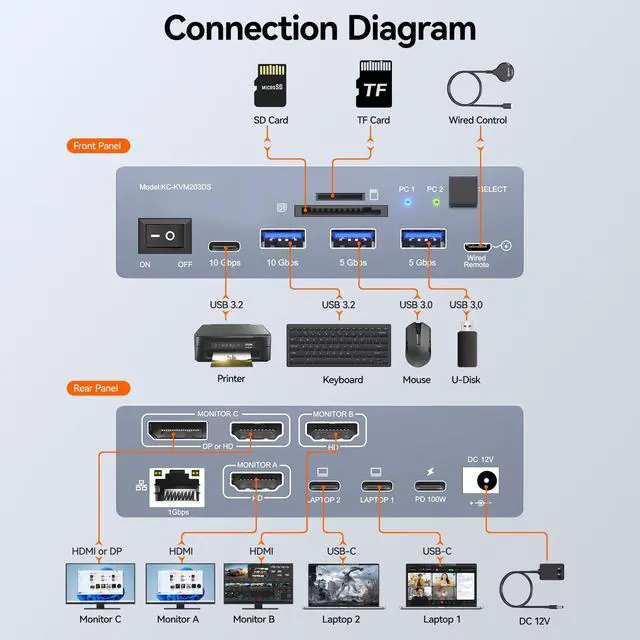
Note: Use included Thunderbolt 4 cable (40Gbps) for laptop-KVM connection; HDMI/DP cables 1.5 m recommended.
Monitor A/B: HDMI-only;
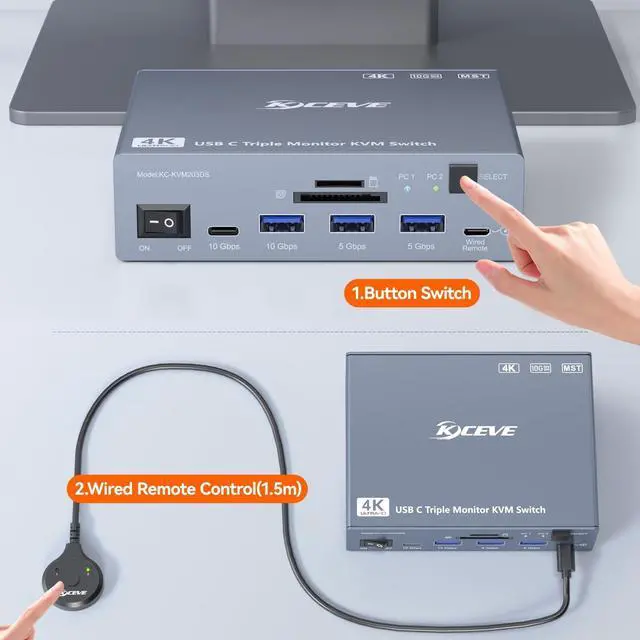
Monitor C: DP/HDMI (select one). ^^ Easy Switch Effortlessly switch between 2 laptops via the button or wired remote, blue and green LEDs indicate two laptops respectively.
Note: Keyboard shortcuts (hotkeys) are not supported. ^^ Package Listing 2*Thunderbolt 4 cables, Wired remote, Driver USB disk, 12V/2A adapter and User manual.
^^ Important Note: 1. This DisplayLink 3 monitors KVM switch USB C is compatible with Thunderbolt 3/4/5, but full Thunderbolt high-speed features (40Gbps bandwidth, daisy-chaining, PCIe passthrough, etc. ) are not available. 2. The built-in displaylink chip will generate heat under full-load operation, the temperature of the aluminum casing may reach 55-60C, heat dissipation will not affect normal product function, please kindly note.





 here!
here!