

Your Browsing History

Meet Your Seller

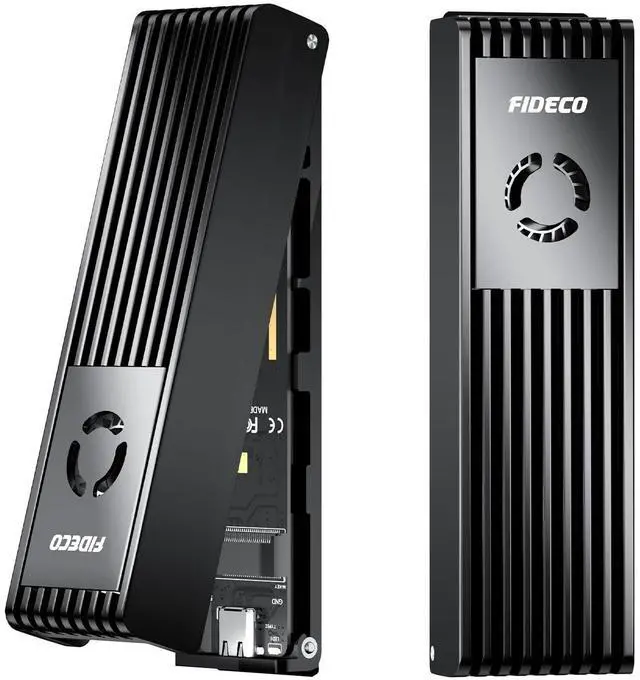


FIDECO M.2 NVMe SATA SSD Enclosure, M.2 NVMe to USB Adapter with Cooling Fan, USB 3.2 Gen 2 (10Gbps) SSD Reader for M & M+B Key, Support UASP and Trim, Tool-Free Installation
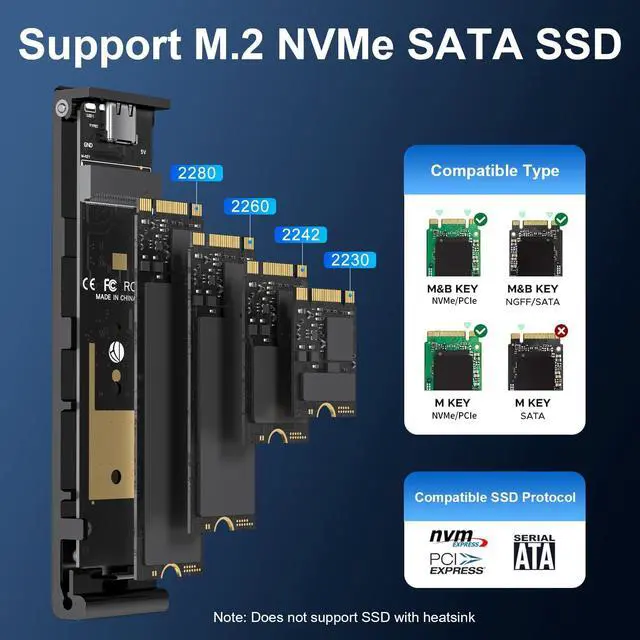
- Supported SSDFIDECO SSD enclosure can support M.2 NVMe SSD with M Key & M+B Key, and M.2 SATA SSD with M+B Key. The supported M.2 SSD sizes are 2230/2242/2260/2280. Just one M.2 enclosure can meet your needs of using different types of SSDs. Please not that it cannot support AHCI SSD or SSD with heatsink.
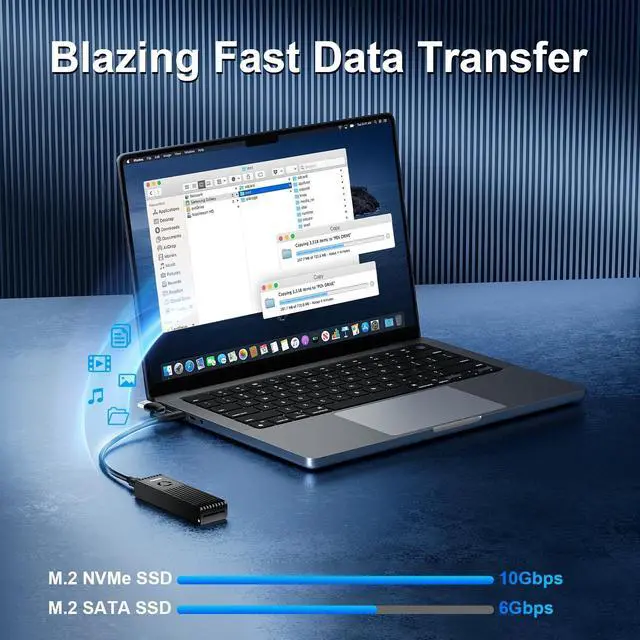
- Blazing-Fast Speeds & Broad CompatibilityExperience lightning-fast transfers up to 10Gbps with USB 3.2 Gen 2 support. Works seamlessly with Windows, Mac, Linux, and popular gaming consolesperfect for expanding storage, creating backups, or editing high-resolution media effortlessly.
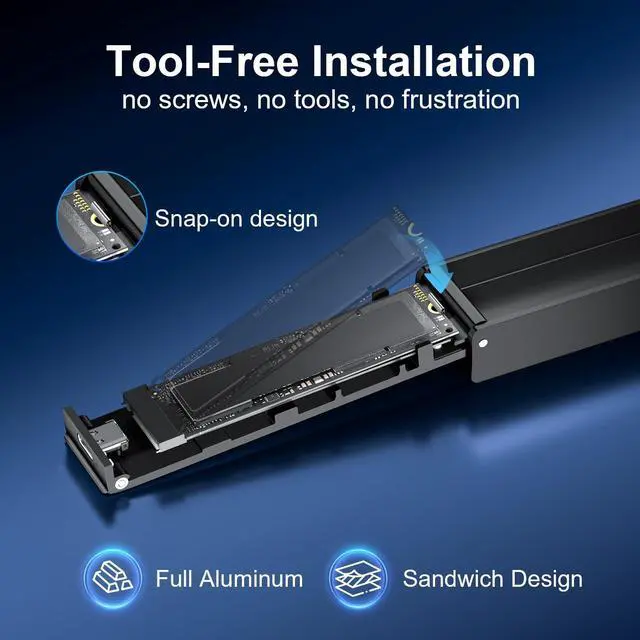
- Tool-Free InstallationNo screws, no tools, no frustration. The tool-free design lets you install or swap your NVMe SSD in seconds, making it perfect for quick upgrades, data migration, or on-the-go professionals who value speed and convenience. It's a true plug-and-play experience! Say goodbye to complicated installations!
- Superior Thermal ManagementStop thermal throttling from slowing down your w
+
+
Overview
Specs
Reviews

Any questions? Our AI mode will help you find out quickly.
Try me now
Supported SSDFIDECO SSD enclosure can support M. 2 NVMe SSD with M Key & M+B Key, and M. 2 SATA SSD with M+B Key. The supported M. 2 SSD sizes are 2230/2242/2260/2280. Just one M. 2 enclosure can meet your needs of using different types of SSDs. Please not that it cannot support AHCI SSD or SSD with heatsink. ^^ Blazing-Fast Speeds & Broad CompatibilityExperience lightning-fast transfers up to 10Gbps with USB 3.2 Gen 2 support. Works seamlessly with Windows, Mac, Linux, and popular gaming consolesperfect for expanding storage, creating backups, or editing high-resolution media effortlessly.
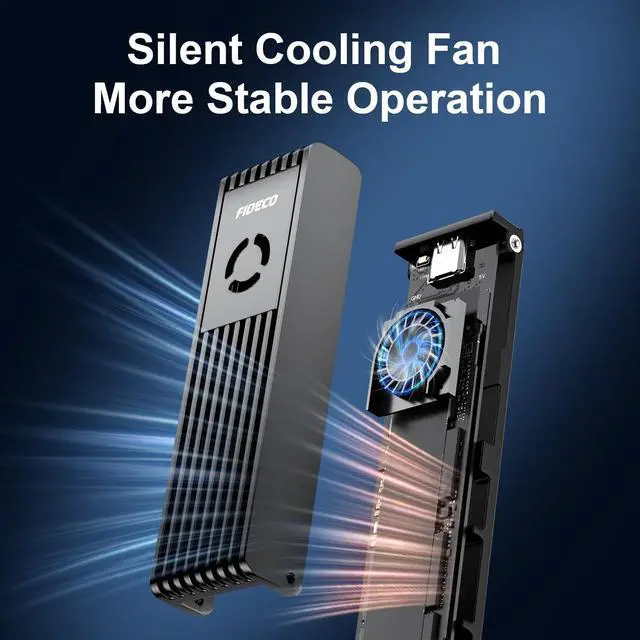
^^ Tool-Free InstallationNo screws, no tools, no frustration. The tool-free design lets you install or swap your NVMe SSD in seconds, making it perfect for quick upgrades, data migration, or on-the-go professionals who value speed and convenience. It's a true plug-and-play experience! Say goodbye to complicated installations! ^^ Superior Thermal ManagementStop thermal throttling from slowing down your workflow! The sandwich design can make the thermal pad have a better contact with the M. 2 NVMe SSD enclosure, and the built-in cooling fan can help the air flow freely to make the SSD itself run in a much cooler operating environment.
Perfect for high-intensity tasks like 4K video editing or large file transfers, ensuring your drive stays cool and performs at peak speeds. ^^ Ultra-Portable for Work & TravelTake your data anywhere! Slim, lightweight, and pocket-sized, FIDECO NVMe enclosure is ideal for students, photographers, and travelers who need instant access to files from laptops, tablets, or phoneswherever life takes you. No more bulky external drivesnow you can carry your entire digital library, from heavy game files to high-res portfolios. ^^ Reliable External Storage for Multiple ScenariosTurn your NVMe SSD into a high-speed external drive for laptops, desktops, PS5 expansions, or backup storage.
Great for creators, gamers, and IT professionals who need fast, secure, and flexible storage solutions. ^^ Warm NoteFor new SSD, it needs to be initialized and then it can be recognized by computer. We can offer firmware update and technical support. Any other question, contact us at [support@fideco. cn].
^^ Tool-Free InstallationNo screws, no tools, no frustration. The tool-free design lets you install or swap your NVMe SSD in seconds, making it perfect for quick upgrades, data migration, or on-the-go professionals who value speed and convenience. It's a true plug-and-play experience! Say goodbye to complicated installations! ^^ Superior Thermal ManagementStop thermal throttling from slowing down your workflow! The sandwich design can make the thermal pad have a better contact with the M. 2 NVMe SSD enclosure, and the built-in cooling fan can help the air flow freely to make the SSD itself run in a much cooler operating environment.
Perfect for high-intensity tasks like 4K video editing or large file transfers, ensuring your drive stays cool and performs at peak speeds. ^^ Ultra-Portable for Work & TravelTake your data anywhere! Slim, lightweight, and pocket-sized, FIDECO NVMe enclosure is ideal for students, photographers, and travelers who need instant access to files from laptops, tablets, or phoneswherever life takes you. No more bulky external drivesnow you can carry your entire digital library, from heavy game files to high-res portfolios. ^^ Reliable External Storage for Multiple ScenariosTurn your NVMe SSD into a high-speed external drive for laptops, desktops, PS5 expansions, or backup storage.
Great for creators, gamers, and IT professionals who need fast, secure, and flexible storage solutions. ^^ Warm NoteFor new SSD, it needs to be initialized and then it can be recognized by computer. We can offer firmware update and technical support. Any other question, contact us at [support@fideco. cn].
Warranty & Returns
Warranty, Returns, And Additional Information
Warranty
- Please contact the Seller directly for warranty information. Warranty information may also be found on the Manufacturer's website.
- CONTACT
Return Policies
- Return for refund within: 30 days
- Return for replacement within: 30 days
- This item is covered by Qiangsheng kuajing (Hong Kong) Co., Limi Return Policy
Manufacturer Contact Info
- For a directory of all our manufacturers, please click below.
- Manufacturers Directory
LOADING...