

Your Browsing History

Meet Your Seller

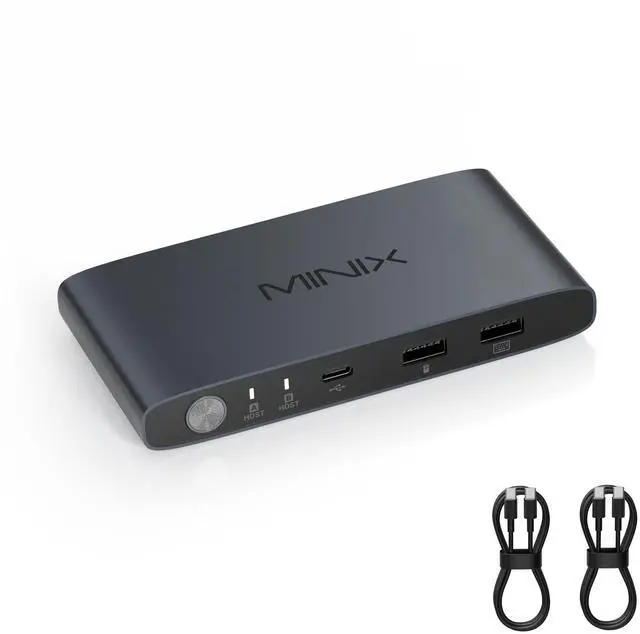


MINIX K1 USB C KVM Switch 1 Monitors 2 Computers, 4K@120Hz HDR, 100W PD 3.0, Dual USB-C Input KVM Switches, Share Keyboard & Mouse, Aluminum Design, Compatible with Windows, Mac, Linux, Android
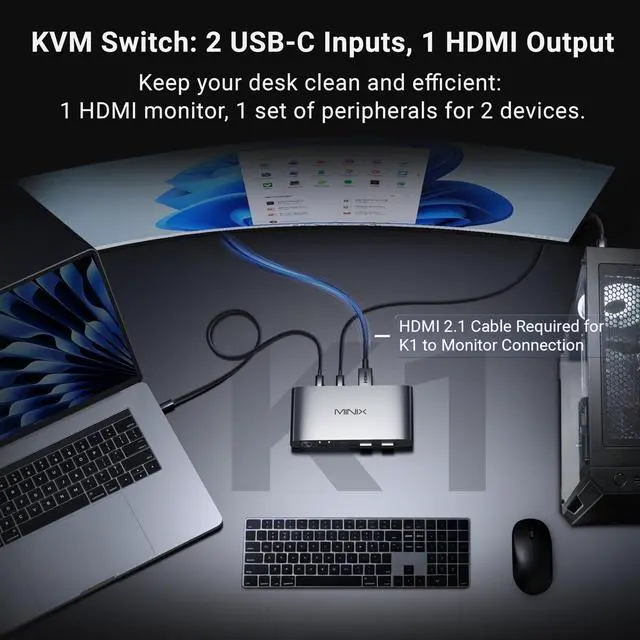
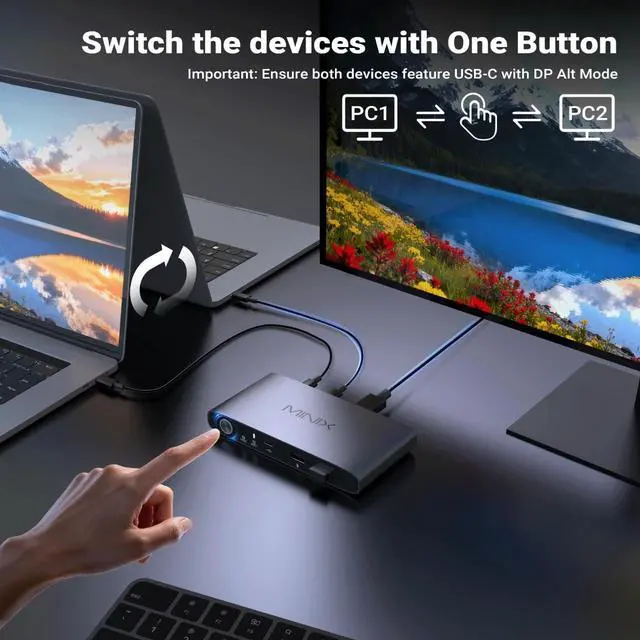
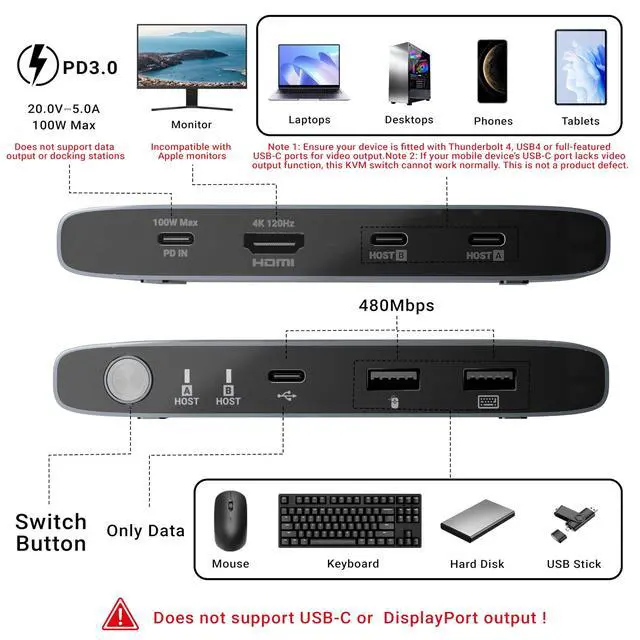
- KVM Switch 1 Monitor 2 ComputersFeaturing an Aluminum alloy shell, this USB-C KVM Switch comes with dual USB-C ports to control 2 computers/laptops and share one single monitor, keyboard and mouse. An HDMI cable (not included) is required to connect the KVM switch to your monitor. Simply press the button to seamlessly switch between two computers, boosting work efficiency and cutting down desk clutter
- 4K@120Hz HDR Display & Audio Output Enjoy high-definition output with 4K@120Hz HDR, providing ultra-smooth visuals and vibrant colors. Supports HDCP compliance for secure playback of streaming content. Note: To achieve 4K@120Hz HDR output, please use an HDMI 2.1 cableand ensure your devices and monitor support [email protected] display may take 3-5 seconds to sync after switching
- Built-In 100W USB-C PD 3.0 Charging Integrated PD port delivers up to 100W for compatible devices. Use your existing USB-C charger for flexible power options and a cleaner setup.Note: The PD port only provides p
+
+
Overview
Specs
Reviews

Any questions? Our AI mode will help you find out quickly.
Try me now
KVM Switch 1 Monitor 2 ComputersFeaturing an Aluminum alloy shell, this USB-C KVM Switch comes with dual USB-C ports to control 2 computers/laptops and share one single monitor, keyboard and mouse. An HDMI cable (not included) is required to connect the KVM switch to your monitor. Simply press the button to seamlessly switch between two computers, boosting work efficiency and cutting down desk clutter ^^ 4K@120Hz HDR Display & Audio Output Enjoy high-definition output with 4K@120Hz HDR, providing ultra-smooth visuals and vibrant colors. Supports HDCP compliance for secure playback of streaming content.
Note: To achieve 4K@120Hz HDR output, please use an HDMI 2.1 cableand ensure your devices and monitor support 4K@120Hz. The display may take 3-5 seconds to sync after switching ^^ Built-In 100W USB-C PD 3.0 Charging Integrated PD port delivers up to 100W for compatible devices. Use your existing USB-C charger for flexible power options and a cleaner setup.
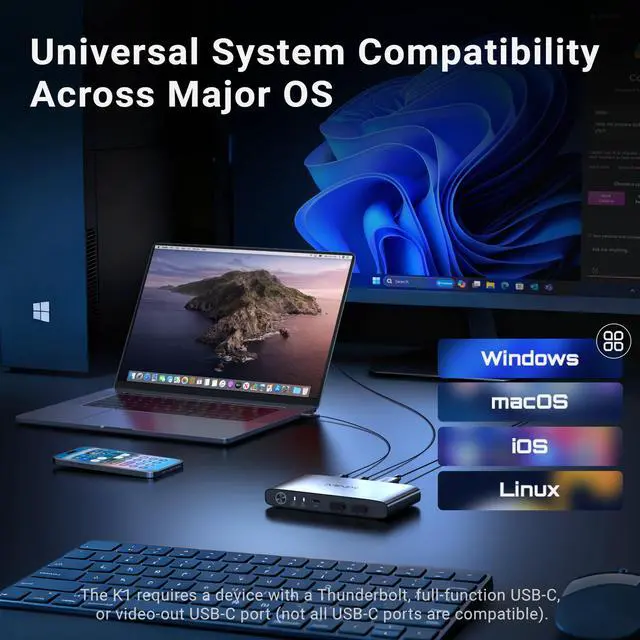
Note: The PD port only provides power to the currently connected device ^^ Front Ports for Everyday Accessories MINIX K1 KVM Switch allows you to easily connect keyboard, mouse, flash drives, and phones using 1 USB-C and 2 USB-A ports. No more plugging and unplugging accessories repeatedly ^^ Universal OS Compatibility MINIX K1 USB-C kvm switch is compatible with Windows 10/11, macOS, Linux, Android, Harmony OS, making it easy to integrate into any home office or shared workspace ^^ After-sales Service & Important NotesOur USB-C KVM Switch comes with 2 full-featured USB-C cables and 1 KVM switch unit. Please note that you will need to prepare an HDMI 2.1 cable to connect your monitor. This KVM Switch is not compatible with Apple monitor, as these monitors do not have an HDMI input port. We provide a 1-year warranty for all our products
Note: To achieve 4K@120Hz HDR output, please use an HDMI 2.1 cableand ensure your devices and monitor support 4K@120Hz. The display may take 3-5 seconds to sync after switching ^^ Built-In 100W USB-C PD 3.0 Charging Integrated PD port delivers up to 100W for compatible devices. Use your existing USB-C charger for flexible power options and a cleaner setup.
Note: The PD port only provides power to the currently connected device ^^ Front Ports for Everyday Accessories MINIX K1 KVM Switch allows you to easily connect keyboard, mouse, flash drives, and phones using 1 USB-C and 2 USB-A ports. No more plugging and unplugging accessories repeatedly ^^ Universal OS Compatibility MINIX K1 USB-C kvm switch is compatible with Windows 10/11, macOS, Linux, Android, Harmony OS, making it easy to integrate into any home office or shared workspace ^^ After-sales Service & Important NotesOur USB-C KVM Switch comes with 2 full-featured USB-C cables and 1 KVM switch unit. Please note that you will need to prepare an HDMI 2.1 cable to connect your monitor. This KVM Switch is not compatible with Apple monitor, as these monitors do not have an HDMI input port. We provide a 1-year warranty for all our products
Warranty & Returns
Warranty, Returns, And Additional Information
Warranty
- Please contact the Seller directly for warranty information. Warranty information may also be found on the Manufacturer's website.
- CONTACT
Return Policies
- Return for refund within: 30 days
- Return for replacement within: 30 days
- This item is covered by LingGo Return Policy
Manufacturer Contact Info
- For a directory of all our manufacturers, please click below.
- Manufacturers Directory
LOADING...