

Your Browsing History
- Free 30-day Returns
$51.99


Meet Your Seller

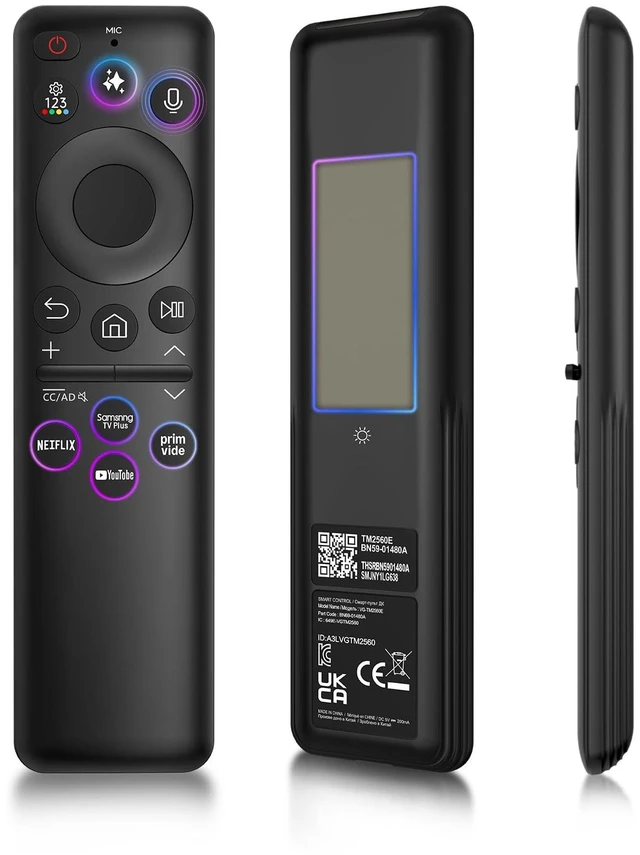


New BN59-01480A Solar Voice Remote for Samsung Smart TV, Rechargeable Replacement for 2019-2026 Samsung Remote Control, Fast Charging, Solarcell, Free USB C Cable, Voice Search, Bluetooth
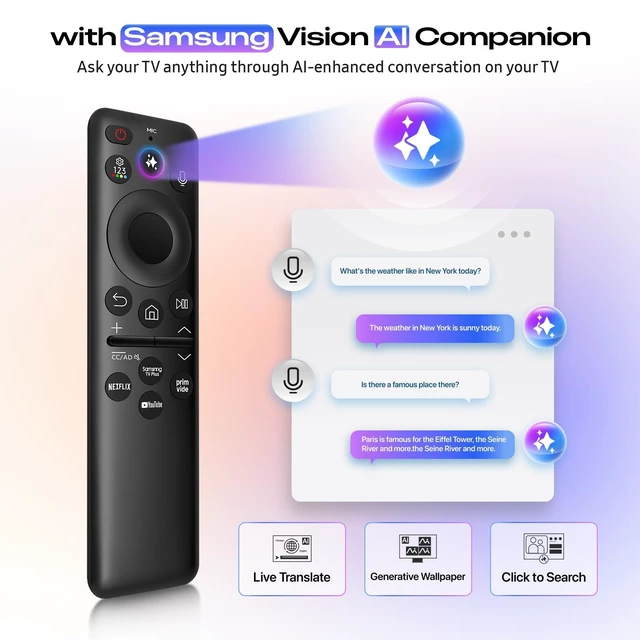
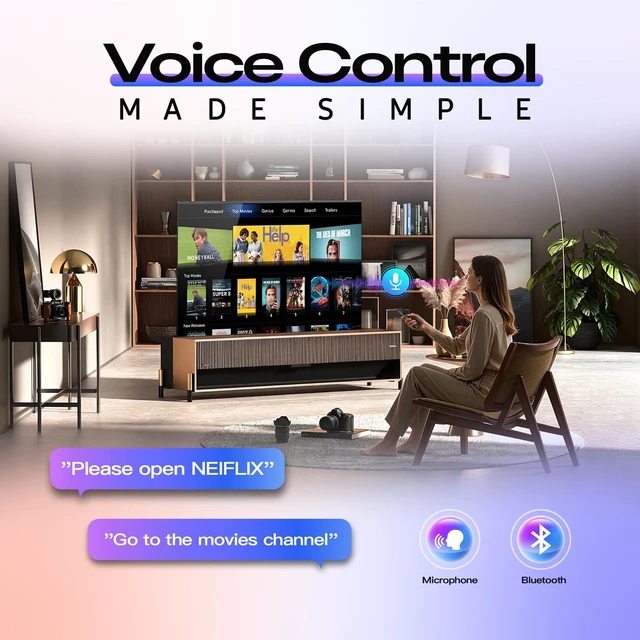
- AI & Voice Function Upgrade your Samsung Smart TV experience with the BN59-01480A voice remote. Press the dedicated AI button or use voice commands to search content, open apps, adjust settings, and enjoy smarter features like personalized recommendations and AI-powered TV functions with ease.
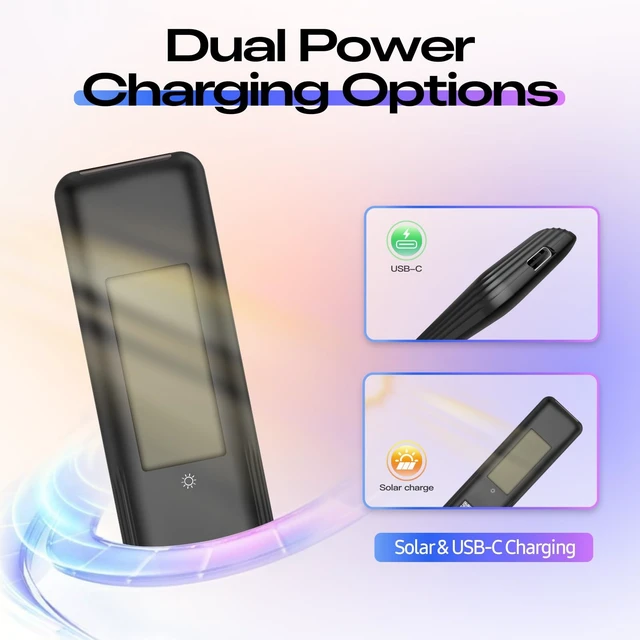
- Battery-Free ChargingSay goodbye to disposable batteries. This premium remote supports solar and USB-C charging (cable included), helping save up to 16 batteries over five years. Powered by advanced supercapacitor technology, it recharges quickly and delivers safe, reliable, and long-lasting performance. Charge with indoor light, sunlight, or USB-Cno battery replacements needed. If the power is low, simply recharge with the included USB-C cable.
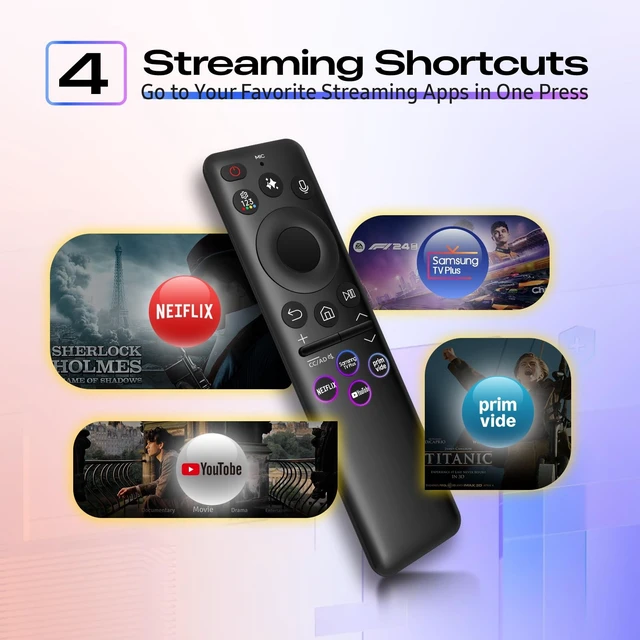
- One-Touch Streaming AccessEnjoy instant access to your favorite entertainment with dedicated shortcut buttons for Samsung TV Pls, Netflx, Prme Video, and YouTobe. Simply press one button to launch your favorite streaming appsno need to b
+
+
Overview
Specs
Reviews

Any questions? Our AI mode will help you find out quickly.
Try me now
AI & Voice Function Upgrade your Samsung Smart TV experience with the BN59-01480A voice remote. Press the dedicated AI button or use voice commands to search content, open apps, adjust settings, and enjoy smarter features like personalized recommendations and AI-powered TV functions with ease. ^^ Battery-Free ChargingSay goodbye to disposable batteries. This premium remote supports solar and USB-C charging (cable included), helping save up to 16 batteries over five years. Powered by advanced supercapacitor technology, it recharges quickly and delivers safe, reliable, and long-lasting performance. Charge with indoor light, sunlight, or USB-Cno battery replacements needed.
If the power is low, simply recharge with the included USB-C cable. ^^ One-Touch Streaming AccessEnjoy instant access to your favorite entertainment with dedicated shortcut buttons for Samsung TV Pls, Netflx, Prme Video, and YouTobe. Simply press one button to launch your favorite streaming appsno need to browse through menus. Enjoy a faster, easier, and more convenient viewing experience. ^^ Pairing InstructionsPull out the pull tab from the bottom of the remote. Turn on your TV, and aim the remote at the screen. Just hold down "Return"and "Play/Pause"together for 5-7 seconds when your TV says" Pairing Complete you're good to go.
If pairing fails, please repeat this step a few times until your TV displays "Pairing Complete" ^^ Troubleshooting Steps1) When using Bluetooth pairing, Samsung TVs can connect to only one remote at a time (TV limitation, not a remote issue). 2) Remove batteries from other remotes to avoid interference. If needed, restart the TV and re-pair the main remote. 3) For charging issues, use a compatible charger and ensure the USB-C cable is fully connected. During normal charging, the red indicator will light up. If it does not, check the charger or connection.
If the power is low, simply recharge with the included USB-C cable. ^^ One-Touch Streaming AccessEnjoy instant access to your favorite entertainment with dedicated shortcut buttons for Samsung TV Pls, Netflx, Prme Video, and YouTobe. Simply press one button to launch your favorite streaming appsno need to browse through menus. Enjoy a faster, easier, and more convenient viewing experience. ^^ Pairing InstructionsPull out the pull tab from the bottom of the remote. Turn on your TV, and aim the remote at the screen. Just hold down "Return"and "Play/Pause"together for 5-7 seconds when your TV says" Pairing Complete you're good to go.
If pairing fails, please repeat this step a few times until your TV displays "Pairing Complete" ^^ Troubleshooting Steps1) When using Bluetooth pairing, Samsung TVs can connect to only one remote at a time (TV limitation, not a remote issue). 2) Remove batteries from other remotes to avoid interference. If needed, restart the TV and re-pair the main remote. 3) For charging issues, use a compatible charger and ensure the USB-C cable is fully connected. During normal charging, the red indicator will light up. If it does not, check the charger or connection.
Warranty & Returns
Warranty, Returns, And Additional Information
Warranty
- Please contact the Seller directly for warranty information. Warranty information may also be found on the Manufacturer's website.
- CONTACT
Return Policies
- Return for refund within: 30 days
- Return for replacement within: 30 days
- This item is covered by AetherWide Return Policy
Manufacturer Contact Info
- For a directory of all our manufacturers, please click below.
- Manufacturers Directory
LOADING...