• $69.99
  • Free 30-day Returns
  • Price alert
    Shop it at NeweggBusiness.

    Meet Your Seller

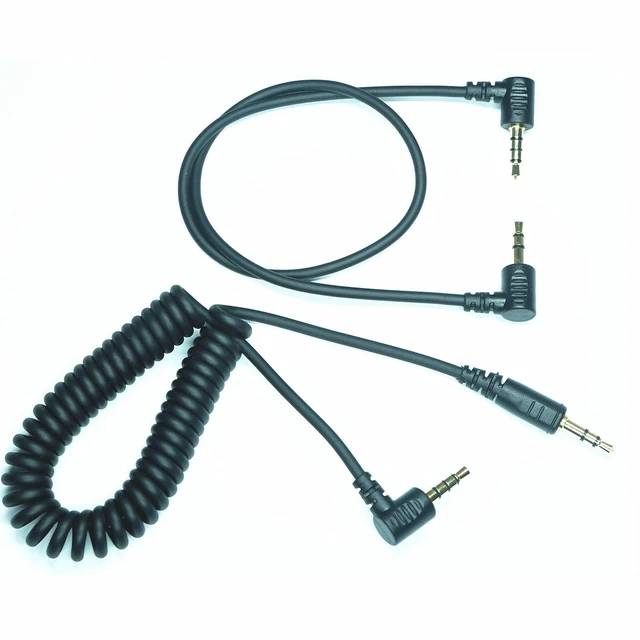
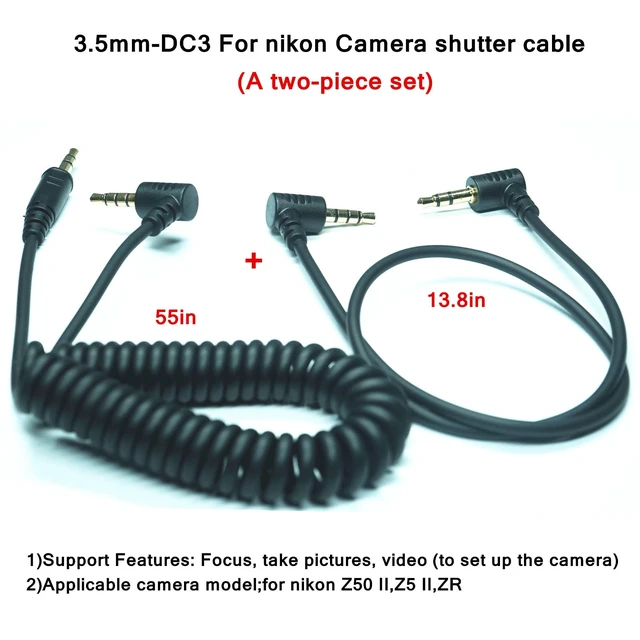
    3.5MM-DC3 (MC-DC3) for Nikon Cameras Z5II/Z50II/ZR Shutter Release Cable is Suitable Connect the Timer, Camera Shutter Controller and Indoor Flash Trigger Cable (3.5mm-DC3 2pcs)

    • This shutter cable is only applicable to some models of Nikon cameras (Z5 II,Z50 II,ZR), and is not compatible with cameras of other brands
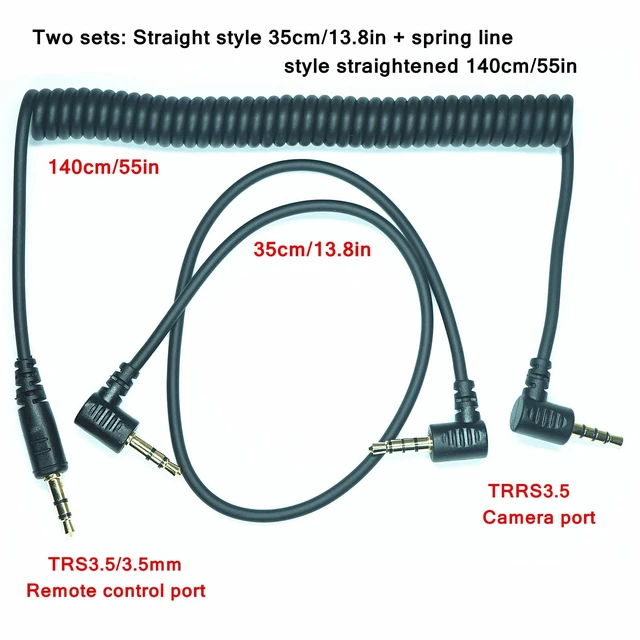
    • Packaging list (two cables in total) : 3.5mm-DC3 TRRS3.5 straight 13.8-inch 1 cable 3.5mm-DC3 TRRS3.5 spring wire, straightened 59 inches, 1 piece
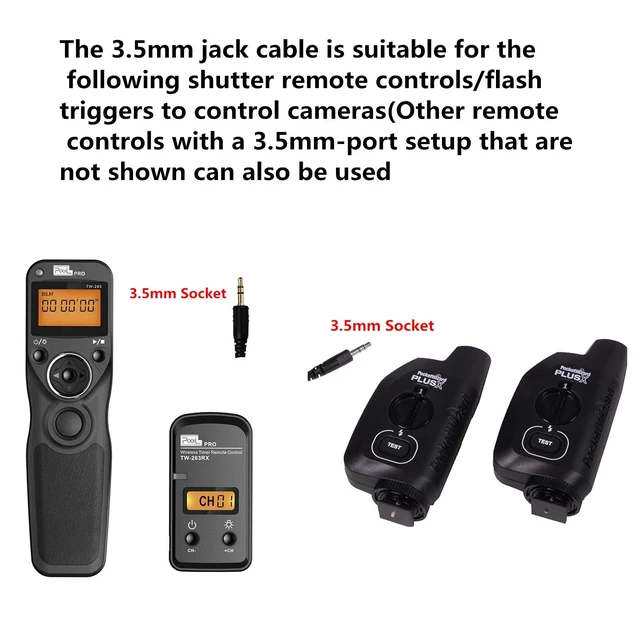
    • The 3.5mm plug can be inserted into the shutter remote control. It is basically applicable to all brands of shutter remote controls with 3.5MM output ports on the market for connecting cameras
    • The cable merely serves as a shutter release function, functioning in the same way as the release button on the camera body, and has no other functions
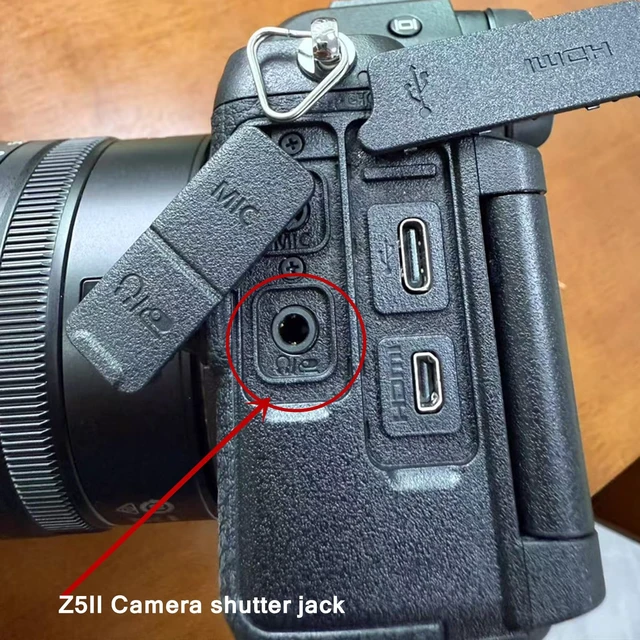
    • Plug the TRRS3.5 plug into the "Headphone/Shutter" jack on the camera, and insert the other 3.5mm plug into the remote control. Then you can directly control the camera to take pictures
    +
    +
    Overview
    Specs
    Reviews

    Any questions? Ask CelesteSM will help you find out quickly.

    3.5 mm-dc3 for nikon camera shutter release cable Packaging list (two cables in total): 3.5 mm-DC3 TRRS 3.5 straight 13.8 -inch 1 cable 3.5 mm-DC3 TRRS 3.5 spring wire, straightened 59 inches, 1 piece 1)Support
    Features: Focus, take pictures, video (to set up the camera) 2)Applicable camera model; for nikon Z50 II, Z5 II, ZR3)
    Usage method: Plug the TRRS 3.5 plug into the "Headphone/Shutter" jack on the camera, and insert the other 3.5 mm plug into the remote control. Then you can directly control the camera to take photos4) Video recording
    Settings method:
    001: The "DISP"" on the camera; Turn the knob to the "Video Recording" position.
    002: According to "Menu&"; Enter the menu, "Custom Settings Menu" - "g Video" - "g2 Custom Controls" - find "Shutter Release Control" - click ok- select "Shoot Video".
    003: In this way, when the shutter button on the remote control is pressed, the camera's video recording can be controlled5) The TRRS 3.5 camera plug should be rotated and pressed to the bottom to ensure normal communication (as it is relatively tight, some force is needed). 6) These two cables can replace the function of the shutter release button on the camera body

    Warranty & Returns

    Warranty, Returns, And Additional Information

    Warranty

    • Please contact the Seller directly for warranty information. Warranty information may also be found on the Manufacturer's website.
    • CONTACT

    Return Policies

    • Return for refund within: 30 days
    • Return for replacement within: 30 days
    • This item is covered by LingGo Return Policy

    Manufacturer Contact Info

    LOADING...