

Your Browsing History
- Free 30-day Returns
$44.89
Ships from China.
Best Sellers
 Top Rated
- $47.99
- + $5.99 Shipping

Meet Your Seller


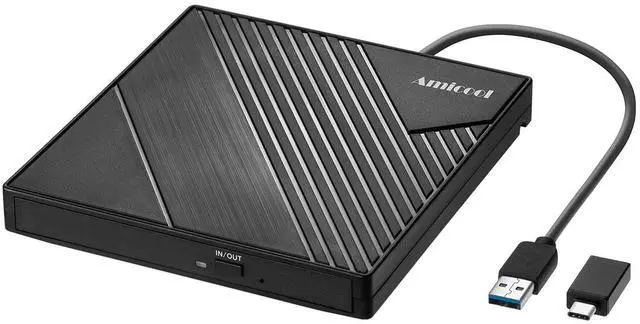


Amicool External DVD Drive USB 3.0 USB C CD Burner CD/DVD +/-RW Optical Drive, Slim Portable DVD CD ROM Rewriter Writer Duplicator for Laptop Desktop PC Windows 11/10/8/7 MacBook Mac Linux OS Apple
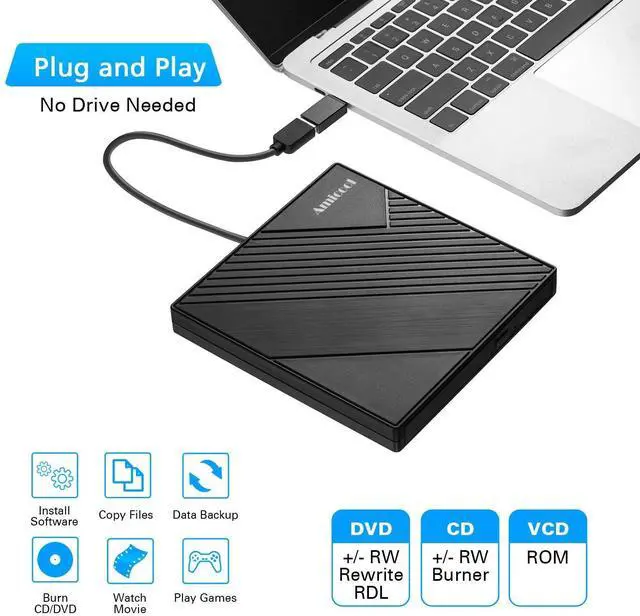
- PLUG & PLAY EASY CONNECTION Simply connect the Amicool External DVD Drive to your computers USB or Type-C port, and it will usually be detected right away without the need for extra drivers. For stable operation and sufficient power, we recommend connecting it directly to a USB port on your computer (for desktops, use a rear motherboard port) and avoiding USB hubs or extension cables. This user-friendly design ensures quick setup for both beginners and professionals.
- FAST & STABLE DATA TRANSMISSION Featuring dual interfaces (USB 3.0 and Type-C), this optical drive supports data transfer speeds up to 5Gbps. To ensure a reliable connection, please connect it directly to your computer. The drive supports multiple disc formats such as DVD+R, DVD-R, CD-R, and CD-RW. Please note: It does NOT support DVD-RAM, Blu-ray (BD) discs, or certain proprietary formats. Maximum DVD read speed is 8x, and maximum CD read/write speed is 24x.
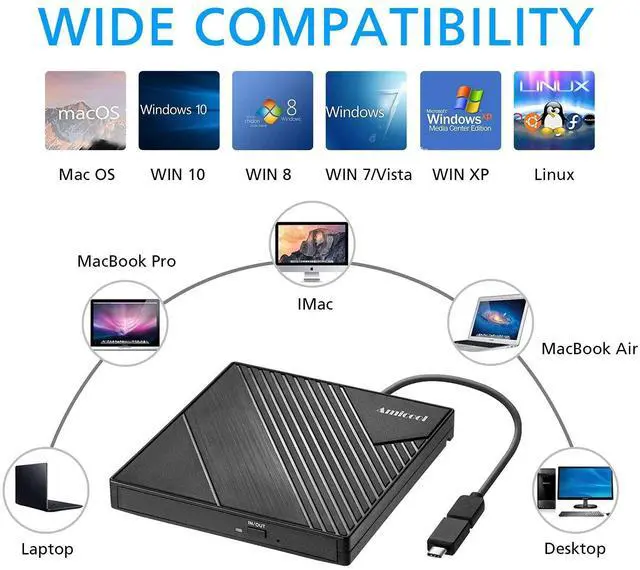
- UNIVERSAL COMPATIBILITY Compatible with Windows 11 / 10 /
+
+
Overview
Specs
Reviews

Any questions? Our AI mode will help you find out quickly.
Try me now
PLUG & PLAY EASY CONNECTION Simply connect the Amicool External DVD Drive to your computers USB or Type-C port, and it will usually be detected right away without the need for extra drivers. For stable operation and sufficient power, we recommend connecting it directly to a USB port on your computer (for desktops, use a rear motherboard port) and avoiding USB hubs or extension cables. This user-friendly design ensures quick setup for both beginners and professionals. ^^ FAST & STABLE DATA TRANSMISSION Featuring dual interfaces (USB 3.0 and Type-C), this optical drive supports data transfer speeds up to 5Gbps.
To ensure a reliable connection, please connect it directly to your computer. The drive supports multiple disc formats such as DVD+R, DVD-R, CD-R, and CD-RW.
Please note: It does NOT support DVD-RAM, Blu-ray (BD) discs, or certain proprietary formats. Maximum DVD read speed is 8x, and maximum CD read/write speed is 24x. ^^ UNIVERSAL COMPATIBILITY Compatible with Windows 11 / 10 / 8.1 / 7, Linux, and
macOS (Note: Some versions may require additional system settings for full functionality). Works with most computers from brands like Apple, Dell, HP, Lenovo, ASUS, Acer, and Samsung.
Important: Designed specifically for computers. It is NOT compatible with TVs, tablets, game consoles (e. g., PlayStation, Xbox), car stereos, or standalone Blu-ray players. ^^ SLIM & PORTABLE DESIGN BUILT-IN CABLE, READY TO GOWith an integrated cable design, slim body, and stylish matte finish, this lightweight CD/DVD drive is both durable and portable. Easily slip it into your laptop bag or backpack and use it anytime, anywhereperfect for business, travel, or home use ^^ MULTIFUNCTIONAL & RELIABLE OPERATION Equipped with intelligent error correction and anti-shock technology, this drive supports reading, writing, and burning discs. If the drive is not recognized or a disc cannot be read, try restarting your computer or testing with a different, standard CD-R or DVD-R disc. The pop-up button and built-in cable design offer convenience and portability. For desktop PCs, connecting to a rear USB port is recommended for optimal power and performance.
To ensure a reliable connection, please connect it directly to your computer. The drive supports multiple disc formats such as DVD+R, DVD-R, CD-R, and CD-RW.
Please note: It does NOT support DVD-RAM, Blu-ray (BD) discs, or certain proprietary formats. Maximum DVD read speed is 8x, and maximum CD read/write speed is 24x. ^^ UNIVERSAL COMPATIBILITY Compatible with Windows 11 / 10 / 8.1 / 7, Linux, and
macOS (Note: Some versions may require additional system settings for full functionality). Works with most computers from brands like Apple, Dell, HP, Lenovo, ASUS, Acer, and Samsung.
Important: Designed specifically for computers. It is NOT compatible with TVs, tablets, game consoles (e. g., PlayStation, Xbox), car stereos, or standalone Blu-ray players. ^^ SLIM & PORTABLE DESIGN BUILT-IN CABLE, READY TO GOWith an integrated cable design, slim body, and stylish matte finish, this lightweight CD/DVD drive is both durable and portable. Easily slip it into your laptop bag or backpack and use it anytime, anywhereperfect for business, travel, or home use ^^ MULTIFUNCTIONAL & RELIABLE OPERATION Equipped with intelligent error correction and anti-shock technology, this drive supports reading, writing, and burning discs. If the drive is not recognized or a disc cannot be read, try restarting your computer or testing with a different, standard CD-R or DVD-R disc. The pop-up button and built-in cable design offer convenience and portability. For desktop PCs, connecting to a rear USB port is recommended for optimal power and performance.
Warranty & Returns
Warranty, Returns, And Additional Information
Warranty
- Please contact the Seller directly for warranty information. Warranty information may also be found on the Manufacturer's website.
- CONTACT
Return Policies
- Return for refund within: 30 days
- Return for replacement within: non-replaceable
- This item is covered by Gduccer Return Policy
Manufacturer Contact Info
- For a directory of all our manufacturers, please click below.
- Manufacturers Directory
LOADING...
LOADING...