

Your Browsing History

Meet Your Seller




Shop All Earth People Technology Products | Visit Qiangsheng kuajing (Hong Kong) Co., Limi Store
FOLLOW
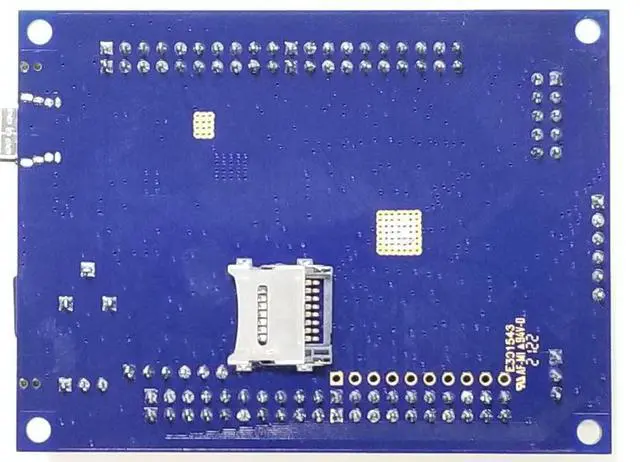
Altera MAX10 FPGA Development Board - MaxProLogic
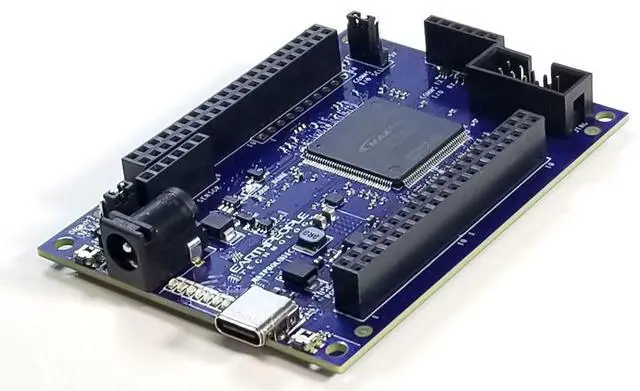
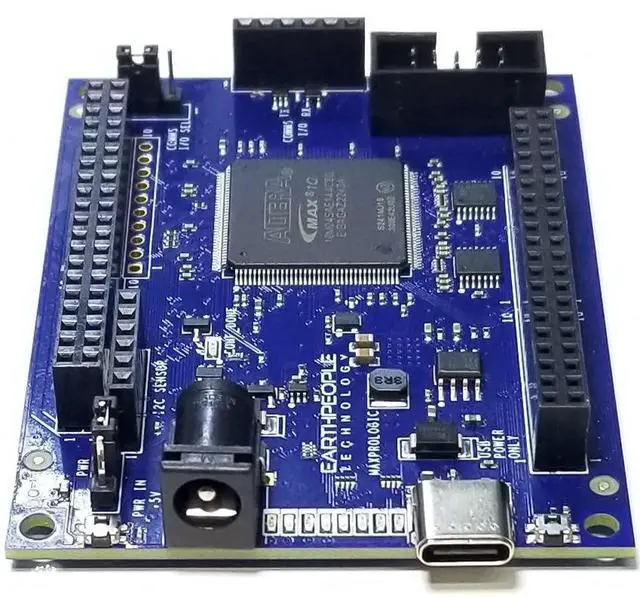
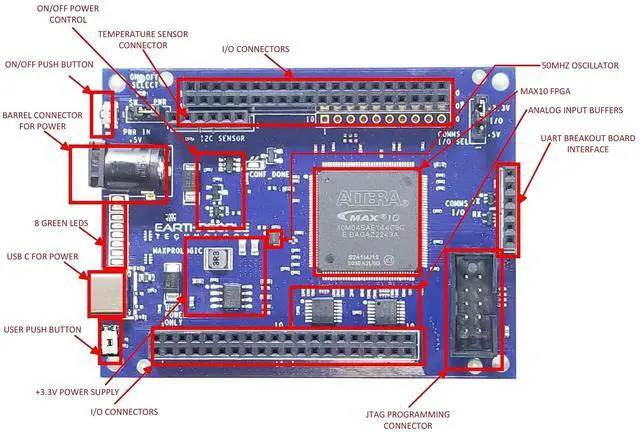
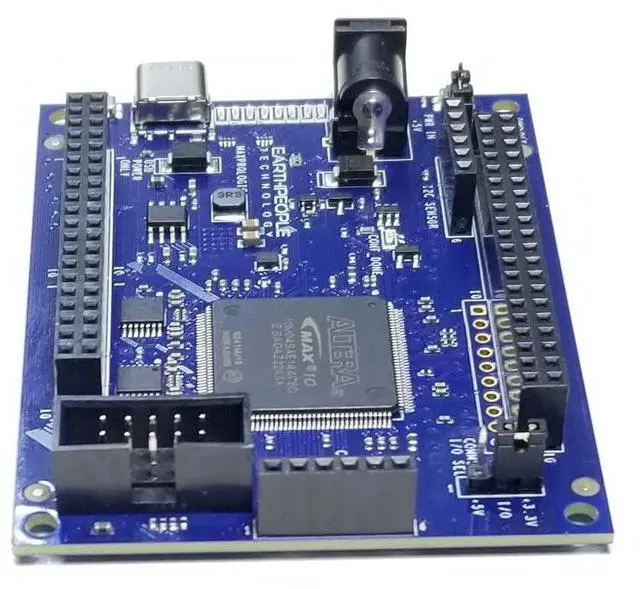
- Altera 10M04SA FPGA with 4,000 Logic Elements. This FPGA Development Kit requires an external JTAG Programmer. The MAX10 FPGA is a great chip to learn FPGA programming with. The MAX10 includes the configuration flash, 12 bit ADC, 20KByte of SRAM and low voltage regulators on chip.
- The board includes a 50MHz Oscillator to provide high speed control over internal gates of the MAX 10 FPGA. With 4K Logic Elements, the User can create powerful projects. The MaxProLogic is 100% compatible with the Free Quartus Prime Lite software from Altera. Just download the Quartus software from Altera, and the User can create projects, compile the code, simulate the project in a digital simulator, then download to the MAX 10 using an external programmer.
- 8 Analog Input Channels; 12 bit; 1MSamples/Second. 65 Available I/Os at connectors. A full datasheet of the MaxProLogic is available that describes all the hardward connections. Schematic is available to give the User further information about the
+
+
Overview
Specs
Reviews

Any questions? Our AI mode will help you find out quickly.
Try me now
This Product is Designed, Assembled, and Distributed in the USA. The MaxProLogic is an FPGA development board that is designed to be user friendly and a great introduction into digital design for anyone. The core of the MaxProLogic is the Altera MAX10 FPGA. This powerful chip has 4, 000 Logic Elements and 200Kbits of Memory. The MAX10 is easily scalable from the entry level college student to the most advanced projects like an audio sound meter with FFT. Upon the many great features of the MaxProLogic is the MAX10 chip has a built in Flash for configuration and incorporates 8 channels of Analog to Digital Conversion.
It allows the user to create more diverse projects. The MaxProLogic is designed to make digital design easy and cost effective. At Earth People Technology we have years of experience helping students and hobbyists get started with FPGA design. We know that the learning curve in getting started can be a time consuming and frustrating event. So, we created a User Manual that walks the user from unpacking to creating the first project to creating an epic project that will get attention. The Learning Curve with any new piece of hardware is always time consuming.
We painstakingly crafted a guide that leaves out no details in creating a project under the Quartus Software Tool. We will explain how to organize project user files into a folder system for easy navigation.
We will explain how to: Create a Project, Add User Files Add MegaFunction IP Files Add Synopsys Design Constraints, Assign Inputs and Outputs to pins of the MAX10 Compile the Design Synthesize the Project Program into the MAX10The MaxProLogic leverages the Quartus Prime Lite Software for compilation and synethsis. This software tool is completely free and provides very powerful tools for the user. Also included free in the software tools is the simulation tool, ModelSim.
It allows the user to create more diverse projects. The MaxProLogic is designed to make digital design easy and cost effective. At Earth People Technology we have years of experience helping students and hobbyists get started with FPGA design. We know that the learning curve in getting started can be a time consuming and frustrating event. So, we created a User Manual that walks the user from unpacking to creating the first project to creating an epic project that will get attention. The Learning Curve with any new piece of hardware is always time consuming.
We painstakingly crafted a guide that leaves out no details in creating a project under the Quartus Software Tool. We will explain how to organize project user files into a folder system for easy navigation.
We will explain how to: Create a Project, Add User Files Add MegaFunction IP Files Add Synopsys Design Constraints, Assign Inputs and Outputs to pins of the MAX10 Compile the Design Synthesize the Project Program into the MAX10The MaxProLogic leverages the Quartus Prime Lite Software for compilation and synethsis. This software tool is completely free and provides very powerful tools for the user. Also included free in the software tools is the simulation tool, ModelSim.
Warranty & Returns
Warranty, Returns, And Additional Information
Warranty
- Please contact the Seller directly for warranty information. Warranty information may also be found on the Manufacturer's website.
- CONTACT
Return Policies
- Return for refund within: 30 days
- Return for replacement within: 30 days
- This item is covered by Qiangsheng kuajing (Hong Kong) Co., Limi Return Policy
Manufacturer Contact Info
- For a directory of all our manufacturers, please click below.
- Manufacturers Directory
LOADING...