

Your Browsing History
- Free 30-day Returns
$69.99

Meet Your Seller

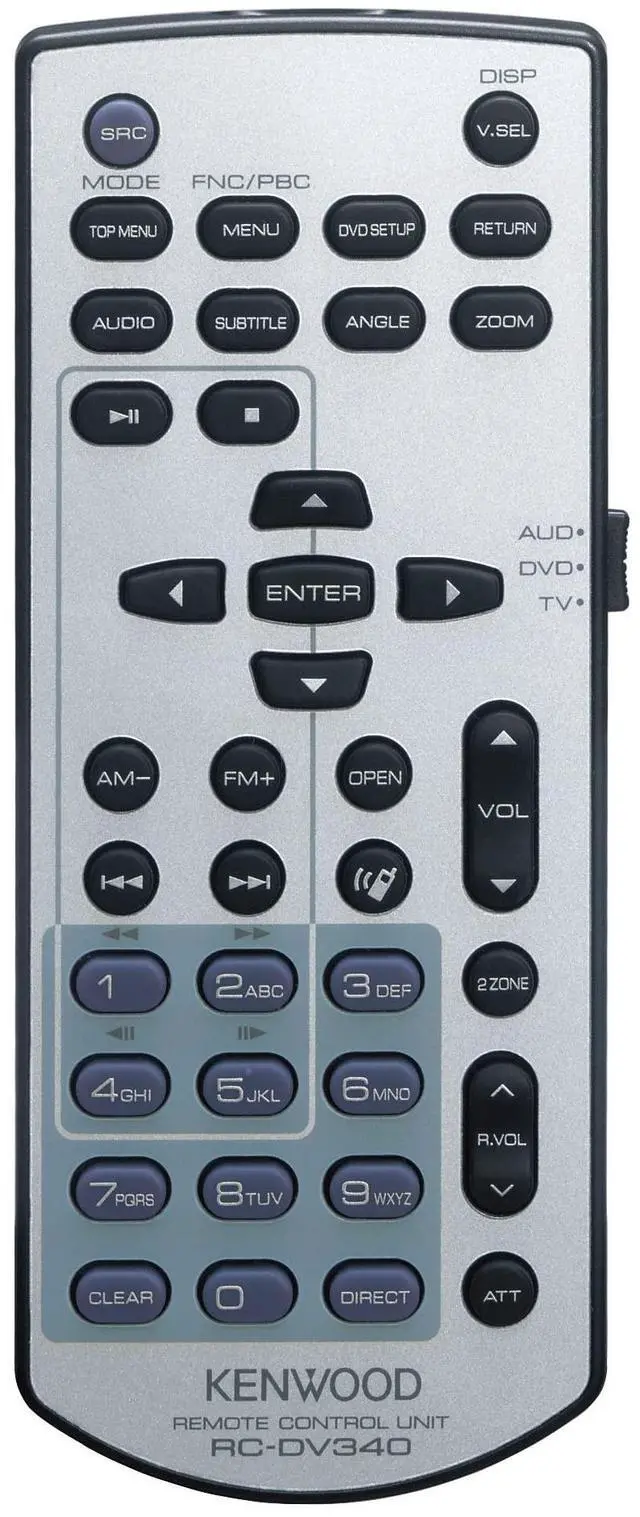

KENWOOD KCA-RCDV340 Infrared IR Remote Control for KENWOOD Audio Receivers
- Remote Functionality: Full Function IR Remote for Complete Control of Kenwood In-Dash Car A/V Receivers
- Operating Modes: Features three distinct modes - AUD mode for source/tuner control, DVD mode for media playback, TV mode for external tuners
- Audio Control: AUD mode enables comprehensive control of selected source or tuner source functions
- Media Playback: DVD mode provides complete control for playing DVDs, CDs and USB connected devices
- Search Capability: Direct search mode allows quick access to desired content and functions
+
+
Overview
Specs
Reviews

Any questions? Our AI mode will help you find out quickly.
Try me now
Kenwood Remote
Control Unit: The Kenwood RC-DV340 is an IR (infrared) remote control that provide wireless operation of IR remote compatible Kenwood in-dash digital multimedia, DVD, and navigation receivers (including DAX, DDX, DMX, and DNX models).
Control Functions: This 41-button IR remote offers control functions such as Source Selection, Menu Settings, Play/Pause, Stop, Fast Forward/Rewind, Previous/Next Track, Volume Up/Down, Mute/Att, Numeric Keypad (0-9), and more.
Notes: There is a 3-way switch on the side of the remote which is labeled "AUD", "DVD", and "TV". Set the switch to "DVD" when using with a Kenwood DVD in-dash receiver. Set the switch to "AUD" when using with a Kenwood digital multimedia or navigation receiver. The "TV" setting is only used when you have an external TV tuner connected to your Kenwood in-dash receiver.
Battery Powered: The Kenwood RC-DV340 IR remote control unit is powered by two "AAA" batteries (included).
Control Unit: The Kenwood RC-DV340 is an IR (infrared) remote control that provide wireless operation of IR remote compatible Kenwood in-dash digital multimedia, DVD, and navigation receivers (including DAX, DDX, DMX, and DNX models).
Control Functions: This 41-button IR remote offers control functions such as Source Selection, Menu Settings, Play/Pause, Stop, Fast Forward/Rewind, Previous/Next Track, Volume Up/Down, Mute/Att, Numeric Keypad (0-9), and more.
Notes: There is a 3-way switch on the side of the remote which is labeled "AUD", "DVD", and "TV". Set the switch to "DVD" when using with a Kenwood DVD in-dash receiver. Set the switch to "AUD" when using with a Kenwood digital multimedia or navigation receiver. The "TV" setting is only used when you have an external TV tuner connected to your Kenwood in-dash receiver.
Battery Powered: The Kenwood RC-DV340 IR remote control unit is powered by two "AAA" batteries (included).
Warranty & Returns
Warranty, Returns, And Additional Information
Warranty
- Please contact the Seller directly for warranty information. Warranty information may also be found on the Manufacturer's website.
- CONTACT
Return Policies
- Return for refund within: 30 days
- Return for replacement within: 30 days
- This item is covered by DuronTechnologies Return Policy
Manufacturer Contact Info
- For a directory of all our manufacturers, please click below.
- Manufacturers Directory
LOADING...