

Your Browsing History
- Free 30-day Returns
$43.99

Meet Your Seller

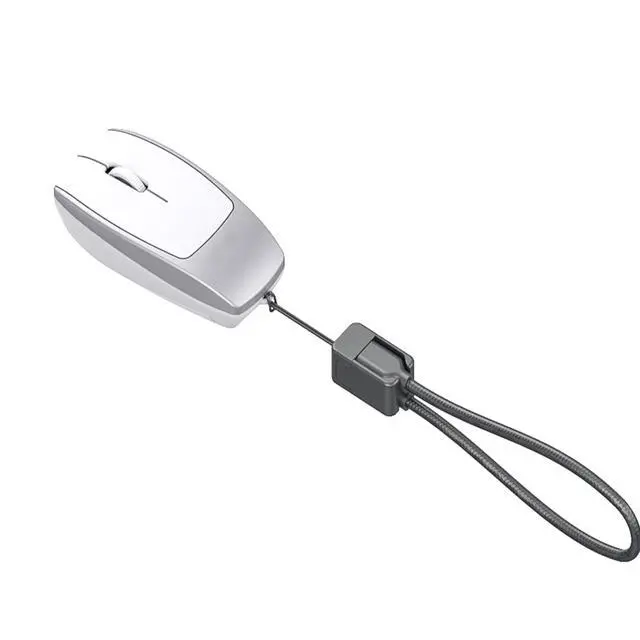


Mini Bluetooth Mouse Rechargeable with TF Card Reader (Max 2TB),Great idea for Kids,Travel and Gift-Silver
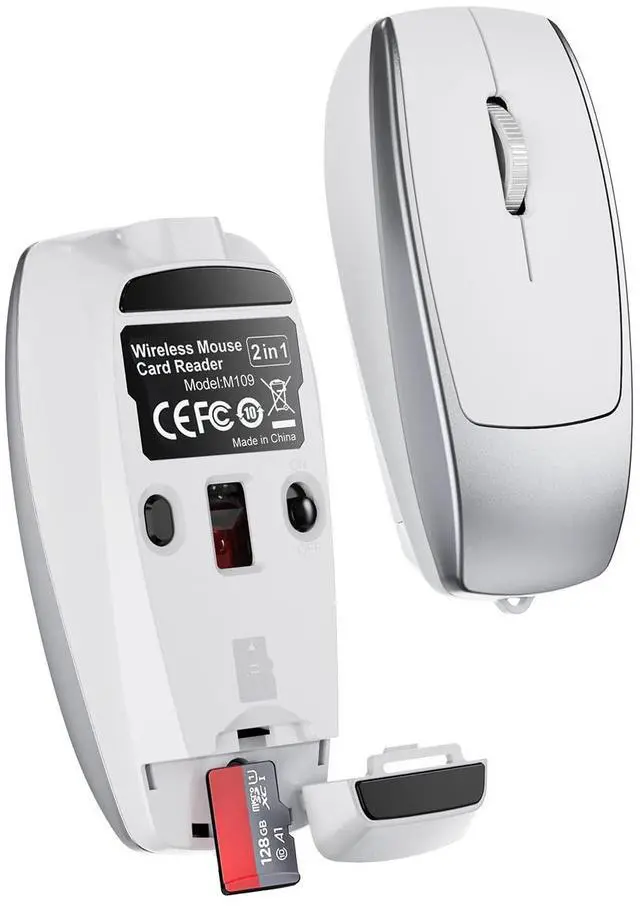
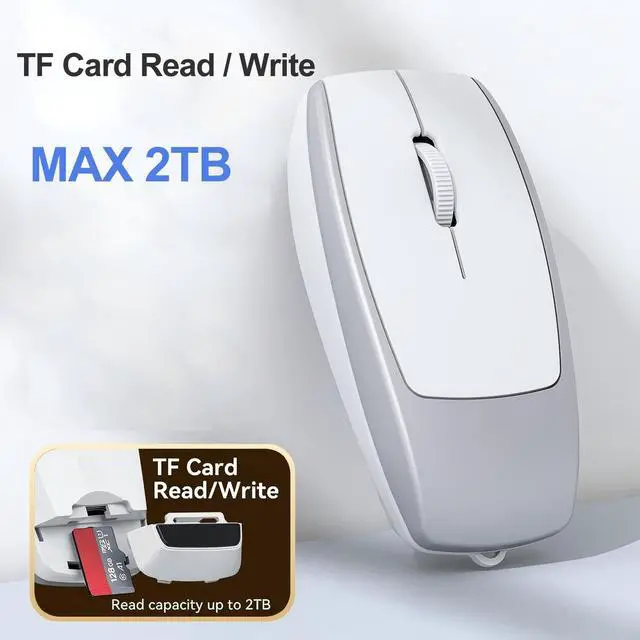
- Not Only a MouseThis tiny mouse integrate with TF card write and reader function.With our data cable,you can implements data tranfer to your computer,tablet,moble phone.Pls note,the TF card max support 2TB capacity.
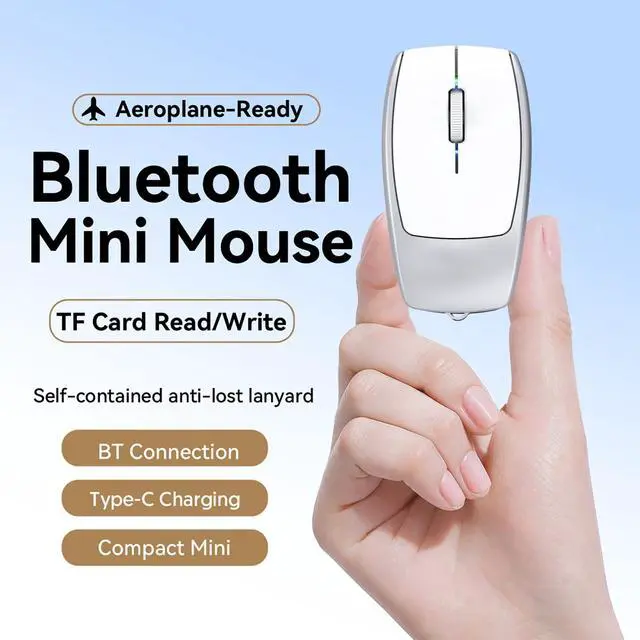
- Extrem Tiny MiceThis mouse only has a size of 7.8*3.8*2.2 cm,weight 26g.It is very convenient for travel,kids and also can be used as gift product.
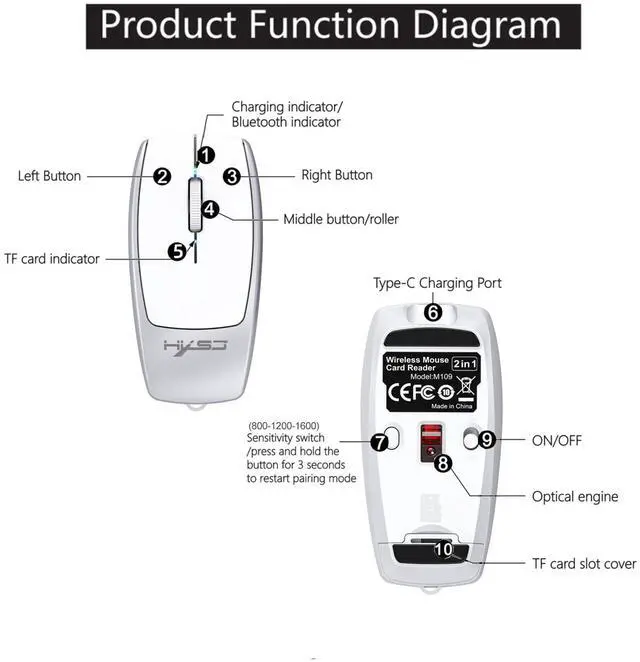
- Bluetooth ConnectionPress the bluetooth button 2-3 seconds to pair bluetooth with your device . This button is also used as resolution adjustion button.Short press it to adjust the resolution from 800-1200-1600.
- Built in Rechargeable BatteryBuilt in 120mAh lithium-ion battery ,you can charge it with our USB C- USB C charge cable.
- Unique Lanyard DesignThe data cable (charge cable ) is designed as a Lanyard. You can carry the mouse anywhere without worry about charging cable or data cable .
+
+
Overview
Specs
Reviews

Any questions? Our AI mode will help you find out quickly.
Try me now
Product Spec: Connection
Mode: BT 5.1
ConnectionChip: PixArt
3065Resolution: 800/1200/1600 (short press the button to adjust the resolution, long press it to pair bluetooth mode)Number of
Buttons: 4
KeysVoltage/Current: 5V/500mAOperating
Distance: 10MBattery
Capacity: 120mAh lithium batteryCharging Cable (Data cable)
Length: 20cmTF
Card Read/Write Speed: 20MB/s (Supports up to 2TB capacity)
Dimensions: 7.83.
82.2 cmWeight: 26gPackaged
included: - 1 Mini Wireless Mouse- 1 USB-C to USB-C Cable (20cm) - 1 User ManualLed indicator
Spec: 1.
Data Transfer Indicator: Bluetooth indicator flashes during data transfer. 2.
Charging Status: Steady green light during charging; light turns off when fully charged. 3.
Low Battery Alert: Red light flashes when battery is low. How to use our product? 1.
Wireless ConnectionStep 1: Slide the power switch on the mouse bottom to "ON". The Bluetooth indicator will light up blue and blink, entering pairing mode.
Step 2: Enable Bluetooth on your device (tablet/PC/phone), navigate to "BT" settings, and connect to "BT 5.1M ouse". The blue light turns off once paired.
Step 3: Move the mouse or click buttons to start using.
Note: 1. If the device fails to detect "BT 5.1M ouse", press and hold the DPI switch (Bluetooth pair button) for 2-3 seconds to restart pairing. 2.
TF Card Read/WriteStep 1: Open the TF card slot cover at the mouse tail.
Step 2: Insert the TF card into the slot following the directional guide.
Step 3: Connect the mouse to a device (PC/tablet/phone) using our data-transfer-enabled Type-C cable.
Step 4: The TF card indicator blinks rapidly during data transfer and stays lit once ready.
Mode: BT 5.1
ConnectionChip: PixArt
3065Resolution: 800/1200/1600 (short press the button to adjust the resolution, long press it to pair bluetooth mode)Number of
Buttons: 4
KeysVoltage/Current: 5V/500mAOperating
Distance: 10MBattery
Capacity: 120mAh lithium batteryCharging Cable (Data cable)
Length: 20cmTF
Card Read/Write Speed: 20MB/s (Supports up to 2TB capacity)
Dimensions: 7.83.
82.2 cmWeight: 26gPackaged
included: - 1 Mini Wireless Mouse- 1 USB-C to USB-C Cable (20cm) - 1 User ManualLed indicator
Spec: 1.
Data Transfer Indicator: Bluetooth indicator flashes during data transfer. 2.
Charging Status: Steady green light during charging; light turns off when fully charged. 3.
Low Battery Alert: Red light flashes when battery is low. How to use our product? 1.
Wireless ConnectionStep 1: Slide the power switch on the mouse bottom to "ON". The Bluetooth indicator will light up blue and blink, entering pairing mode.
Step 2: Enable Bluetooth on your device (tablet/PC/phone), navigate to "BT" settings, and connect to "BT 5.1M ouse". The blue light turns off once paired.
Step 3: Move the mouse or click buttons to start using.
Note: 1. If the device fails to detect "BT 5.1M ouse", press and hold the DPI switch (Bluetooth pair button) for 2-3 seconds to restart pairing. 2.
TF Card Read/WriteStep 1: Open the TF card slot cover at the mouse tail.
Step 2: Insert the TF card into the slot following the directional guide.
Step 3: Connect the mouse to a device (PC/tablet/phone) using our data-transfer-enabled Type-C cable.
Step 4: The TF card indicator blinks rapidly during data transfer and stays lit once ready.
Warranty & Returns
Warranty, Returns, And Additional Information
Warranty
- Please contact the Seller directly for warranty information. Warranty information may also be found on the Manufacturer's website.
- CONTACT
Return Policies
- Return for refund within: 30 days
- Return for replacement within: 30 days
- This item is covered by Tactifans Outdoor Sport Goods Return Policy
Manufacturer Contact Info
- For a directory of all our manufacturers, please click below.
- Manufacturers Directory
LOADING...
LOADING...