

Your Browsing History
- Free 30-day Returns
$39.99

Meet Your Seller


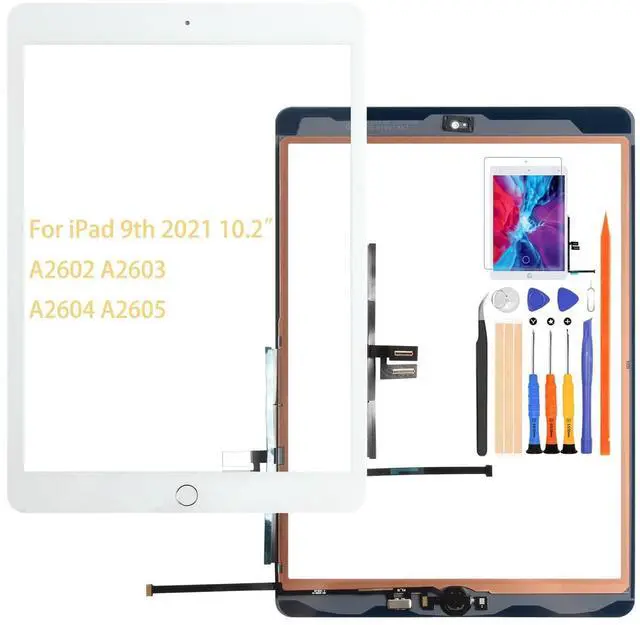
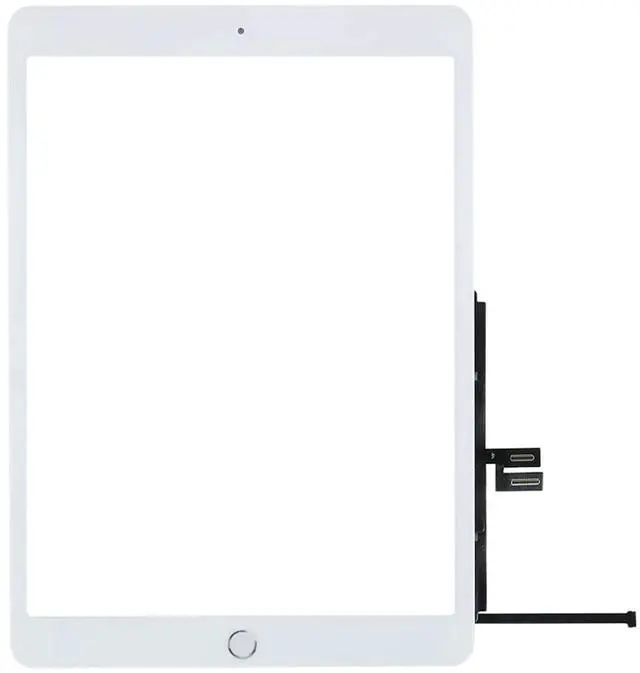
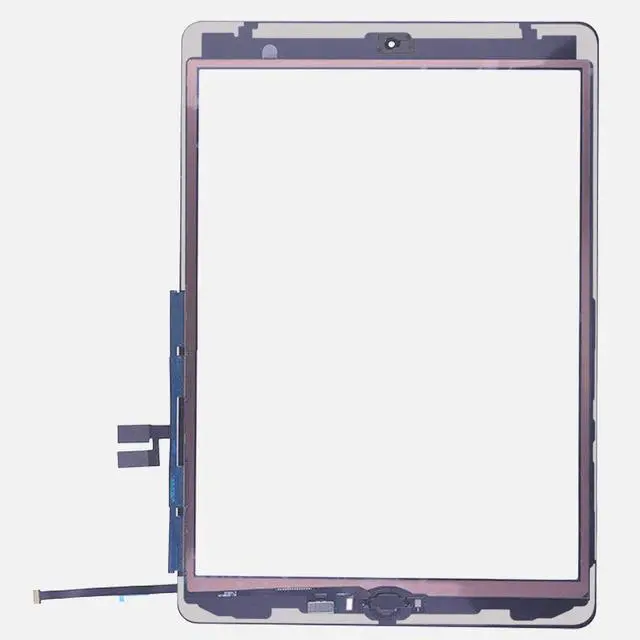


A-MIND for iPad 9 10.2" 2021 Screen Replacement, for iPad 9th Generation A2602 A2603 A2604 A2605 Touch Screen Digitizer Glass Panel Lens Repair Kits(Not LCD) (White,with Home Button)
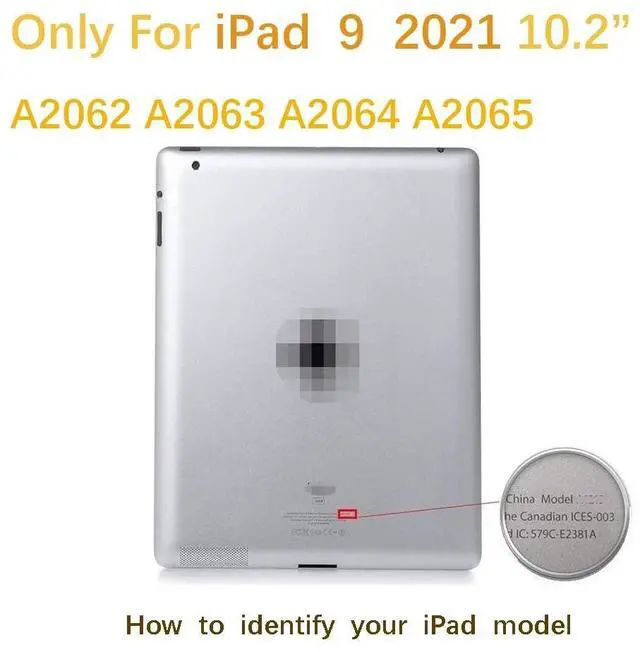
- CompatibilityFor iPad 9 10.2" 9th Gen A2602 A2603 A2604 A2605 Only. Please check the model number on the back of your ipad when ordering. Touch panel only,the LCD panel is not attached.
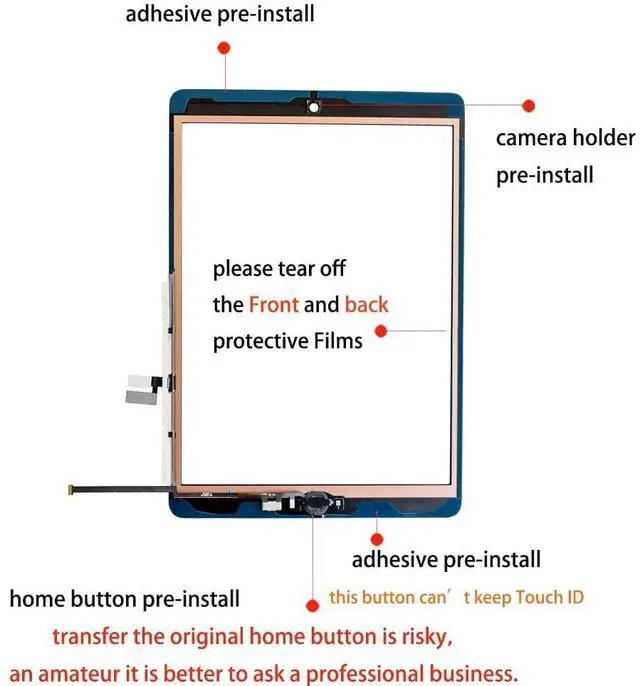
- NoteThe home button is simply returned, fingerprint recognition is not possible.The only way to keep your Touch ID is install your device's home button.please tear off the Front and Back protective films.Includes a screen protector and repair tools.
- ApplicationUsed for the repair of "ipad external panel / touch panel / display rupture, failure, normal operation, but internal screen / LCD / liquid crystal panel". Note: If the ipad cannot be used due to a problem with the internal screen / LCD panel, replacing the external panel / touch screen will not solve the problem. -Please check the cause of ipad failure carefully before buying.
- InstallationExcluding installation tutorial.Before changing, please refer to the tutorial on youtube etc. The replacement of iPad is very difficult and requires som
+
+
Overview
Specs
Reviews

Any questions? Our AI mode will help you find out quickly.
Try me now
Package contents1 * For iPad 9 10.2" 9th Gen A2602 A2603 A2604 A2605 Touch Screen Digitizer Replacement Part (with home button) without lcd display1 * Screen protector1 * double sided tape1 * Repair tool kitsThis product does not come with a manual, so please see the replacement procedure on Youtube etc. before replacing. Attaching requires some knowledge and technique, so if you are an amateur, it is better to ask a professional business. If the ipad cannot be used for a reason other than a broken LCD panel, then replacing the LCD panel will not work.
please confirm. We are not responsible for any damages or malfunctions caused by incorrect installation work. Please use at your own risk. LCD screen for fragile items, wrenching operations must be careful, if inadvertently broken, glass fragments may also be hand scratches, please do a good job of protective measures. Before installation, please remove the battery, connect the row of wires and then install the battery, Then test with the motherboard, wait for the touch and display normal, and then install; once the product is installed that is considered to be problem-free products, no refunds or exchanges.
Since this product is an imported product, it may have slight stains. Please note. If you have any questions, please feel free to contact us.
please confirm. We are not responsible for any damages or malfunctions caused by incorrect installation work. Please use at your own risk. LCD screen for fragile items, wrenching operations must be careful, if inadvertently broken, glass fragments may also be hand scratches, please do a good job of protective measures. Before installation, please remove the battery, connect the row of wires and then install the battery, Then test with the motherboard, wait for the touch and display normal, and then install; once the product is installed that is considered to be problem-free products, no refunds or exchanges.
Since this product is an imported product, it may have slight stains. Please note. If you have any questions, please feel free to contact us.
Warranty & Returns
Warranty, Returns, And Additional Information
Warranty
- Please contact the Seller directly for warranty information. Warranty information may also be found on the Manufacturer's website.
- CONTACT
Return Policies
- Return for refund within: 30 days
- Return for replacement within: 30 days
- This item is covered by To the Internet media Return Policy
Manufacturer Contact Info
- For a directory of all our manufacturers, please click below.
- Manufacturers Directory
LOADING...