

Your Browsing History
- Free 30-day Returns
$189.99

Meet Your Seller

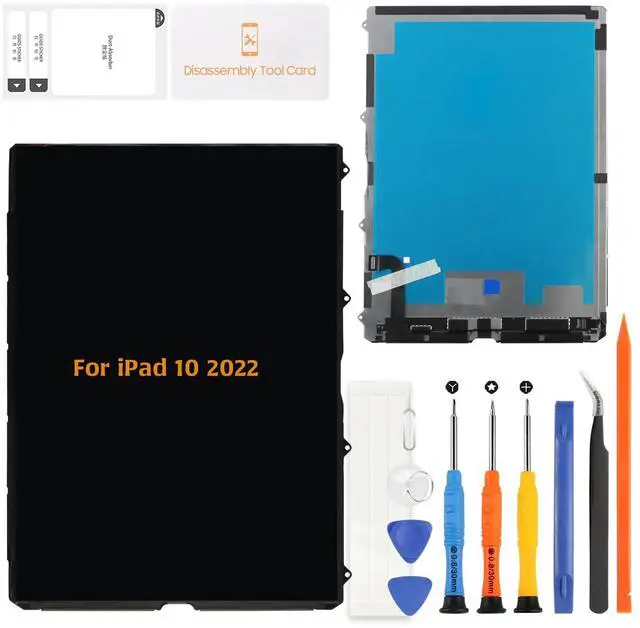
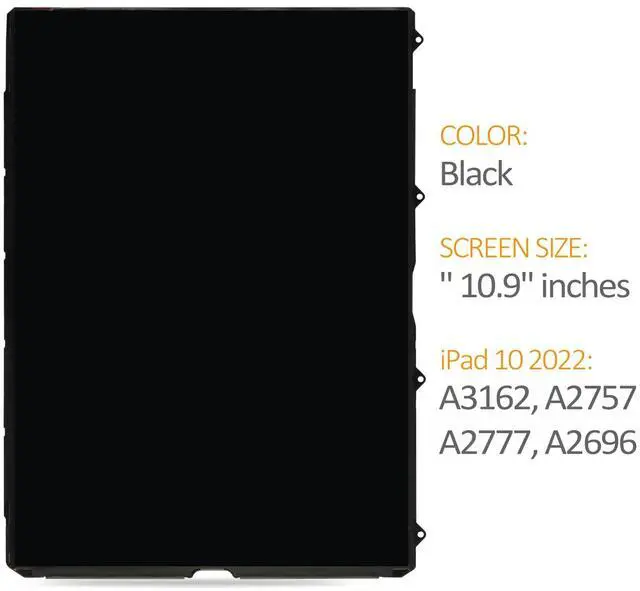


A-MIND LCD Display Screen Replacement for iPad 10th Gen 2022 (A2757, A2777, A2696) 10.9" LCD Panel Only (No Touch Digitizer)
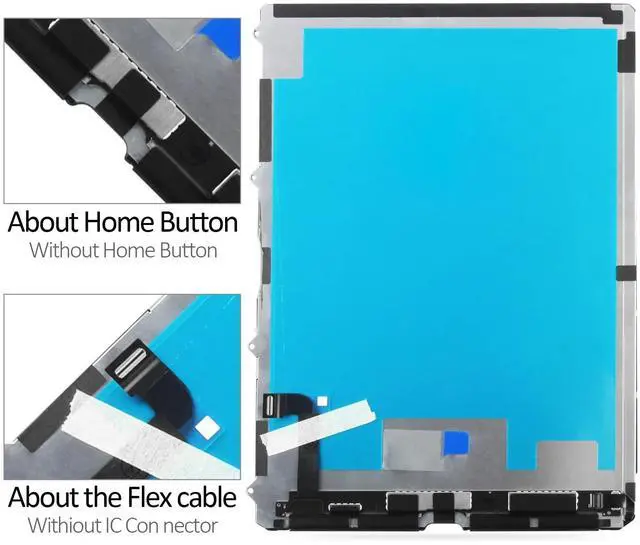
- Compatible ModelsDesigned for iPad 10th Gen 2022 (A2757, A2777, A2696). This replacement includes only the LCD panel and does not include the touch digitizer. Please verify your model number before purchasing to ensure compatibility.Ideal for replacing a damaged or broken LCD in your iPad without replacing the touch screen. This product does not include touch functionality and will not resolve issues related to the touch panel.
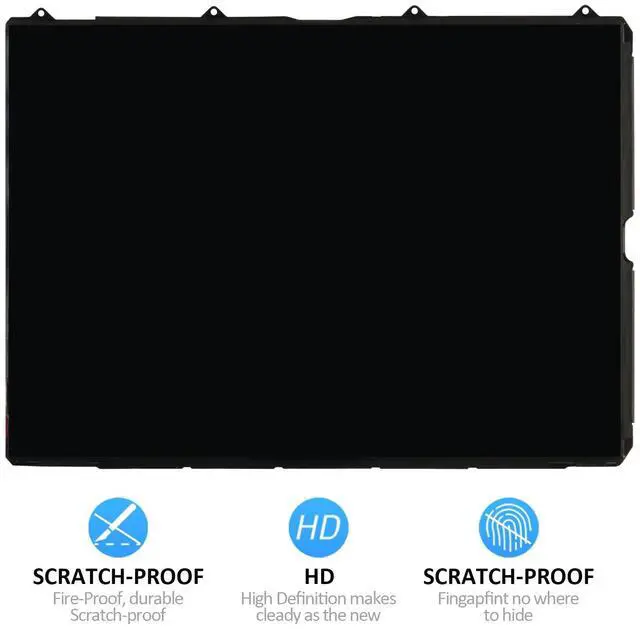
- High-Quality Display ReplacementA-MIND LCD replacement For iPad 10th Gen 2022 meets stringent quality standards to provide clear visuals and restore the display to its original brightness and color depth. Each unit undergoes extensive testing to ensure it is free from dead pixels, spots, and other defects. For iPad LCD replacement without the touch component.
- Ideal for Specific RepairsDesigned for repairs where only the LCD panel is damaged, such as broken displays, color distortion, or backlight issues. This product is best for users who experience displ
+
+
Overview
Specs
Reviews

Any questions? Our AI mode will help you find out quickly.
Try me now
A-MIND LCD Display Replacement for iPad 10th Gen 2022 10.9" IPS Panel (A2757, A2777, A2696)Compatible with iPad 10th Gen 2022 (A2757, A2777, A2696) High-Quality IPS LCD PanelThis replacement screen for iPad 10th Generation 2022 features an original 10.9 -inch IPS LCD panel, delivering sharp resolution, accurate color reproduction, and consistent brightness, maintaining the quality of the original display. LCD Only No Touch DigitizerThis package only includes the LCD panel and does not come with a touch digitizer. If your iPad has unresponsive touch issues, you may need to replace the digitizer separately.
Strict Quality Control & Safe PackagingEach LCD undergoes multiple quality checks before shipment to ensure no dead pixels, scratches, or backlight issues. Our packaging is designed to prevent damage during transit, so you receive your product in perfect condition. Important Installation NotesBefore installation, disconnect the battery flex cable from the motherboard to avoid potential short circuits. Test the LCD before full installation to confirm functionality. If you lack experience in screen replacement, we strongly recommend professional installation to prevent accidental damage.
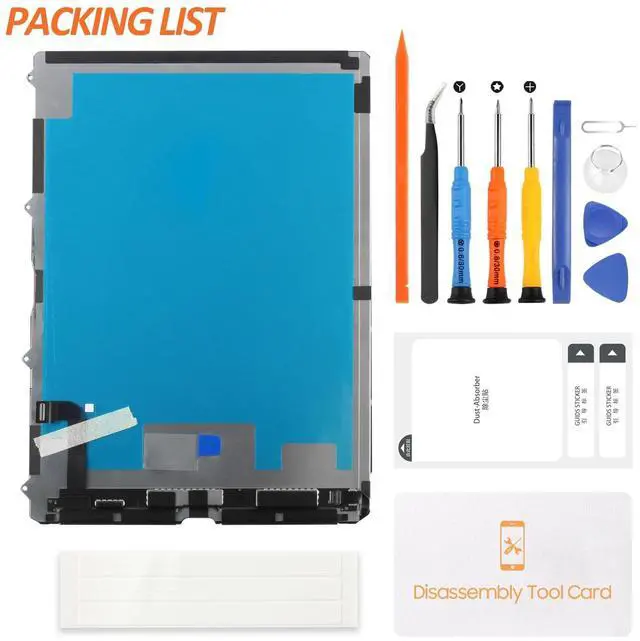
Package Includes: 1x 10.9" LCD Display Panel for iPad 10th Gen 2022 (No Touch Digitizer) 1x Screwdriver Set 1x Pry Tool Kit 1x Adhesive Tape 1x
Dust Removal Sticker Customer Support: If you receive a damaged item or have installation difficulties, contact us immediately with a photo or video. We offer replacement or refund for non-human product damage and will assist with troubleshooting.
Q: Does this screen include the touch digitizer?
A: No, this package includes only the LCD panel. If your iPad has touch issues, you may need to replace the touch digitizer separately.
Q: Is this an original Apple screen?
A: This is a high-quality OEM replacement, offering the same resolution and performance as the factory-installed LCD screen.
Q: Can I install this screen myself?
A: If you have prior experience with repairs, you may follow YouTube tutorials for guidance. However, we highly recommend professional installation to avoid accidental damage.
Q: What should I do if the screen doesnt work after
installation?
A: Ensure all flex cables are securely connected and that you have disconnected and reconnected the battery cable during installation. If problems persist, contact our support team with a photo or video for troubleshooting.
Strict Quality Control & Safe PackagingEach LCD undergoes multiple quality checks before shipment to ensure no dead pixels, scratches, or backlight issues. Our packaging is designed to prevent damage during transit, so you receive your product in perfect condition. Important Installation NotesBefore installation, disconnect the battery flex cable from the motherboard to avoid potential short circuits. Test the LCD before full installation to confirm functionality. If you lack experience in screen replacement, we strongly recommend professional installation to prevent accidental damage.
Package Includes: 1x 10.9" LCD Display Panel for iPad 10th Gen 2022 (No Touch Digitizer) 1x Screwdriver Set 1x Pry Tool Kit 1x Adhesive Tape 1x
Dust Removal Sticker Customer Support: If you receive a damaged item or have installation difficulties, contact us immediately with a photo or video. We offer replacement or refund for non-human product damage and will assist with troubleshooting.
Q: Does this screen include the touch digitizer?
A: No, this package includes only the LCD panel. If your iPad has touch issues, you may need to replace the touch digitizer separately.
Q: Is this an original Apple screen?
A: This is a high-quality OEM replacement, offering the same resolution and performance as the factory-installed LCD screen.
Q: Can I install this screen myself?
A: If you have prior experience with repairs, you may follow YouTube tutorials for guidance. However, we highly recommend professional installation to avoid accidental damage.
Q: What should I do if the screen doesnt work after
installation?
A: Ensure all flex cables are securely connected and that you have disconnected and reconnected the battery cable during installation. If problems persist, contact our support team with a photo or video for troubleshooting.
Warranty & Returns
Warranty, Returns, And Additional Information
Warranty
- Please contact the Seller directly for warranty information. Warranty information may also be found on the Manufacturer's website.
- CONTACT
Return Policies
- Return for refund within: 30 days
- Return for replacement within: 30 days
- This item is covered by Tactifans Outdoor Sport Goods Return Policy
Manufacturer Contact Info
- For a directory of all our manufacturers, please click below.
- Manufacturers Directory
LOADING...