• $59.99
  • Free 30-day Returns
  • Price alert
    Sold by HyperCore

    Shipped by HyperCore

    Shop it at NeweggBusiness.

    Meet Your Seller

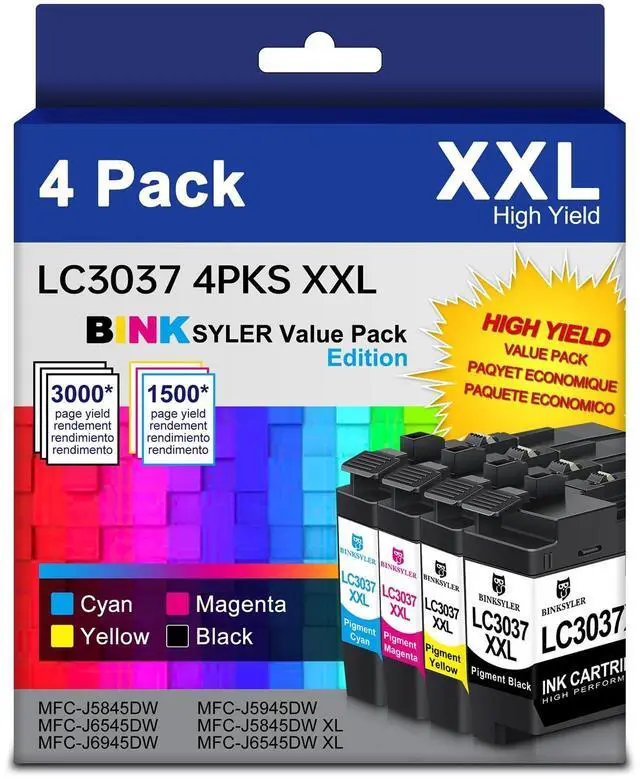
    BINKSYLER LC3037 BK/C/M/Y Ink Cartridges, XXL Super High Yield Compatible for Brother LC3037 LC3039 Ink Work for MFC-J6545DW MFC-J6945DW MFC-J5945DW MFC-J5845DW Printer 4-Pack

    • Sold as 4/Pack, 1 Set
    • What is Included: 4-Pack LC3037 bk/c/m/y ink cartridges Combo Pack, including 1 x LC3037 Black, 1 x LC3037 Cyan, 1 x LC3037 Magenta, 1 x LC3037 Yellow, 1 x User Guide. Latest Upgraded Version - 100% Compatible for brothers printer ink cartridges.
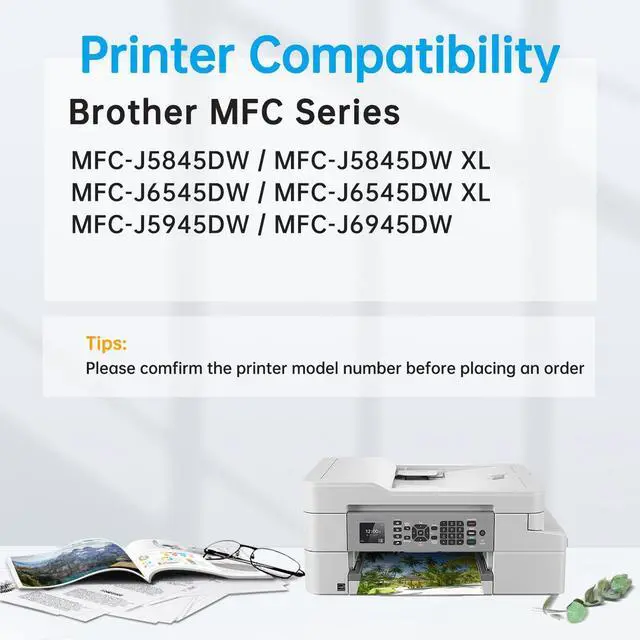
    • Printer Compatibility: BINKSYLER lc3037 ink cartridges are 100% compatible for Brother MFC-J6545DW, MFC-J6545DW XL, MFC-J6945DW, MFC-J5945DW, MFC-J5845DW, MFC-J5845DW XL all-in-one inkjet printers.
    • Printer Compatibility: BINKSYLER lc3037 ink cartridges are 100% compatible for Brother MFC-J6545DW, MFC-J6545DW XL, MFC-J6945DW, MFC-J5945DW, MFC-J5845DW, MFC-J5845DW XL all-in-one inkjet printers.
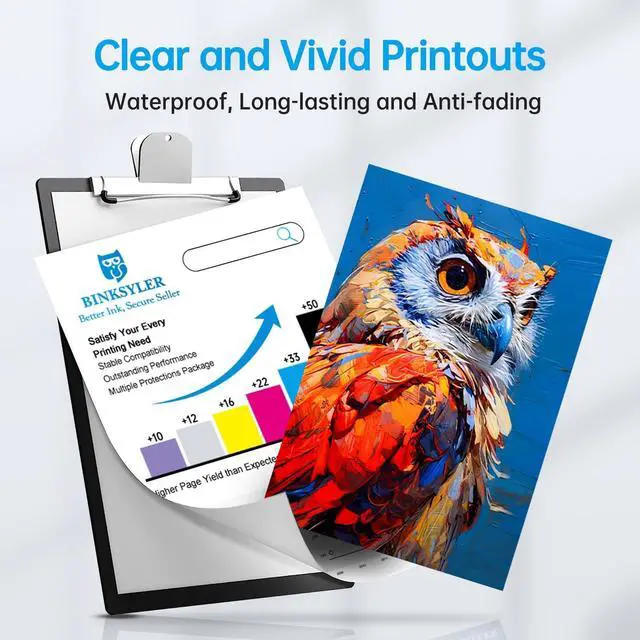
    • Excellent Performance: BINKSYLER Compatible for brother LC3037 ink cartridges combo pack, using specially formulated ink, display sharp and rich text, vivid and long-lasting color. It's the ideal assistant for your office, school, homework.
    +
    +
    Overview
    Specs
    Reviews
    avatar

    Any questions? Our AI beta will help you find out quickly.

    BINKSYLER LC3037XXL Ink Cartridges Replacement for Brother LC3037 LC3037 XXL LC3037BK LC3037C LC3037M LC3037Y (4 Pack)
    Package Including: 1 x LC3037 XXL Black, 1 x LC3037 XXL Cyan, 1 x LC3037 XXL Magenta, 1 x LC3037 XXL Yellow, 1 x
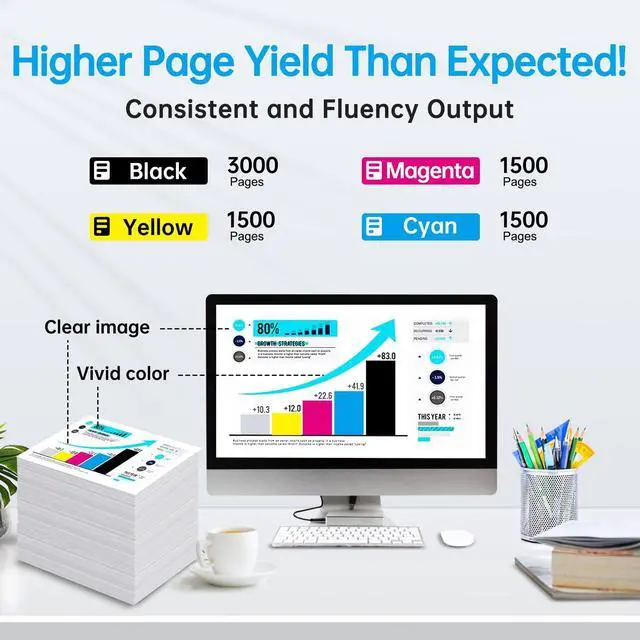
    User GuideExtra High Page Yield: Approx. 3000 pages per LC3037 XXL Black and 1500 pages per LC3037 XXL C/M/Y ink cartridge (at 5% coverage of A4 paper)Printer
    Compatibility: Brother MFC-J5845DW, MFC-J5845DW XLBrother MFC-J6545DW, MFC-J6545DW XLBrother MFC-J5945DW, MFC-J6945DWWarm
    Tips: please check the printer model firstly before placing an order.
    Advantage: LC3037 XXL ink cartridges use green pollution-free and harmless materials to protect environment. Exclusively formulated ink can prevent corrosion and clogging of the printhead, display sharp text, rich black and vivid color images.
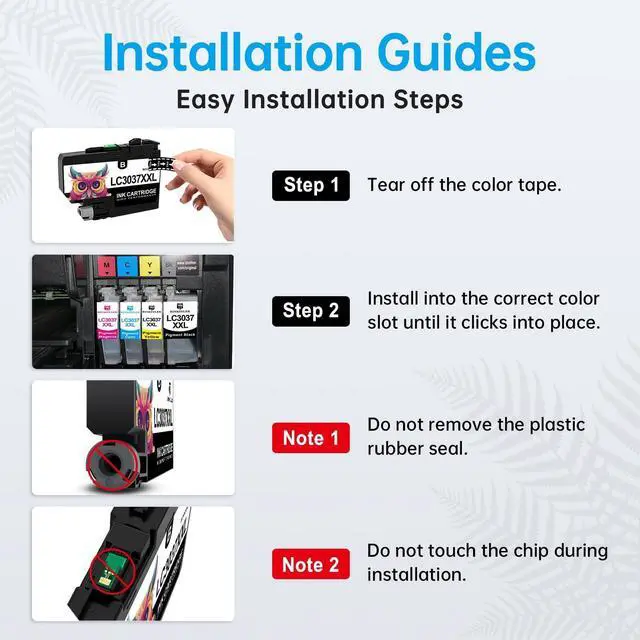
    Easy to Install: Step-1 Tear off the color sealing tape marked "PULL". Step-2 Insert into the correct color slot until it clicks into place.
    Notice: Please do Not touch the ink chip.
    Notice: 1. Please click 'Yes' or 'Continue' if the printer prompts the error message 'Non-Genuine Cartridges', then go on printing. 2. If a line or blurry happens, try realigning your printer heads, choose your printer clean option to clean the printer head, and nozzle check 1-2 times for more sharp and more vivid color. 3. Please kindly boot your printer weekly if the machine isn't used frequently, which will protect the printer head from clogging. 4. To protect original properties, all compatible lc3037 xxl ink cartridges cannot display the ink level which will display "? " on printer screen. It is normal, please ignore it and go on printing. If you want to check the ink level, please find it the printer driver on computer.

    Warranty & Returns

    Warranty, Returns, And Additional Information

    Warranty

    • Please contact the Seller directly for warranty information. Warranty information may also be found on the Manufacturer's website.
    • CONTACT

    Return Policies

    • Return for refund within: 30 days
    • Return for replacement within: 30 days
    • This item is covered by HyperCore Return Policy

    Manufacturer Contact Info

    LOADING...