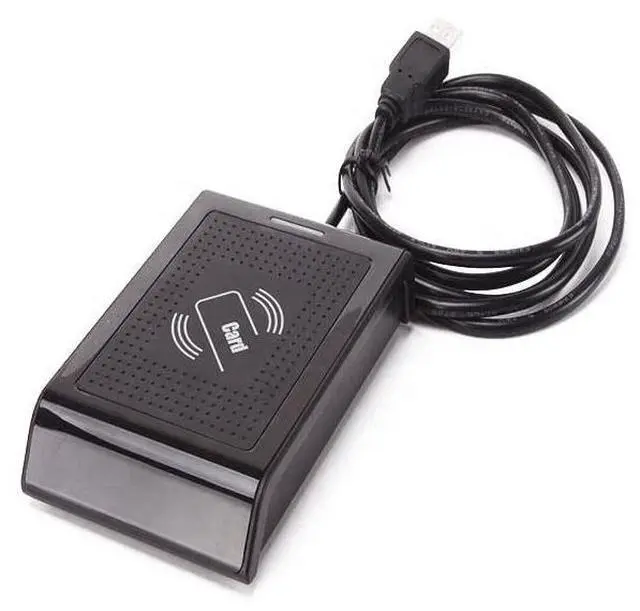
Interface: USB 2.0 Full
Speed DevicePower: From USB portSupported
Operating Systems: Win XP/7/10/LUNIX, Android
4.0 aboveStandard: ISO/IEC 14443 TypeA, TypeB, ISO/IEC
15693Support the card type: Mifare Classic Protocols card, UltraLight, UltraLight C, T=CL CPU card, Ntag213, Ntag215, Ntag216, Mifare PLUS, DESfire, I-CODE2Format: 10 digit dec (Defoult output format) (Allow user to customize the output format by software) Smart Card
Read Speed: 106kbit/sOperating
Distance: Up to 50 mmLED
Status Indicators: 2 LED (green and red)
Dimensions: 118mm (L) x 78mm (W) x 18mm (H)
Weight:
150gTemperature: -10C
60CHumidity: 10% to 90%, non-condensingMethod of installation and use1. Connect with computer through USB interface directly. When the buzzer sounded, reader into the self-inspection. And the same time, LED turn into red means standby. 2. Open the output of computer software, such as Notepad\a word document or Excel sheets. 3. The mouse in Notepad or WORD document clicking. 4. Put tag on the top of reader, the software will output a data (card number) of the tag. When reading the tag, LED light change from red to green. Detecting device is connectedOpen the Device Manager of computer, If appears Humans Input Device that means Reader has successfully into computer. Precautions1. Do not install the reader on the magnetic objects and metal objects, they will seriously affect the RF signal. 2. If after reading, the tag is still in the induction zone, the RF reader will not send data and without any hints. Common problems1.
Operation without feedback: Please check whether the interface plugged in, whether the tag is a valid orwhether another RF tag is within the reading range. 2.
Data error: Please check Whether the mouse is moved, whether the reader is in a critical state and whetherthe cable length is too long.