

Your Browsing History

Meet Your Seller

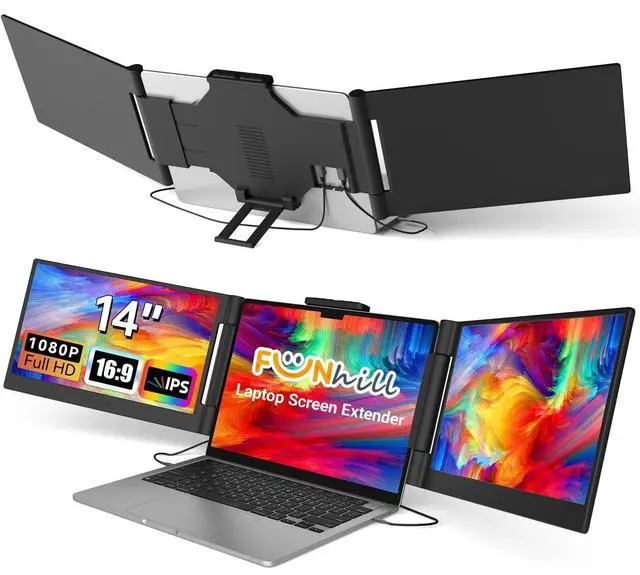


Funhill Laptop Screen Extender 14 inch Laptop Monitor Extender 1080P IPS, Triple Portable Monitor for Laptops 13-17.3" with Display/HDMI Port, Plug-Play Portable Screen for Windows/Chrome/Android
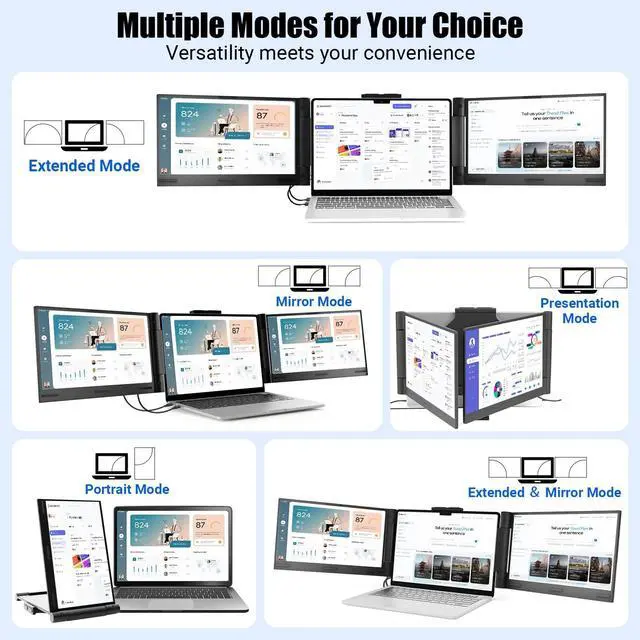
- Boost 300% Efficiency- Funhill laptop screen extender can instantly expand your laptop to triple screens - view spreadsheets, design tools, and chats simultaneously. Say goodbye to the hassle of constantly switching back and forth on a single display continuously. Portable screen for laptop can switch between extended/duplicate/portrait modes to minimize tab-switching fatigue. Funhill triple monitor provides the perfect solution for laptop users for multi-screen synchronization and split-screen display.
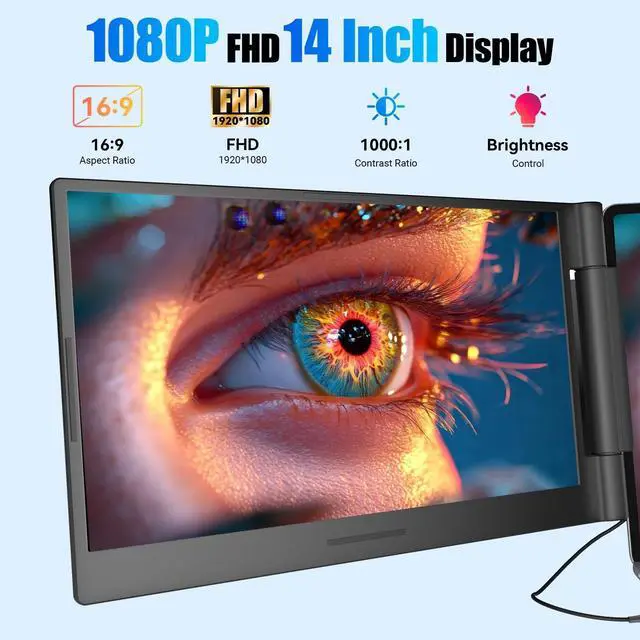
- 1080P IPS FHD Monitor Extender- Funhill laptop monitor extender equips a 14" FHD IPS screen paired with 1920x1080 resolution, 16:9 aspect ration, 60Hz refresh rate for superior image clarity. Enjoy a wide viewing angle and rich, vibrant colors. The triple laptop screen can rotate 0-330 (Left), 0-280(Right), allowing you to customize the viewing experience according to your preferences. Adjust brightness via screen extender portable side buttons.
- Plug & Play Without Driver- You jus
+
+
Overview
Specs
Reviews

Any questions? Our AI mode will help you find out quickly.
Try me now
Boost 300% Efficiency- Funhill laptop screen extender can instantly expand your laptop to triple screens - view spreadsheets, design tools, and chats simultaneously. Say goodbye to the hassle of constantly switching back and forth on a single display continuously. Portable screen for laptop can switch between extended/duplicate/portrait modes to minimize tab-switching fatigue. Funhill triple monitor provides the perfect solution for laptop users for multi-screen synchronization and split-screen display. ^^ 1080P IPS FHD Monitor Extender- Funhill laptop monitor extender equips a 14" FHD IPS screen paired with 1920x1080 resolution, 16:9 aspect ration, 60Hz refresh rate for superior image clarity.
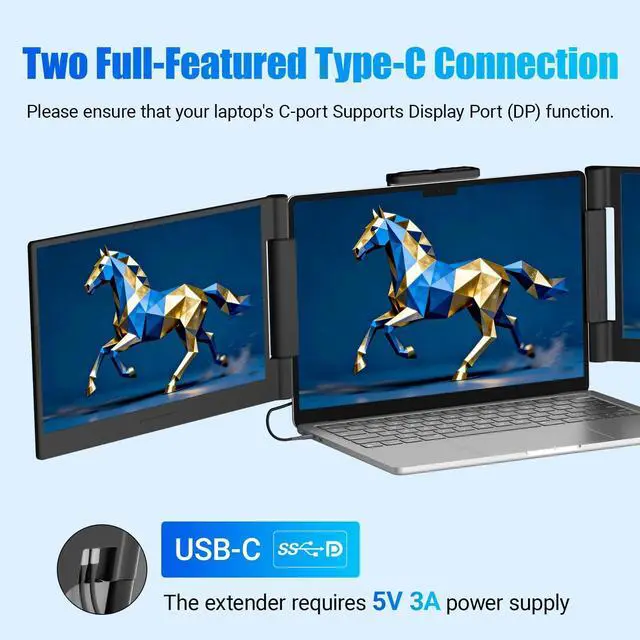
Enjoy a wide viewing angle and rich, vibrant colors. The triple laptop screen can rotate 0-330 (Left), 0-280 (Right), allowing you to customize the viewing experience according to your preferences. Adjust brightness via screen extender portable side buttons. ^^ Plug & Play Without Driver- You just need to connect the portable monitor for laptop via USB-C DP, HDMI directly without any additional driver download. Funhill multiple screens includes all the necessary cables (2* Dual USB-C cable, 1* HDMI to Mini-HDMI cable, 1*DC Charger).: Make sure your laptops support * USB-C () or * USB-C ()+*
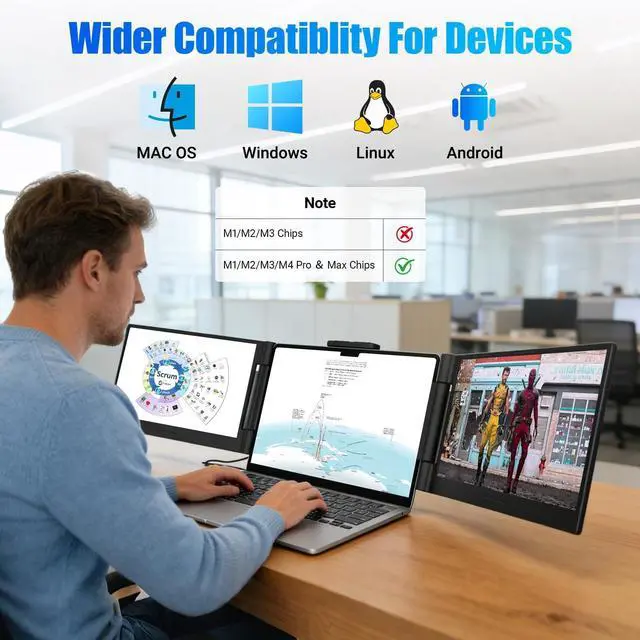
HDMI port.: when use the HDMI cable, please connect one extra dual USB-C cable to the same screen extender to power supply. ^^ Widely Compatible Portable- Portable monitors for 13- 17.3" laptop support a wide range of devices and operating systems, including Intel, Android, Windows, Chrome, Linux, Type-C/A phones, PS4, Switch, and so on. Funhill 14 inch laptop screen extender is created to folded compactly for easy storage in a computer bag (not included).
Note: The phones need to support video output ^^ Reliable Service Support- Rest assured with a 1-year support on our laptop screen extender. If you notice missing accessories or have inquiries about connectivity, feel free to contact us, and we are here to provide a prompt solution within 24 hours.: Please ensure that your laptop has at least one USB-C (), Otherwise, the right screen may not function properly.: Two USB-C DP ports for connection, but the monitor extension for laptop no respond. This may be due to the laptop version being too low to support the screen extender. Please use HDMI+C ports to connect and connect the external power supply ^^: If your laptop's USB-C port cannot provide sufficient power (5V 3A), you must connect an external power adapter to both the laptop and the product simultaneously to ensure proper functionality.: Close the left screen first, then the right oneotherwise, the screen may get damaged. Do not force the monitor to retract; stretch it slightly before retracting.: Not for base
M1/M2/M3: Only works with Pro/Max/M4/M5 series chips.
Enjoy a wide viewing angle and rich, vibrant colors. The triple laptop screen can rotate 0-330 (Left), 0-280 (Right), allowing you to customize the viewing experience according to your preferences. Adjust brightness via screen extender portable side buttons. ^^ Plug & Play Without Driver- You just need to connect the portable monitor for laptop via USB-C DP, HDMI directly without any additional driver download. Funhill multiple screens includes all the necessary cables (2* Dual USB-C cable, 1* HDMI to Mini-HDMI cable, 1*DC Charger).: Make sure your laptops support * USB-C () or * USB-C ()+*
HDMI port.: when use the HDMI cable, please connect one extra dual USB-C cable to the same screen extender to power supply. ^^ Widely Compatible Portable- Portable monitors for 13- 17.3" laptop support a wide range of devices and operating systems, including Intel, Android, Windows, Chrome, Linux, Type-C/A phones, PS4, Switch, and so on. Funhill 14 inch laptop screen extender is created to folded compactly for easy storage in a computer bag (not included).
Note: The phones need to support video output ^^ Reliable Service Support- Rest assured with a 1-year support on our laptop screen extender. If you notice missing accessories or have inquiries about connectivity, feel free to contact us, and we are here to provide a prompt solution within 24 hours.: Please ensure that your laptop has at least one USB-C (), Otherwise, the right screen may not function properly.: Two USB-C DP ports for connection, but the monitor extension for laptop no respond. This may be due to the laptop version being too low to support the screen extender. Please use HDMI+C ports to connect and connect the external power supply ^^: If your laptop's USB-C port cannot provide sufficient power (5V 3A), you must connect an external power adapter to both the laptop and the product simultaneously to ensure proper functionality.: Close the left screen first, then the right oneotherwise, the screen may get damaged. Do not force the monitor to retract; stretch it slightly before retracting.: Not for base
M1/M2/M3: Only works with Pro/Max/M4/M5 series chips.
Warranty & Returns
Warranty, Returns, And Additional Information
Warranty
- Please contact the Seller directly for warranty information. Warranty information may also be found on the Manufacturer's website.
- CONTACT
Return Policies
- Return for refund within: 30 days
- Return for replacement within: 30 days
- This item is covered by Luhang Return Policy
Manufacturer Contact Info
- For a directory of all our manufacturers, please click below.
- Manufacturers Directory
LOADING...