

Your Browsing History
- Free 30-day Returns
$60.99

Meet Your Seller

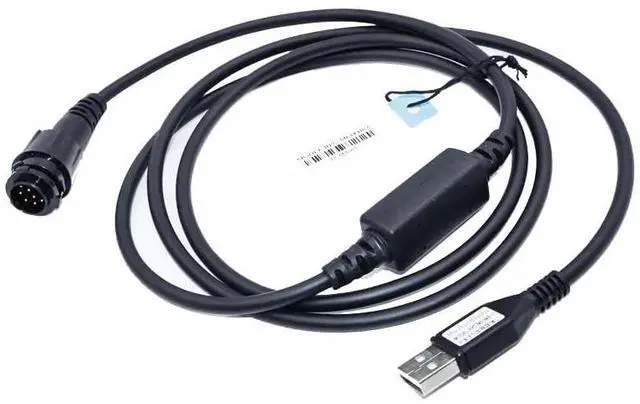

MaxtonData USB Radio Programming Cable for Motorola XPR5550, XPR5550e, XPR5580, HKN6184C,XTL5000,XTL2500,XTL1500
- USB Programing Cable For Motorola DMR Mobile Radios
- Engineered for reliability, it works seamlessly with Windows XP, Windows 7,Windows 10 and Windows 11 operating systems.
- High-speed USB for rapid data transfer
- Enjoy a hassle-free connection, perfect for both personal and professional use.
- Plug and Play ,no need to install USB Driver
+
+
Overview
Specs
Reviews

Any questions? Our AI mode will help you find out quickly.
Try me now
USB Radio Programming Cable for Motorola XPR5550, XPR5550e, XPR5580, HKN6184C
Model: RPC-M6184C-U
OVERVIEW: USB Programming cable for Motorola DMR Mobile Radios This USB cable does not require driver installation. When you connect the intercom and insert the USB into the USB port of the computer, the operating system will automatically recognize the device.
Compatibility: APX4500, APX6500, APX6500Li, APX7500 APX8500, PM1500, XPR4300, XPR4350 XPR4380, XPR4500, XPR4550, XPR4580 XPR5550, XPR5550e, XPR5580, XTL1500 XTL2500, and
XTL5000 OVERVIEW: USB Programming cable for Motorola DMR Mobile Radios This USB cable does not require driver installation. When you connect the intercom and insert the USB into the USB port of the computer, the operating system will automatically recognize the device. USB plug and play, no need to install USB driver For Motorola DMR Mobile Radios Recommended operating systems win7/win8/win10/win11 ***Tips: *** You need to connect the cable to the radio, then the computers device manager can find the radio
Model: RPC-M6184C-U
OVERVIEW: USB Programming cable for Motorola DMR Mobile Radios This USB cable does not require driver installation. When you connect the intercom and insert the USB into the USB port of the computer, the operating system will automatically recognize the device.
Compatibility: APX4500, APX6500, APX6500Li, APX7500 APX8500, PM1500, XPR4300, XPR4350 XPR4380, XPR4500, XPR4550, XPR4580 XPR5550, XPR5550e, XPR5580, XTL1500 XTL2500, and
XTL5000 OVERVIEW: USB Programming cable for Motorola DMR Mobile Radios This USB cable does not require driver installation. When you connect the intercom and insert the USB into the USB port of the computer, the operating system will automatically recognize the device. USB plug and play, no need to install USB driver For Motorola DMR Mobile Radios Recommended operating systems win7/win8/win10/win11 ***Tips: *** You need to connect the cable to the radio, then the computers device manager can find the radio
Warranty & Returns
Warranty, Returns, And Additional Information
Warranty
- Please contact the Seller directly for warranty information. Warranty information may also be found on the Manufacturer's website.
- CONTACT
Return Policies
- Return for refund within: 30 days
- Return for replacement within: 30 days
- This item is covered by To the Internet media Return Policy
Manufacturer Contact Info
- For a directory of all our manufacturers, please click below.
- Manufacturers Directory
LOADING...