

Your Browsing History
- Free 30-day Returns
$113.99


Meet Your Seller

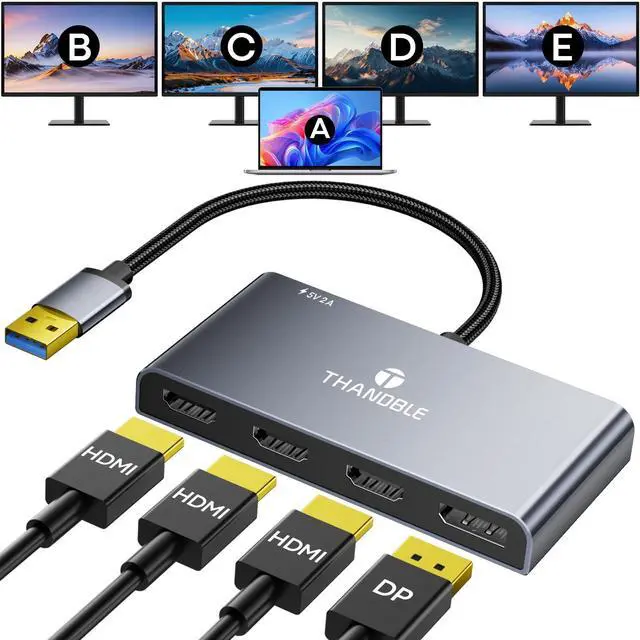


THANDBLE USB 3.0 to Quad HDMI with DisplayPort Adapter, 1080P@60Hz USB Type-A to 4 HDMI Monitor Converter, External Video Graphics Card, HDMI Splitter Extended Display for Mac/Win for Laptop, Desktops
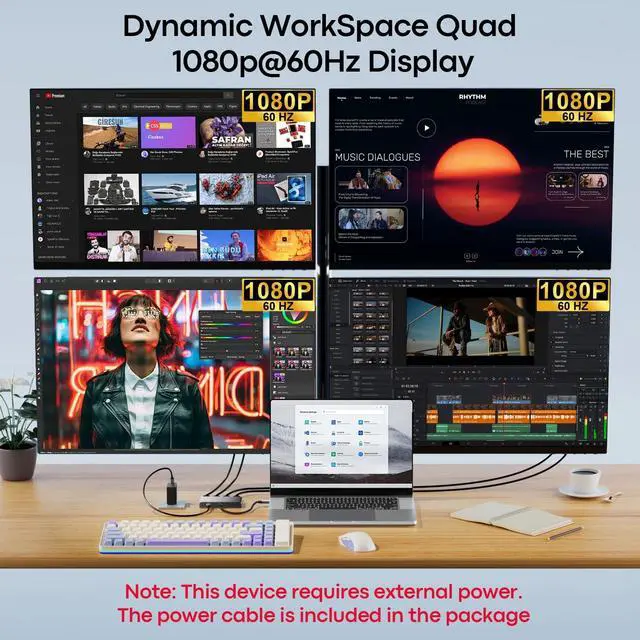
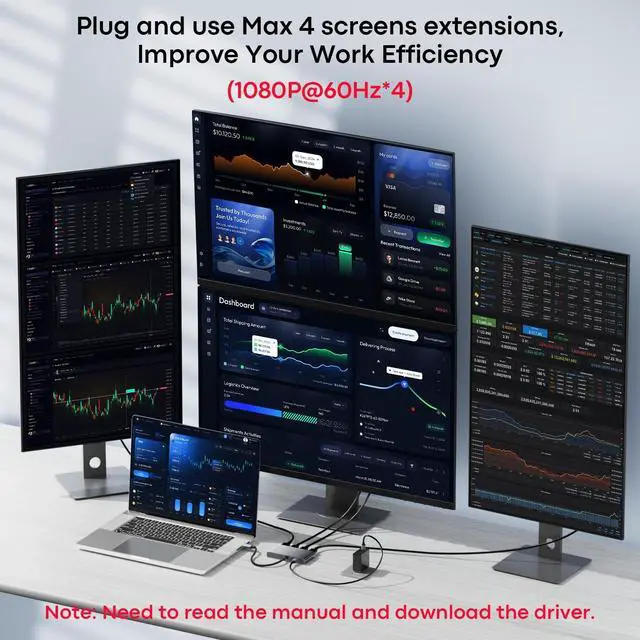
- USB 3.0 to Triple HDMI Monitor AdapterTurn a single USB-A 3.0 port on your laptop into 3 HDMI and 1 DisplayPort outputs, Supports single, dual, triple, or quad displays ,driving four extended screens simultaneously. Ideal for traders monitoring live positions across multiple charts or developers running IDE, terminal, and docs side by side. No more sacrificing desk space for bulky docksand for the most demanding setups, the built-in USB-C auxiliary power port (5V/2A) lets you connect a standard phone/Laptop charger to lock in rock-solid signal stability
- Crisp 1080p 60Hz, Zero StutterExperience smooth, tear-free video and crisp text across all four displays, driven by a high-efficiency video engine that keeps each frame in sync. Ideal for video editors comparing timelines, analysts scrolling massive spreadsheets, or anyone who relies on fluid visuals. No more distracting stutter or resolution drops when your workflow pushes the limits
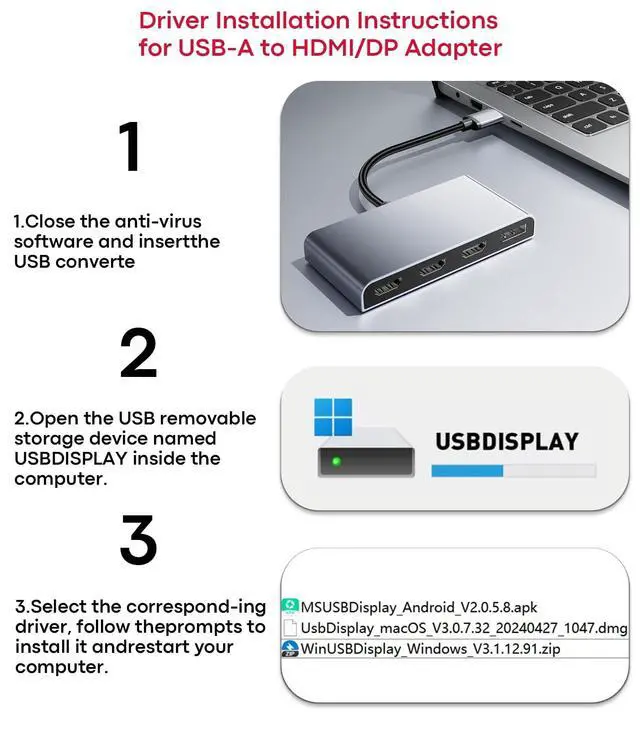
- Driver On Board, Setup in 3 Steps No CD, no
+
+
Overview
Specs
Reviews

Any questions? Our AI mode will help you find out quickly.
Try me now
USB 3.0 to Triple HDMI Monitor AdapterTurn a single USB-A 3.0 port on your laptop into 3 HDMI and 1 DisplayPort outputs, Supports single, dual, triple, or quad displays, driving four extended screens simultaneously. Ideal for traders monitoring live positions across multiple charts or developers running IDE, terminal, and docs side by side. No more sacrificing desk space for bulky docksand for the most demanding setups, the built-in USB-C auxiliary power port (5V/2A) lets you connect a standard phone/Laptop charger to lock in rock-solid signal stability ^^ Crisp 1080p 60Hz, Zero StutterExperience smooth, tear-free video and crisp text across all four displays, driven by a high-efficiency video engine that keeps each frame in sync.
Ideal for video editors comparing timelines, analysts scrolling massive spreadsheets, or anyone who relies on fluid visuals. No more distracting stutter or resolution drops when your workflow pushes the limits ^^ Driver On Board, Setup in 3 Steps No CD, no download. Before using this USB to HDMI adapter, a driver must be installed. The process is straightforward, the driver is stored directly on the adapter.
Step 1: Plug it ina virtual disk appears.
Step 2: Open the disk and run the installer (temporarily disable antivirus and uninstall old USB graphics drivers).
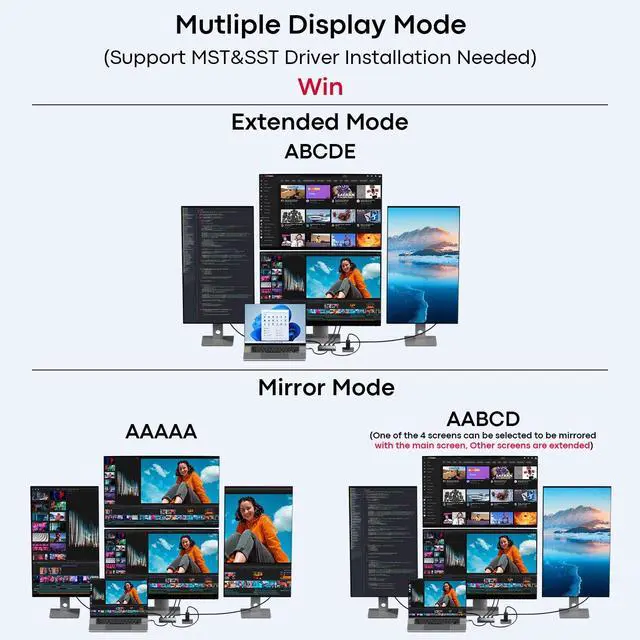
Step 3: Restartyour quad-monitor station is live. One-time setup only; after that, true plug-and-play on the same machine ^^ Broad Laptop CompatibilityThe USB to HDMI Splitter Works seamlessly with Windows and macOS laptops and desktops equipped with USB-A 3.0 ports, including Dell, HP, Lenovo, Surface, and Mac models. Administrator rights are only needed during the initial driver install. Ideal for mixed-device offices or anyone switching between work and personal machines. No more guessing whether your adapter will play nice with your hardware. (Not compatible with ChromeOS or Linux. ) ^^ Extend or Mirror, 24/7 SupportThis USB 3.0 to 4x HDMI+DP video adapter cannot be used in BIOS mode, and the driver needs to be installed. If other drivers (e. g., for USB-to-VGA adapters) are installed, uninstall them first to avoid conflicts. Moreover, Toggle between Extend Mode (four independent desktops) and Mirror Mode (duplicate your main screen) directly in system settingsideal for deep work or presentations(A simple driver installation is required, as is the case with similar products. ). Should anything come up, our support team answers around the clock
Ideal for video editors comparing timelines, analysts scrolling massive spreadsheets, or anyone who relies on fluid visuals. No more distracting stutter or resolution drops when your workflow pushes the limits ^^ Driver On Board, Setup in 3 Steps No CD, no download. Before using this USB to HDMI adapter, a driver must be installed. The process is straightforward, the driver is stored directly on the adapter.
Step 1: Plug it ina virtual disk appears.
Step 2: Open the disk and run the installer (temporarily disable antivirus and uninstall old USB graphics drivers).
Step 3: Restartyour quad-monitor station is live. One-time setup only; after that, true plug-and-play on the same machine ^^ Broad Laptop CompatibilityThe USB to HDMI Splitter Works seamlessly with Windows and macOS laptops and desktops equipped with USB-A 3.0 ports, including Dell, HP, Lenovo, Surface, and Mac models. Administrator rights are only needed during the initial driver install. Ideal for mixed-device offices or anyone switching between work and personal machines. No more guessing whether your adapter will play nice with your hardware. (Not compatible with ChromeOS or Linux. ) ^^ Extend or Mirror, 24/7 SupportThis USB 3.0 to 4x HDMI+DP video adapter cannot be used in BIOS mode, and the driver needs to be installed. If other drivers (e. g., for USB-to-VGA adapters) are installed, uninstall them first to avoid conflicts. Moreover, Toggle between Extend Mode (four independent desktops) and Mirror Mode (duplicate your main screen) directly in system settingsideal for deep work or presentations(A simple driver installation is required, as is the case with similar products. ). Should anything come up, our support team answers around the clock
Warranty & Returns
Warranty, Returns, And Additional Information
Warranty
- Please contact the Seller directly for warranty information. Warranty information may also be found on the Manufacturer's website.
- CONTACT
Return Policies
- Return for refund within: 30 days
- Return for replacement within: 30 days
- This item is covered by HAIZHILANSTORE Return Policy
Manufacturer Contact Info
- For a directory of all our manufacturers, please click below.
- Manufacturers Directory
LOADING...