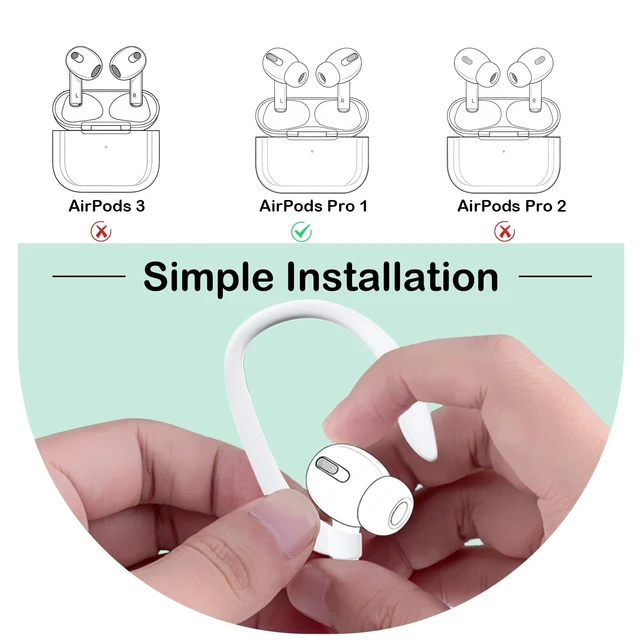
Please check the model of your earbuds before you place the order! How to find the model number: On your Phone, go to Settings > General > About, scroll down until you see the name of your earbuds. Tap the name and you'll see the model number. For the 1st Gen Pods Pro, the left earbud model number is A2084 and the right is A2083. If the model number of your original earbuds is not listed as A2084 or A2083, please do not purchase this replacement earbud. Please follow the steps below for synchronization: 1. Charge the new replacement earbud together with your other original earbud in your original charging case (Model No.: A2190) for at least 15 minutes to balance their firmware. 2. Turn on the Bluetooth function on your phone and forget the previous paired earbuds. 3. Open the lid of the charging case and place it close to your phone. Press and hold the sync button on the back of the charging case until the white indicator light flashes slowly. Then your phone will detect the new earbuds. 4. Tap the connection icon on the screen and sync the earbuds with your phone. 5. When synchronization is complete, you may see a low battery warning. Please charge the earbud for 30 more minutes before using it.
Notice: Please charge the new replacement earbud together with your other original earbud in your original charging case (Model No.: A2190) for at least 15 minutes to sync it with your phone. If synchronization fails the first time, please charge both earbuds together for another 30 minutes and then try again. Charging cases from third-party brands do not support synchronizing a replacement earbud with another original earbud of the same generation. Please only use the original charging case for first-time synchronization. Please check if the model number of your earbud is A2084 or A2083 before placing your order. Please contact us if you have any issues with your order. The synchronization process may take some time during first use. Thank you for your patience.





 here!
here!