• $104.99
  • Free 30-day Returns
  • Price alert
    Shop it at NeweggBusiness.

    Meet Your Seller

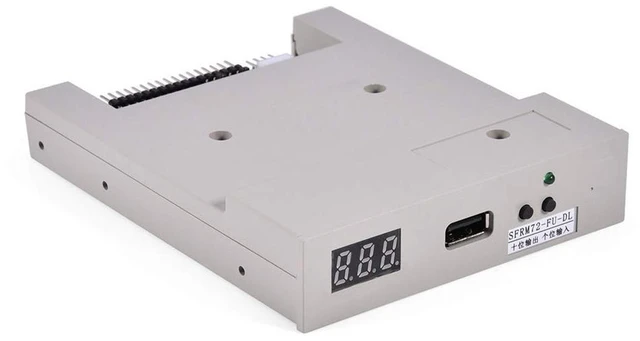
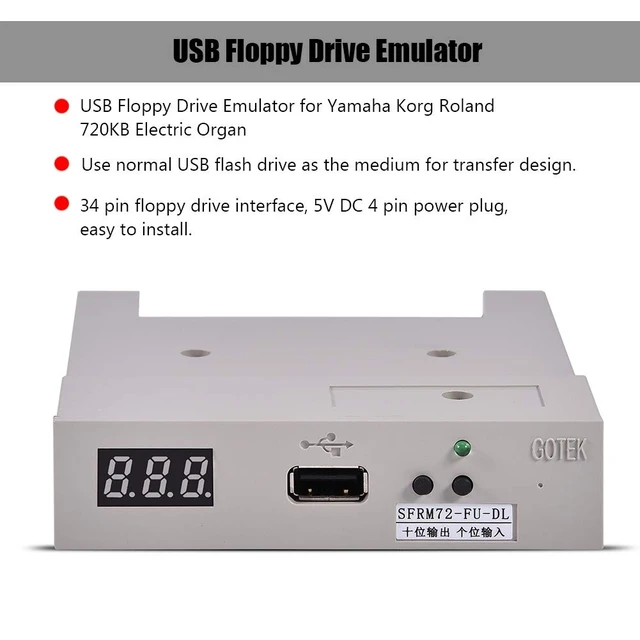
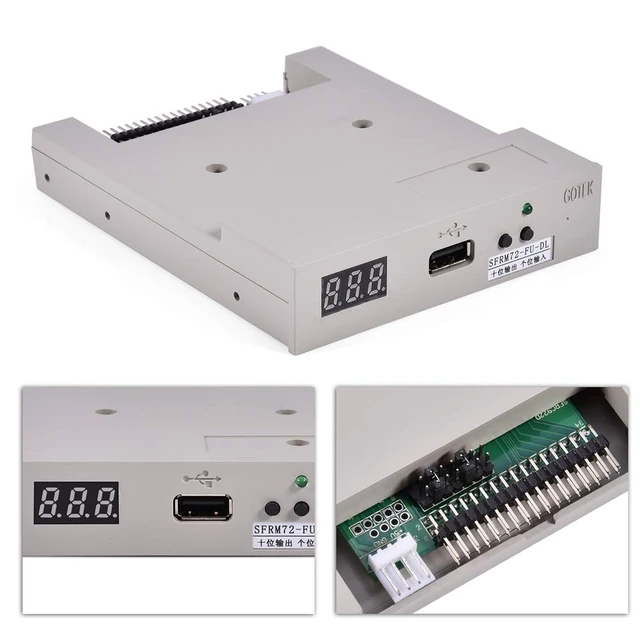
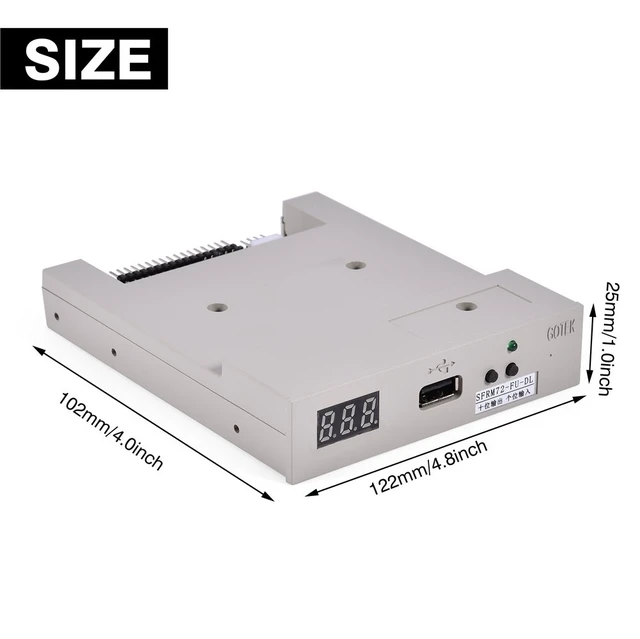
    USB Emulator,SFRM72-FU-DL USB Floppy Drive Emulator,34 Pin Floppy Driver Interface, 5V DC 4 Pin Power Plug,720KB Built-in Flash Memory, with FAT12 Format

    • USB EmulatorUse a normal USB flash drive as the medium for transferring the design, transfer rate: 500 kbps, green LED: status of read and write operations.
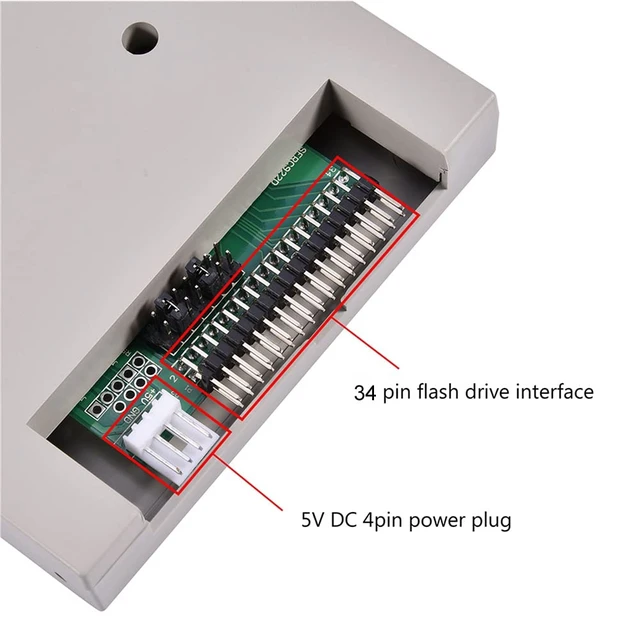
    • Easy InstallationThe USB emulator adopts 34pin floppy drive interface, 5V DC power supply and 4-pin power plug, which is easy to install. 720KB built-in flash memory, FAT12 format, used to cache the data in the U disk.
    • Multiple Folders Can Be SearchedThe USB floppy drive emulator can search 720KB root directory files or folders. Supports long filenames and 4 levels of directories in folders.
    • When no USB flash drive is plugged into the emulator: left up tens, right up ones, press 2 keys at the same time up hundreds, when hundreds is 'b', use image mode. When a USB flash drive is plugged into the emulator: the left is used to transfer data from the internal storage to the USB flash drive, and the right is used to transfer data from the USB flash drive to the internal storage.
    • Quality ServiceIf the product has any quality
    +
    +
    Overview
    Specs
    Reviews

    Any questions? Ask CelesteSM will help you find out quickly.

    USB EmulatorUse a normal USB flash drive as the medium for transferring the design, transfer
    rate: 500 kbps, green
    LED: status of read and write operations. ^^ Easy InstallationThe USB emulator adopts 34pin floppy drive interface, 5V DC power supply and 4-pin power plug, which is easy to install. 720KB built-in flash memory, FAT12 format, used to cache the data in the U disk. ^^ Multiple Folders Can Be SearchedThe USB floppy drive emulator can search 720KB root directory files or folders. Supports long filenames and 4 levels of directories in folders. ^^ When no USB flash drive is plugged into the emulator: left up tens, right up ones, press 2 keys at the same time up hundreds, when hundreds is 'b', use image mode. When a USB flash drive is plugged into the emulator: the left is used to transfer data from the internal storage to the USB flash drive, and the right is used to transfer data from the USB flash drive to the internal storage. ^^ Quality ServiceIf the product has any quality problems or you have any questions about this product, you can us at any time, we have a 24-hour online professional customer service team. we will try our best to solve your problem in time, please rest assured to buy. ^^ ^^ ^^ ^^ ^^

    Warranty & Returns

    Warranty, Returns, And Additional Information

    Warranty

    • Please contact the Seller directly for warranty information. Warranty information may also be found on the Manufacturer's website.
    • CONTACT

    Return Policies

    • Return for refund within: 30 days
    • Return for replacement within: 30 days
    • This item is covered by LingGo Return Policy

    Manufacturer Contact Info

    LOADING...