

Your Browsing History

Meet Your Seller

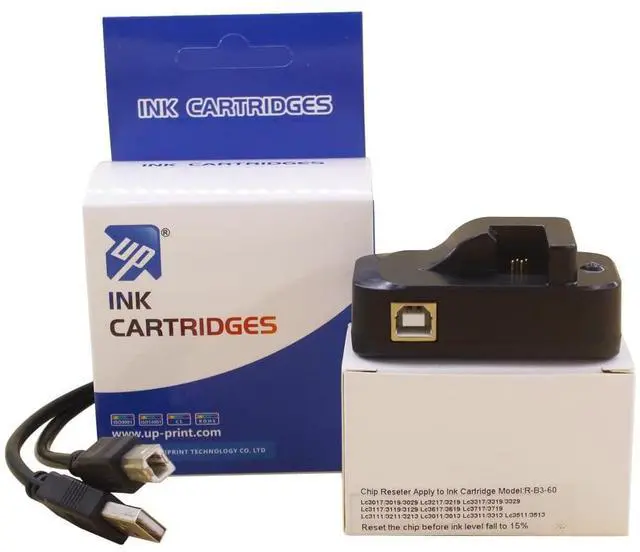
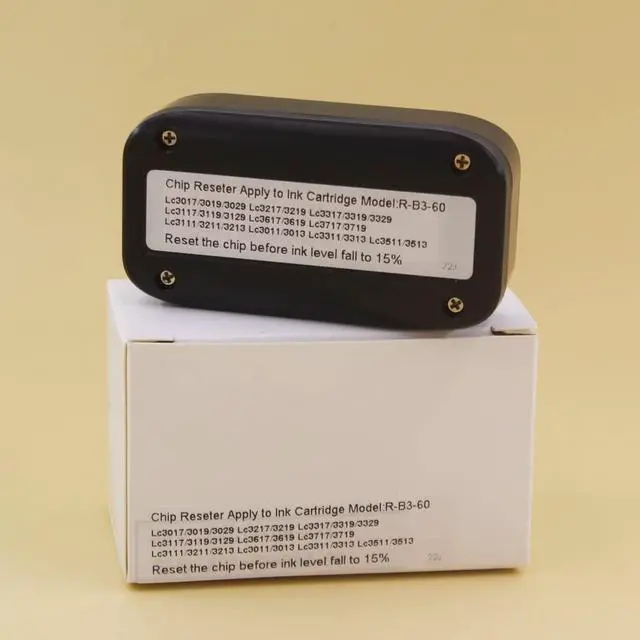
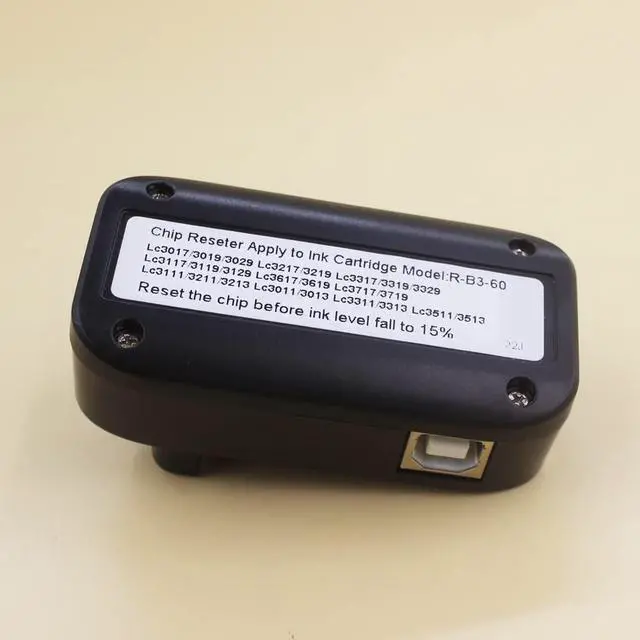
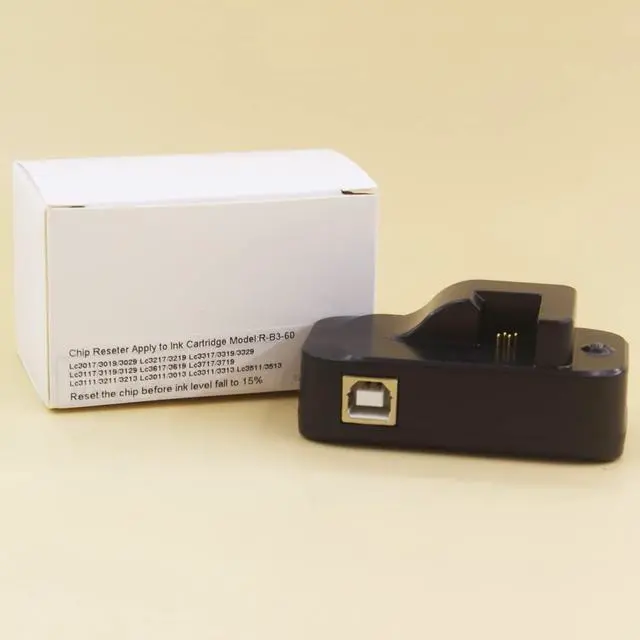


UP Ink Cartridge Chip reseter Replacement for Brother MFC-J491DW MFC-J497DW MFC-J690DW MFC-J5330DW J6530DW J6930DW J6730DW Printer
- Used to Reset original cartridge chip and our ink cartridge chip . CAN NOT work on SETUP / Initialize cartridge/ third party chip
- Can be reseted/used 60 times! 60 times! 60 times!
- Work For Brother genuine Ink model: LC3011 LC3013 LC3017 LC3029 LC3019
- Please double check the model we listed. Please do not attempt to try if you printer model not in our list
- USB cable come with chip reseter packed in the box.
+
+
Overview
Specs
Reviews

Any questions? Our AI mode will help you find out quickly.
Try me now
Attention please! this resetter only used for resetting genuine cartridge chip and Our brand compatible chip!
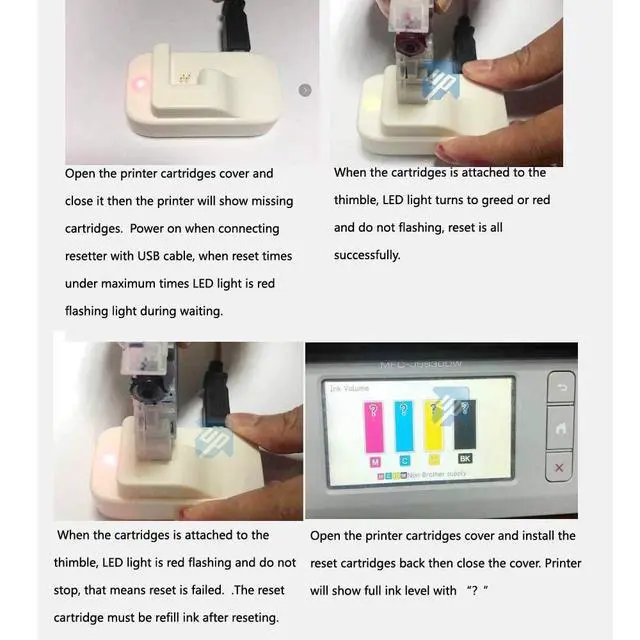
Chip Resetter life: 60 times! It can not used on SETUP / Initialize cartridge chip and third party chipthis link is resetter only. Genuine Ink cartridges are sold seperately. USB cable packed in box. Please check the manual ( the third listing photo or the video) before using. 1) Prepare our chip reseter / Printer USB cable / Ink cartridge. 2) Chip reseter conntect to 5V power (such as computer USB interface) by USB cable. resetter LED light keep red flashing. it is ready to work.
trouble shooting: If you meet chip reseter LED not light please try to change another USB port.
for example: another computer USB interface or cell photo charger3) Place ink cartridge to resetter fixed position. Resetter LED light turns to red or green and do not flashing. chip reset step successful. Do remeber to refilling ink before using.
trouble shooting: When the ink cartridge attached to resetter thimble. Reseter LED keep red flashing and do not stop. That means reset step failed. chip didn't contact well with thimble / chip reseter exceed the limited usage times. 4) Do remember to refill ink after reset step. It is normal printer indicate sign "? " or "! " after install the "reseted" ink cartridge.
trouble shooting: If you meet printer can not recognize ink cartridge chip. Please check if you refill ink more than 80% full after reset chip ink levelWork for the ink cartridge and printer model listed as below: Ink
model: Lc3011
Lc3013Printer model: Brother MFC-J491DW J497DW J690DW J895DWInk model: Lc3017
Lc3019Printer model: Brother MFC-J5330DW J6530DW J6930DW J6730DWInk model: Lc3029Printer
model: Brother MFC-J5830DW J5830DW-XL J6535DW J6535DW-XL J5930DW J6935DW
Chip Resetter life: 60 times! It can not used on SETUP / Initialize cartridge chip and third party chipthis link is resetter only. Genuine Ink cartridges are sold seperately. USB cable packed in box. Please check the manual ( the third listing photo or the video) before using. 1) Prepare our chip reseter / Printer USB cable / Ink cartridge. 2) Chip reseter conntect to 5V power (such as computer USB interface) by USB cable. resetter LED light keep red flashing. it is ready to work.
trouble shooting: If you meet chip reseter LED not light please try to change another USB port.
for example: another computer USB interface or cell photo charger3) Place ink cartridge to resetter fixed position. Resetter LED light turns to red or green and do not flashing. chip reset step successful. Do remeber to refilling ink before using.
trouble shooting: When the ink cartridge attached to resetter thimble. Reseter LED keep red flashing and do not stop. That means reset step failed. chip didn't contact well with thimble / chip reseter exceed the limited usage times. 4) Do remember to refill ink after reset step. It is normal printer indicate sign "? " or "! " after install the "reseted" ink cartridge.
trouble shooting: If you meet printer can not recognize ink cartridge chip. Please check if you refill ink more than 80% full after reset chip ink levelWork for the ink cartridge and printer model listed as below: Ink
model: Lc3011
Lc3013Printer model: Brother MFC-J491DW J497DW J690DW J895DWInk model: Lc3017
Lc3019Printer model: Brother MFC-J5330DW J6530DW J6930DW J6730DWInk model: Lc3029Printer
model: Brother MFC-J5830DW J5830DW-XL J6535DW J6535DW-XL J5930DW J6935DW
Warranty & Returns
Warranty, Returns, And Additional Information
Warranty
- Please contact the Seller directly for warranty information. Warranty information may also be found on the Manufacturer's website.
- CONTACT
Return Policies
- Return for refund within: 30 days
- Return for replacement within: 30 days
- This item is covered by HyperCore Return Policy
Manufacturer Contact Info
- For a directory of all our manufacturers, please click below.
- Manufacturers Directory
LOADING...