

Your Browsing History
- $69.99
- Free 30-day Returns
Best Sellers
- $69.99
- + $5.99 Shipping

Meet Your Seller


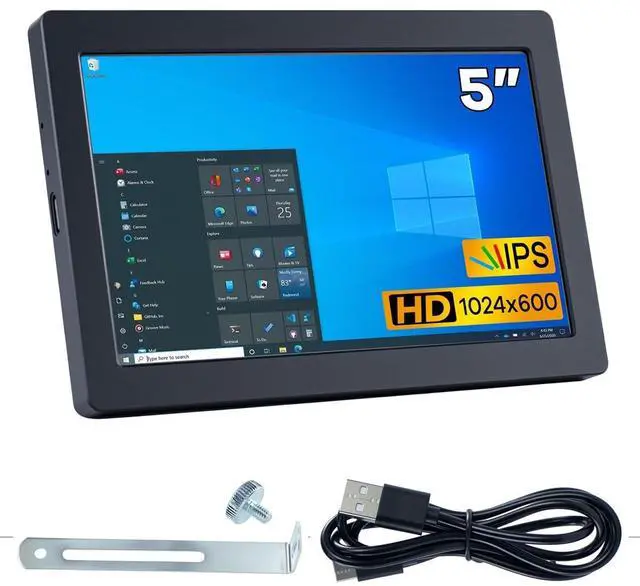


Hosyond 5 Inches USB C Mini Monitor 1024x600 IPS LCD Screen Type C Secondary Screen Display for PC Laptop Windows
Limited time offer, ends 09/14 By Ceelys Store
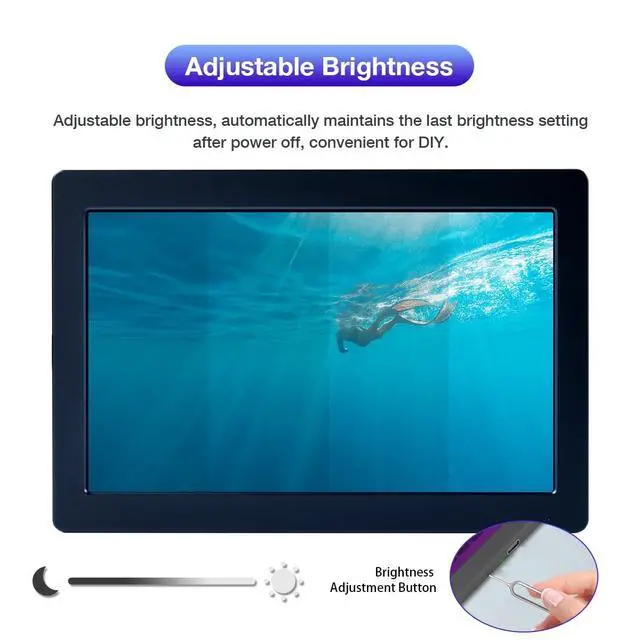
- Vivid IPS Display with Adjustable Brightness Enjoy a crisp and vibrant display with the 1024x600 resolution IPS screen, offering 500 nits of brightness for clear visibility in any environment. Adjust the brightness effortlessly using the built-in button (requires a SIM card ejector pin). Plus, it remembers your last brightness setting even after power-off!
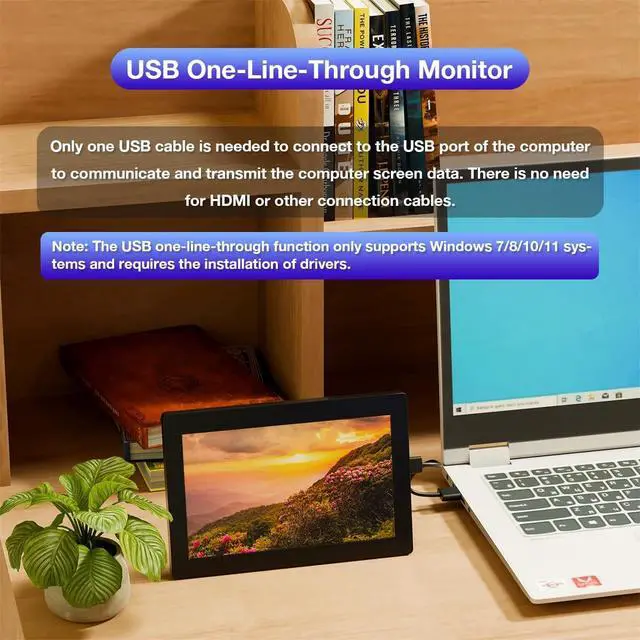
- Single USB Connection No Extra Cables Needed. Say goodbye to messy cables! This 5-inch USB monitor requires only one USB connection to your Windows 10/11 computer for both power and data transmission. No need for HDMI, DP, or VGA cablesjust plug and play after installing the driver. (Note: USB one-cable function is only compatible with Windows 10/11.)
- Premium CNC Aluminum Alloy Build Crafted from a single block of aluminum through precision CNC machining, this monitor boasts a sleek, seamless, and durable design. The smooth metallic finish enhances your setup with a touch of elegance while ensuring excellent heat dissipat
+
+
Overview
Specs
Reviews

Any questions? Our AI mode will help you find out quickly.
Try me now
Note: This screen only supports the Windows system. The driver needs to be installed on the computer for the first use.
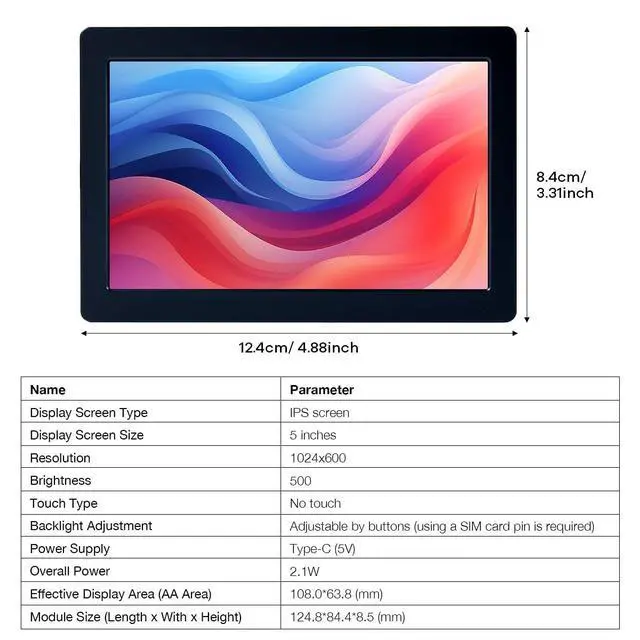
Parameters: Display
type: IPS
screenDisplay size: 5
inchesResolution: 1024x600Touch
type: No
touchBacklight adjustment: Adjustable by button (requires mobile phone card pin)
Power supply: Type-C (5V)
Total power: 2.1WM odule Size (Length x
Width x Height): 124.8 * 84.4 * 8.5 (mm)
Product Weight (Including Packaging): 208 (g)
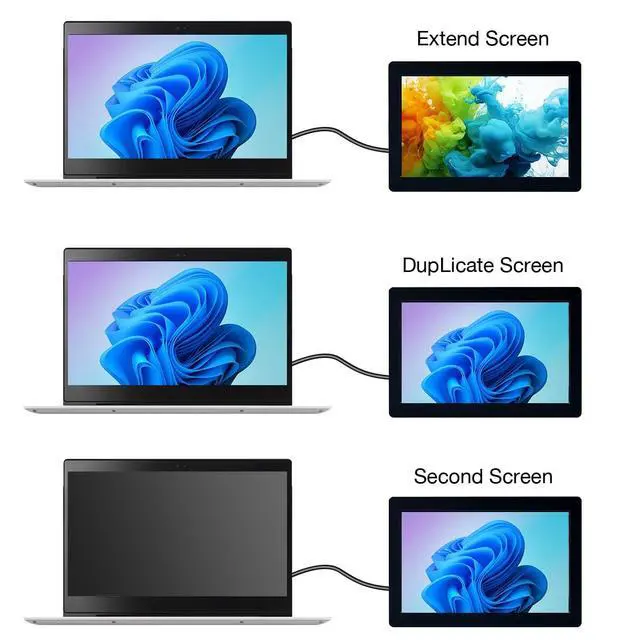
Common problems: If you encounter the problem of flower screen/black screenSolution: 1. When the screen is black, first check whether the light is on; if the light is not on, replace the Type-C data cable/switch the USB interface on the computer, and then test; 2. Right-click the desktop to check whether the display settings detect the screen; if the screen is not detected, replace the Type-C data cable/switch the USB interface on the computer, and then test; 3. Confirm whether it is in copy mode in the display settings; if it is in copy mode, please change it to extended mode; 4. Open the task manager, in the process, close the MS USB Display process, and then restart the program; 5. Confirm whether the config. int file has been replaced.
Parameters: Display
type: IPS
screenDisplay size: 5
inchesResolution: 1024x600Touch
type: No
touchBacklight adjustment: Adjustable by button (requires mobile phone card pin)
Power supply: Type-C (5V)
Total power: 2.1WM odule Size (Length x
Width x Height): 124.8 * 84.4 * 8.5 (mm)
Product Weight (Including Packaging): 208 (g)
Common problems: If you encounter the problem of flower screen/black screenSolution: 1. When the screen is black, first check whether the light is on; if the light is not on, replace the Type-C data cable/switch the USB interface on the computer, and then test; 2. Right-click the desktop to check whether the display settings detect the screen; if the screen is not detected, replace the Type-C data cable/switch the USB interface on the computer, and then test; 3. Confirm whether it is in copy mode in the display settings; if it is in copy mode, please change it to extended mode; 4. Open the task manager, in the process, close the MS USB Display process, and then restart the program; 5. Confirm whether the config. int file has been replaced.
Warranty & Returns
Warranty, Returns, And Additional Information
Warranty
- Please contact the Seller directly for warranty information. Warranty information may also be found on the Manufacturer's website.
- CONTACT
Return Policies
- Return for refund within: 30 days
- Return for replacement within: 30 days
- This item is covered by Ceelys Store Return Policy
Manufacturer Contact Info
- For a directory of all our manufacturers, please click below.
- Manufacturers Directory
LOADING...
LOADING...