

Your Browsing History
Best Sellers
- $50.99
- + $5.99 Shipping

Meet Your Seller

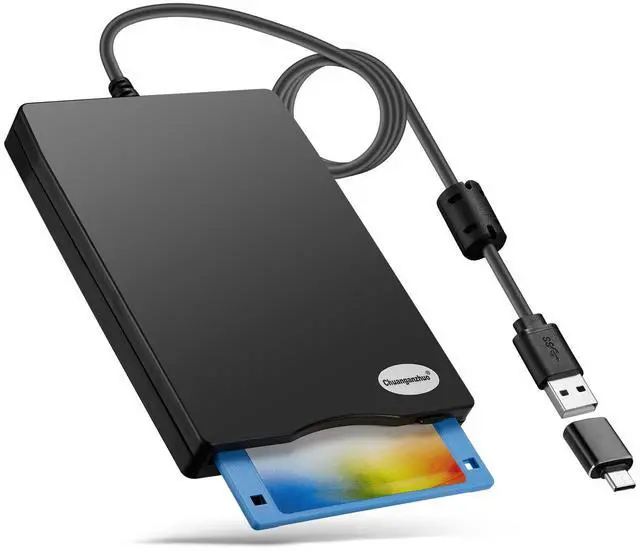



Floppy Disk Reader, 3.5 inch 1.44mb External USB Type A/C Floppy Disk Drive for PC, Laptop and Desktop Compatible with Windows 11/10/8/7/2000/XP, Not Compatible With Mac and Chrome, Black
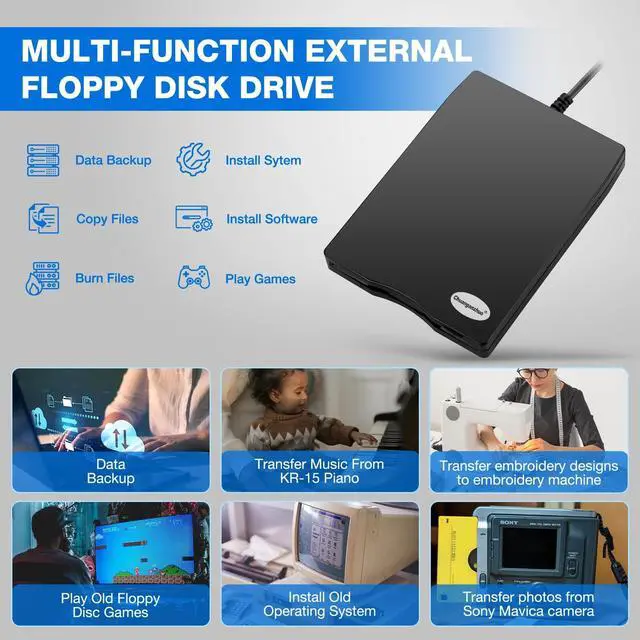
- 3 1/2 Floppy Disk Reader: As most modern laptops and desktop computers no longer come equipped with internal floppy disk drive for reading floppy diskettes, this 3.5 inch external USB floppy disk drive is an excellent solution to reading and writing your old floppy disks as easy as a built-in floppy disc reader. Retrieve Your Memories, for all the people that grew up with floppy disks, this is a return to the past.
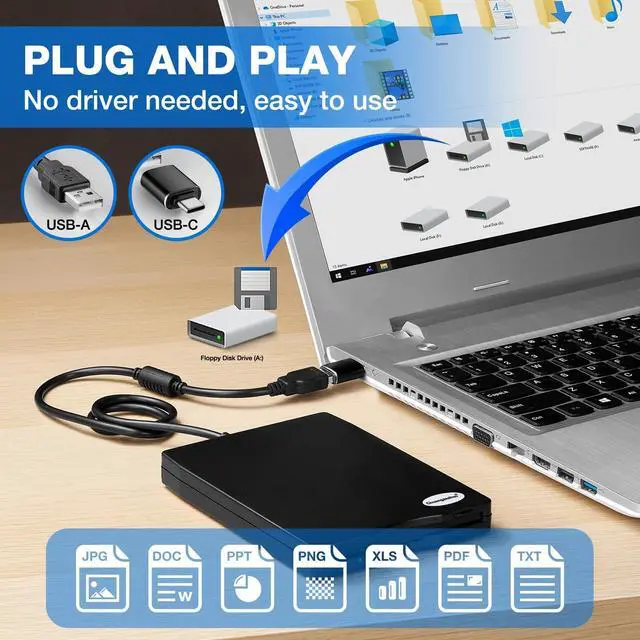
- Plug and Play Floppy Disc Reader: Just insert the floppy disk into the drive, then plug the USB type A/C connector to your computer and it will be automatically detected. Bring up Windows File Explorer, you will see drive A icon under "Devices and Drives", right click it and select open option, you could cut, paste, copy the files inside your floppy disks. Note: Please get power by the USB cable without using USB hub or USB extension cable, Insufficient power supply may cause malfunction
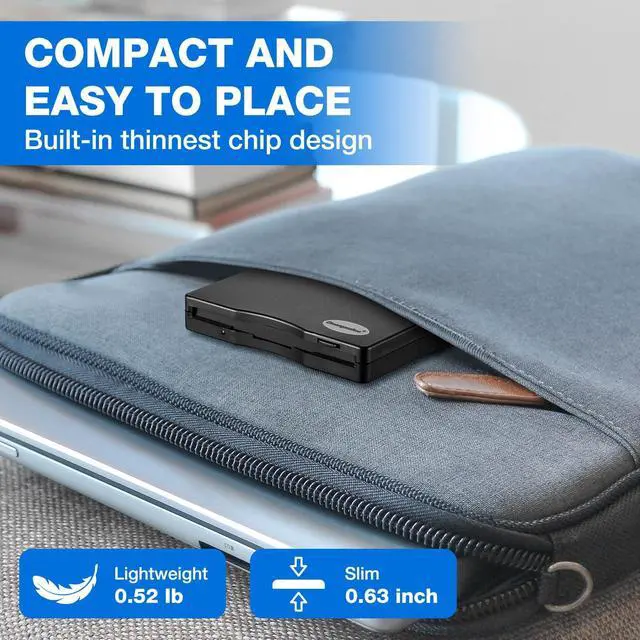
- Ultra thin and Portable USB Floppy Drive: With ultra-slim (Only 0.63inch thick) de
+
+
Overview
Specs
Reviews

Any questions? Our AI mode will help you find out quickly.
Try me now
3 1/2 Floppy
Disk Reader: As most modern laptops and desktop computers no longer come equipped with internal floppy disk drive for reading floppy diskettes, this 3.5 inch external USB floppy disk drive is an excellent solution to reading and writing your old floppy disks as easy as a built-in floppy disc reader. Retrieve Your Memories, for all the people that grew up with floppy disks, this is a return to the past. ^^ Plug and
Play Floppy Disc Reader: Just insert the floppy disk into the drive, then plug the USB type A/C connector to your computer and it will be automatically detected. Bring up Windows File Explorer, you will see drive A icon under "Devices and Drives", right click it and select open option, you could cut, paste, copy the files inside your floppy disks.
Note: Please get power by the USB cable without using USB hub or USB extension cable, Insufficient power supply may cause malfunction ^^ Ultra thin and
Portable USB Floppy Drive: With ultra-slim (Only 0.63 inch thick) design and lightweight(Only 0.52I b), you can easily carry and use this compact USB floppy disk reader to retrieve your wedding photos, childhood photos, favorite poetry, university graduation thesis, novel manuscript and favorite songsinside your floppy disks at anywhere, no matter in the office, at school, at home or during travel. It's a great gift idea for someone who have a lot of memories in the floppy discs.
^^ Broad Compatibility: This floppy disk reader is compatible with most PCs, laptops, and desktop computers with Windows 11/10/ 8.1 /7/Vista/XP/2000 OS, but not compatible with Mac and Chrome. In Windows 11/10 systems, there has many show/hide options in File Explorer, so after opening "Windows File Explorer, " you may not see the drive icon named "Floppy
Disk Drive (A: )". Please open "Devices and Printers, " right-click on the drive icon named "TEACV 0.0" under "Devices, " hover the cursor over "Browse Files, " and then click on "Floppy
Disk Drive (A: ), " then you will see the contents of your disks ^^
Reminder: Not all of your disks can be read, which is due to their age, not the drive. Floppy disks were produced in the 1980s and 1990s and have a history of 30 to 40 years. Due to long storage times, some floppy disks may be corrupted, mouldy or dusty, so some of your floppy disks may not be successfully opened by our floppy disk drive, or the drive may initially be able to open some floppy disks but stop working due to dust on the disks. Therefore, please carefully check the status of the floppy disk before reading to avoid the drive stopping working due to floppy disk issues.
Disk Reader: As most modern laptops and desktop computers no longer come equipped with internal floppy disk drive for reading floppy diskettes, this 3.5 inch external USB floppy disk drive is an excellent solution to reading and writing your old floppy disks as easy as a built-in floppy disc reader. Retrieve Your Memories, for all the people that grew up with floppy disks, this is a return to the past. ^^ Plug and
Play Floppy Disc Reader: Just insert the floppy disk into the drive, then plug the USB type A/C connector to your computer and it will be automatically detected. Bring up Windows File Explorer, you will see drive A icon under "Devices and Drives", right click it and select open option, you could cut, paste, copy the files inside your floppy disks.
Note: Please get power by the USB cable without using USB hub or USB extension cable, Insufficient power supply may cause malfunction ^^ Ultra thin and
Portable USB Floppy Drive: With ultra-slim (Only 0.63 inch thick) design and lightweight(Only 0.52I b), you can easily carry and use this compact USB floppy disk reader to retrieve your wedding photos, childhood photos, favorite poetry, university graduation thesis, novel manuscript and favorite songsinside your floppy disks at anywhere, no matter in the office, at school, at home or during travel. It's a great gift idea for someone who have a lot of memories in the floppy discs.
^^ Broad Compatibility: This floppy disk reader is compatible with most PCs, laptops, and desktop computers with Windows 11/10/ 8.1 /7/Vista/XP/2000 OS, but not compatible with Mac and Chrome. In Windows 11/10 systems, there has many show/hide options in File Explorer, so after opening "Windows File Explorer, " you may not see the drive icon named "Floppy
Disk Drive (A: )". Please open "Devices and Printers, " right-click on the drive icon named "TEACV 0.0" under "Devices, " hover the cursor over "Browse Files, " and then click on "Floppy
Disk Drive (A: ), " then you will see the contents of your disks ^^
Reminder: Not all of your disks can be read, which is due to their age, not the drive. Floppy disks were produced in the 1980s and 1990s and have a history of 30 to 40 years. Due to long storage times, some floppy disks may be corrupted, mouldy or dusty, so some of your floppy disks may not be successfully opened by our floppy disk drive, or the drive may initially be able to open some floppy disks but stop working due to dust on the disks. Therefore, please carefully check the status of the floppy disk before reading to avoid the drive stopping working due to floppy disk issues.
Warranty & Returns
Warranty, Returns, And Additional Information
Warranty
- Please contact the Seller directly for warranty information. Warranty information may also be found on the Manufacturer's website.
- CONTACT
Return Policies
- Return for refund within: 30 days
- Return for replacement within: non-replaceable
- This item is covered by Menintellig Return Policy
Manufacturer Contact Info
- For a directory of all our manufacturers, please click below.
- Manufacturers Directory
LOADING...
LOADING...