

Your Browsing History

Meet Your Seller

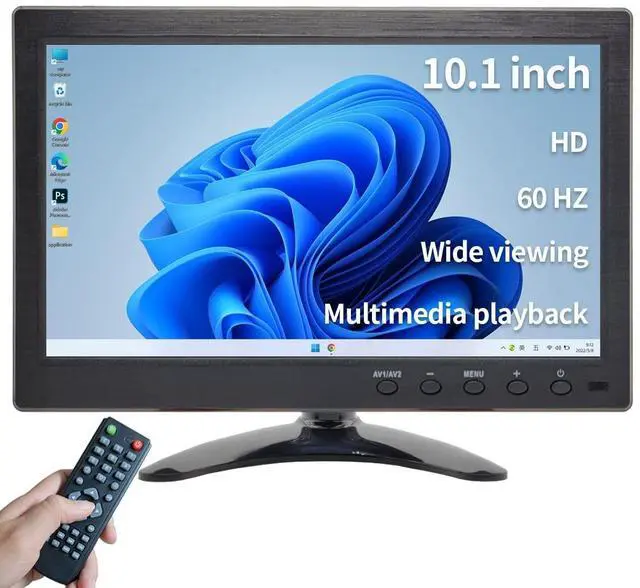


Qcvoruno 10.1 inch Security Monitor & Displays, 1024 * 600 Resolution, HD/BNC/AV/VGA/USB Input, Built-in Dual Speakers Portable LCD Monitor, Suitable for Game CCTV PC DVD DSLR
- We are a monitor manufacturer All security monitors & displays in our store are produced in our own factory, so the quality and price of the products are more competitive than other products. When you have any questions about the use process after purchasing this product, you can send an email to inquire, and we will reply you quickly to help you solve the problem.
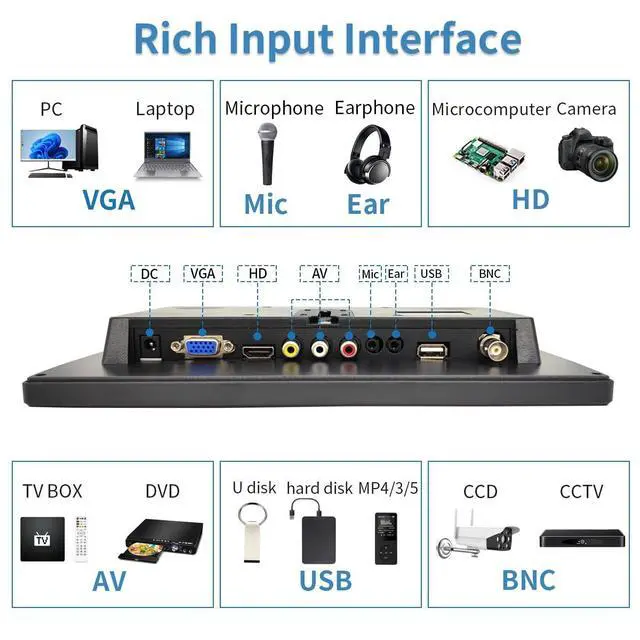
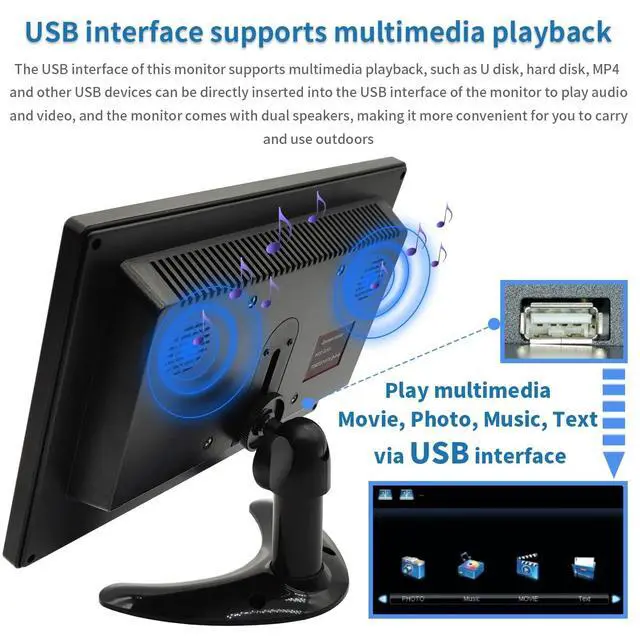
- Supports a variety of video input interfaces The security monitors & displays has a variety of functions designed to meet different customer needs. It provides several different input ports, including HD/VGA/AV/USB/BNC ports, suitable for games, DSLR, DVR, PC, Laptop, DVD, VCD, TV BOX, CCTV, Surveillance cameras, etc.
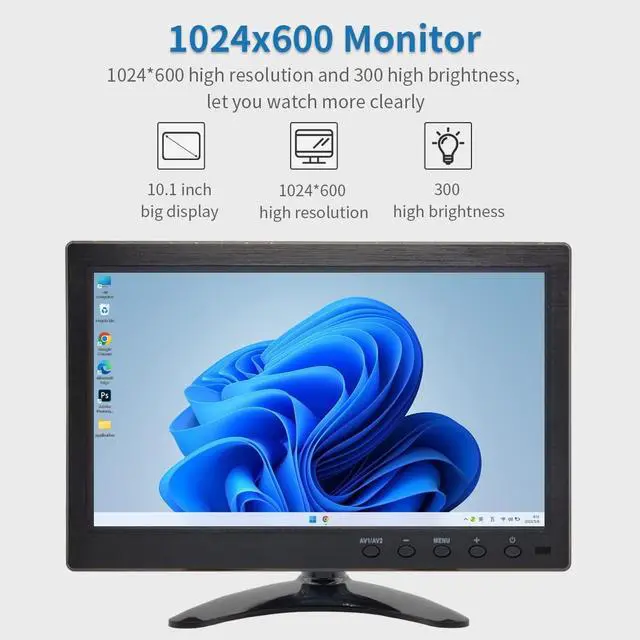
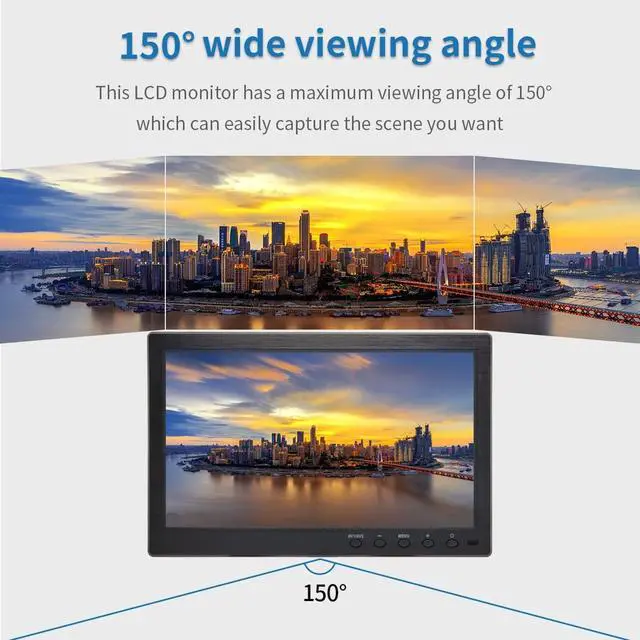
- High resolution 10.1 inch 1024*600 high resolution LCD security monitors for home, 500:1 dynamic contrast ratio, 300cd/ brightness, 16:9 aspect ratio and 150 wide viewing angle, showing delicate colors and clear imaging ability to bring users a comfortable and spectacular viewing experience.
- Portable a
+
+
Overview
Specs
Reviews

Any questions? Our AI mode will help you find out quickly.
Try me now
Our Qcvoruno factory has been manufacturing security monitors & displays for more than 20 years and has rich experience. According to customer needs and market updates, we have been optimizing and upgrading monitors, aiming to provide customers with better product quality and better user experience. We will provide high-quality after-sales consulting services to solve your problems as quickly as possible. Our factory can also customize special product requirements for batch customers, such as size, brightness, interface, appearance structure, etc. Customers who need customization can send email to customer service for consultation.
Monitor specificationsBrandQcvorunoModel
NumberQC101ASupport interfaceHDBNCAVVGAUSBInstallation method: Mounts on desktop with adjustable mounting brackets/wall mountPower consumptionDC12V800Ma (max)
Power adapterInput:
AC100-240V~50/60HzOutput: DC12V-1APanelsize/Aspect ratio 10.1 inch/ 16:9 Resolution1024 (H) *600 (V) Effective viewing area 222.72 (W) * 125.28 (H) mmViewing angle150 (H) *105 (V) Brightness300cd/Contrast 500:1 Ressptonse time12msVideo input1Vp-PcvbsVGA input640*480/Hz800*600/Hz1024*600/HzOperating temperature0-40Scope of applicationgames, DSLR, DVR, PC, Laptop, DVD, VCD, TV BOX, CCTV, Surveillance cameras, etc. How to use it as a second monitorAfter power on, connect a laptop or desktop computer via VGA or HDMI channel. On the computer's control panel, select Display Select Screen Resolution. Click Detect or Identify, when two monitors 1 and 2 appear on the screen, you can choose to copy or expand. Product packaging accessories 10.1" monitor*1Power Adapter*1HD cable*1VGA Cable*1BNC Cable*1Adjustable Stand*1Stand-Sticke*1Remote Control*1User Manual*1
Monitor specificationsBrandQcvorunoModel
NumberQC101ASupport interfaceHDBNCAVVGAUSBInstallation method: Mounts on desktop with adjustable mounting brackets/wall mountPower consumptionDC12V800Ma (max)
Power adapterInput:
AC100-240V~50/60HzOutput: DC12V-1APanelsize/Aspect ratio 10.1 inch/ 16:9 Resolution1024 (H) *600 (V) Effective viewing area 222.72 (W) * 125.28 (H) mmViewing angle150 (H) *105 (V) Brightness300cd/Contrast 500:1 Ressptonse time12msVideo input1Vp-PcvbsVGA input640*480/Hz800*600/Hz1024*600/HzOperating temperature0-40Scope of applicationgames, DSLR, DVR, PC, Laptop, DVD, VCD, TV BOX, CCTV, Surveillance cameras, etc. How to use it as a second monitorAfter power on, connect a laptop or desktop computer via VGA or HDMI channel. On the computer's control panel, select Display Select Screen Resolution. Click Detect or Identify, when two monitors 1 and 2 appear on the screen, you can choose to copy or expand. Product packaging accessories 10.1" monitor*1Power Adapter*1HD cable*1VGA Cable*1BNC Cable*1Adjustable Stand*1Stand-Sticke*1Remote Control*1User Manual*1
Warranty & Returns
Warranty, Returns, And Additional Information
Warranty
- Please contact the Seller directly for warranty information. Warranty information may also be found on the Manufacturer's website.
- CONTACT
Return Policies
- Return for refund within: 30 days
- Return for replacement within: 30 days
- This item is covered by LANMEll Return Policy
Manufacturer Contact Info
- For a directory of all our manufacturers, please click below.
- Manufacturers Directory
LOADING...