Price alert
Shop it at NeweggBusiness.

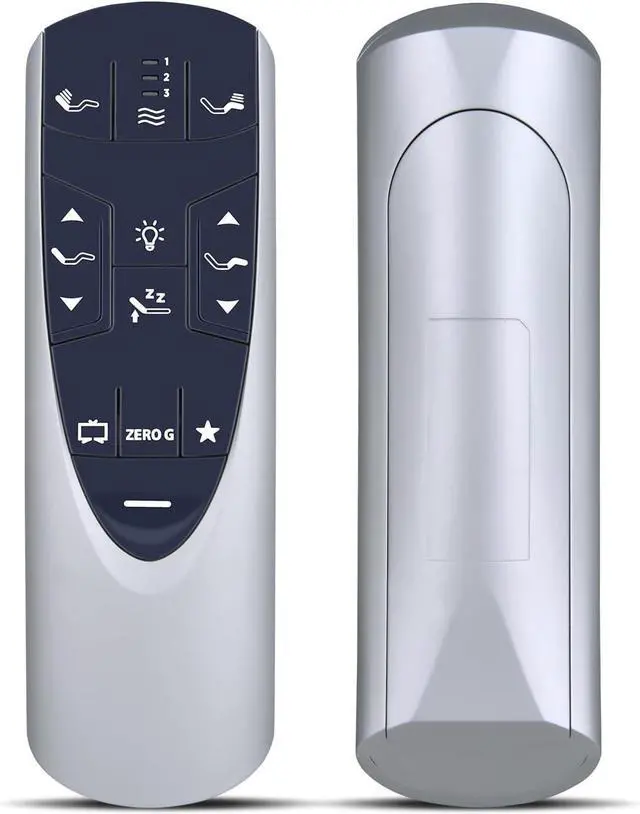
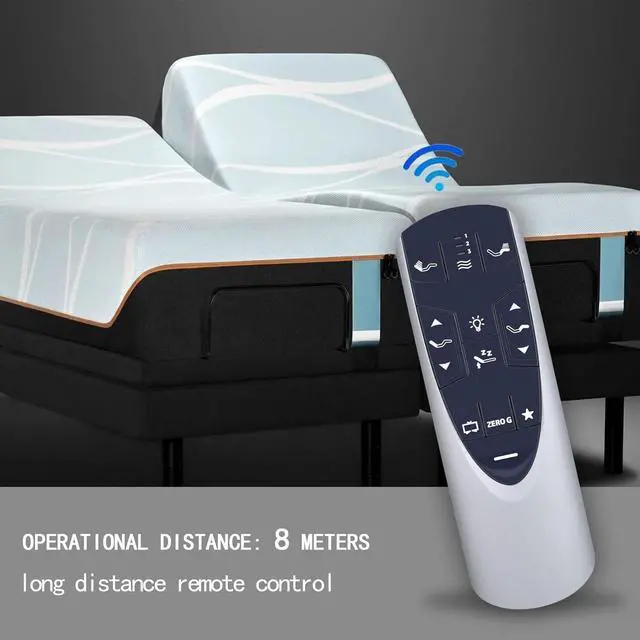
RF358A RF502A Replacement Remote Control for Tempurpedic Ergo/Ergo Extend Adjustable Bed Base JDLK.33.01.18 RF358A, JLDK.33.01.36, RF502A

Limited time offer, ends 07/06 By SiMoPiJuXiangBaoShangDian

  • RETROSUN RF358A RF502A replacement remote control for Tempur-Pedic Ergo or Ergo Extend adjustable bed base JDLK.33.01.18 RF358A, JLDK.33.01.36, RF502A.
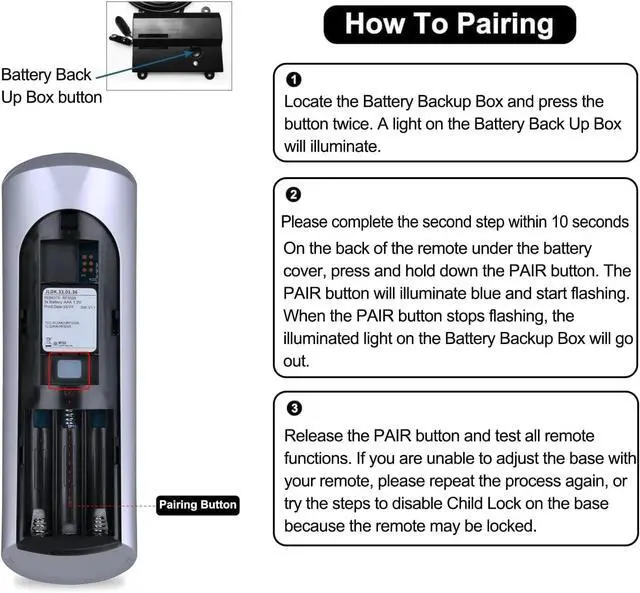
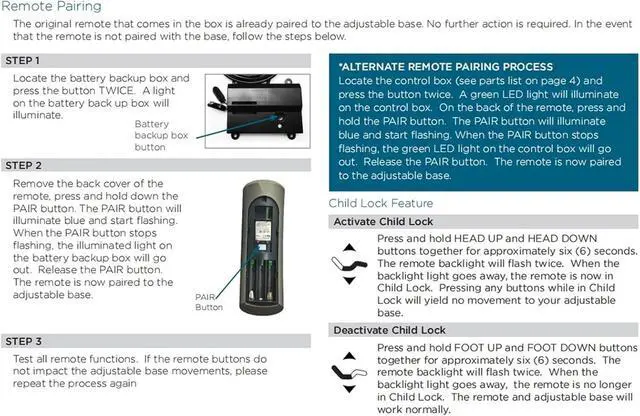
  • Easy to Pair: Please pair before use. 1) Start the massage bed, then find the control box of the massage bed. Locate the Battery Backup Box and press the button TWICE. A light on the Battery Back Up Box will illuminate (Sometimes on the power cord). 2) Point the remote control at the control box (open the remote control battery cover and press the Pair/Paire button). 3) Press and hold the Pair/Paire button for 30 seconds to complete the pairing.
  • NOTE: If pairing fails, please Deactivate child lock and then pair again. Deactivate Child Lock:Press and hold FOOT UP and FOOT DOWN buttons together for approximately six(6) seconds. The remote backlight will flash twice. when the backlight light goes away, the remote is no longer in Child Lock.
  • Easy To Use: Engineered with high-quality ABS material and a new-gen smart chip, delivers i
+
+
Overview
Specs
Reviews
avatar

Any questions? Our AI beta will help you find out quickly.

RF358A RF502A Replacement Remote Control for Tempurpedic Ergo/Ergo Extend Adjustable Bed Base JDLK. 33.01. 18 RF358A, JLDK. 33.01. 36, RF502A.
Package Included: 1 x IR Remote Control (Batteries and Instructions are Not Included).
Compatible with models: JDLK. 33.01. 18 RF358A RF502A

Warranty & Returns

Warranty, Returns, And Additional Information

Warranty

  • Please contact the Seller directly for warranty information. Warranty information may also be found on the Manufacturer's website.
  • CONTACT

Return Policies

Manufacturer Contact Info

LOADING...
LOADING...