Your Browsing History
- Free 30-day Returns
$167.99
Meet Your Seller
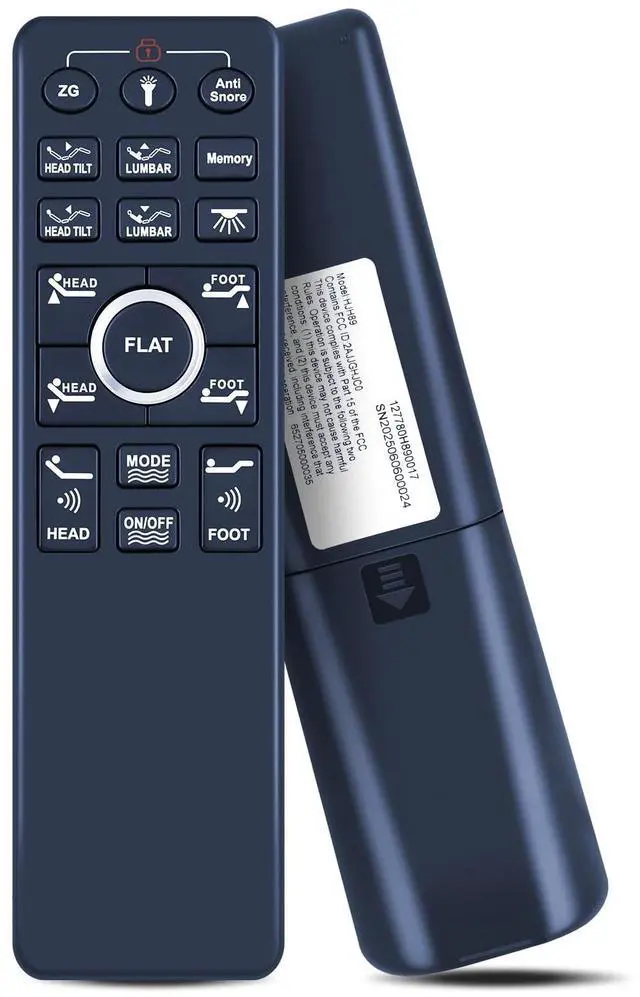
WKOLF Remote Replacement for EGOHOME ^^ Sven & Son Split King, Twin XL, Queen Adjustable Bed Base Frame with Lumbar Support, Head-Pillow-Tilt
- Compatible ModelsAdjustable bed base remote for size Split King, Twin XL, Queen
- Ergonomic Wireless Backlit RemoteFull-featured ergonomic wireless backlit remote with a flashlight. Preset positions including one-touch zero gravity, anti-snore, Lifts & Lowers Headrest, Lifts & Lowers Lumbar and one-touch flat button.
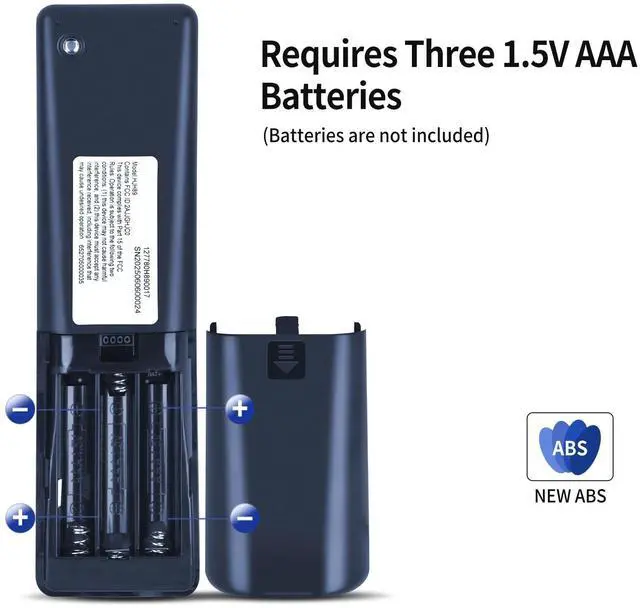
- How to Pair1) Make sure the batteries work fine. Replace them when needed. 2) Plug the power cord to the power source. Ensure there is power to the source/outlet. 3) Press and hold head lift and foot lift simultaneously, then press and hold the button on the cord of control box for 3 seconds unltil you hear 2 beeps sound, the remote is then paired.
- Setting Programmable Positions1) Adjust the head and foot to your desired position. 2) Press and hold the flat button first, then press and hold FLAT memory button Memory for 5 seconds until you hear 2 beeps sound. 3) To adjust the saved position, repeat steps 1 and 2 and the new position will be saved.
- Q
+
+
Overview
Specs
Reviews
Any questions? Our AI mode will help you find out quickly.
Try me now
Compatible ModelsAdjustable bed base remote for size Split King, Twin XL, Queen ^^ Ergonomic Wireless Backlit RemoteFull-featured ergonomic wireless backlit remote with a flashlight. Preset positions including one-touch zero gravity, anti-snore, Lifts & Lowers Headrest, Lifts & Lowers Lumbar and one-touch flat button. ^^ How to Pair1) Make sure the batteries work fine. Replace them when needed. 2) Plug the power cord to the power source. Ensure there is power to the source/outlet. 3) Press and hold head lift and foot lift simultaneously, then press and hold the button on the cord of control box for 3 seconds unltil you hear 2 beeps sound, the remote is then paired.
^^ Setting Programmable Positions1) Adjust the head and foot to your desired position. 2) Press and hold the flat button first, then press and hold FLAT memory button Memory for 5 seconds until you hear 2 beeps sound. 3) To adjust the saved position, repeat steps 1 and 2 and the new position will be saved. ^^
Quality Assurance & SupportPackage Contains: 1x Remote Control, 1x Manual (2xAAA batteries are not included). Enjoy peace of mind with our comprehensive after-sales service. Contact us via email for any assistance, we'll get back to you within 12 hours on weekdays.

^^ Setting Programmable Positions1) Adjust the head and foot to your desired position. 2) Press and hold the flat button first, then press and hold FLAT memory button Memory for 5 seconds until you hear 2 beeps sound. 3) To adjust the saved position, repeat steps 1 and 2 and the new position will be saved. ^^
Quality Assurance & SupportPackage Contains: 1x Remote Control, 1x Manual (2xAAA batteries are not included). Enjoy peace of mind with our comprehensive after-sales service. Contact us via email for any assistance, we'll get back to you within 12 hours on weekdays.
Warranty & Returns
Warranty, Returns, And Additional Information
Warranty
- Please contact the Seller directly for warranty information. Warranty information may also be found on the Manufacturer's website.
- CONTACT
Return Policies
- Return for refund within: 30 days
- Return for replacement within: 30 days
- This item is covered by DuronTechnologies Return Policy
Manufacturer Contact Info
- For a directory of all our manufacturers, please click below.
- Manufacturers Directory
LOADING...