

Your Browsing History
- Free 30-day Returns
$239.99


Meet Your Seller


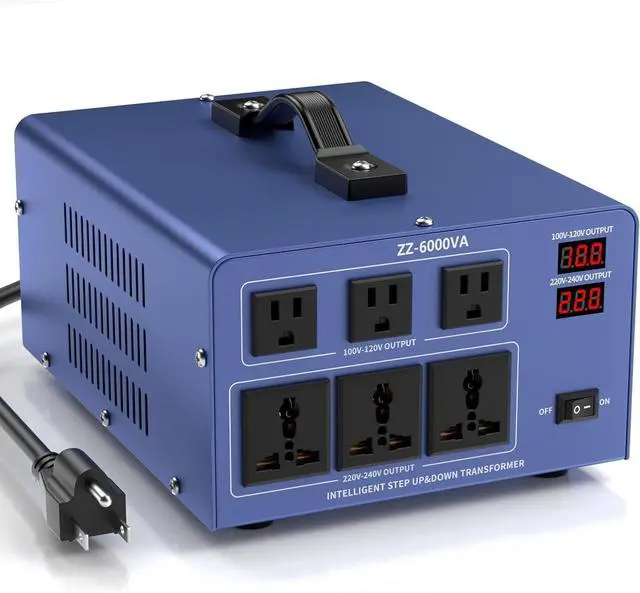
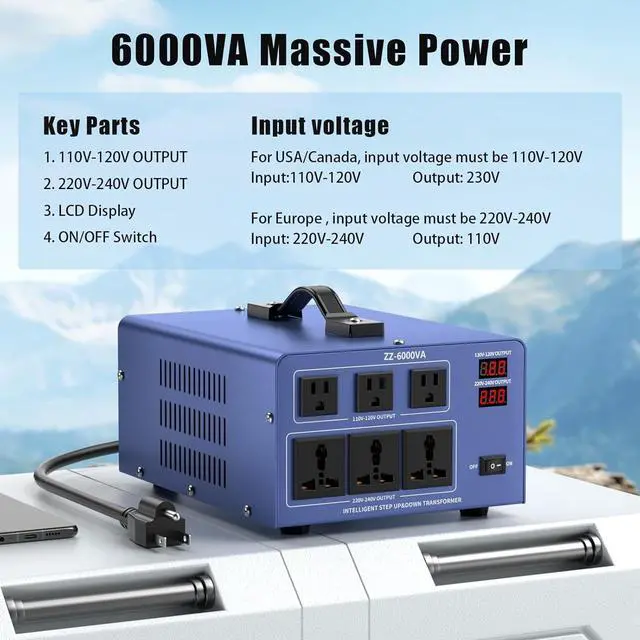
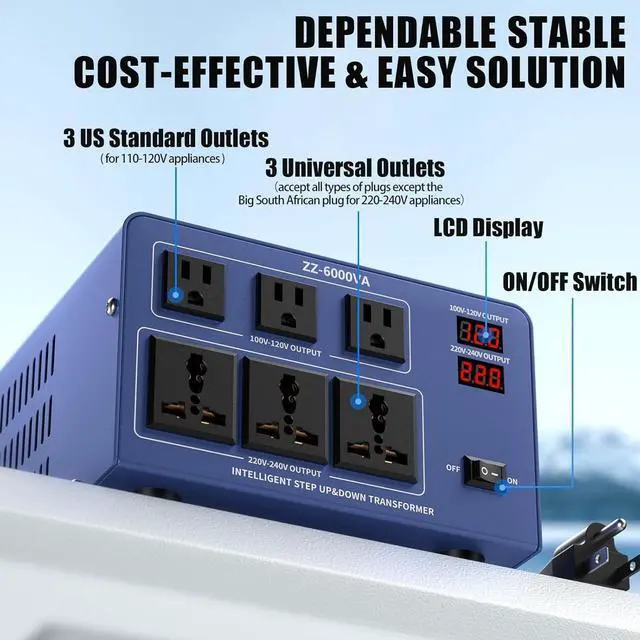
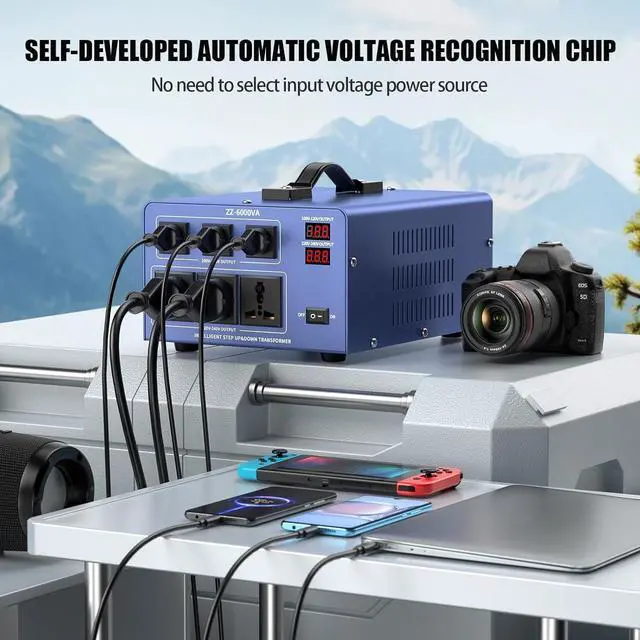


6000W Voltage Converter Auto Transformer,110/120/220/240V Heavy Duty Step Up/Down Power Converter Transformer with 3 US Outlets,3 Universal Outlets,Resettable Circuit Breaker Protection,LCD Display
- New Upgrade Self-Developed Automatic Voltage Recognition Chip:Our upgraded voltage transformer can auto recognize the input voltage automatically and then provide the correctoutput voltage for your device.No manual operation required.Which can avoid damaging your converter and appliances when forget to select correct power input source.High efficiency toroidal transformer with stable output and low consumption.This voltage converter transformer adopts high-quality toroidal coils
- What You Get:ROARBATT 6000 Watts voltage converter, hardwired heavy duty insulated power cord with USA Grounded 3-Prong Plug,instruction Manual.Tips:The machine has a built-in fuse, there is no need for external fuses and circuit breakers, which may cause damage to the machine if you are forced to add circuit breakers! The total number of volts used by all the sockets at the same time is not higher than 70% of the machine itself
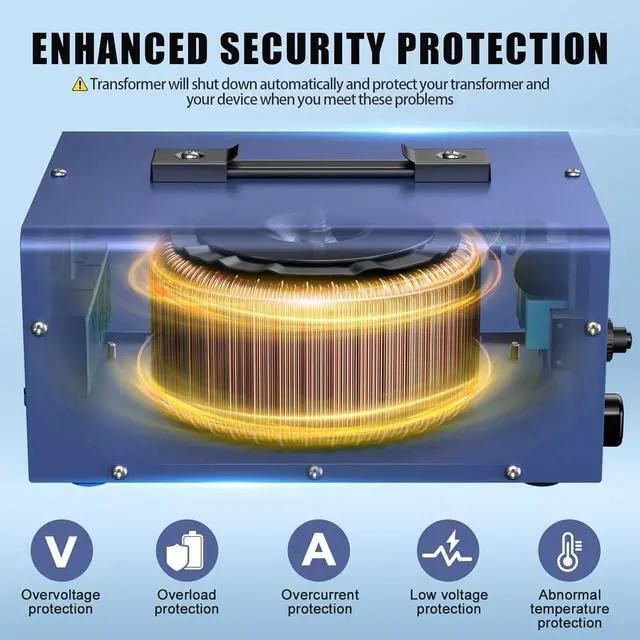
- Enhanced Security Protection:We specially set up circuit breaker/ overload/ov
+
+
Overview
Specs
Reviews

Any questions? Our AI mode will help you find out quickly.
Try me now
Tips: No input voltage select switch, our upgraded voltage transformer can recognize the input voltage automatically and then provide the correct output voltage for your device. 1. Make sure all appliances are turned OFF. 2. Make sure your all appliances output rated power within the transformer rated power. 3. Please make sure your output appliances are plugged into correct input sockets. 4. Connect the electrical appliances to the transformer. 5. Choose the correct input voltage, press the powerON/OFF" switch toON" position and the LCD screen will show the "Pon IIIIII", then you can use it.
NOTES: 1) Avoid OverloadingThe maximum output doesn't exceed the transformer rated power. When connected with any appliances that built-in motor compressor, the starting power is generally 2-4 times of the appliance's listed power rating. Make sure that the total starting power capacity of all connected appliances does not exceed the listed maximum output power of the converter. For color TV, calculate it twice as its listed capacity. Make sure that the converter is of the same output voltage and frequency as the appliances' it connected. Make sure that the voltage of electrical source is the same as the input voltage of the converter. 2)FuseWhen the converter is over-current, the fuse button on the back of converter will pop up automatically to protect the device and converter, you need to reduce the loading by unplugging the appliances from the converter, and wait it for 3-5 minutes, then press the "FUSE" manually to reset it. Please note that the 500VA has no FUSE button. 3) Input voltageFor USA/Canada, input
voltage must be 100V-120VInput: 100V-120V, Output: 230VFor Europe/Africa, input voltage must be 220V-240V
NOTES: 1) Avoid OverloadingThe maximum output doesn't exceed the transformer rated power. When connected with any appliances that built-in motor compressor, the starting power is generally 2-4 times of the appliance's listed power rating. Make sure that the total starting power capacity of all connected appliances does not exceed the listed maximum output power of the converter. For color TV, calculate it twice as its listed capacity. Make sure that the converter is of the same output voltage and frequency as the appliances' it connected. Make sure that the voltage of electrical source is the same as the input voltage of the converter. 2)FuseWhen the converter is over-current, the fuse button on the back of converter will pop up automatically to protect the device and converter, you need to reduce the loading by unplugging the appliances from the converter, and wait it for 3-5 minutes, then press the "FUSE" manually to reset it. Please note that the 500VA has no FUSE button. 3) Input voltageFor USA/Canada, input
voltage must be 100V-120VInput: 100V-120V, Output: 230VFor Europe/Africa, input voltage must be 220V-240V
Warranty & Returns
Warranty, Returns, And Additional Information
Warranty
- Please contact the Seller directly for warranty information. Warranty information may also be found on the Manufacturer's website.
- CONTACT
Return Policies
- Return for refund within: 30 days
- Return for replacement within: 30 days
- This item is covered by Detail Driven Return Policy
Manufacturer Contact Info
- For a directory of all our manufacturers, please click below.
- Manufacturers Directory
LOADING...