Your Browsing History
- Free 30-day Returns
$92.99
Meet Your Seller
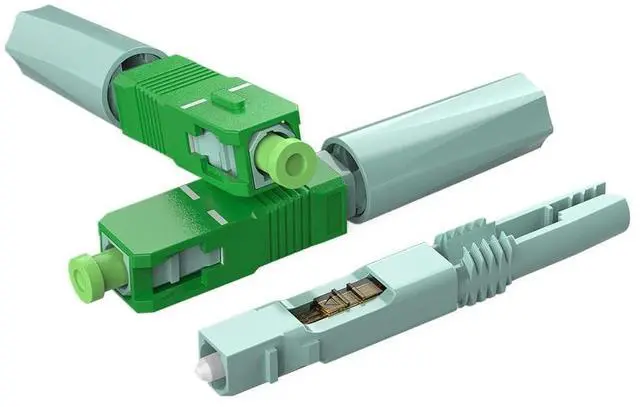
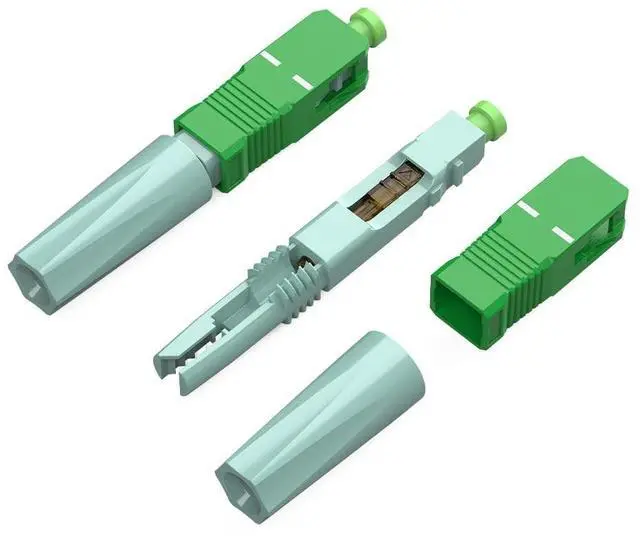
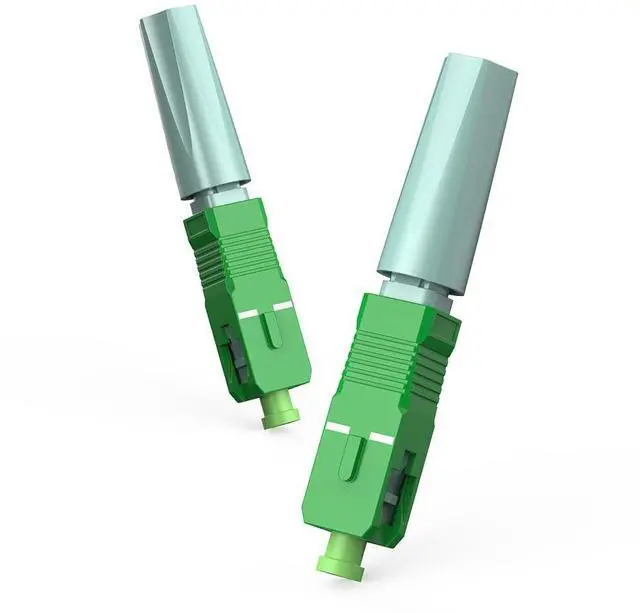
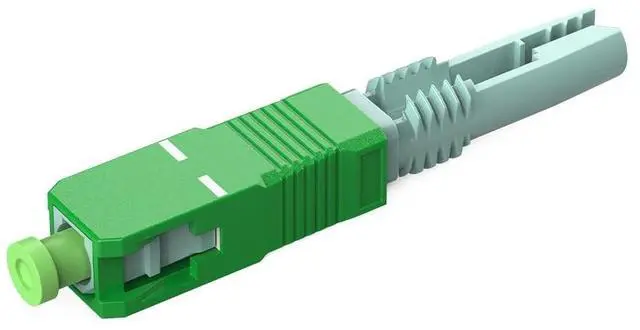
KOMSHINE SC A PC Quick Assembly Connector 100Pcs Fiber Optic Cable Adapter Embedded Quick Fast Connector Low Insertion Loss+Optic Fiber Length Regulator
- SC-UPC-A PC Quick Assembly Connector 100Pcs Fiber Optic Cable Adapter Embedded Quick Fast Connector Low Insertion Loss+Optic Fiber Length Regulator
- EASY TO OPERATE: The Quick Connector features a user-friendly design, requiring no special tools or technical expertise for installation. Suitable for both professionals and DIY enthusiasts. This connector adapter satisfies the international export standard, the connection rate is high.
- LOW INSERTION LOSS: This connector has high return loss and low insertion loss, stable and reliable performance. Ideal for CATV, telecommunication networks, tester detector, optical fiber LAN and access network, widely used in various broadband networks.
- PER: Component outline and nut are made of PER, our Quick Connector has high transmission efficiency and stability, ensuring reliable and safe operation between fiber cables in your network systems.
- RELIABLE: The SC-AP C connector offers low insertion loss and high return loss, providing excellen
+
+
Overview
Specs
Reviews
Any questions? Our AI beta will help you find out quickly.
Try me now
100 Pcs FTTH SC UPC/A P C Fiber Optic Fast Connector Fiber Quick Connector, Single Mode Quick Assembly Adapter Plug for
Cold SplicingProduct SpecificationPort Type: SC for
UPC-AP C end faceColor: Blue/
GreenInsertion Loss: <0.3dBReturn Loss: > 50dBPulling
Tension: 20NOperature
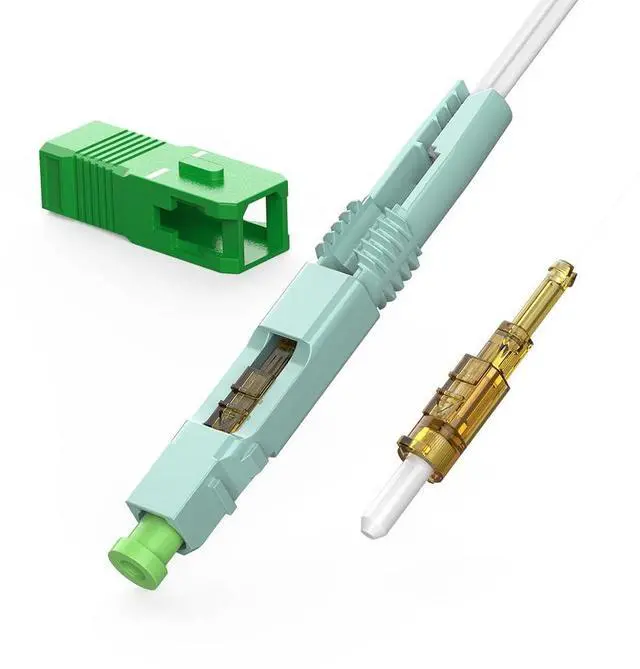
Temperature: -40~75Package List100pcs/PackInstallation Preparation1. Remove the dust cap and put the optical cable through the cap. 2. Strip off the coating of cable and retain 50 mm fiber with coating layer. 3. Fix 21-25mm fiber with coating by the fixed-length cutting instrument, then cut off the fiber which is out of the length fixing instrument. 4. Clean the residual fiber by dust free cloth with alcohol. Cold Connecting Process5. Cut the bare fiber by optical fiber cutter, retain 10 mm bare fiber. 6. Put the bear fiber through the rear of the connector and make the fiber a little bending. 7. Clamp the fiber with the tail cover and screw the dustl cap. 8. Shift up switch bottom block to the top, clamp and lock the bare fiber. 9. Install the SC Housing and doneTools for installation1. Length Fixing Instrument2. Cover Wire Strip Clamp3. Dust-free cloth& Alcohol4. Wire Stripper5. Optical Fiber Cutter

Cold SplicingProduct SpecificationPort Type: SC for
UPC-AP C end faceColor: Blue/
GreenInsertion Loss: <0.3dBReturn Loss: > 50dBPulling
Tension: 20NOperature
Temperature: -40~75Package List100pcs/PackInstallation Preparation1. Remove the dust cap and put the optical cable through the cap. 2. Strip off the coating of cable and retain 50 mm fiber with coating layer. 3. Fix 21-25mm fiber with coating by the fixed-length cutting instrument, then cut off the fiber which is out of the length fixing instrument. 4. Clean the residual fiber by dust free cloth with alcohol. Cold Connecting Process5. Cut the bare fiber by optical fiber cutter, retain 10 mm bare fiber. 6. Put the bear fiber through the rear of the connector and make the fiber a little bending. 7. Clamp the fiber with the tail cover and screw the dustl cap. 8. Shift up switch bottom block to the top, clamp and lock the bare fiber. 9. Install the SC Housing and doneTools for installation1. Length Fixing Instrument2. Cover Wire Strip Clamp3. Dust-free cloth& Alcohol4. Wire Stripper5. Optical Fiber Cutter
Warranty & Returns
Warranty, Returns, And Additional Information
Warranty
- Please contact the Seller directly for warranty information. Warranty information may also be found on the Manufacturer's website.
- CONTACT
Return Policies
- Return for refund within: 30 days
- Return for replacement within: 30 days
- This item is covered by Qiangsheng kuajing (Hong Kong) Co., Limi Return Policy
Manufacturer Contact Info
- For a directory of all our manufacturers, please click below.
- Manufacturers Directory
LOADING...