

Your Browsing History

Meet Your Seller

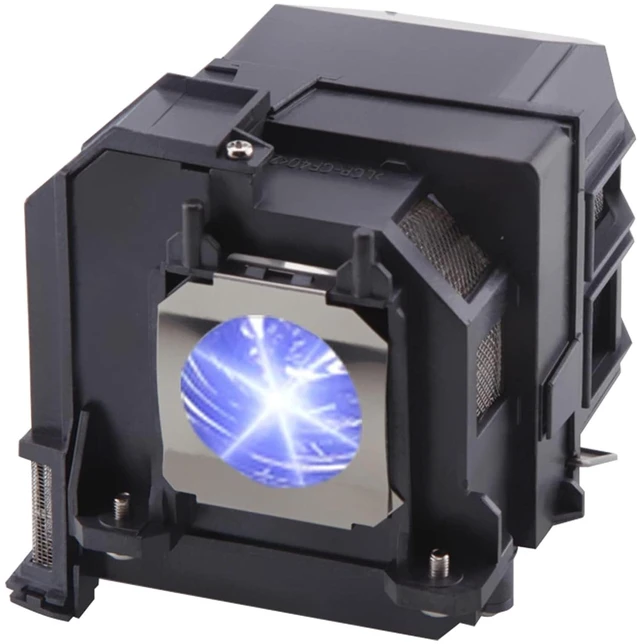



SHIYUSYAA Suitable for ELPLP91/V13H010L91 Replacement Projector Bulb for EPSON PowerLite Home Cinema 695Wi 680 685W 685Wi BrightLink 685Wi 695Wi EB-680 EB-680S 685W 685Wi 685WS 695Wi Lamp (250, Watts)
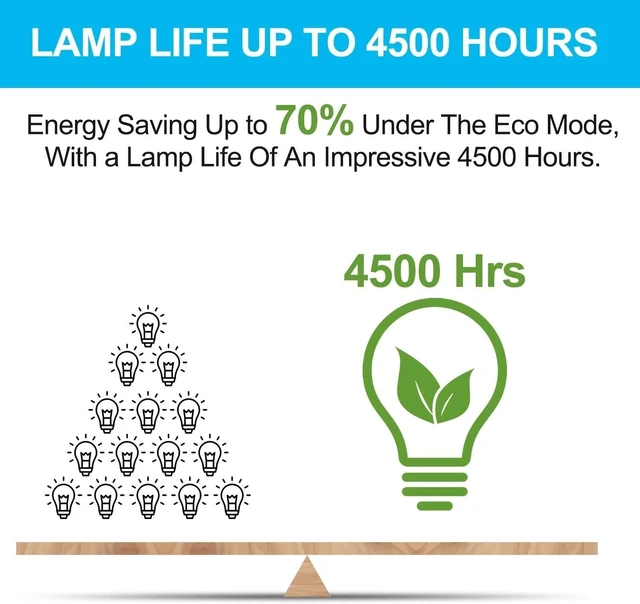
- REPLACEMENT LAMP LIFE - 3000 (normal) / after 4000 hours (economy).Our high quality replacement projector lamp bulb last much longer ,and provide a brighter, cleaner light source.
- QUALITY ASSURANCE - Test before shipment working. simple and easy to install. please shut down your Projector when you install it.
- Why Choose Us - During the service period of your order, if a light bulb malfunctions, we will immediately replace it or issue a refund at no cost to you.
- COMPATIBLE MODELS-Ctrl+F to find your model Suitable for V13H010L91 Replacement Projector Lamp Bulb for Epson PowerLite Home Cinema 680 685W 685WI BrightLink 685Wi 695Wi EB-680 EB-680S EB-685W EB-685Wi EB-685WS EB-695Wi.
- Resetting the Lamp Timer-After replacing the projector lamp, you must reset the lamp timer so that the projector can track lamp usage correctly,Select the Reset menu and press Enter.
+
+
Overview
Specs
Reviews

Any questions? Our AI mode will help you find out quickly.
Try me now
REPLACEMENT LAMP LIFE - 3000 (normal) / after 4000 hours (economy). Our high quality replacement projector lamp bulb last much longer, and provide a brighter, cleaner light source. ^^ QUALITY ASSURANCE - Test before shipment working. simple and easy to install. please shut down your Projector when you install it. ^^ Why Choose Us - During the service period of your order, if a light bulb malfunctions, we will immediately replace it or issue a refund at no cost to you. ^^ COMPATIBLE MODELS-Ctrl+F to find your model Suitable for V13H010L91 Replacement Projector Lamp Bulb for Epson PowerLite Home Cinema 680 685W 685WI BrightLink 685Wi 695Wi EB-680 EB-680S EB-685W EB-685Wi EB-685WS EB-695Wi.
^^ Resetting the Lamp Timer-After replacing the projector lamp, you must reset the lamp timer so that the projector can track lamp usage correctly, Select the Reset menu and press Enter.
^^ Resetting the Lamp Timer-After replacing the projector lamp, you must reset the lamp timer so that the projector can track lamp usage correctly, Select the Reset menu and press Enter.
Warranty & Returns
Warranty, Returns, And Additional Information
Warranty
- Please contact the Seller directly for warranty information. Warranty information may also be found on the Manufacturer's website.
- CONTACT
Return Policies
- Return for refund within: 30 days
- Return for replacement within: 30 days
- This item is covered by LingGo Return Policy
Manufacturer Contact Info
- For a directory of all our manufacturers, please click below.
- Manufacturers Directory
LOADING...