Your Browsing History
Meet Your Seller
16" Laptop Screen Extender, 1200P FHD Ultra-Slim Triple Portable Monitor
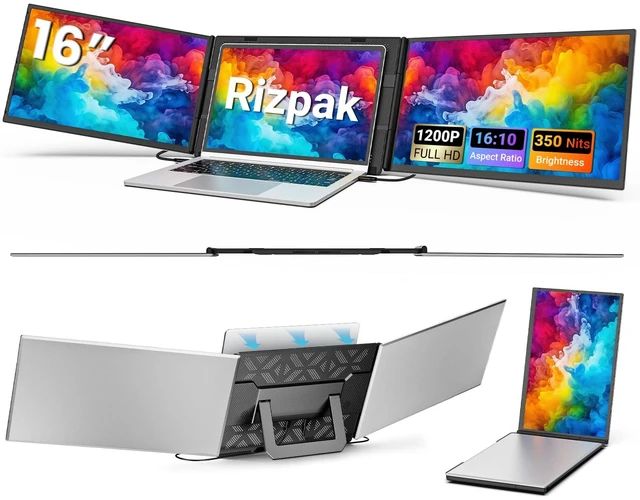
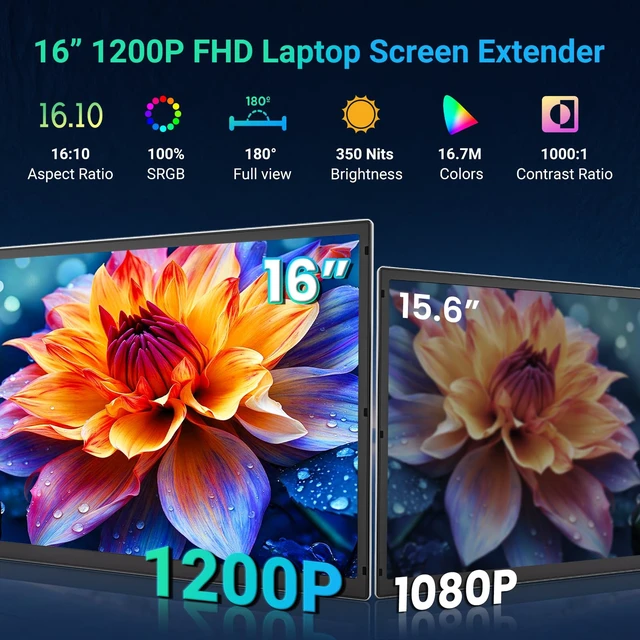
- 16" 19201200 IPS DisplayThis laptop screen extender features two 16-inch IPS screens, each with 19201200 resolution, a 16:10 aspect ratio, and up to 350 nits brightness. The larger display area lets you view more lines and content at once, making spreadsheets, documents, web pages, and code easier to manage while keeping text sharp and images clear. As a versatile monitor for laptop, it expands your workspace without sacrificing portability.
- Boost Productivity by Up to 300%Keep your laptop's built-in screen and connect two external displays to create a three-screen workstation. This laptop monitor extender supports extended, mirrored, and portrait modes, letting you manage apps, documents, dashboards, and workflows side-by-side. Work across multiple screens to organize tasks, compare information, and manage workflows more efficiently, ideal for programmers, designers, traders, and developers.
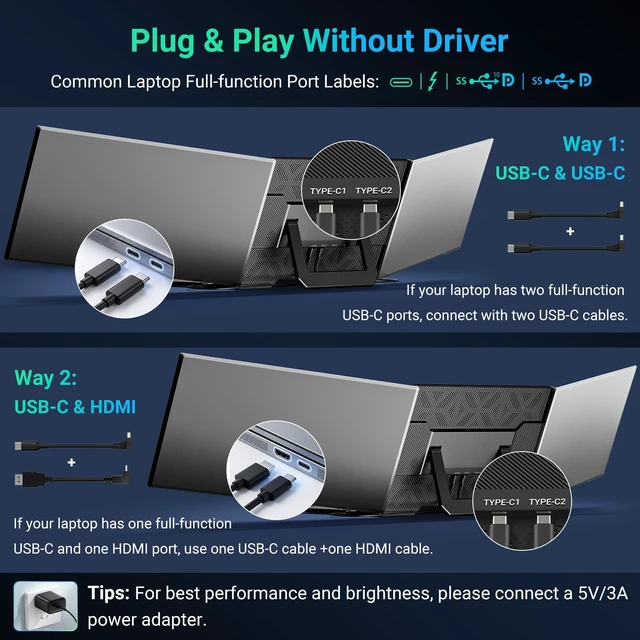
- Plug & Play with Dual CablesNo drivers needed. If your laptop has two full-featured USB-
+
+
Overview
Specs
Reviews
Any questions? Ask CelesteSM will help you find out quickly.
Try me now
Expand Your Workspace with a 16-Inch Triple Screen SetupUpgrade your workflow with the Rizpak 16-inch laptop screen extender, featuring two external IPS displays that work alongside your laptop screen to create a three-screen workstation. Each screen delivers 1920 1200 resolution, a 16:10 aspect ratio, and up to 350 nits of brightness. View spreadsheets, documents, web pages, code, and dashboards side by side with more room for multitasking. This triple monitor setup helps you organize information and switch between tasks more efficiently. Clear IPS Displays for Work and Everyday UseWith two 16-inch 1920 1200 IPS screens, this portable monitor extender provides detailed visuals and extra vertical workspace for documents, spreadsheets, presentations, and online content.
Choose extended or mirrored display modes to suit your workflow. Whether you are coding, analyzing data, managing projects, or attending online meetings, the additional screens make it easier to keep important information visible at the same time. Plug-and-Play Connection with Dual CablesNo driver installation is required. For laptops with two full-featured USB-C ports that support video output, connect the extender using two USB-C cables. If your laptop has one full-featured USB-C port and an HDMI output, use one USB-C cable and one HDMI-to-Type-C cable. Connection options depend on your laptop's available ports and video output capabilities.
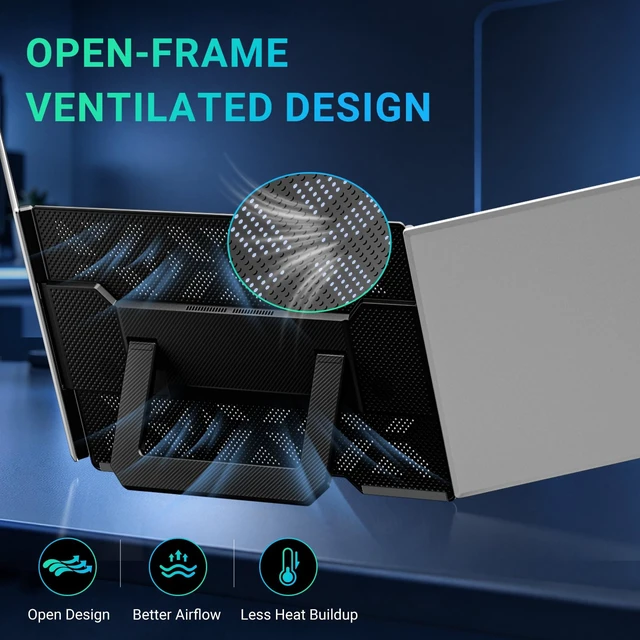
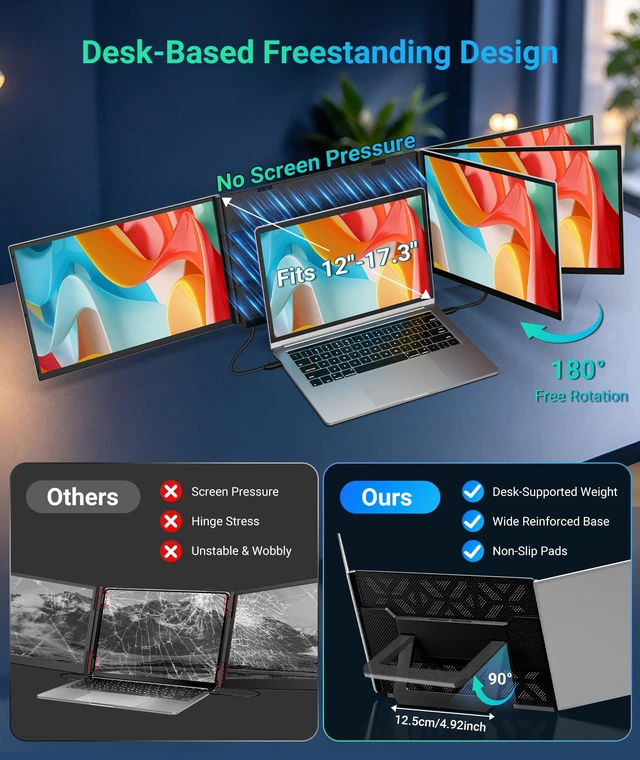
For stable performance, connect a 5V/3A or higher power adapter when needed, especially if the screens do not operate properly or brightness is insufficient. Independent Stand and Ventilated Back PanelThe freestanding support design positions the two external screens around your laptop without top clips or hooks attached to the laptop display. The upgraded ventilated back panel is designed to promote airflow around the screens. Together with the independent stand, this design supports a practical desk setup for home offices, workplaces, and temporary workstations. The foldable design also makes the laptop monitor extender easier to pack for business trips and mobile work.
Designed for Productivity On the GoThis portable monitor for laptop use is suitable for professionals, programmers, designers, students, and anyone who regularly works across multiple applications. Keep reference materials open while writing, compare data across screens, or view documents during video meetings. The Rizpak laptop monitor extender helps create a more organized mobile office for remote work, business travel, study, and everyday multitasking. Compatibility with Laptops and Other DevicesThis laptop screen extender is compatible with Windows, macOS, Chrome OS, and Linux laptops equipped with a full-featured USB-C port that supports video output.
Compatible Android devices, including smartphones and tablets, can also connect through a full-featured USB-C port with video output. Desktop PCs and mini PCs can connect through supported video output ports using the appropriate cables. Before purchasing, check your laptop's ports and video output capabilities to confirm compatibility. Power RequirementsExternal power may be required for stable operation. If the screens do not function properly or brightness is insufficient, connect a 5V/3A or higher power adapter to the extender's power input. To power a compatible laptop through the extender, use a PD power adapter rated at 65W or higher and connect it according to the product instructions.
Choose extended or mirrored display modes to suit your workflow. Whether you are coding, analyzing data, managing projects, or attending online meetings, the additional screens make it easier to keep important information visible at the same time. Plug-and-Play Connection with Dual CablesNo driver installation is required. For laptops with two full-featured USB-C ports that support video output, connect the extender using two USB-C cables. If your laptop has one full-featured USB-C port and an HDMI output, use one USB-C cable and one HDMI-to-Type-C cable. Connection options depend on your laptop's available ports and video output capabilities.
For stable performance, connect a 5V/3A or higher power adapter when needed, especially if the screens do not operate properly or brightness is insufficient. Independent Stand and Ventilated Back PanelThe freestanding support design positions the two external screens around your laptop without top clips or hooks attached to the laptop display. The upgraded ventilated back panel is designed to promote airflow around the screens. Together with the independent stand, this design supports a practical desk setup for home offices, workplaces, and temporary workstations. The foldable design also makes the laptop monitor extender easier to pack for business trips and mobile work.
Designed for Productivity On the GoThis portable monitor for laptop use is suitable for professionals, programmers, designers, students, and anyone who regularly works across multiple applications. Keep reference materials open while writing, compare data across screens, or view documents during video meetings. The Rizpak laptop monitor extender helps create a more organized mobile office for remote work, business travel, study, and everyday multitasking. Compatibility with Laptops and Other DevicesThis laptop screen extender is compatible with Windows, macOS, Chrome OS, and Linux laptops equipped with a full-featured USB-C port that supports video output.
Compatible Android devices, including smartphones and tablets, can also connect through a full-featured USB-C port with video output. Desktop PCs and mini PCs can connect through supported video output ports using the appropriate cables. Before purchasing, check your laptop's ports and video output capabilities to confirm compatibility. Power RequirementsExternal power may be required for stable operation. If the screens do not function properly or brightness is insufficient, connect a 5V/3A or higher power adapter to the extender's power input. To power a compatible laptop through the extender, use a PD power adapter rated at 65W or higher and connect it according to the product instructions.
Warranty & Returns
Warranty, Returns, And Additional Information
Warranty
- Please contact the Seller directly for warranty information. Warranty information may also be found on the Manufacturer's website.
- CONTACT
Return Policies
- Return for refund within: 30 days
- Return for replacement within: 30 days
- This item is covered by NorthFlow Smart Store Return Policy
Manufacturer Contact Info
- For a directory of all our manufacturers, please click below.
- Manufacturers Directory
LOADING...