

Your Browsing History
- Free 30-day Returns
$392.99

Meet Your Seller

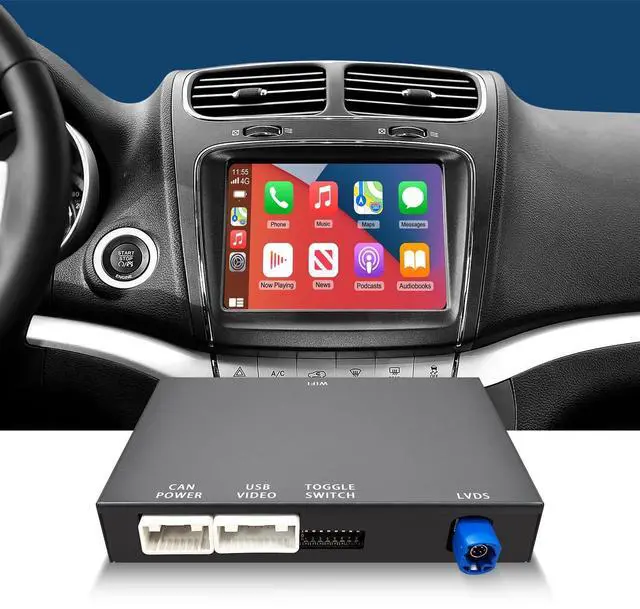


EZoneTronics for Fiat Freemont 2013-2018 Carplay Retrofit Decoder Wireless Carplay&Android Auto, Support Navigation/Mirror Link/Voice Control/NTSC or CVBS AHD Camera
- CarPlay Interface for Fiat Freemont 2013 2014 2015 2016 2017 2018Get a perfectly integrated, factory-style CarPlay system designed exclusively for your Fiat Freemont. No more clunky phone mounts your dashboard becomes a smart, familiar extension of your iPhone.
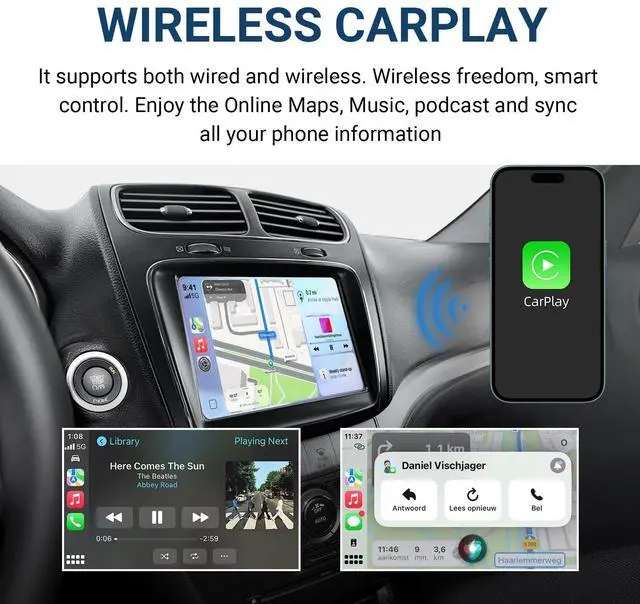
- Wired/Wireless CarPlaySync your phone in seconds. Whether you choose a simple wired connection or the ultimate convenience of wireless, your music, maps, and phone calls are instantly available on your dashboard, keeping you connected and focused on the road.
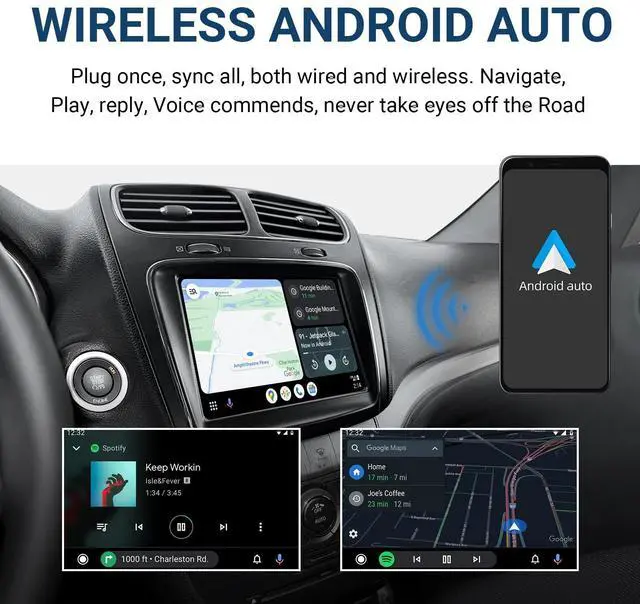
- Wired/Wireless Android AutoEnjoy a seamless, cord-free life with your Android phone. Stream music, get guided navigation and manage messages with less fuss and more control, making every drive smoother and more integrated.
- Built-in Dual-Band WiFi & Bluetooth 5.0 Experience a stable,fast and compatible connection with built-in 2.4G/5.8G WiFi. Coupled with Bluetooth 5.0, you get faster pairing,clearer calls and more reliable connection for all your devices.
- M
+
+
Overview
Specs
Reviews

Any questions? Our AI mode will help you find out quickly.
Try me now
CarPlay Interface for Fiat Freemont 2013 2014 2015 2016 2017 2018Get a perfectly integrated, factory-style CarPlay system designed exclusively for your Fiat Freemont. No more clunky phone mounts your dashboard becomes a smart, familiar extension of your iPhone. ^^ Wired/Wireless CarPlaySync your phone in seconds. Whether you choose a simple wired connection or the ultimate convenience of wireless, your music, maps, and phone calls are instantly available on your dashboard, keeping you connected and focused on the road. ^^ Wired/Wireless Android AutoEnjoy a seamless, cord-free life with your Android phone.
Stream music, get guided navigation and manage messages with less fuss and more control, making every drive smoother and more integrated. ^^ Built-in Dual-Band WiFi & Bluetooth 5.0 Experience a stable, fast and compatible connection with built-in 2.4G / 5.8G WiFi. Coupled with Bluetooth 5.0, you get faster pairing, clearer calls and more reliable connection for all your devices.
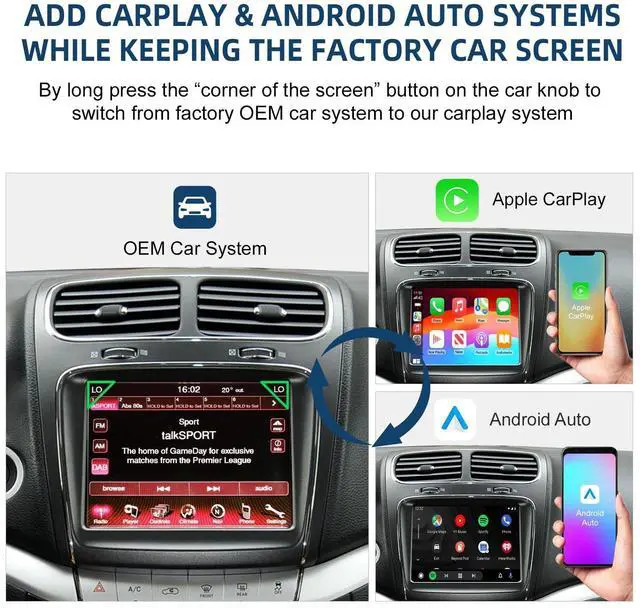
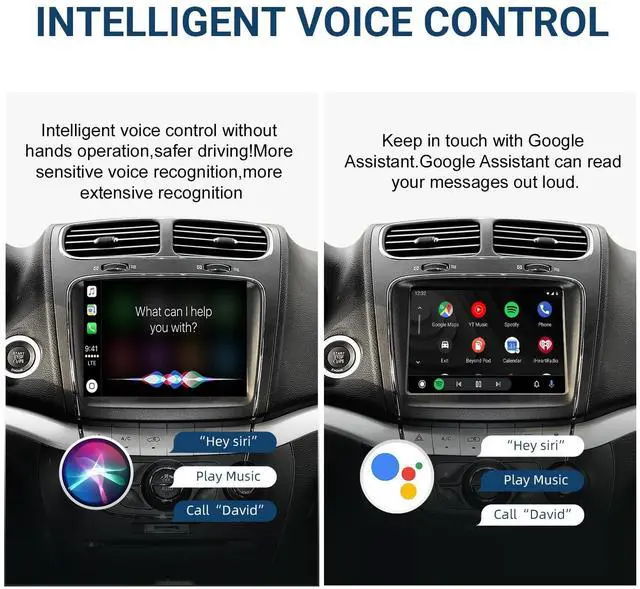
^^ Multi-Control: Steering Wheel, Touch, VoiceStay in command without lifting a hand. Use your factory steering wheel buttons, the responsive touchscreen, or simply say "Hey Siri" for voice control, ensuring your eyes stay on the road and your hands on the wheel. ^^ Online GPS Navigation Apps with Live TrafficAccess live traffic information and turn-by-turn directions from your favorite apps like Google Maps, Waze, and Apple Maps directly on your car's display for a smarter journey. ^^ Support Backup Camera & HD 360 Panoramic View With two RCA inputs, you can easily add a rear view camera or a right-side blind spot camera, supporting both PAL and NTSC formats. Support for HD 360 panoramic cameras, dynamic parking guidance lines helping you avoid obstacles and curb damage effortlessly. ^^ Plug and Play InstallationEnjoy a hassle-free upgrade. Plug-and-play design without cutting or splicing wires. ^^ Seamless Factory IntegrationRetain your car's original features and controls, switch back to your factory radio interface anytime with a simple press of a button. ^^ Warm TipsFor more installation or usage details, please refer to the user manual, product video or consult EZoneTronics at any time.
Stream music, get guided navigation and manage messages with less fuss and more control, making every drive smoother and more integrated. ^^ Built-in Dual-Band WiFi & Bluetooth 5.0 Experience a stable, fast and compatible connection with built-in 2.4G / 5.8G WiFi. Coupled with Bluetooth 5.0, you get faster pairing, clearer calls and more reliable connection for all your devices.
^^ Multi-Control: Steering Wheel, Touch, VoiceStay in command without lifting a hand. Use your factory steering wheel buttons, the responsive touchscreen, or simply say "Hey Siri" for voice control, ensuring your eyes stay on the road and your hands on the wheel. ^^ Online GPS Navigation Apps with Live TrafficAccess live traffic information and turn-by-turn directions from your favorite apps like Google Maps, Waze, and Apple Maps directly on your car's display for a smarter journey. ^^ Support Backup Camera & HD 360 Panoramic View With two RCA inputs, you can easily add a rear view camera or a right-side blind spot camera, supporting both PAL and NTSC formats. Support for HD 360 panoramic cameras, dynamic parking guidance lines helping you avoid obstacles and curb damage effortlessly. ^^ Plug and Play InstallationEnjoy a hassle-free upgrade. Plug-and-play design without cutting or splicing wires. ^^ Seamless Factory IntegrationRetain your car's original features and controls, switch back to your factory radio interface anytime with a simple press of a button. ^^ Warm TipsFor more installation or usage details, please refer to the user manual, product video or consult EZoneTronics at any time.
Warranty & Returns
Warranty, Returns, And Additional Information
Warranty
- Please contact the Seller directly for warranty information. Warranty information may also be found on the Manufacturer's website.
- CONTACT
Return Policies
- Return for refund within: 30 days
- Return for replacement within: 30 days
- This item is covered by Riveira Store Return Policy
Manufacturer Contact Info
- For a directory of all our manufacturers, please click below.
- Manufacturers Directory
LOADING...