

Your Browsing History
- Free 30-day Returns
$382.99

Meet Your Seller

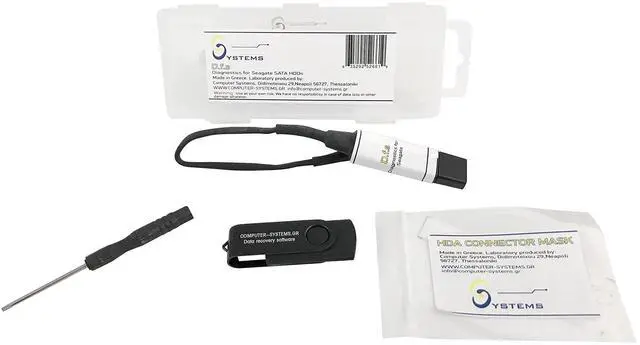
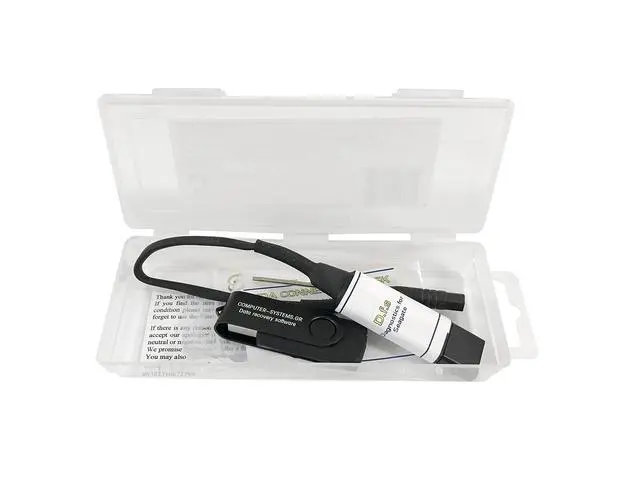
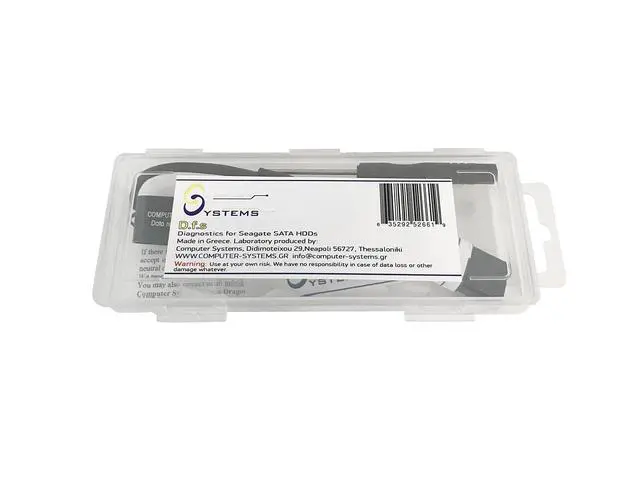
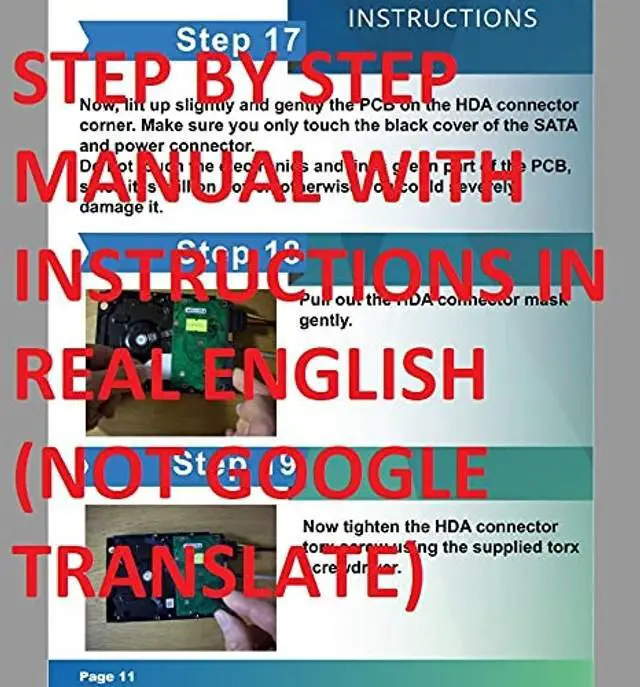


Diagnostics for Seagate Dfs Data Recovery USB Tool Kit. Compatible with Seagate Sata Hdds Recover Up to 80% of Cases, CSGR
- DfS can help you recover up to 80% of Seagate HDD data recovery cases (with the additional usage of data recovery software). Practically all common firmware issues (that not require component replacement) can be repaired with proper use of DfS. If the drive has other issue DfS will help you recognize it and through the head diagnostics feature the technician can decide if he will try to recover the data with some software or imager or if he should outsource the drive to a more advanced laboratory.
- Considering that Seagate HDDs give a great number of firmware issues practically half of Seagate data recovery cases can be recovered directly with proper use of DfS.
- Features: Check Heads Condition. Check Bad/Reallocated Sectors per Head Record and View Boot-up Seagate Terminal Messages Fix 7200.11 Busy Bug Correct Zero Capacity Error Get Drives-Firmware-Temperature Information Test Read Speed per Head.
- Test Seek Time Test Specific Sector Accessibility Erase
+
+
Overview
Specs
Reviews

Any questions? Our AI mode will help you find out quickly.
Try me now
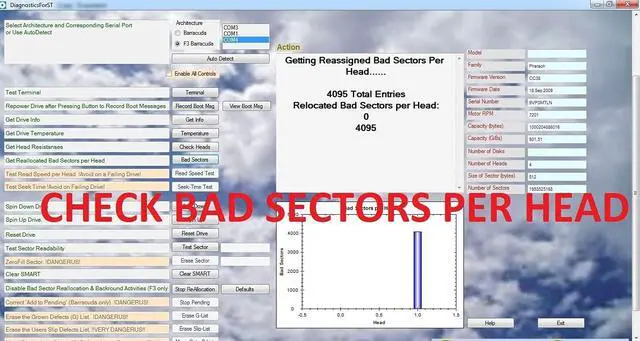
Diagnostics for Seagate (DfS) is a powerful diagnosis tool for failing or failed SATA Seagate Hard Disk Drives, aiming to data recovery. It can be used on every Seagate SATA Hard Drive. Apart from diagnostic functions, it provides firmware functions that can be used by experienced technicians to solve many common problems found in Seagate drives, that prohibit access to the data. The condition of the heads, the distribution of bad sectors or sectors pending reallocation and read speed per head, are presented in a graphical form, speeding up diagnosis.
Furthermore, functions such as correcting capacity problems, translator problems, testing sector accessibility or disabling background functions prior to drive imaging, or viewing boot-up drive terminal messages, can provide a solution in many failed Seagate drives cases, without the need for expensive firmware data recovery equipment. Diagnostics for Seagate (DfS) can also solve the common firmware problems that Seagate HDDs have and make them locked into busy (BSY) state. The HDD seems to work fine, but it is not recognized by Windows or the BIOS. This kit will unlock the firmware and get the HDD back to working state.
This way, not only will you be able to get your data back, but you will also be able to use your drive in the future. It is advised that this product is used by experienced technicians only, because it may destroy your hard drive if it is not used correctly. The tool can complement a data recovery lab equipment as an easy to use diagnosis alternative with graphic result presentation. It can also be a valuable tool for an IT shop taking up occasional data recovery jobs, in diagnosing drives and helping to make the decision for the next step (ex image or outsource etc).
It can also be useful for the interested technically oriented user in order to diagnose a failing drive or verify a data recovery lab diagnosis. DfS can help you recover up to 80% of Seagate HDD data recovery cases (with the additional usage of data recovery software). Practically almost all common firmware issues (that not require component replacement) can be repaired with proper use of DfS. Considering that Seagate HDDs give a great number of firmware issues practically half of Seagate data recovery cases can be recovered directly with proper use of DfS. If the drive has other issue DfS will help you recognize the issue and if it is head damage through the head diagnostics feature the technician can fully understand the condition of each head separately and decide if he will try to recover the data with some software or imager or if he should outsource the drive to a more advanced laboratory.
Warning! This tool provides powerful functions that intervene with the drives functions and settings. These functions are intended for use only by experienced data recovery technicians. Improper use of those functions can easily lead to permanent damage to the drive and data loss. Use these functions in a drive with important data only if you are an experienced technician. For inexperienced users this functions are only to be used in test drives with no important data for testing and experimentation. DfS is compatible with ALL Seagate SATA HDDs (and a few Maxtor HDDs which were actually produced by Seagate) Features of Diagnostics for Seagate (DfS) tool kit1.
Check Heads Condition2. Check Bad/Reallocated Sectors per Head3. Record and View Boot-up Seagate Terminal Messages4. Fix 7200.11 Busy Bug5. Correct Zero Capacity Error6. Get Drives-Firmware-Temperature Information7. Test Read Speed per Head8. Test Seek Time9. Test Specific Sector Accessibility10. Erase Specific Sector11. Clear SMART buffers12. Stop Background Reallocation and Background Processes13. Set ConGen Settings Buffers Defaults14. Clear G-List15. Clear Slip-List16. Move G-List Entries to P-Liss17. Regenerate TranslatorContent1 X DfS USB adapter which connects HDD with
Furthermore, functions such as correcting capacity problems, translator problems, testing sector accessibility or disabling background functions prior to drive imaging, or viewing boot-up drive terminal messages, can provide a solution in many failed Seagate drives cases, without the need for expensive firmware data recovery equipment. Diagnostics for Seagate (DfS) can also solve the common firmware problems that Seagate HDDs have and make them locked into busy (BSY) state. The HDD seems to work fine, but it is not recognized by Windows or the BIOS. This kit will unlock the firmware and get the HDD back to working state.
This way, not only will you be able to get your data back, but you will also be able to use your drive in the future. It is advised that this product is used by experienced technicians only, because it may destroy your hard drive if it is not used correctly. The tool can complement a data recovery lab equipment as an easy to use diagnosis alternative with graphic result presentation. It can also be a valuable tool for an IT shop taking up occasional data recovery jobs, in diagnosing drives and helping to make the decision for the next step (ex image or outsource etc).
It can also be useful for the interested technically oriented user in order to diagnose a failing drive or verify a data recovery lab diagnosis. DfS can help you recover up to 80% of Seagate HDD data recovery cases (with the additional usage of data recovery software). Practically almost all common firmware issues (that not require component replacement) can be repaired with proper use of DfS. Considering that Seagate HDDs give a great number of firmware issues practically half of Seagate data recovery cases can be recovered directly with proper use of DfS. If the drive has other issue DfS will help you recognize the issue and if it is head damage through the head diagnostics feature the technician can fully understand the condition of each head separately and decide if he will try to recover the data with some software or imager or if he should outsource the drive to a more advanced laboratory.
Warning! This tool provides powerful functions that intervene with the drives functions and settings. These functions are intended for use only by experienced data recovery technicians. Improper use of those functions can easily lead to permanent damage to the drive and data loss. Use these functions in a drive with important data only if you are an experienced technician. For inexperienced users this functions are only to be used in test drives with no important data for testing and experimentation. DfS is compatible with ALL Seagate SATA HDDs (and a few Maxtor HDDs which were actually produced by Seagate) Features of Diagnostics for Seagate (DfS) tool kit1.
Check Heads Condition2. Check Bad/Reallocated Sectors per Head3. Record and View Boot-up Seagate Terminal Messages4. Fix 7200.11 Busy Bug5. Correct Zero Capacity Error6. Get Drives-Firmware-Temperature Information7. Test Read Speed per Head8. Test Seek Time9. Test Specific Sector Accessibility10. Erase Specific Sector11. Clear SMART buffers12. Stop Background Reallocation and Background Processes13. Set ConGen Settings Buffers Defaults14. Clear G-List15. Clear Slip-List16. Move G-List Entries to P-Liss17. Regenerate TranslatorContent1 X DfS USB adapter which connects HDD with
Warranty & Returns
Warranty, Returns, And Additional Information
Warranty
- Please contact the Seller directly for warranty information. Warranty information may also be found on the Manufacturer's website.
- CONTACT
Return Policies
- Return for refund within: 30 days
- Return for replacement within: 30 days
- This item is covered by StarDragon Return Policy
Manufacturer Contact Info
- For a directory of all our manufacturers, please click below.
- Manufacturers Directory
LOADING...