Your Browsing History
- Free 30-day Returns
$36.79
Ships from China.
Sold by HangZhouQianChengSHOP
Shipped by HangZhouQianChengSHOP
Meet Your Seller
Sponsored Products
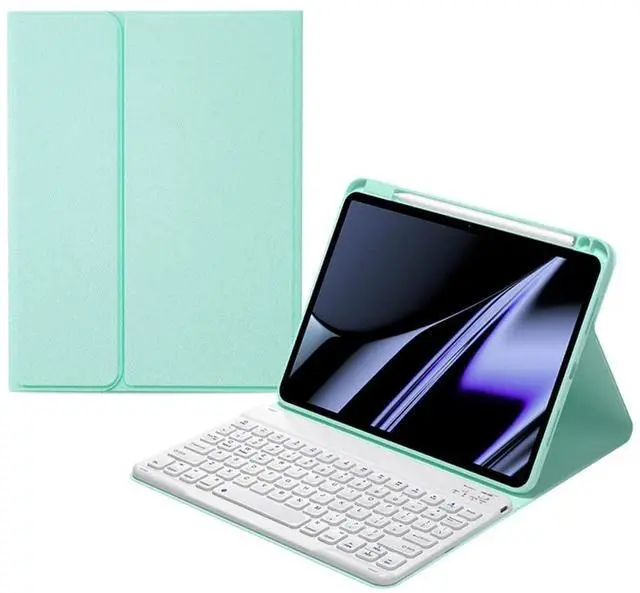
AnMengXinLing Keyboard Case for iPad Air 11-inch M2/ Air 5th/ 4th Generation with Pencil Holder, Magnetically Detachable Bluetooth Keyboard for iPad Air 11 2024/Air 5 2022/Air 4 2020, Mint Green
- [(Compatibility)] for iPad Air 11-inch M2 2024 (A2902/A2903/A2904), for iPad Air 5th Generation 10.9 inch 2022 (A2588/A2589/A2591), for iPad Air 4th Generation 2020 ( A2072/A2316/A2324/A2325 )
- [(Magnetic Removable wireless bluetooth)] Flip Folio Case with detachable bluetooth keyboard design would transform your tablet into your favorite computer in less than a second. The keys are are quiet and comfortable to type on.
- [(Multi viewing angles)] Different viewing angle adjusts to whatever comfortable angle suits you best. Perfect for working, writing, or watching videos at work, school, travel, and home.
- [(Full Protection)] Premium composition leather exterior protects your tablet from accidental dropping and bumps; Soft anti-slip interior protects your tablet from being scratched
- [(Auto Sleep/Wake Function)] Support auto Sleep/Wake function (only works WITHOUT the keyboard attached); Precise cutouts allow full access to all features
+
+
Overview
Specs
Reviews
Any questions? Our AI beta will help you find out quickly.
Try me now
Keyboard case for iPad Air 11 Inch M2 (2024), iPad Air 5th/iPad Air 4th, Case for iPad air (2022/2020) with Keyboard Detachable, Wireless Bluetooth Keyboard, Smart Folio Cover with Pencil Holder
How to connect the backlit keyboard with iPad:
1. Please fully charge the keyboard and turn it on.
2. Press 'Connect' button to open the keyboard's bluetooth.
3. Go to the iPad settings, click on bluetooth and look for the keyboard.
4. Select the "Bluetooth Keyboard" and it will connect.
How to connect the backlit keyboard with iPad:
1. Please fully charge the keyboard and turn it on.
2. Press 'Connect' button to open the keyboard's bluetooth.
3. Go to the iPad settings, click on bluetooth and look for the keyboard.
4. Select the "Bluetooth Keyboard" and it will connect.
Warranty & Returns
Warranty, Returns, And Additional Information
Warranty
- Please contact the Seller directly for warranty information. Warranty information may also be found on the Manufacturer's website.
- CONTACT
Return Policies
- Return for refund within: 30 days
- Return for replacement within: non-replaceable
- This item is covered by HangZhouQianChengSHOP Return Policy
Manufacturer Contact Info
- For a directory of all our manufacturers, please click below.
- Manufacturers Directory
LOADING...