

Your Browsing History



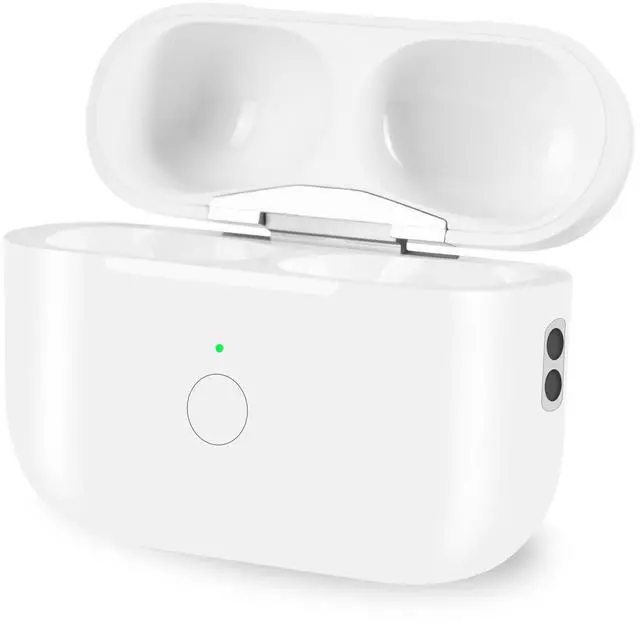


Wireless Charging Case Compatible with Airpods Pro 1st 2nd Generation with Bluetooth Pairing Button,Replacement Airpods Pro Charger Case Only,No Earbuds
Limited time offer, ends 09/30 By Zhiyi Technology
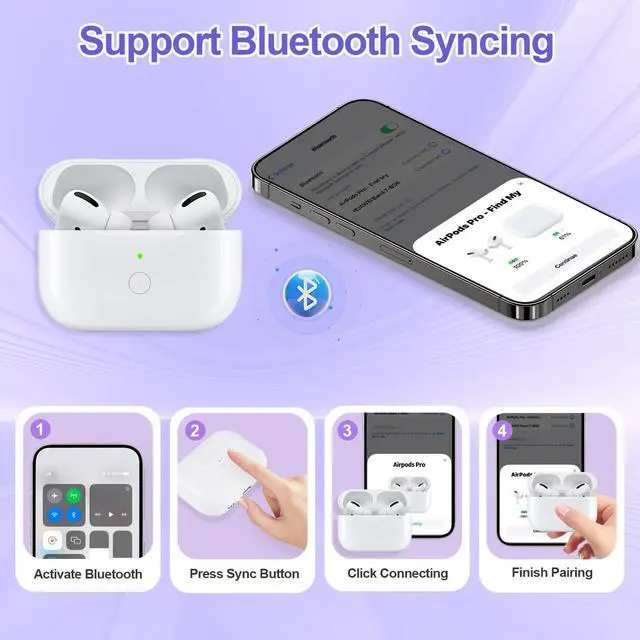
- [(Support Bluetooth Pairing)] This case has a bluetooth pairing sync button.It can connect to phone or other devices quickly.It will connect automatically when used again.
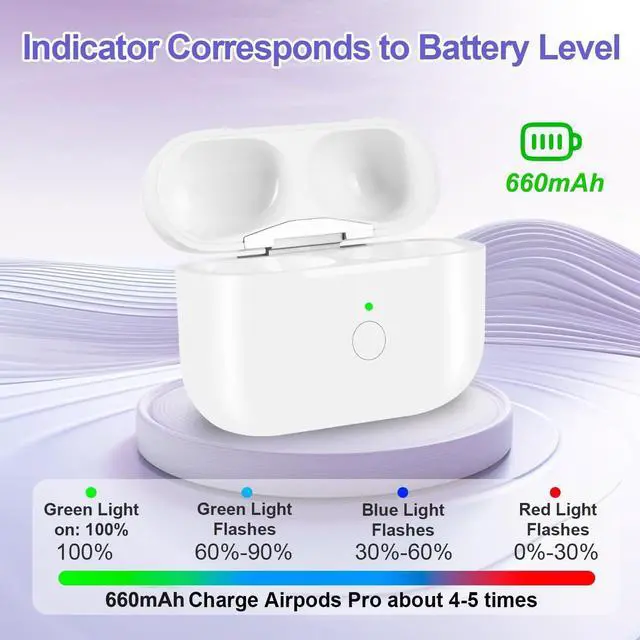
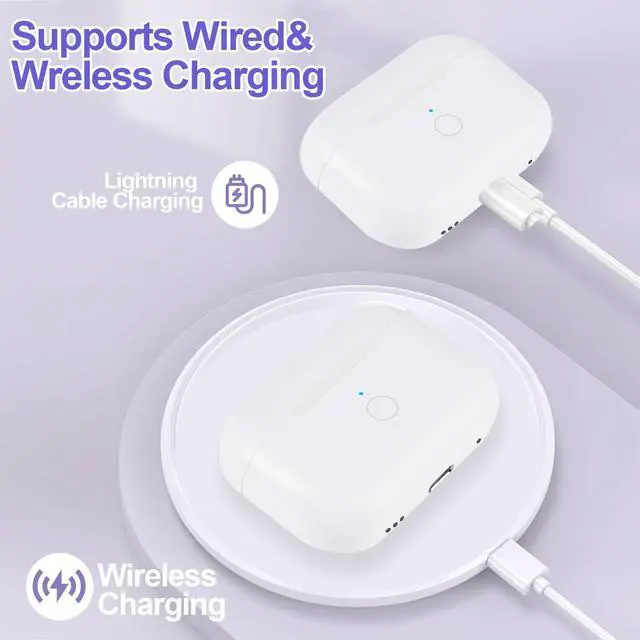
- [(Two Charging Methods)] It can be charged wirelessly by a Qi-compatible charging mat or lightning cable,it is so convenient.Different colored indicators tells you how much power you have left.
- [(Perfect Replacement Wireless Charging Case)] Newest designed case for backup works like the original Airpods pro charging case(Not include earbuds).Please make sure that your earphones are original Airpods pro 1/2 charging case before purchasing this.
- [(660 mAh Capacity)] Our charging case has a built-in 660mAh portable battery, which can be fully charged in 3 hours.It can charge your Air pods within 20 minutes and provide more than 5 times power.Easily maintain 24-hour use.
- [(Lightweight and Quick Response)] Our airpods pro 1st 2nd generation charging case only is easy to carry and works like the original one.If you
+
+
Overview
Specs
Reviews

Any questions? Our AI mode will help you find out quickly.
Try me now
Our wireless charging case is the most similar product for Airpods Pro 1st 2nd generation, which contains most of functions that the Air Pods Pro do, especially the sync function. It's very convenient for Air Pods Pro 1/2's users, it allows you to pair the Airpod Pro with any appropriate devices effortlessly.
Feature:
Compatible Model: Airpods Pro 1 2. (Not for Airpods 1/2 or Airpods 3).
450mAh battery capacity supply over 5 times full charge for your Airpods Pro.
Compatible with cable charger and all Qi standard wireless charger.
Only 70g super lightweight and pocket size, easy to carry.
Pairing steps:
1. First, activate Bluetooth setting on the phone in 'Settings-Bluetooth-On'in order to make charging case search AirPods Pro automatically. (Don't plug in charger during Bluetooth pairing process)
2. Put the original AirPods Pro into charging case and turn on the lid, then long press the sync button until the green flashing.
3. Please wait and do not switch the lid on and off repeatedly when the phone is pairing with AirPods Pro.
4. When the pop-up window shows "AirPods Pro" or the name you set for your AirPods Pro, click "Connecting" and wait for the process to complete, then click the sync button on the charging case to stop the flashing lightor wait for it to automatically stop. If the iPhone Pops up 'Not Your "AirPods" when open the lid, please activate the charging case in pairing mode and click "Via iCloud Connecting", or ignore this and wait for the "AirPods Pro" pop up window to appear for Bluetooth pairing.
5. Reopen the lid again and wait for 2s, when the phone is connected with the AirPods, take out and wear them.
Package include:
1x Wireless Airpods Pro 1/2 charging case.
1x Use manual.
Specification:
Input: 5V=0. 3A
Interface: lightning
Material: ABS
Not include Earbuds.
Feature:
Compatible Model: Airpods Pro 1 2. (Not for Airpods 1/2 or Airpods 3).
450mAh battery capacity supply over 5 times full charge for your Airpods Pro.
Compatible with cable charger and all Qi standard wireless charger.
Only 70g super lightweight and pocket size, easy to carry.
Pairing steps:
1. First, activate Bluetooth setting on the phone in 'Settings-Bluetooth-On'in order to make charging case search AirPods Pro automatically. (Don't plug in charger during Bluetooth pairing process)
2. Put the original AirPods Pro into charging case and turn on the lid, then long press the sync button until the green flashing.
3. Please wait and do not switch the lid on and off repeatedly when the phone is pairing with AirPods Pro.
4. When the pop-up window shows "AirPods Pro" or the name you set for your AirPods Pro, click "Connecting" and wait for the process to complete, then click the sync button on the charging case to stop the flashing lightor wait for it to automatically stop. If the iPhone Pops up 'Not Your "AirPods" when open the lid, please activate the charging case in pairing mode and click "Via iCloud Connecting", or ignore this and wait for the "AirPods Pro" pop up window to appear for Bluetooth pairing.
5. Reopen the lid again and wait for 2s, when the phone is connected with the AirPods, take out and wear them.
Package include:
1x Wireless Airpods Pro 1/2 charging case.
1x Use manual.
Specification:
Input: 5V=0. 3A
Interface: lightning
Material: ABS
Not include Earbuds.
Warranty & Returns
Warranty, Returns, And Additional Information
Warranty
- Please contact the Seller directly for warranty information. Warranty information may also be found on the Manufacturer's website.
- CONTACT
Return Policies
- Return for refund within: 30 days
- Return for replacement within: 30 days
- This item is covered by Zhiyi Technology Return Policy
Manufacturer Contact Info
- For a directory of all our manufacturers, please click below.
- Manufacturers Directory
LOADING...
LOADING...