Weather Alert: Severe winter storms may impact delivery times in some regions. We appreciate your patience as carriers work to deliver orders as quickly as possible. UPS Service Alerts.
  • $62.99
  • Free 30-day Returns
  • Price alert
    Shop it at NeweggBusiness.

    Meet Your Seller

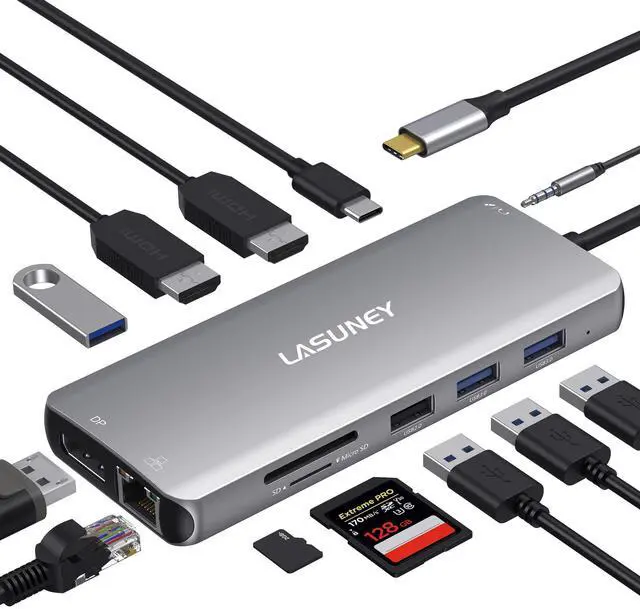
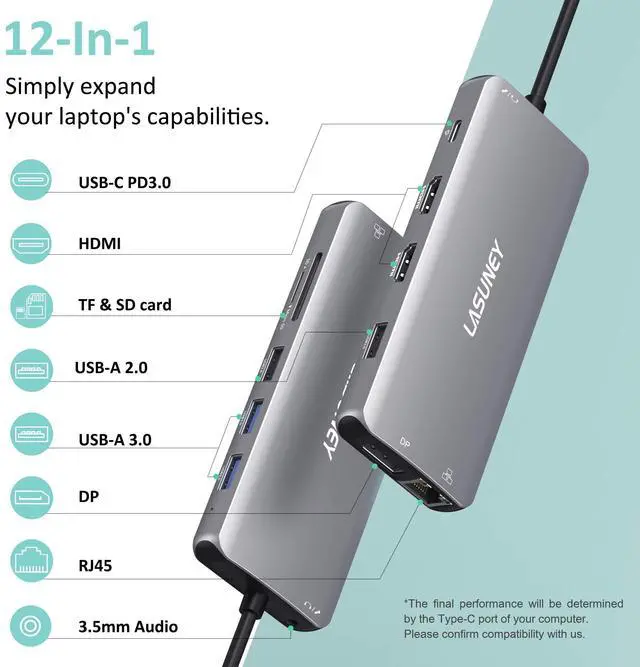
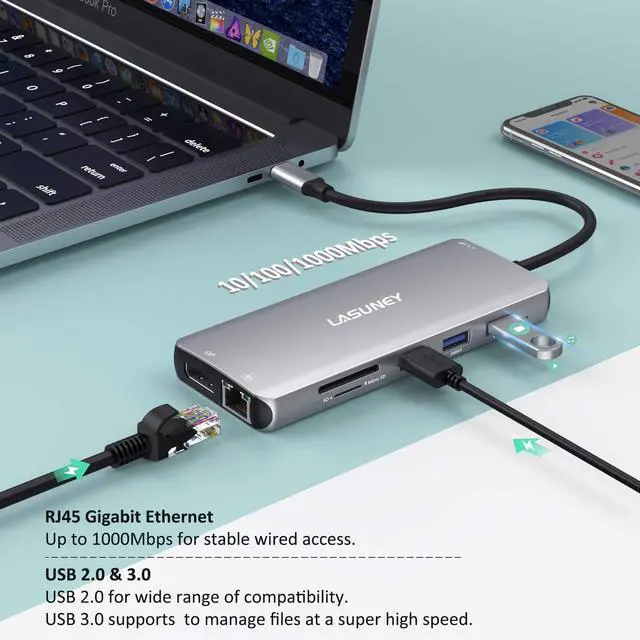
    LASUNEY 12-in-1 Hub USB C Laptop Docking Station Dual Monitor, Multiport Adapter Dongle with 2 HDMI, DisplayPort, RJ45, SD/TF, USB C/A Ports, PD, Mic/Audio, Compatible for MacBook Dell HP Lenovo

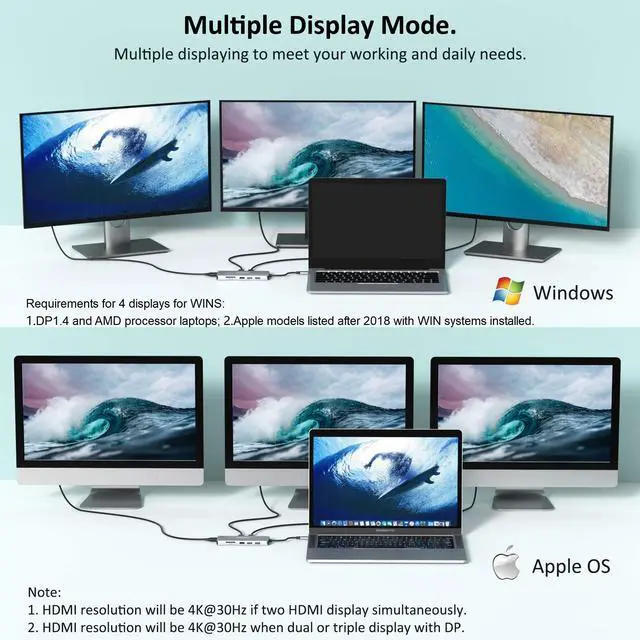
    • [NOTE] Mac OS does not support MST feature itself. For Mac, you can get one extended display with the hub by the following steps needed from you: Set-Display-Arrangement-Cancel Mirror Display. Also please drag the setting box to the page of the external screen. Then you can get one display of HDMI1=HDMI2=DP, one display of your Macbook. Totally two different contents.
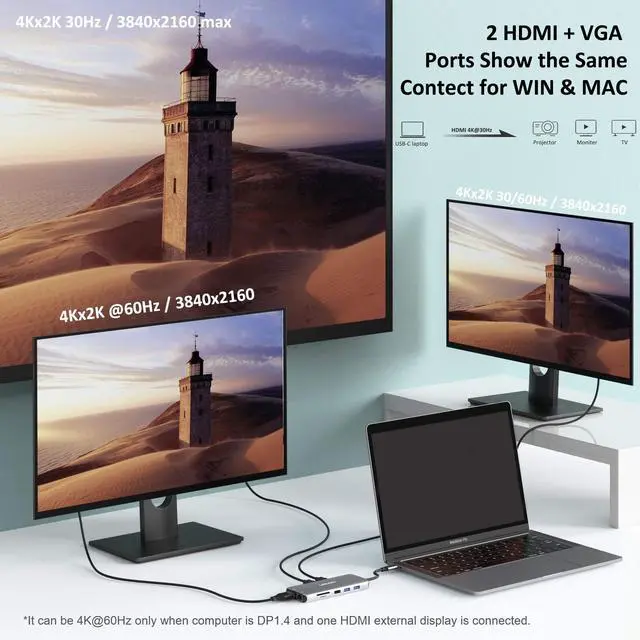
    • [MULTIPLE DISPLAY ON VARIOUS OCCASIONS] For Win, LASUNEY 12-in-1 hub supports both SST and MST modes. Under MST mode, if your laptop supports DP1.4, you can enjoy triple displays through 2 HDMI, 1 DP (the laptop screen must be shut down). For Mac, it can connect to 1 to 3 monitors of mirrored displays which is different from the laptop screen. It can be effectively applied to various learning, working and entertaining scenarios.
    • [VIVID AND HIGH-RESOLUTION DISPLAY UP TO 4K] LASUNEY 12-in-1 hub provides clear visual effects and high-quality video experience in mirror or extended mode. If your source is DP1.4, resoluti
    +
    +
    Overview
    Specs
    Reviews
    avatar

    Any questions? Our AI beta will help you find out quickly.

    NOTE: 1. Mac OS itself does not support MST. You can only get one extended display totally with MAC, one display of HDMI1=HDMI2=DP, one of your Macbook. 2. Please plug the original charger of your devices into the type-c PD port to ensure power. 3. Please read user manual carefully before use, and contact us if you have any questions. More specific models or systems, please confirm with us.
    You can contact us by: 1. Find the "sold by... " information on the product details page. 2. Click our store name and then Ask a Question. 3. Select a suitable option to send us a message. We will get back to your as soon as possible.

    Warranty & Returns

    Warranty, Returns, And Additional Information

    Warranty

    • Please contact the Seller directly for warranty information. Warranty information may also be found on the Manufacturer's website.
    • CONTACT

    Return Policies

    • Return for refund within: 30 days
    • Return for replacement within: 30 days
    • This item is covered by CloudBeast Return Policy

    Manufacturer Contact Info

    LOADING...