

Your Browsing History
- Free 30-day Returns
$43.99

Meet Your Seller


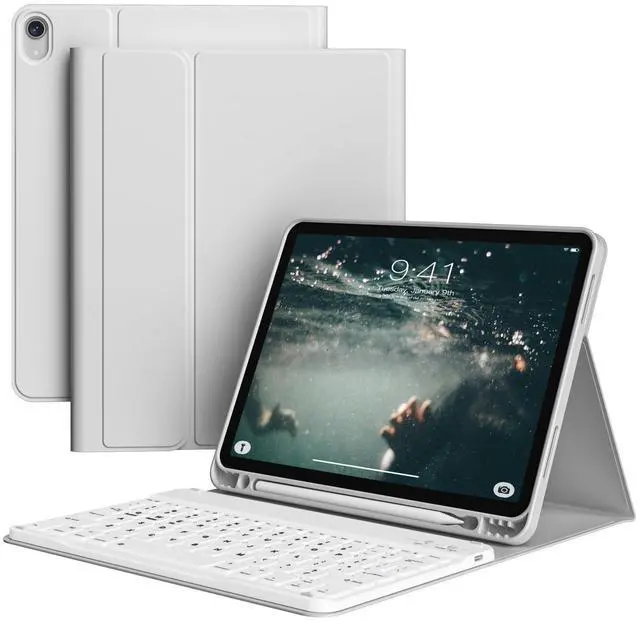


SQQSOOZ Case with Keyboard for iPad (A16) 11th/10th Generation 11/10.9 inch with Pencil Holder, Detachable Wireless Bluetooth Keyboard Stand Cover for iPad A16 2025 /10th Gen 2022 (Gray)
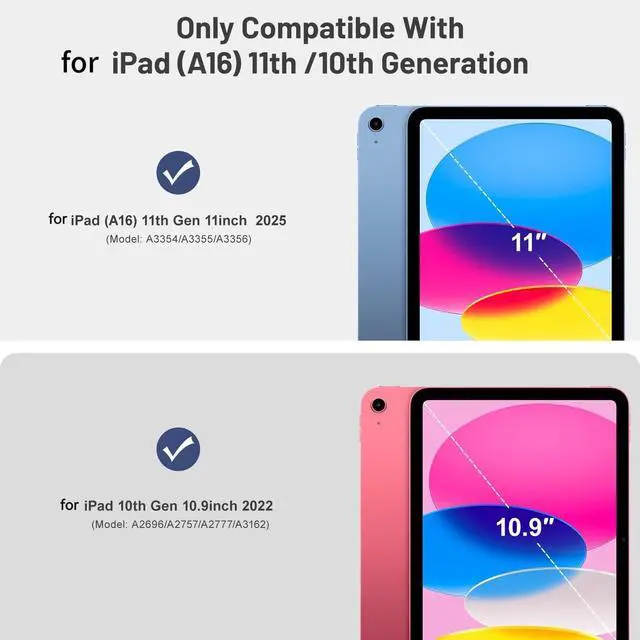
- Compatible ModelSQQSOOZ keyboard case specifically designed for iPad (A16) 11th generation 11 inch 2025 (Model number: A3354, A3355, A3356), for iPad 10th generation 10.9 inch 2022 (Model number: A2696, A2757, A2777, A3162). (Note: Please check your the "AXXX" model number printed on the back bottom of your devices before purchasing.)
- Wireless Keyboard Support 3 SystemThis for iPad 10th generation case with keyboard supports fast pairing with Windows, IOS, and Android systems. Once it is connected to your device via Bluetooth first time, it will automatically connect to it on subsequent uses. Please refer to our product details page or instruction manual. (Note: Keyboard is not backlit.)
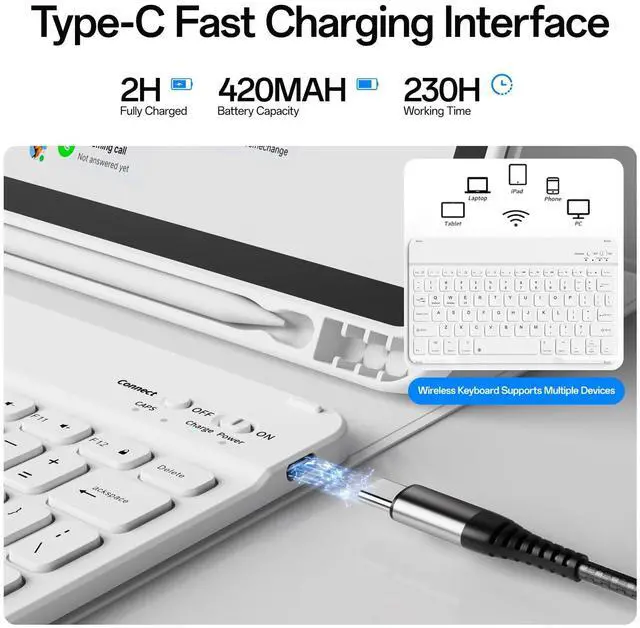
- Fast Charge & Long Battery LifeKeyboard for iPad 11th generation has built-in rechargeable battery, and more energy-efficient and consumes less. It provides at least 72-hour continuous working time for iPad after it is fully charged. (Note: Please charge the keyboard with Type-C for 2-3 hours bef
+
+
Overview
Specs
Reviews

Any questions? Our AI mode will help you find out quickly.
Try me now
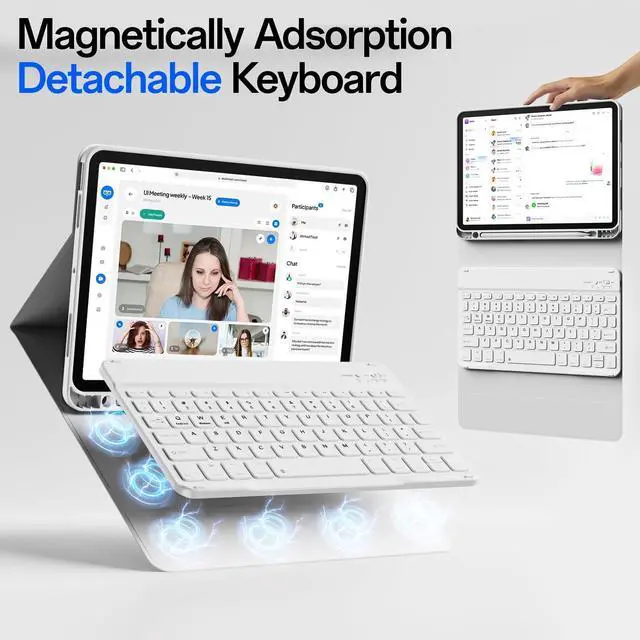
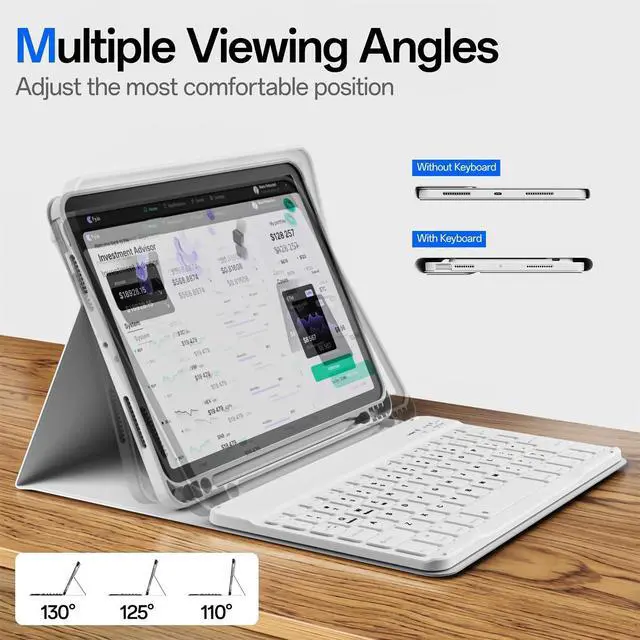
SQQSOOZ Keyboard Case for iPad 11th Gen (A16, 2025), for iPad 10th Gen 10.9 inch (2022) Coverwith Pencil Holder ^^ Magnetic Wireless Detachable Keyboard ^^ Multi-View ^^ Slim ^^ Auto Sleep/WakeSQQSOOZ keyboard case is a very good choice that durable, portable, colorful, functional. If you're looking for a protective case for your device.
Compatible With: Keyboard Case for iPad A16Keyboard Case for iPad 11th generation 11 inch 2025 (A3354, A3355, A3356); Keyboard Case for iPad 10th generation 10.9 inch 2022 (A2696, A2757, A2777, A3162).
Package Included: 1pcs x Magnetic Case1pcs x Wireless BT Keyboard1pcs x USB Charging Cord1pcs x Product Instruction Manual Question & Answer:
Q1: How do I check my tablet model?
Method 1: Check the model number starting with "A" on the back of your iPad.
Method 2: Open your tablet's Settings > General > About > tap "Model" to display the model number starting with "A.
"Q2: How to connect
Bluetooth keyboard? iOS system: Press
Fn+EAndroid system: Press
Fn+QWindows system: Press Fn+W
Compatible With: Keyboard Case for iPad A16Keyboard Case for iPad 11th generation 11 inch 2025 (A3354, A3355, A3356); Keyboard Case for iPad 10th generation 10.9 inch 2022 (A2696, A2757, A2777, A3162).
Package Included: 1pcs x Magnetic Case1pcs x Wireless BT Keyboard1pcs x USB Charging Cord1pcs x Product Instruction Manual Question & Answer:
Q1: How do I check my tablet model?
Method 1: Check the model number starting with "A" on the back of your iPad.
Method 2: Open your tablet's Settings > General > About > tap "Model" to display the model number starting with "A.
"Q2: How to connect
Bluetooth keyboard? iOS system: Press
Fn+EAndroid system: Press
Fn+QWindows system: Press Fn+W
Warranty & Returns
Warranty, Returns, And Additional Information
Warranty
- Please contact the Seller directly for warranty information. Warranty information may also be found on the Manufacturer's website.
- CONTACT
Return Policies
- Return for refund within: 30 days
- Return for replacement within: 30 days
- This item is covered by Tactifans Outdoor Sport Goods Return Policy
Manufacturer Contact Info
- For a directory of all our manufacturers, please click below.
- Manufacturers Directory
LOADING...