

Your Browsing History
- Free 30-day Returns
$80.99

Meet Your Seller



On Air Warning! Busy Light for The Office, Zoom, Streams Meet, Webex, etc., Mac & PC
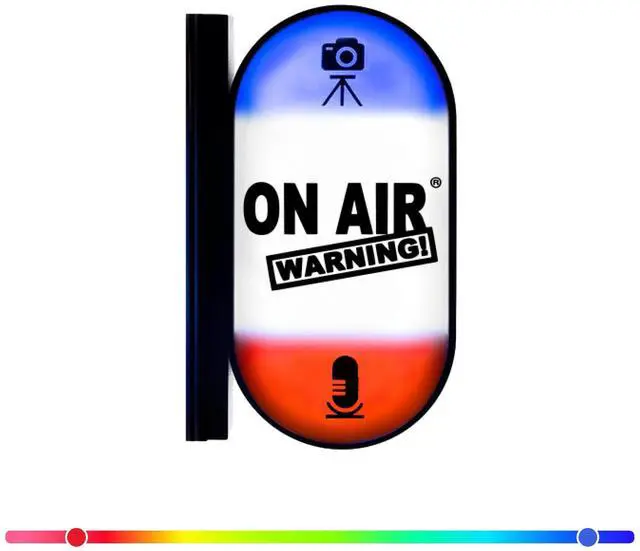
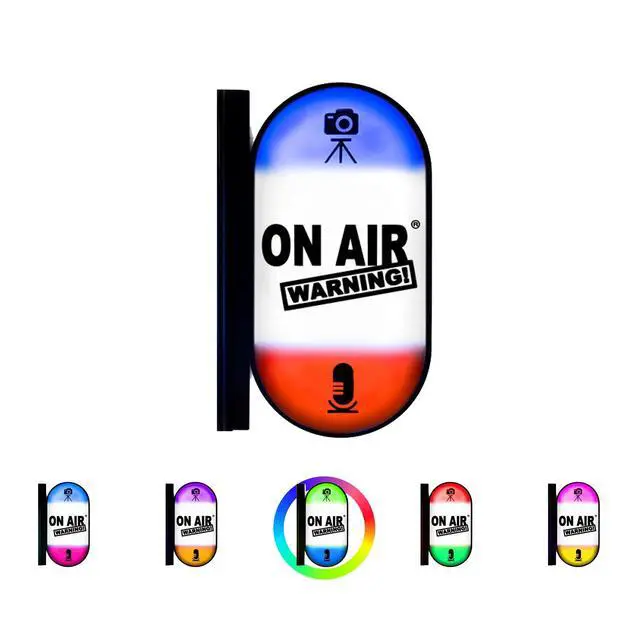
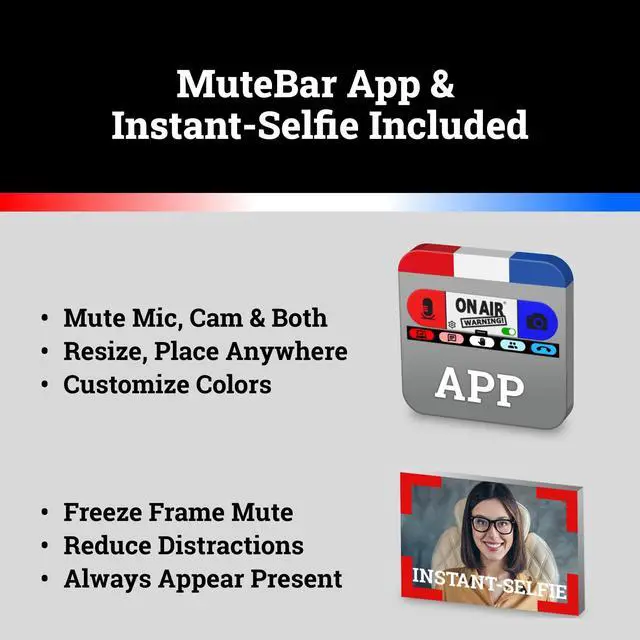
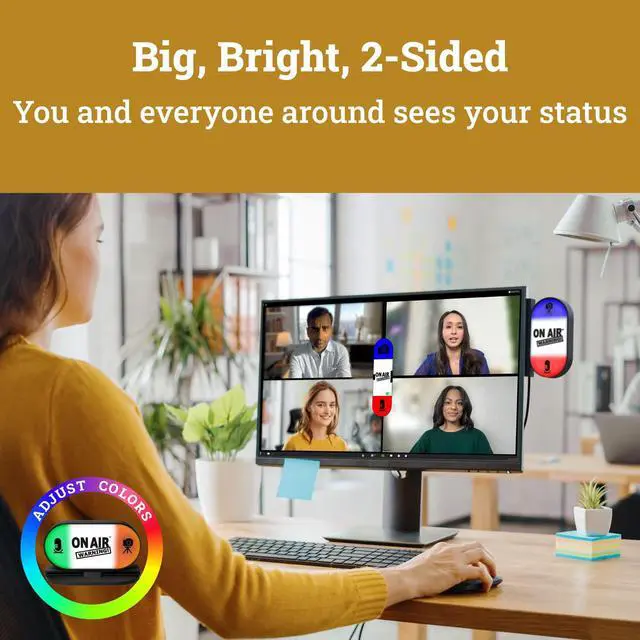
- SO MUCH MORE THAN A MUTE STATUS LIGHT: MuteLight is a double sided, 3-light video conference, mic and webcam status indicator. Big and bright. Requires free downloadable MuteBar App. With onscreen Smart Mute Button, you get customizable mute controls, advanced video mute options, plus Instant-Selfie. USB. Works with Mac & PC, Zoom, Teams, Meet and more.
- SMART IN-MEETING LIGHT: The center light of the display alerts you whena meeting is active, and goes dark when you exit. Whether you are away from your desk, or your meeting window is buried under a dozen other windows, smart auto-mode will let you know that you have an active, open meeting window that is live.
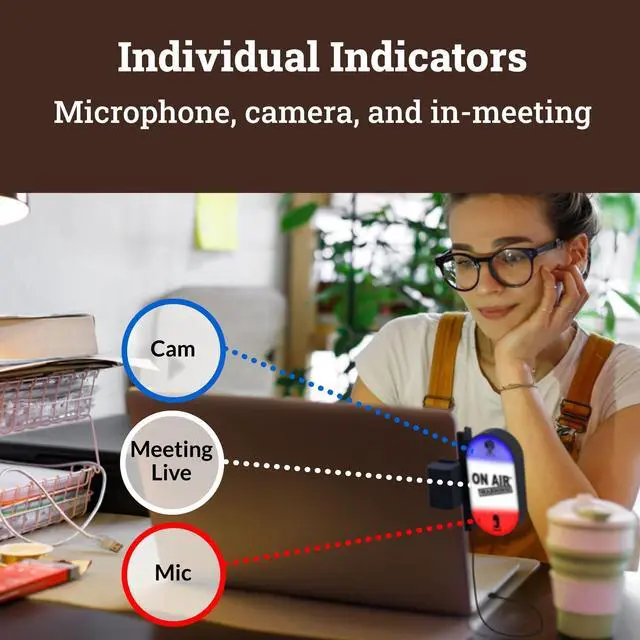
- THREE STATUS INDICATORS: Both MuteLight and the MuteBar App visibly, and individually, show microphone, camera and in-meeting status. You will clearly see when a meeting is live and whether your mic and/or video is hot.
- APPEAR PRESENT WITH INSTANT-SELFIE: When you need to take a break, but cant announce it, turn your vid
+
+
Overview
Specs
Reviews

Any questions? Our AI mode will help you find out quickly.
Try me now
SO MUCH MORE THAN A MUTE STATUS LIGHT: MuteLight is a double sided, 3-light video conference, mic and webcam status indicator. Big and bright. Requires free downloadable MuteBar App. With onscreen Smart Mute Button, you get customizable mute controls, advanced video mute options, plus Instant-Selfie. USB. Works with Mac & PC, Zoom, Teams, Meet and more.
^^ SMART IN-MEETING LIGHT: The center light of the display alerts you whena meeting is active, and goes dark when you exit. Whether you are away from your desk, or your meeting window is buried under a dozen other windows, smart auto-mode will let you know that you have an active, open meeting window that is live.
^^ THREE STATUS INDICATORS: Both MuteLight and the MuteBar App visibly, and individually, show microphone, camera and in-meeting status. You will clearly see when a meeting is live and whether your mic and/or video is hot. ^^
APPEAR PRESENT WITH INSTANT-SELFIE: When you need to take a break, but cant announce it, turn your video mute into an Instant-Selfie to sit in for you. Its like being in two places at one time. Your frozen video image appears on-screen while you catch a quick break. And, when youre done, its back to business with a touch, tap or click.
^^ IMPROVED SECURITY: The MuteBar app controls mic and cam at a layer before your video conference program. When the Mic indicator is off, you can be sure your mic is off even Siri and Cortana cannot hear you. Just enter a meeting and your smart center indicator comes on. Then leave the meeting and your center display light goes off.
^^ COMPATIBILITY: Today On Air Warnings software is compatible with Zoom, Teams, WebEx, Google Meet, GoTo Meeting, Slack Huddle, Messenger, OBS and more, running on Windows 10 and 11, or Mac OS 12.3 or later.
^^ ADD MORE LIGHTS: Improve your workspace by adding additional MuteLights to increase awareness of your conference status to everyone around. Put one on your monitor, another further away on top of your cubical, or even one outside your room or office.
Note: May require additional USB hub and cables. Tested up to 50.
^^ SATISFACTION: At On Air Warning we believe in having only satisfied customers. Should you have any issues with setup or equipment, please contact us directly. We promise to make it right. Satisfaction guaranteed! ^^
MANUFACTURERS NOTE: The MuteBar App is included with any On Air Warning hardware device and requires installation on your Mac or Windows computer. If you have a company owned computer you will need admin rights for installation. All trade names and trademarks are the property of their respective owners.
^^ SMART IN-MEETING LIGHT: The center light of the display alerts you whena meeting is active, and goes dark when you exit. Whether you are away from your desk, or your meeting window is buried under a dozen other windows, smart auto-mode will let you know that you have an active, open meeting window that is live.
^^ THREE STATUS INDICATORS: Both MuteLight and the MuteBar App visibly, and individually, show microphone, camera and in-meeting status. You will clearly see when a meeting is live and whether your mic and/or video is hot. ^^
APPEAR PRESENT WITH INSTANT-SELFIE: When you need to take a break, but cant announce it, turn your video mute into an Instant-Selfie to sit in for you. Its like being in two places at one time. Your frozen video image appears on-screen while you catch a quick break. And, when youre done, its back to business with a touch, tap or click.
^^ IMPROVED SECURITY: The MuteBar app controls mic and cam at a layer before your video conference program. When the Mic indicator is off, you can be sure your mic is off even Siri and Cortana cannot hear you. Just enter a meeting and your smart center indicator comes on. Then leave the meeting and your center display light goes off.
^^ COMPATIBILITY: Today On Air Warnings software is compatible with Zoom, Teams, WebEx, Google Meet, GoTo Meeting, Slack Huddle, Messenger, OBS and more, running on Windows 10 and 11, or Mac OS 12.3 or later.
^^ ADD MORE LIGHTS: Improve your workspace by adding additional MuteLights to increase awareness of your conference status to everyone around. Put one on your monitor, another further away on top of your cubical, or even one outside your room or office.
Note: May require additional USB hub and cables. Tested up to 50.
^^ SATISFACTION: At On Air Warning we believe in having only satisfied customers. Should you have any issues with setup or equipment, please contact us directly. We promise to make it right. Satisfaction guaranteed! ^^
MANUFACTURERS NOTE: The MuteBar App is included with any On Air Warning hardware device and requires installation on your Mac or Windows computer. If you have a company owned computer you will need admin rights for installation. All trade names and trademarks are the property of their respective owners.
Warranty & Returns
Warranty, Returns, And Additional Information
Warranty
- Please contact the Seller directly for warranty information. Warranty information may also be found on the Manufacturer's website.
- CONTACT
Return Policies
- Return for refund within: 30 days
- Return for replacement within: non-replaceable
- This item is covered by FoundationSurge Return Policy
Manufacturer Contact Info
- For a directory of all our manufacturers, please click below.
- Manufacturers Directory
LOADING...