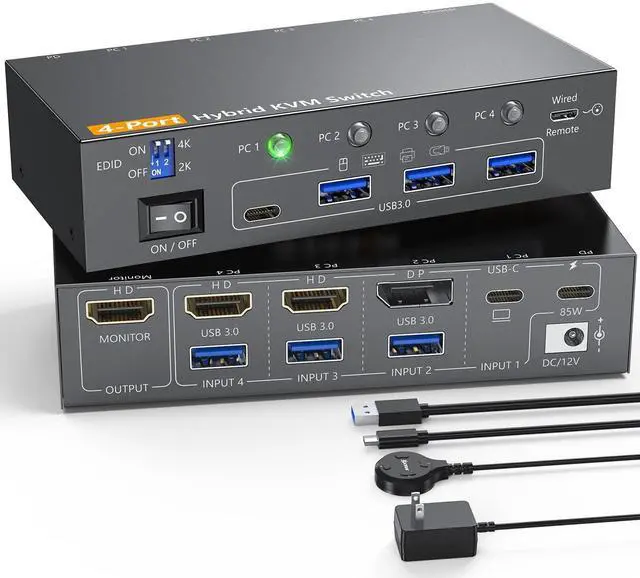
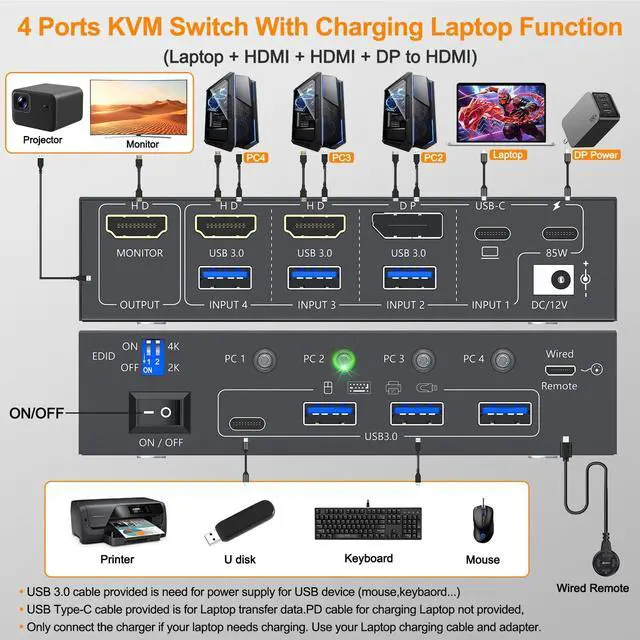
4 Computers share 1 monitors USB-C KVM Switch control 4 computers with 1 monitors via DP+HDMI+USB-C matrix. Share 4 USB 3.0 devices (keyboard/mouse/printer/camera) in one hub Switch Slash desktop clutter while boosting multitasking efficiency by 30%. ^^ Support High Resolution and High Refresh Rate4 Computers 1 monitor KVM Switch supports up to 4K@60Hz. Use 8K DP 1.4, USB 3.1 Gen2 and HDMI 2.1 cables for a better experience, shorter cables are better when distance allow. ^^ Equipped with a dedicated 2K/4K resolution switchthis KVM enables one-click output adjustment, supporting smooth switching between 2K (25601440) and 4K (38402160) resolutions to perfectly match your 2K gaming monitor or 4K ultra-HD office display.
You can also optimize display performance flexibly based on your needs: switch to 2K mode for high-refresh-rate gaming or fast-paced graphic design tasks, or toggle to 4K mode for crystal-clear video conferencing, photo editing, and movie streaming. ^^ Effortless Multitasking & Clutter-Free SetupStop wasting time swapping cables! This USB-C KVM switch lets you manage multiple devices from 1 central hub no more unplugging and replugging. Ideal for busy work desks, tech setups, or home entertainment centers. ^^ 2 Display Modes for
Every NeedExtended Mode: Turn 4 screens into your ultimate multitasking workspace Perfect for editing documents, coding, and monitoring data all at once.
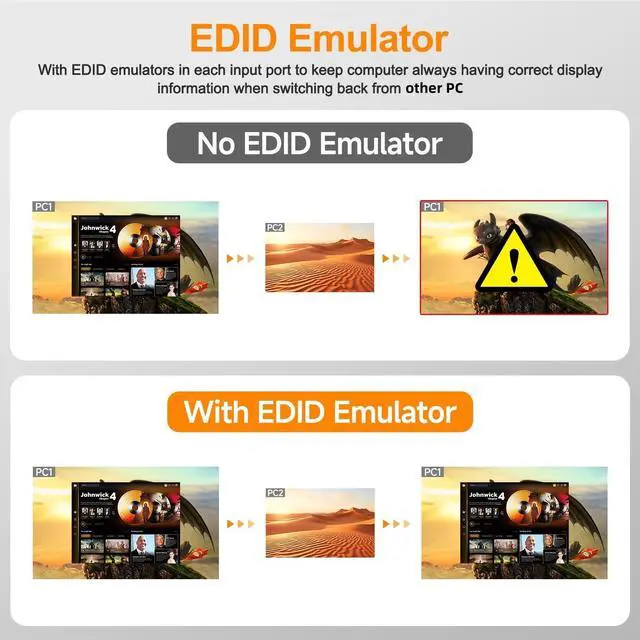
Duplicate Mode: use HDMI Switch to choose Sync content across all displays seamlessly ideal for presentations, classrooms, or sharing movies with everyone in the room. ^^ EDID EmulatorOur 4-port KVM Switch comes with built-in EDID lock functionality and supports forcing a 4K signal downscaling to 1080Ptwo practical features to enhance your usage experience. It automatically detects and adjusts your monitors settings (including resolution and refresh rate) to their optimal levels, eliminating the need for manual tweaks. This auto-adjustment ensures you consistently get crisp, clear image quality, no matter which computer youre using.