Your Browsing History
- Free 30-day Returns
$53.99
Meet Your Seller
Aelebey Wireless Charging Case for AirPods 4th Generation with Type-C Charging Port,Replacement Airpod 4 Charger Case with Bluetooth Pairing Sync Button
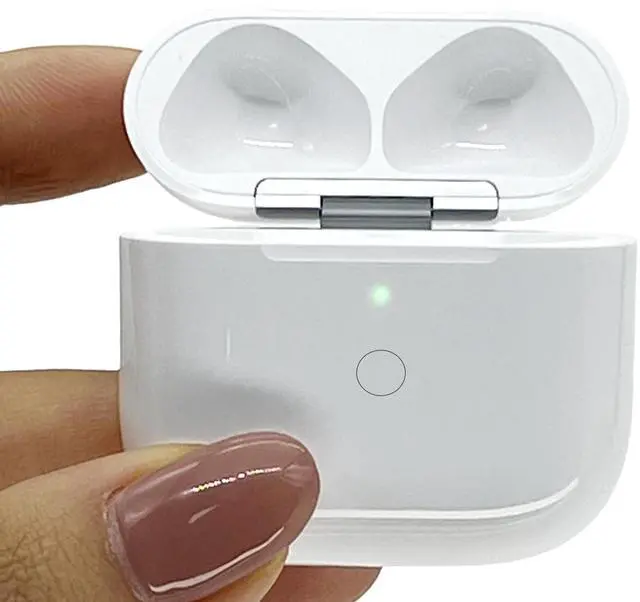
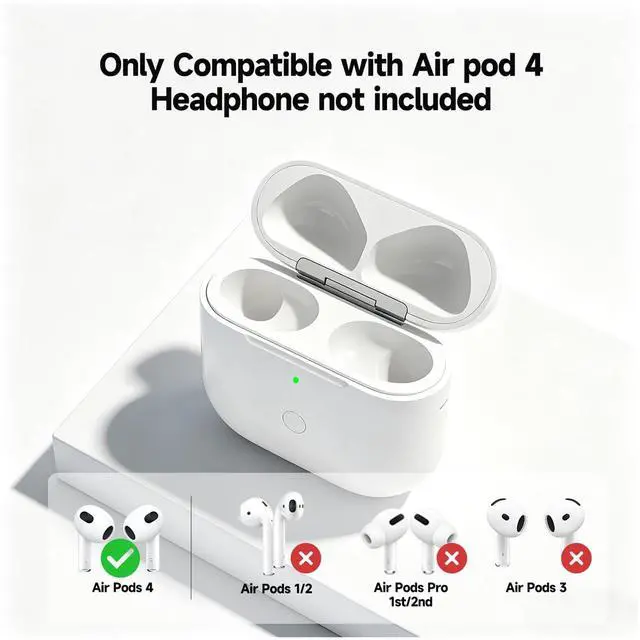
- Perfect Replacement Case: Compatible with Air Pod 4th generation, if you lose or damage the original Air pods 4 generation charging case, this is a great replacement wireless charging case, the earphones snap perfectly into the charging case. The charging case is not affect the earphone sound quality. Note: The charging case uses a USB-C interface
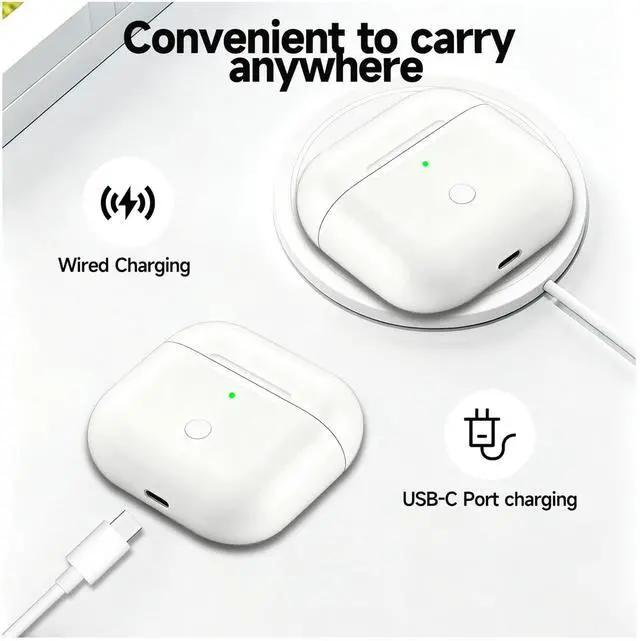
- Two Ways to Charge: The airpod 4 compatible with wireless and wired charging. Wireless and wired charging allow you to enjoy convenient charging and fast charging. It is also recommended to use the original charging cable, as wireless charging is slower than the original charging cable.
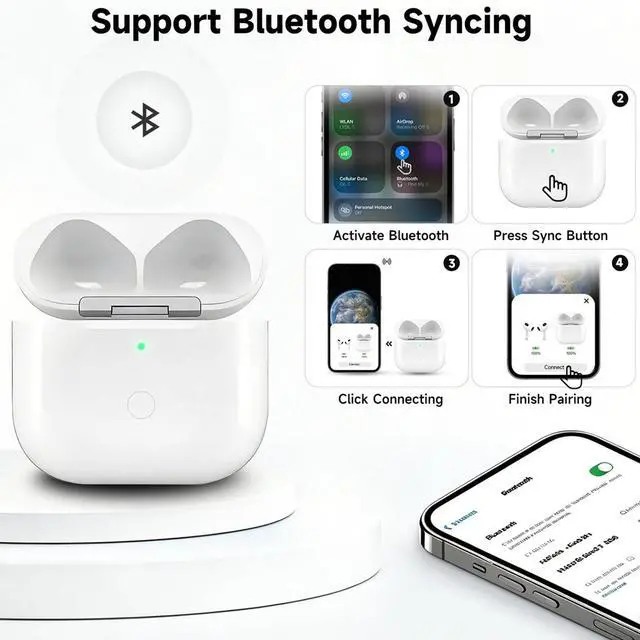
- Fast Bluetooth Pairing: Pairing with your phone is super simple; just open the cover and press the button on the front, it can be easily paired automatically like the original Air pods 4 pairing; it will automatically connect when used again; replacing the charging case can save the trouble of manual connection every time.
+
+
Overview
Specs
Reviews
Any questions? Our AI mode will help you find out quickly.
Try me now
Perfect Replacement Case: Compatible with Air Pod 4th generation, if you lose or damage the original Air pods 4 generation charging case, this is a great replacement wireless charging case, the earphones snap perfectly into the charging case. The charging case is not affect the earphone sound quality.
Note: The charging case uses a USB-C interface ^^ Two Ways to
Charge: The airpod 4 compatible with wireless and wired charging. Wireless and wired charging allow you to enjoy convenient charging and fast charging. It is also recommended to use the original charging cable, as wireless charging is slower than the original charging cable.
^^ Fast Bluetooth Pairing: Pairing with your phone is super simple; just open the cover and press the button on the front, it can be easily paired automatically like the original Air pods 4 pairing; it will automatically connect when used again; replacing the charging case can save the trouble of manual connection every time.
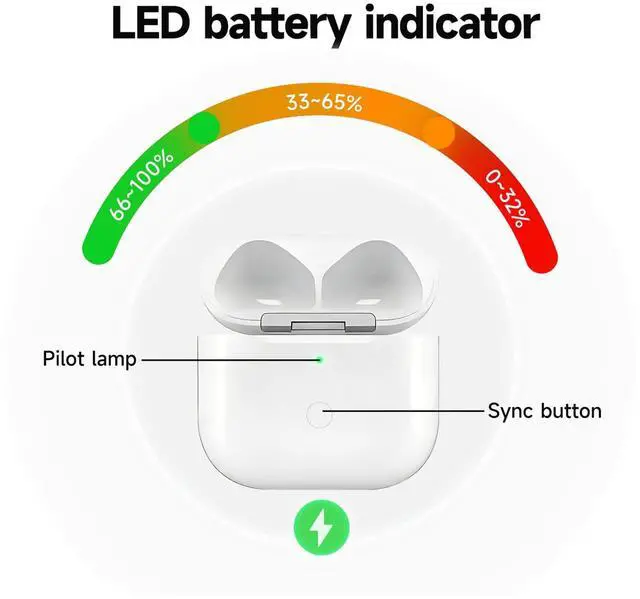
^^ Indicator Light: The small LED power indicator on the front is very practical, when it lights up red, it means it needs to be charged; it shows green when fully charged, and orange when charging.
^^ [Note]: Do not connect the charger during Bluetooth pairing. If you encounter issues (e. g. one earbud not working, random flashing light, or failed connection), try: Put earbuds back into the case, close the lid, wait 15 mins. Clean the contact points. Ensure earbuds have enough battery. If problems persist, contact us anytimewell assist promptly.

Note: The charging case uses a USB-C interface ^^ Two Ways to
Charge: The airpod 4 compatible with wireless and wired charging. Wireless and wired charging allow you to enjoy convenient charging and fast charging. It is also recommended to use the original charging cable, as wireless charging is slower than the original charging cable.
^^ Fast Bluetooth Pairing: Pairing with your phone is super simple; just open the cover and press the button on the front, it can be easily paired automatically like the original Air pods 4 pairing; it will automatically connect when used again; replacing the charging case can save the trouble of manual connection every time.
^^ Indicator Light: The small LED power indicator on the front is very practical, when it lights up red, it means it needs to be charged; it shows green when fully charged, and orange when charging.
^^ [Note]: Do not connect the charger during Bluetooth pairing. If you encounter issues (e. g. one earbud not working, random flashing light, or failed connection), try: Put earbuds back into the case, close the lid, wait 15 mins. Clean the contact points. Ensure earbuds have enough battery. If problems persist, contact us anytimewell assist promptly.
Warranty & Returns
Warranty, Returns, And Additional Information
Warranty
- Please contact the Seller directly for warranty information. Warranty information may also be found on the Manufacturer's website.
- CONTACT
Return Policies
- Return for refund within: 30 days
- Return for replacement within: 30 days
- This item is covered by JMDesign Return Policy
Manufacturer Contact Info
- For a directory of all our manufacturers, please click below.
- Manufacturers Directory
LOADING...