

Your Browsing History

Meet Your Seller

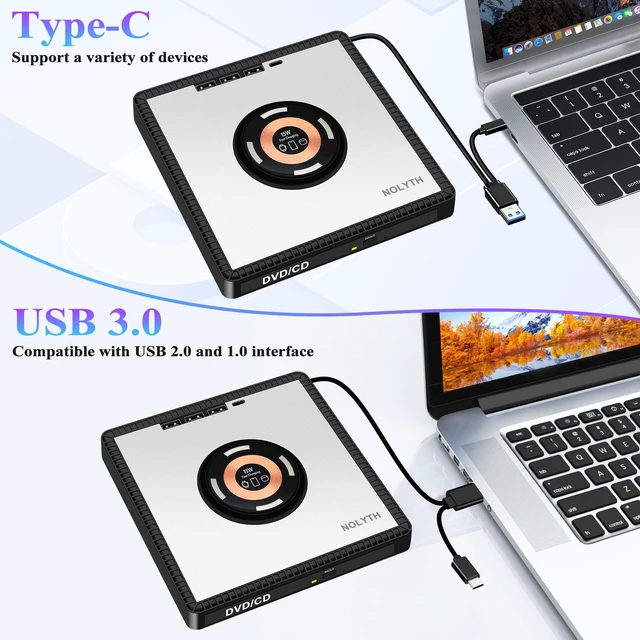


NOLYTH External CD/DVD Drive for Laptop, DVD Burner with Wireless Charger
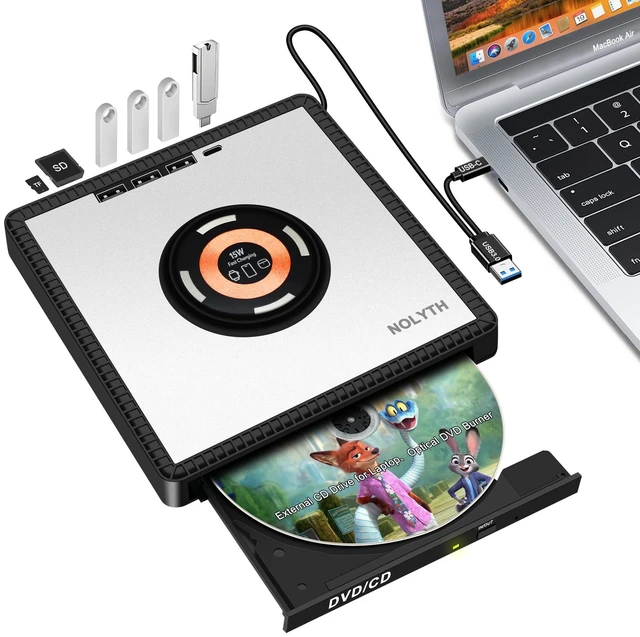
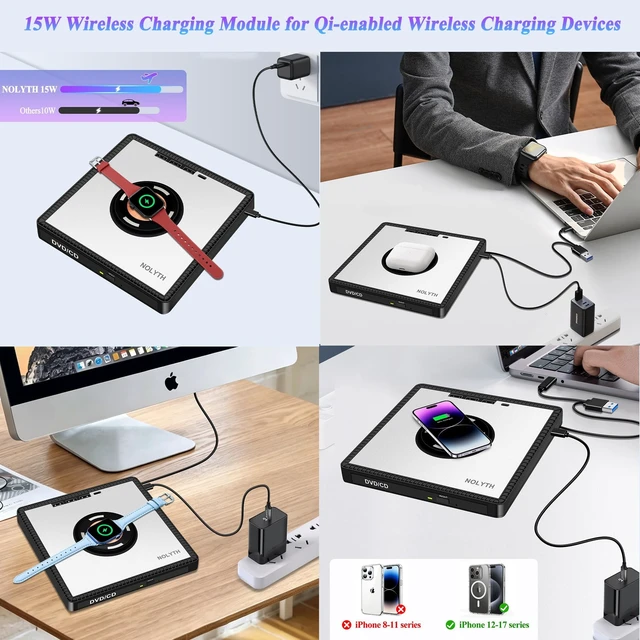
- 15W Fast Wireless Magnetic Charging Function: This external CD DVD drive is built-in with a 15W fast wireless magnetic charging module. It works with iPhone 17/16/15/14/13/12 Pro Max/Plus, AirPods and all other Qi-certified wireless charging devices.The dedicated DC port on the side powers the wireless charging feature. A 15W or above power adapter (not included) is required. Just plug in the power cable to this DC port to start wireless charging.
- Design with Built-in Multi-Functional Hub: This external CD drive for Mac also works as an all-in-one USB hub, featuring 3 USB 3.0 ports, 1 Type-C port and SD/TF dual card reader slots. You can easily connect USB hard drives, flash drives, wired/wireless mice, keyboards, laptop coolers and other USB accessories, enabling seamless photo & video data transfer. Note: SD and TF card slots cannot work simultaneously.
- Plug and Play CD DVD Drive: This DVD drive is compatible with Mac OS, Windows and Li
+
+
Overview
Specs
Reviews

Any questions? Our AI mode will help you find out quickly.
Try me now
15W Fast Wireless
Magnetic Charging Function: This external CD DVD drive is built-in with a 15W fast wireless magnetic charging module. It works with iPhone 17/16/15/14/13/12 Pro Max/Plus, AirPods and all other Qi-certified wireless charging devices. The dedicated DC port on the side powers the wireless charging feature. A 15W or above power adapter (not included) is required. Just plug in the power cable to this DC port to start wireless charging. ^^ Design with
Built-in Multi-Functional Hub: This external CD drive for Mac also works as an all-in-one USB hub, featuring 3 USB 3.0 ports, 1 Type-C port and SD/TF dual card reader slots. You can easily connect USB hard drives, flash drives, wired/wireless mice, keyboards, laptop coolers and other USB accessories, enabling seamless photo & video data transfer.
Note: SD and TF card slots cannot work simultaneously. ^^ Plug and
Play CD DVD Drive: This DVD drive is compatible with Mac OS, Windows and Linux operating systems. No drivers are needed; it supports plug-and-play operation. Just connect it to your computer through the built-in rear USB 3.0 / Type-C cable, and your system will automatically recognize it for instant use. To guarantee stable power supply for this CD burner for mac, attach the included Type-C power cable to the adjacent Type-C port labeled "DC-5V" during operation. ^^ High Read &
Write Speed: This cd dvd external drive supports DVDRW, DVDR DL, CDRW, DVD-ROM, CD-ROM, VCD, SVCD and M-DISC. External dvd reader desktop features up to 8x DVD read/write speed and 24x CD read/write speed (DVDR
DL: 4X;
DVDR: 8X;
DVDRW: 6X;
CD-R: 24X;
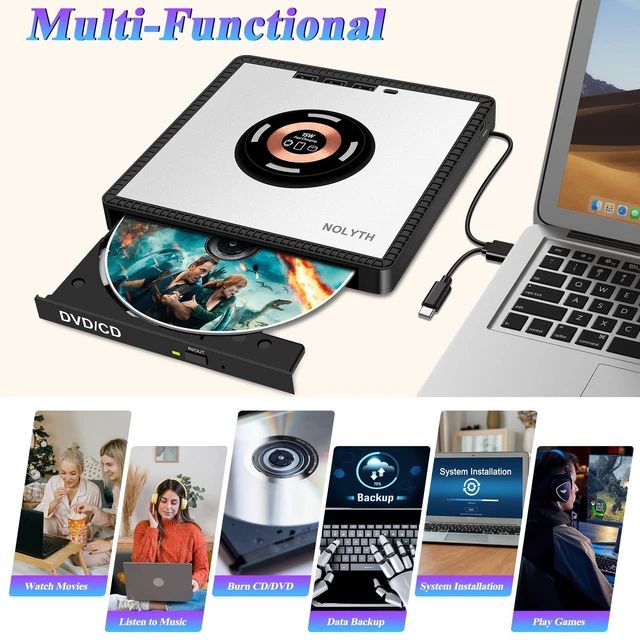
CD-RW: 6X). Dvd player for laptop can read & write CD/DVD discs, burn and rip discs, back up data, copy files, install system software, play music and DVD videos, read game discs, and access photo & image files.
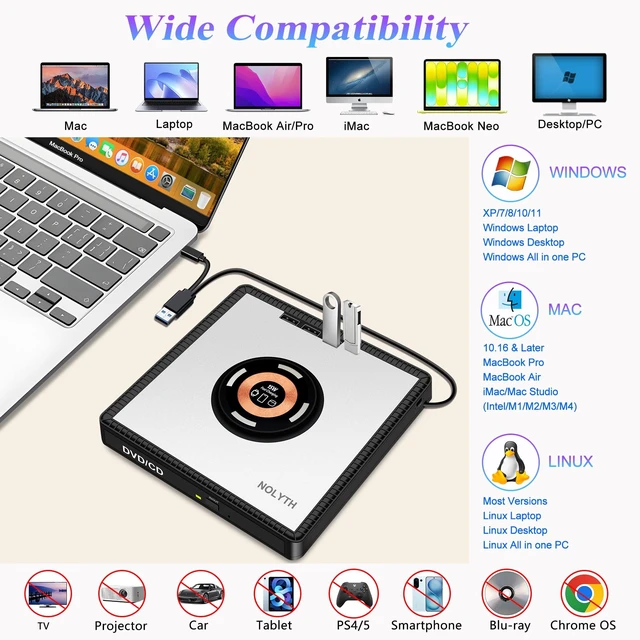
^^ Wide Compatibility: This cd reader for laptop works with Windows 11/10/ 8.1 /7/Vista/XP/98/SE/ME/2000, Linux and Mac OS. DVD drive supports MacBook Pro/Air/Neo, iMac, Mac Mini, laptops, desktops and all-in-one PCs from Apple, HP, Dell, Lenovo, Acer, ASUS, LG, Sony, Samsung and Microsoft.
Kind Reminder: DVD burner is NOT compatible with tablets, iPads, projectors, TVs, car devices, Chromebooks, some Surface models, Blu-ray, 3D or 4K discs. ^^ Compact &
Portable Design: This ultra-slim external dvd drive desktop weighs only 0.8 lb and easily fits into your laptop bag, ideal for home, office and business travel. It comes with an aluminum alloy top cover and non-slip rubber pads for stable placement. For best performance, plug the USB cable into rear ports of desktop computers. Avoid using extra USB hubs or adapters; use the built-in cable for direct connection. Please read the user manual before operation.
^^ How to Use: For
Windows: Insert your disc and use VLC Media Player for disc playback.
For Mac: Open Finder and ensure "CD, DVD and iPod" and "External Disk" are enabled. Insert the disc, adjust the region code if necessary. Go to System Settings (System Preferences for older macOS) > CD & DVD to configure playback settings. How to Eject Disc on
Mac: Press the eject button on the drive, use the keyboard shortcut, click eject within your media player, or drag the DVD icon on the desktop to the Trash.
^^ After-Sales Support: We offer thoughtful customer service and a 1-year quality guarantee for external cd player desktop. Should you have any questions, please feel free to contact us. Our team will respond within 24 hours. Kind Reminder for
Mac Users: No disc icon will show up on your desktop until a disc is inserted. Playback requires compatible media software.
Magnetic Charging Function: This external CD DVD drive is built-in with a 15W fast wireless magnetic charging module. It works with iPhone 17/16/15/14/13/12 Pro Max/Plus, AirPods and all other Qi-certified wireless charging devices. The dedicated DC port on the side powers the wireless charging feature. A 15W or above power adapter (not included) is required. Just plug in the power cable to this DC port to start wireless charging. ^^ Design with
Built-in Multi-Functional Hub: This external CD drive for Mac also works as an all-in-one USB hub, featuring 3 USB 3.0 ports, 1 Type-C port and SD/TF dual card reader slots. You can easily connect USB hard drives, flash drives, wired/wireless mice, keyboards, laptop coolers and other USB accessories, enabling seamless photo & video data transfer.
Note: SD and TF card slots cannot work simultaneously. ^^ Plug and
Play CD DVD Drive: This DVD drive is compatible with Mac OS, Windows and Linux operating systems. No drivers are needed; it supports plug-and-play operation. Just connect it to your computer through the built-in rear USB 3.0 / Type-C cable, and your system will automatically recognize it for instant use. To guarantee stable power supply for this CD burner for mac, attach the included Type-C power cable to the adjacent Type-C port labeled "DC-5V" during operation. ^^ High Read &
Write Speed: This cd dvd external drive supports DVDRW, DVDR DL, CDRW, DVD-ROM, CD-ROM, VCD, SVCD and M-DISC. External dvd reader desktop features up to 8x DVD read/write speed and 24x CD read/write speed (DVDR
DL: 4X;
DVDR: 8X;
DVDRW: 6X;
CD-R: 24X;
CD-RW: 6X). Dvd player for laptop can read & write CD/DVD discs, burn and rip discs, back up data, copy files, install system software, play music and DVD videos, read game discs, and access photo & image files.
^^ Wide Compatibility: This cd reader for laptop works with Windows 11/10/ 8.1 /7/Vista/XP/98/SE/ME/2000, Linux and Mac OS. DVD drive supports MacBook Pro/Air/Neo, iMac, Mac Mini, laptops, desktops and all-in-one PCs from Apple, HP, Dell, Lenovo, Acer, ASUS, LG, Sony, Samsung and Microsoft.
Kind Reminder: DVD burner is NOT compatible with tablets, iPads, projectors, TVs, car devices, Chromebooks, some Surface models, Blu-ray, 3D or 4K discs. ^^ Compact &
Portable Design: This ultra-slim external dvd drive desktop weighs only 0.8 lb and easily fits into your laptop bag, ideal for home, office and business travel. It comes with an aluminum alloy top cover and non-slip rubber pads for stable placement. For best performance, plug the USB cable into rear ports of desktop computers. Avoid using extra USB hubs or adapters; use the built-in cable for direct connection. Please read the user manual before operation.
^^ How to Use: For
Windows: Insert your disc and use VLC Media Player for disc playback.
For Mac: Open Finder and ensure "CD, DVD and iPod" and "External Disk" are enabled. Insert the disc, adjust the region code if necessary. Go to System Settings (System Preferences for older macOS) > CD & DVD to configure playback settings. How to Eject Disc on
Mac: Press the eject button on the drive, use the keyboard shortcut, click eject within your media player, or drag the DVD icon on the desktop to the Trash.
^^ After-Sales Support: We offer thoughtful customer service and a 1-year quality guarantee for external cd player desktop. Should you have any questions, please feel free to contact us. Our team will respond within 24 hours. Kind Reminder for
Mac Users: No disc icon will show up on your desktop until a disc is inserted. Playback requires compatible media software.
Warranty & Returns
Warranty, Returns, And Additional Information
Warranty
- Please contact the Seller directly for warranty information. Warranty information may also be found on the Manufacturer's website.
- CONTACT
Return Policies
- Return for refund within: 30 days
- Return for replacement within: 30 days
- This item is covered by ApexDash Return Policy
Manufacturer Contact Info
- For a directory of all our manufacturers, please click below.
- Manufacturers Directory
LOADING...