• $83.99
  • Free 30-day Returns
  • Price alert
    Shop it at NeweggBusiness.

    Meet Your Seller

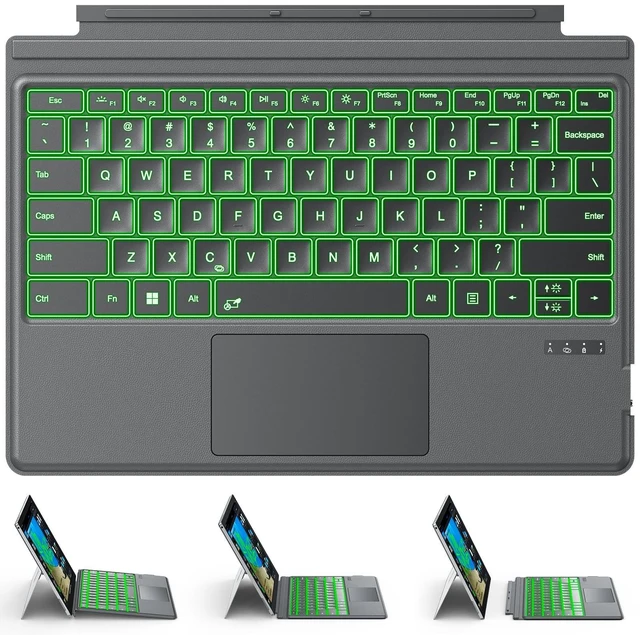
    Keyboard for Microsoft Surface Pro 7/7+/6/5/4/3 (12.3 Inch ONLY), Bluetooth

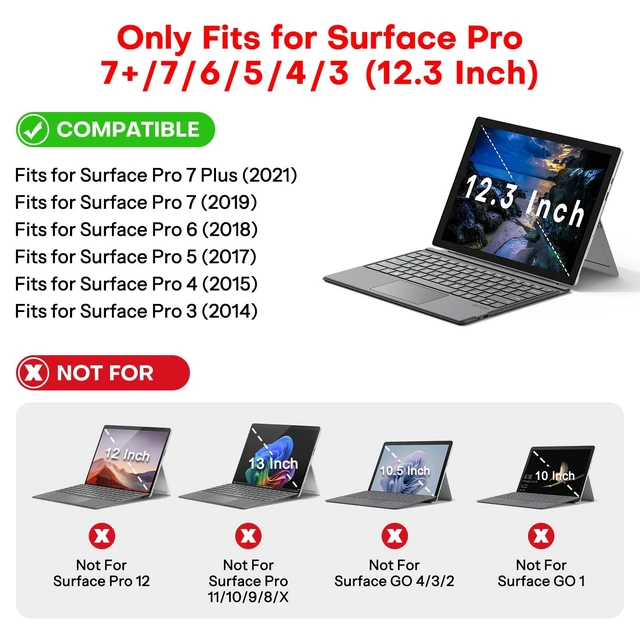
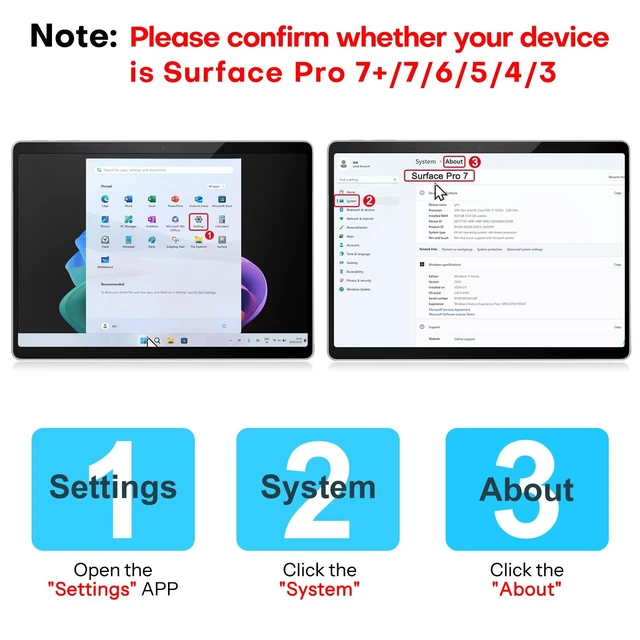
    • ONLY Compatible with 12.3-inch Surface Pro 7/7+/6/5/4/3 tablet Verify Your Model Before Ordering: Open "Settings" Click "System" Click "About". NOT compatible with Pro X, 8, 9, 10, 11, 12, or Go series. Get the right fit - no guesswork.
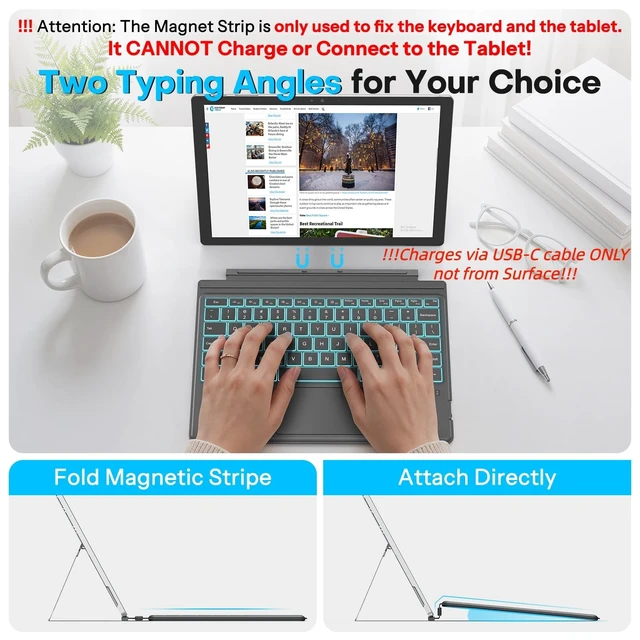
    • IMPORTANTMagnetic strip = hold in place ONLY. It does NOT charge the keyboard, does NOT deliver power!!! The keyboard runs on its own built-in battery. To charge the keyboard, use the included USB-C cable ONLY!!!
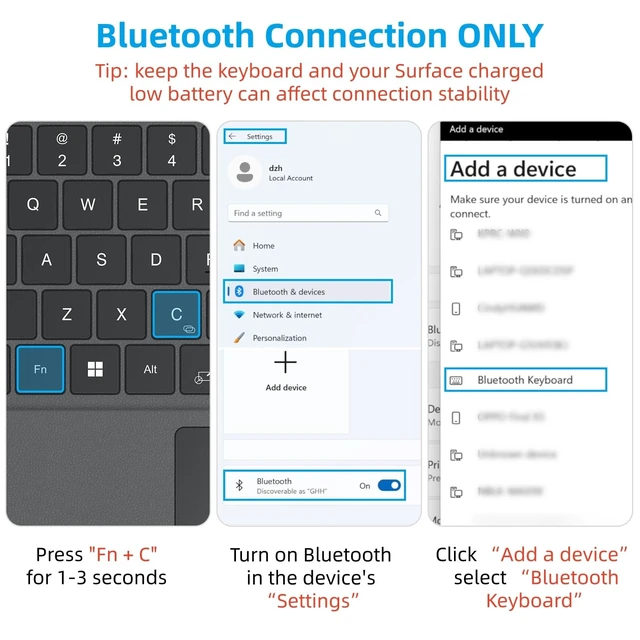
    • Bluetooth Pairing Made Simple: Press "Fn + C" for 1-3 seconds to turn on the keyboard's Bluetooth. On your Surface Pro, go to Settings Bluetooth & devices turn Bluetooth ON Add a device select Bluetooth Keyboard. (Tip: please make sure the keyboard is charged before pairing.)
    • Charge with the USB-C Cable ONLY: The keyboard does NOT draw power from the Surface Pro's magnetic strip, Bluetooth, or any device connection. To charge: plug the cable into the keyboard's USB-C port and a USB power source 2 hours to full, 50 hours of use.
    +
    +
    Overview
    Specs
    Reviews
    avatar

    Any questions? Our AI mode will help you find out quickly.

    ONLY Compatible with 12.3 -inch Surface Pro 7/7+/6/5/4/3 tablet Verify Your
    Model Before Ordering: Open "Settings" Click "System" Click "About". NOT compatible with Pro X, 8, 9, 10, 11, 12, or Go series. Get the right fit - no guesswork. ^^ IMPORTANTMagnetic strip = hold in place ONLY. It does NOT charge the keyboard, does NOT deliver power!!! The keyboard runs on its own built-in battery. To charge the keyboard, use the included USB-C cable ONLY!!! ^^ Bluetooth
    Pairing Made Simple: Press "Fn + C" for 1-3 seconds to turn on the keyboard's Bluetooth. On your Surface Pro, go to Settings Bluetooth & devices turn Bluetooth ON Add a device select Bluetooth Keyboard.
    (Tip: please make sure the keyboard is charged before pairing. ) ^^ Charge with the USB-C
    Cable ONLY: The keyboard does NOT draw power from the Surface Pro's magnetic strip, Bluetooth, or any device connection.
    To charge: plug the cable into the keyboard's USB-C port and a USB power source 2 hours to full, 50 hours of use. ^^ Multi-touch trackpad scroll, swipe, zoom without a mouse. Responsive gesture support for flipping slides, navigating spreadsheets, or switching apps. Your fingers do the work. ^^ 7-Color Backlit with 3 Brightness Levels Type Comfortably in Any Light. Whether youre in a dimly lit library, late-night study sessions, or darkened conference rooms, you can type comfortably. Choose your favorite color to match your mood. ^^ Close it as a screen cover, flip it open as a keyboard At just 0.26" thin and 0.9 lbs, it slides into any backpack or briefcase. Pull it out at a coffee shop, on a train, or in a library.

    Warranty & Returns

    Warranty, Returns, And Additional Information

    Warranty

    • Please contact the Seller directly for warranty information. Warranty information may also be found on the Manufacturer's website.
    • CONTACT

    Return Policies

    • Return for refund within: 30 days
    • Return for replacement within: 30 days
    • This item is covered by Luhang Return Policy

    Manufacturer Contact Info

    LOADING...