

Your Browsing History
- Free 30-day Returns
$65.99

Meet Your Seller

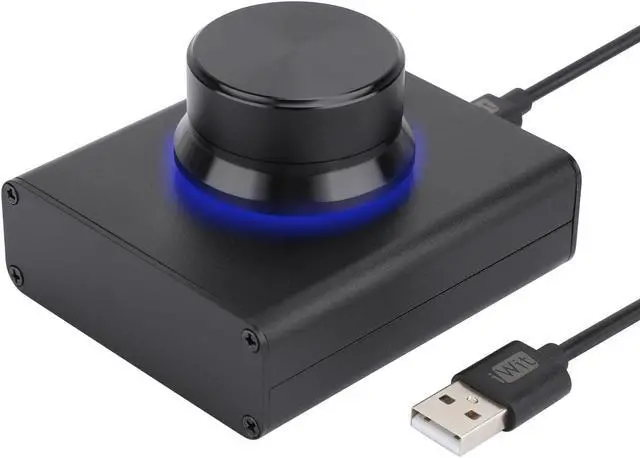
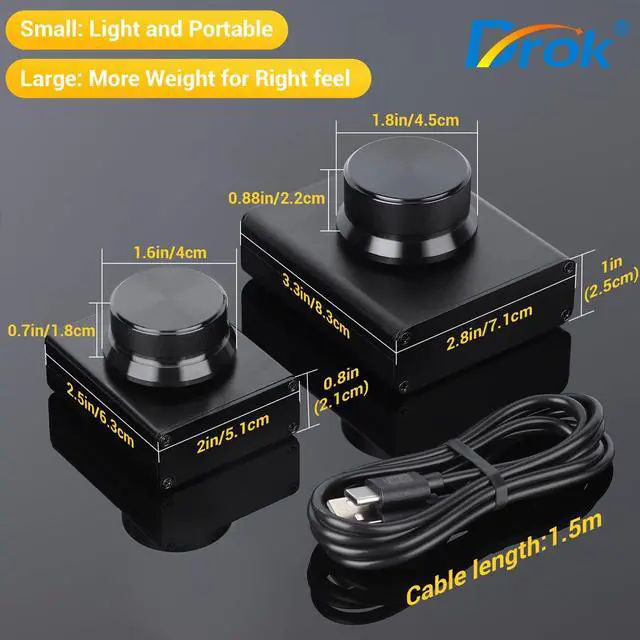


DROK USB Volume Knob, Big PC Computer Speaker Audio External USB Volume Control Knob with 1-Key Mute Function Support Win7 8 10 XP Mac Vista Android, Black
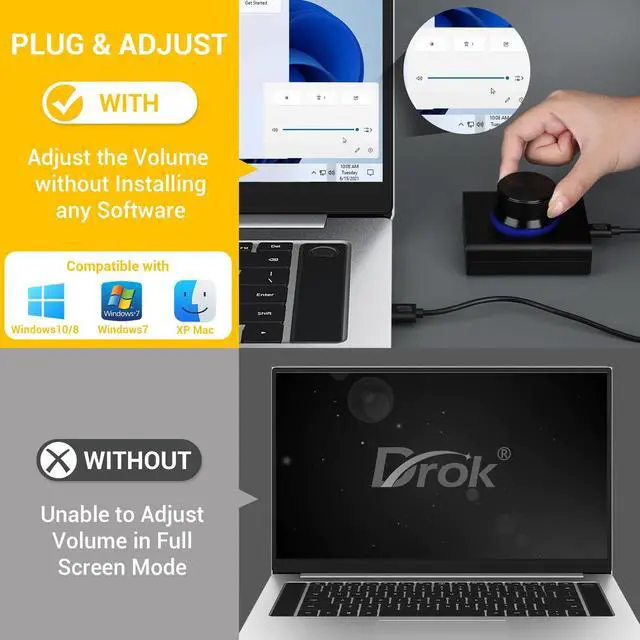
- [(Compatible Systems)] This volume control knob supports Win10/8/7/Vista/XP/Mac, once you insert it to your computer, it can start to work. Please see the video to learn more. Open a blank txt file, then short press the knob and connect to the USB port. Enter the Windows/Mac mode to programme key combination for this controller. With OTG cable, it can also work for phone.
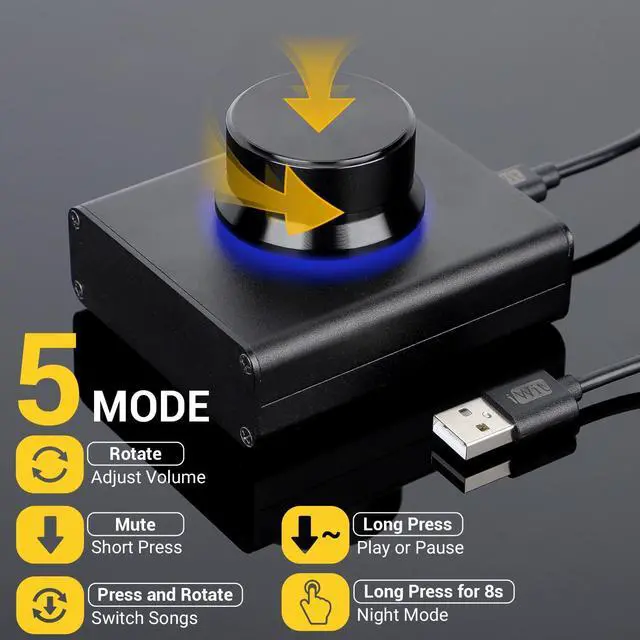
- [(Simple Operation)] Rotating the usb volume knob to turn up and down volume, press the knob to make it mute, press down the knob and turning to adjust volume more quickly; keep pressing the knob for 8s, it will enter night mode, breathing light will stay on.
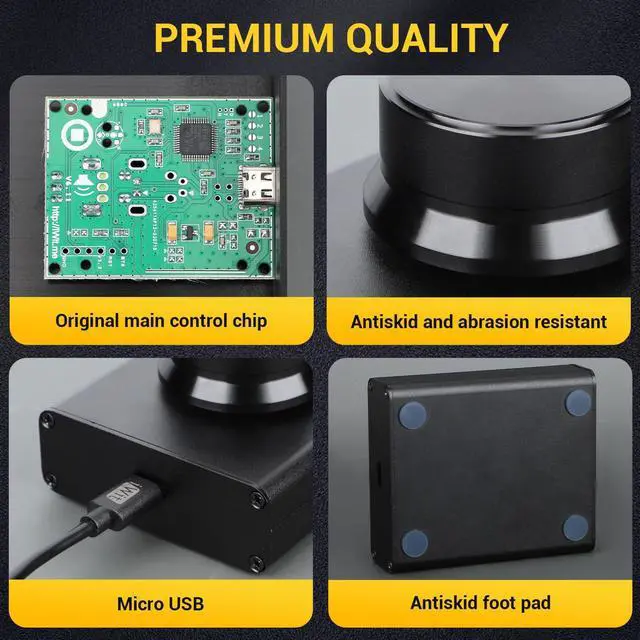
- [(Strong Construction)] DROK USB volume control is made of metal shell and ALPS rotary shaft, equipped with breathing light and come with USB cable. With 1 key mute function, when you are listening to music, just press the knob, it will stop at once and back to music when you press again.
- [(2 Sizes)] 2 Sizes to fit different needs. The small DROK volume
+
+
Overview
Specs
Reviews

Any questions? Our AI beta will help you find out quickly.
Try me now
Description:
This USB volume adjuster can directly control the computer operating system volume. It also can adjust volume by OTG leads to connect mobile phone, car computer, set-top box and other Android devices.
Disconnect the audio lead or malfunction, it wouldn't affect the sound quality and make a noise.
Switchable USB cable is common with usual mobile phone charging cables.
Blue breathing light is interacted with operation. Soft blue light indoor and in the evening and you can adjust it lighting or closing.
Big chassis, metal body, HIFI appearance, stable using, without movement, 1 finger operation, quick reaction and multifunction.
Parameters:
Support operation systems: Windows (XP/Win7/Win8/Win10, etc); Mac; Linux; Vista; Android.
Shell material: Aluminum
Color: Black
USB wire length: 1.5 m
Size: 8*7* 5.2 cm
Connections:
Insert the volume regulator into the computer USB port; the audio output device directly inserts into the computer 3.5 mm earphone hole.
(As long as the sound is from computer, built-in speakers, external speakers, earphone, power amplifiers, hotel mixer or 7.1 surround speakers can be used. )
Package Includes:
1* USB Volume Control
1* 1.5 m USB Lead
This USB volume adjuster can directly control the computer operating system volume. It also can adjust volume by OTG leads to connect mobile phone, car computer, set-top box and other Android devices.
Disconnect the audio lead or malfunction, it wouldn't affect the sound quality and make a noise.
Switchable USB cable is common with usual mobile phone charging cables.
Blue breathing light is interacted with operation. Soft blue light indoor and in the evening and you can adjust it lighting or closing.
Big chassis, metal body, HIFI appearance, stable using, without movement, 1 finger operation, quick reaction and multifunction.
Parameters:
Support operation systems: Windows (XP/Win7/Win8/Win10, etc); Mac; Linux; Vista; Android.
Shell material: Aluminum
Color: Black
USB wire length: 1.5 m
Size: 8*7* 5.2 cm
Connections:
Insert the volume regulator into the computer USB port; the audio output device directly inserts into the computer 3.5 mm earphone hole.
(As long as the sound is from computer, built-in speakers, external speakers, earphone, power amplifiers, hotel mixer or 7.1 surround speakers can be used. )
Package Includes:
1* USB Volume Control
1* 1.5 m USB Lead
Warranty & Returns
Warranty, Returns, And Additional Information
Warranty
- Please contact the Seller directly for warranty information. Warranty information may also be found on the Manufacturer's website.
- CONTACT
Return Policies
- Return for refund within: 30 days
- Return for replacement within: 30 days
- This item is covered by JMDesign Return Policy
Manufacturer Contact Info
- For a directory of all our manufacturers, please click below.
- Manufacturers Directory
LOADING...