

Your Browsing History


Meet Your Seller

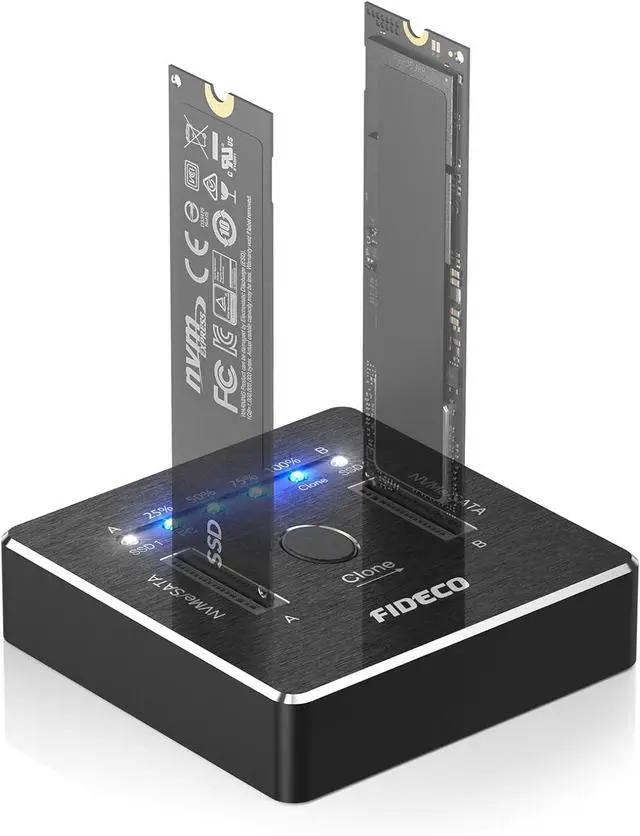


FIDECO M.2 NVMe SATA SSD Cloner Dock, USB 3.2 Gen 2 X 2, 20Gbps Dual NVMe SATA SSD Enclosure, M.2 Duplicator Cloner, Support Offline Clone, UASP and Trim, Aluminum Design
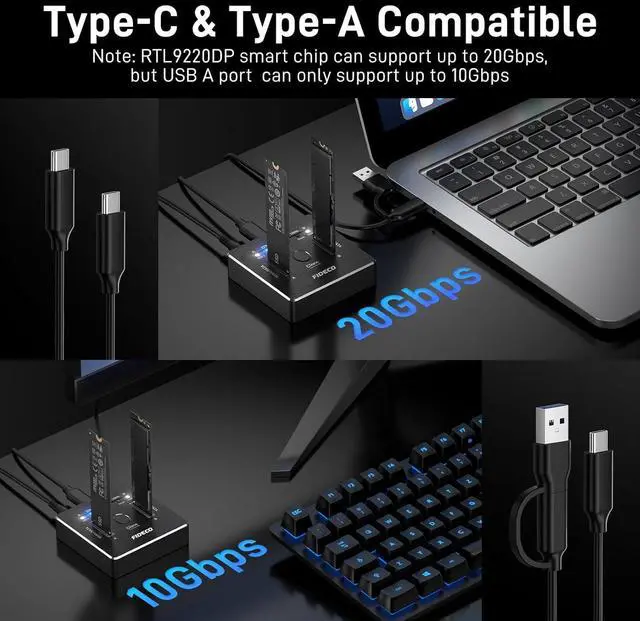
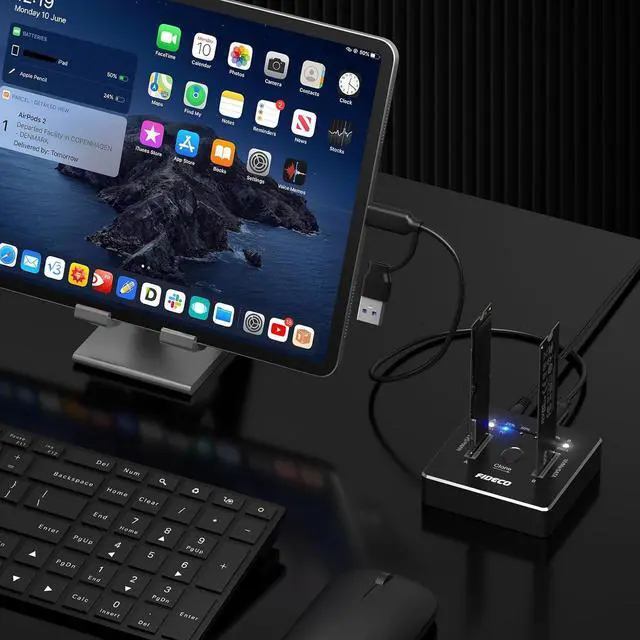
- 20Gbps Transfer SpeedFIDECO NVMe SATA dock adopts USB 3.2 Gen 2 standard and can support UASP, and the maximum speed can reach 20Gbps in theory. You do not need to wait for the data transfer any longer, and it can definitely save much time for you.
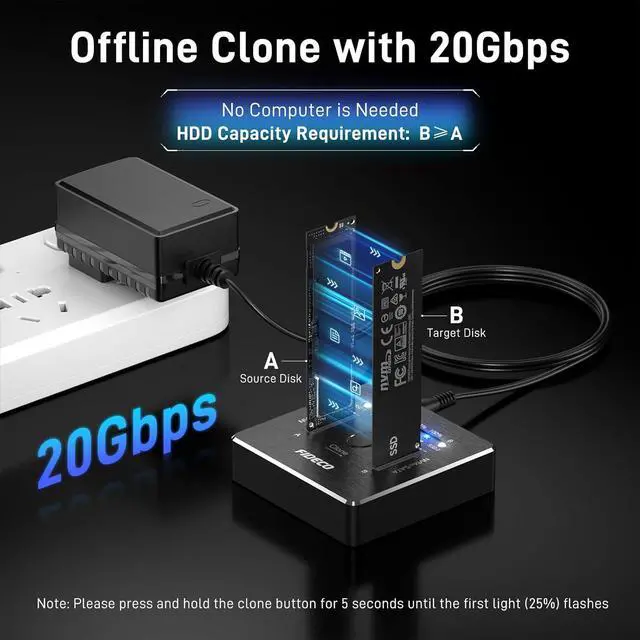
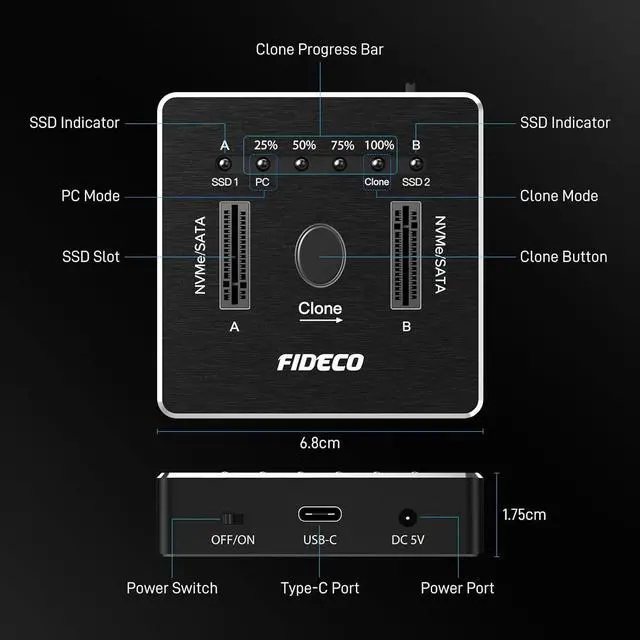
- 20Gbps Offline CloneFIDECO NVMe SSD cloner dock can support offline clone with 20Gbps lightning speed to save much time for you for data backup. Just insert 2 SSDs into respective slots, connect the power adapter (do not connect computer), and long press clone button for 5 seconds until 25% light is flashing blue.
- Warm Note for Offline CloneBefore offline clone, do ensure the target SSD capacity is equal to or larger than the source SSD capacity by checking both disks in Windows "Disk Management". If 4 blue lights are flashing, it means the clone failed.
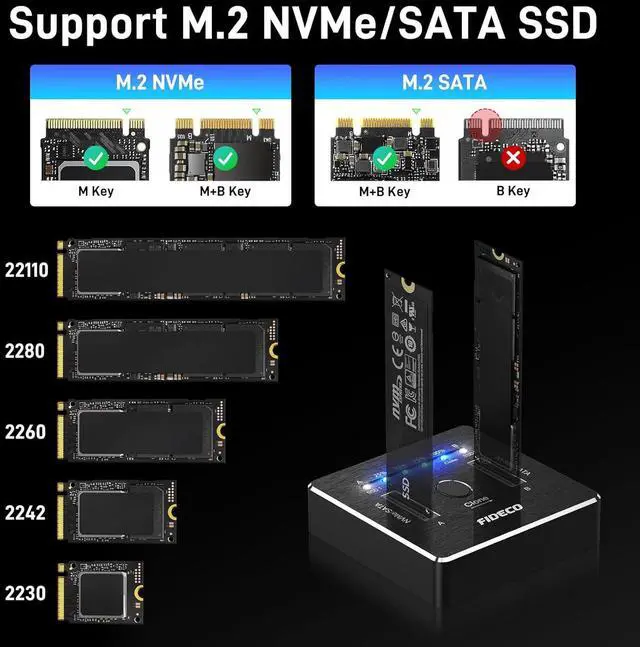
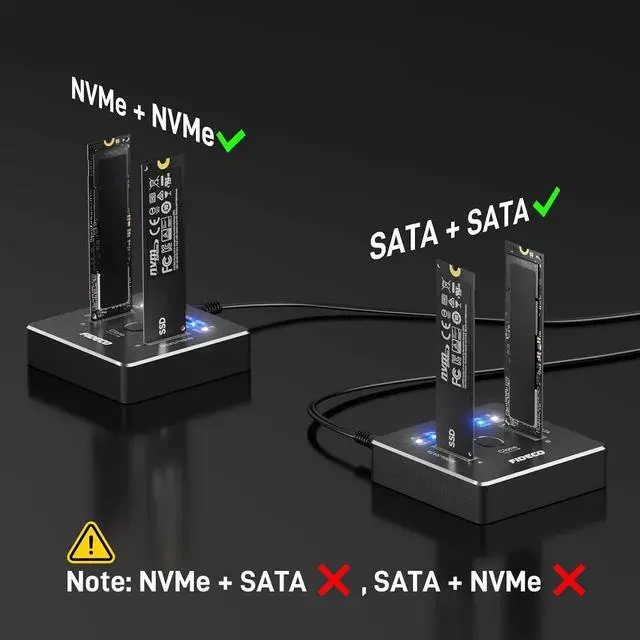
- Useful TipFor data transfer or offline clone, M.2 NVMe SSD and SATA SSD cannot be inserted simultaneously, otherwise only SSD A can be recognized, and SSD B cannot be recognized.
+
+
Overview
Specs
Reviews

Any questions? Our AI mode will help you find out quickly.
Try me now
20Gbps Transfer SpeedFIDECO NVMe SATA dock adopts USB 3.2 Gen 2 standard and can support UASP, and the maximum speed can reach 20Gbps in theory. You do not need to wait for the data transfer any longer, and it can definitely save much time for you.
20Gbps Offline CloneFIDECO NVMe SSD cloner dock can support offline clone with 20Gbps lightning speed to save much time for you for data backup. Just insert 2 SSDs into respective slots, connect the power adapter (do not connect computer), and long press clone button for 5 seconds until 25% light is flashing blue.
Warm Note for Offline CloneBefore offline clone, do ensure the target SSD capacity is equal to or larger than the source SSD capacity by checking both disks in Windows "Disk Management". If 4 blue lights are flashing, it means the clone failed.
Useful TipFor data transfer or offline clone, M.2 NVMe SSD and SATA SSD cannot be inserted simultaneously, otherwise only SSD A can be recognized, and SSD B cannot be recognized.
Warranty & Returns
Warranty, Returns, And Additional Information
Warranty
- Please contact the Seller directly for warranty information. Warranty information may also be found on the Manufacturer's website.
- CONTACT
Return Policies
- Return for refund within: 30 days
- Return for replacement within: non-replaceable
- This item is covered by Zyngear Return Policy
Manufacturer Contact Info
- For a directory of all our manufacturers, please click below.
- Manufacturers Directory
LOADING...