

Your Browsing History
- Free 30-day Returns
$73.99


Meet Your Seller

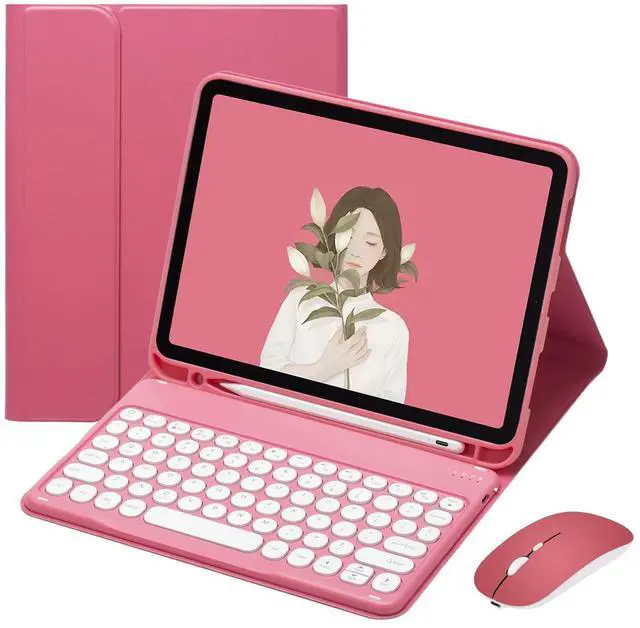



PboyiqiS Keyboard Case for iPad 11th Gen A16 2025/iPad10th Generation 2022 with Mouse, Cute Round Key Magnetically Detachable Keyboard Case with Pencil Holder (New Pink)
- Compatible ModelsSpecially designed for iPad (A16) 11th Generation 11-inch 2025 Release (Model: A3354 A3355 A3356), IPad 10th Generation 10.9 inch 2022 Release (Model Number: A2757 A2777)
- Keyboard Case With MouseSmart Cover for iPad10th Gen with keyboard and Mouse, you can use it easily in life and work.
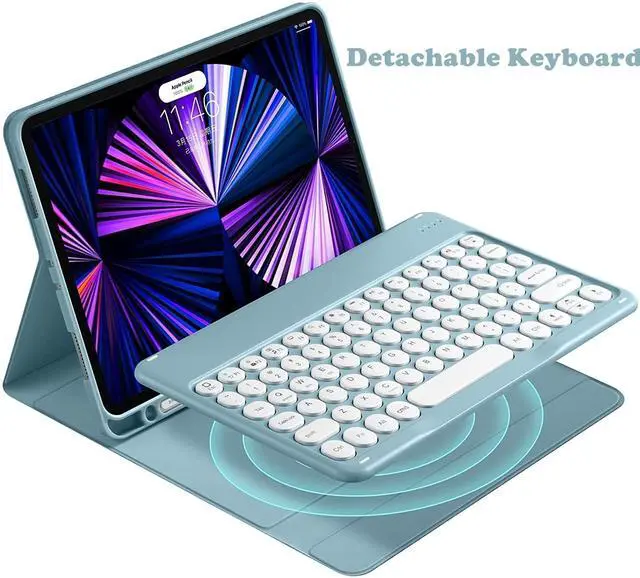
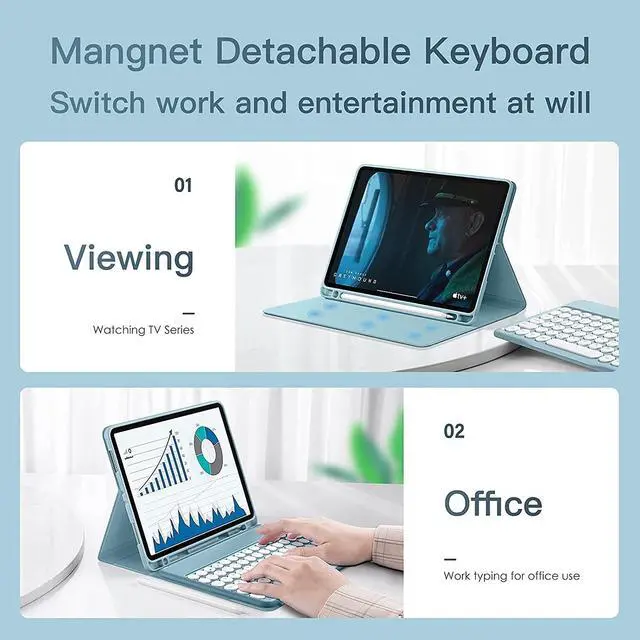
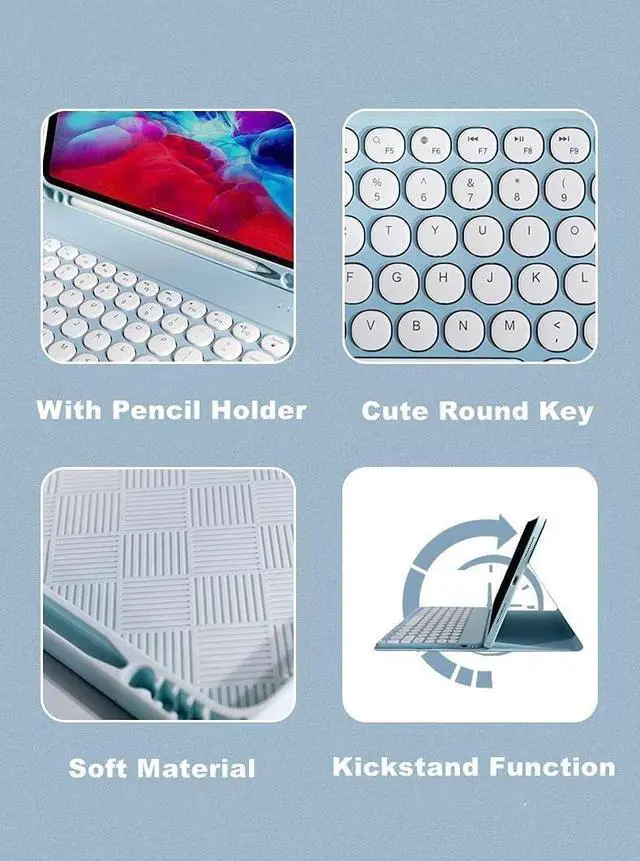
- Detachable Keyboard CaseRound Keys keyboard is removable and the Bluetooth connectivity is easy. With this Stylish and Elegant design, it can transform your tablet o a laptop in less than a second and give your tablet a full protection.
- With Pencil HolderComes with a slot for holding your pencil that lets you effortlessly reach for your pen whenever you want to use the touch pen(PEN NOT INCLUDED)
- KICKSTAND for AnywhereConvert your tablet easily adjust the viewing angle to any level. Perfect for working, writing, or watching videos at business, school, travel, and home.
+
+
Overview
Specs
Reviews

Any questions? Our AI mode will help you find out quickly.
Try me now
How to get the keyboard sync with your ipad: 1. Please fully charge the keyboard and turn it on, the light comes on and then goes off. 2. Press the "FN+C" to open keyboard's bluetooth.
note: please press"Fn""C" together. 3. Go to your tablet settings, click on bluetooth and look for the keyboard. 4. Click on the keyboard and it will connect. last, the keyboard case can work well.
IMPORTANT: No.
1: Please press "Fn" and "C" together to open the bluetooth. No.
3: The keyboard automatically enters Sleep mode when it doesn't work for over 15 minutes. Click any key to activate the keyboard. No.
4: The Bluetooth pairing is automatically interrupted when the tablet is in sleep mode. ABOUT OUR PROMISE
Dplease check the instruction carefully, if you still have other question, pleaes email to us, if the keyboard case had quality problem, you don't need return the keyboard case, we refund or replace at once. We promise that we let you satisfied!!! thank you
note: please press"Fn""C" together. 3. Go to your tablet settings, click on bluetooth and look for the keyboard. 4. Click on the keyboard and it will connect. last, the keyboard case can work well.
IMPORTANT: No.
1: Please press "Fn" and "C" together to open the bluetooth. No.
3: The keyboard automatically enters Sleep mode when it doesn't work for over 15 minutes. Click any key to activate the keyboard. No.
4: The Bluetooth pairing is automatically interrupted when the tablet is in sleep mode. ABOUT OUR PROMISE
Dplease check the instruction carefully, if you still have other question, pleaes email to us, if the keyboard case had quality problem, you don't need return the keyboard case, we refund or replace at once. We promise that we let you satisfied!!! thank you
Warranty & Returns
Warranty, Returns, And Additional Information
Warranty
- Please contact the Seller directly for warranty information. Warranty information may also be found on the Manufacturer's website.
- CONTACT
Return Policies
- Return for refund within: 30 days
- Return for replacement within: 30 days
- This item is covered by HAIZHILANSTORE Return Policy
Manufacturer Contact Info
- For a directory of all our manufacturers, please click below.
- Manufacturers Directory
LOADING...