

Your Browsing History
- Free 30-day Returns
$69.99

Meet Your Seller

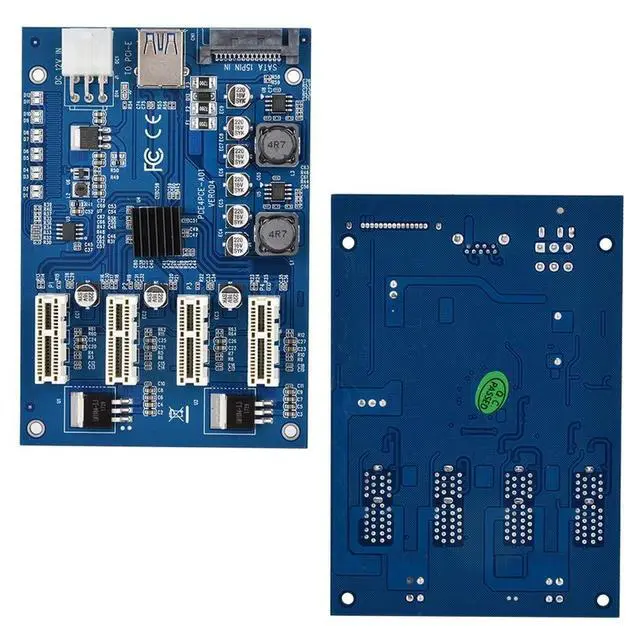


ASHATA PCI-E 1 to 4 Adapter Card, PCI-E 1X to 4X PCIe USB3.0 Converter Extender Adapter Card Expansion Kit for Systems,for Linux/
- The slot on the motherboard can be directly led out from the slot or placed on the slot connection board connected to the chassis.
- PCI-E 1X multi-interface card solve the situation that the desktop computer PCI-E 1X is not enough.
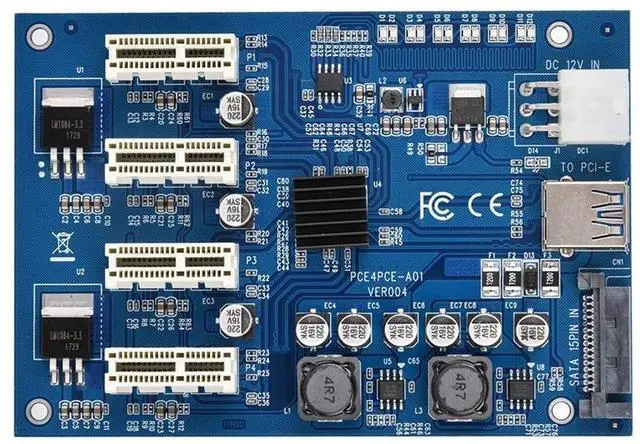
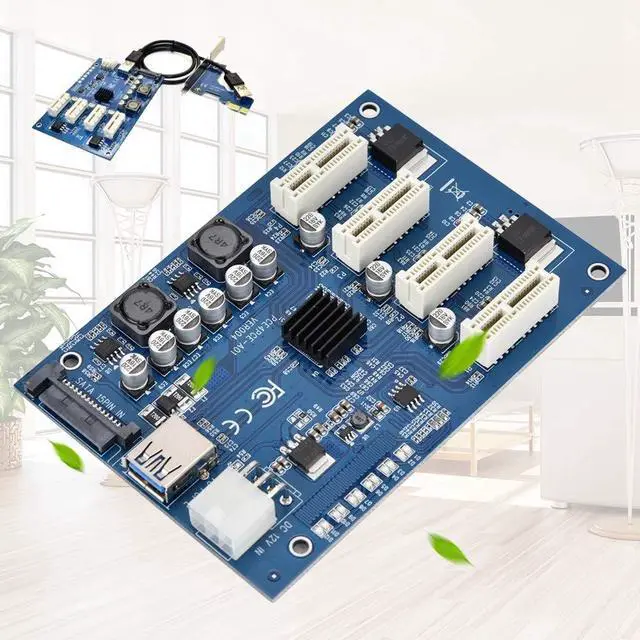
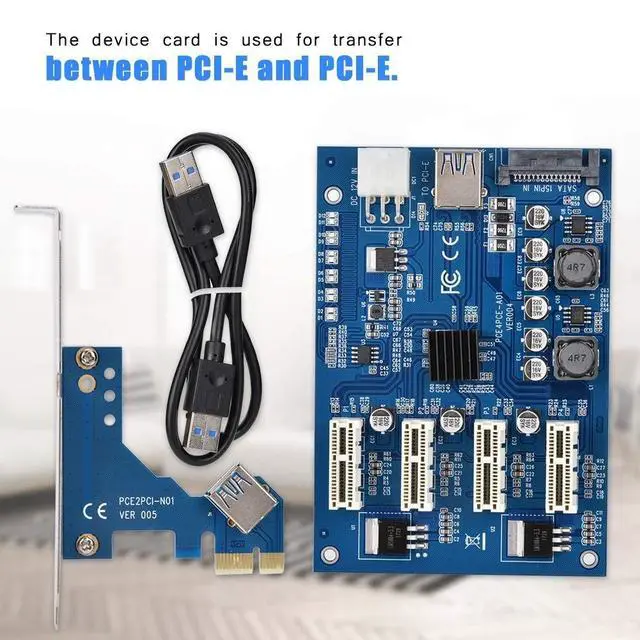
- It consists of two parts, one is the main card, installed on the motherboard through the PCI-E x1 interface, and the other is the device card, which has three or four PCI-E x1, which are connected by USB 3.0 cable.
- The device card is used for transfer between PCI-E and PCI-E.
- But even with USB 3.0, the theoretical bandwidth is only 5 Gbps (625 MB/s), and the loss is only 150 MB/s in four minutes, and even the single channel bandwidth of PCI-E 1.x is 250 MB/ s, so this can give you the most slots, but not enough bandwidth,
+
+
Overview
Specs
Reviews

Any questions? Our AI mode will help you find out quickly.
Try me now
Features: The slot on the motherboard can be directly led out from the slot or placed on the slot connection board connected to the chassis. PCI-E 1X multi-interface card solve the situation that the desktop computer PCI-E 1X is not enough. It consists of two parts, one is the main card, installed on the motherboard through the PCI-E x1 interface, and the other is the device card, which has three or four PCI-E x1, which are connected by USB 3.0 cable. The device card is used for transfer between PCI-E and PCI-E. But even with USB 3.0, the theoretical bandwidth is only 5 Gbps (625 MB/s), and the loss is only 150 MB/s in four minutes, and even the single channel bandwidth of PCI-E 1. x is 250 MB/ s, so this can give you the most slots, but not enough bandwidth, only suitable for performance. Therefore, the PCI-E slot to be transferred is preferably 2.0 or higher, and 3.0 is better.
Specification: Product
Name: PCI-E 1 to 4 adapter cardProduct model: PCE4PCE-A01PCB
color: BlueProduct
Interface: PCI-E
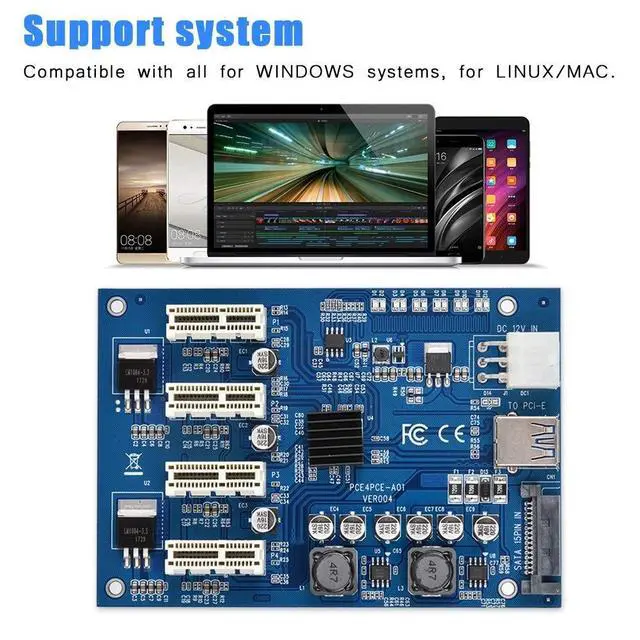
1XSupport system: Compatible with all for systems, for
LINUX/Size: Approx. 12 * 8.3 * 1.5 cm / 4.72 * 3.26 * 0.59 inWeight: Approx. 49 g / 1.73 ozPackage
Iist: 1 * PCI-E Card1 * PCI Card1 *
USB CableNote: The several PCI-E 1X slots that are separated are all in gen2 mode, even if they were gen1 before. This is a very good feature. Do not insert the PCI card reversely, and the reverse insertion will easily to burnout. For manual measurement of dimensions, there may be an error of 0 - 2cm, which is normal. Due to the differences between the different displays, the picture may not reflect the actual color of the item. Thank you!
Specification: Product
Name: PCI-E 1 to 4 adapter cardProduct model: PCE4PCE-A01PCB
color: BlueProduct
Interface: PCI-E
1XSupport system: Compatible with all for systems, for
LINUX/Size: Approx. 12 * 8.3 * 1.5 cm / 4.72 * 3.26 * 0.59 inWeight: Approx. 49 g / 1.73 ozPackage
Iist: 1 * PCI-E Card1 * PCI Card1 *
USB CableNote: The several PCI-E 1X slots that are separated are all in gen2 mode, even if they were gen1 before. This is a very good feature. Do not insert the PCI card reversely, and the reverse insertion will easily to burnout. For manual measurement of dimensions, there may be an error of 0 - 2cm, which is normal. Due to the differences between the different displays, the picture may not reflect the actual color of the item. Thank you!
Warranty & Returns
Warranty, Returns, And Additional Information
Warranty
- Please contact the Seller directly for warranty information. Warranty information may also be found on the Manufacturer's website.
- CONTACT
Return Policies
- Return for refund within: 30 days
- Return for replacement within: non-replaceable
- This item is covered by Aptly Tech Return Policy
Manufacturer Contact Info
- For a directory of all our manufacturers, please click below.
- Manufacturers Directory
LOADING...