

Your Browsing History

Meet Your Seller


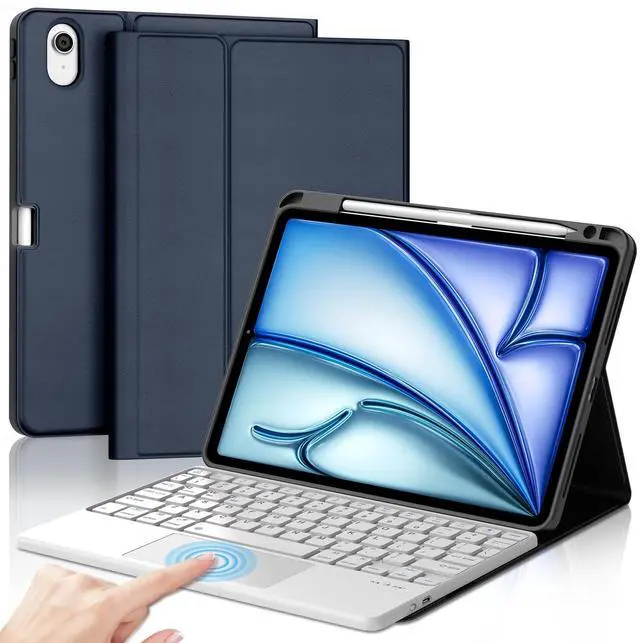


Touchpad Keyboard Case Compatible with iPad Air 11-inch M3/M2 (2025/2024) Case with Keyboard,Folio Cover with Pencil Holder for Air 11" M3/M2 (2025/2024) - Dark Blue
- CompatibilityThis air keyboard case is compatible for iPad Air 11-inch (M3) 2025 (Model Number: A2902/AA2903/A2904), for iPad Air 11-inch (M2) 2024 (Model Number: A3266/A3267/A3270). Not for other devices. Please be kindly check the model number No. starting with the letter "A" of your tablet back before order
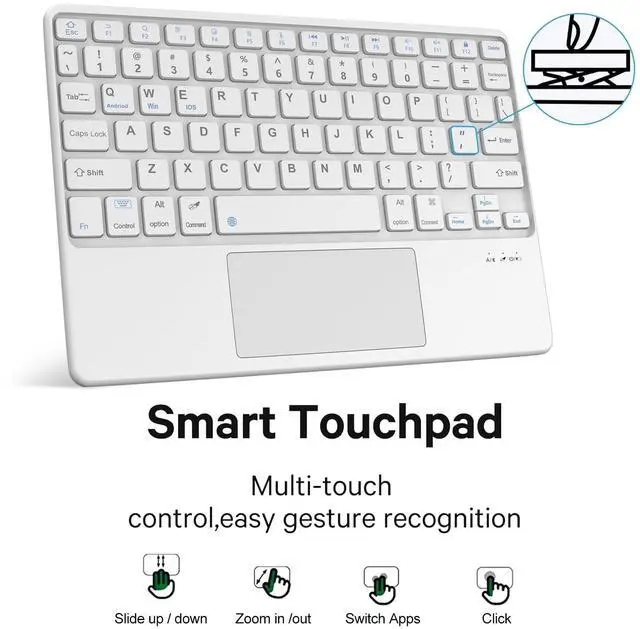
- Multi-touch Trackpad Design- The built-in touchpad allows you to navigate and control the cursor like a laptop, no need have to touch the screen or additional mouse.To edit documents, browse the web and build presentations with unparalleled speed.(Notice: To use the keyboard touchpad, Please go to the iPad accessibility setting to turn on the assistive touch function first! ).
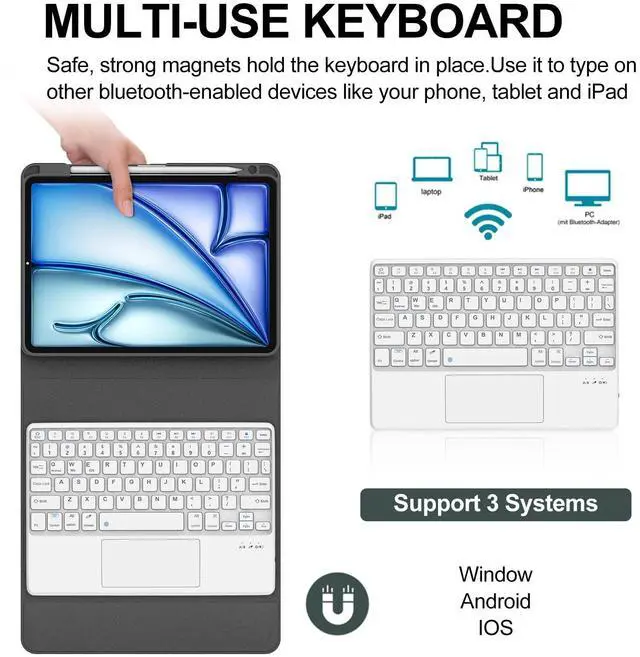
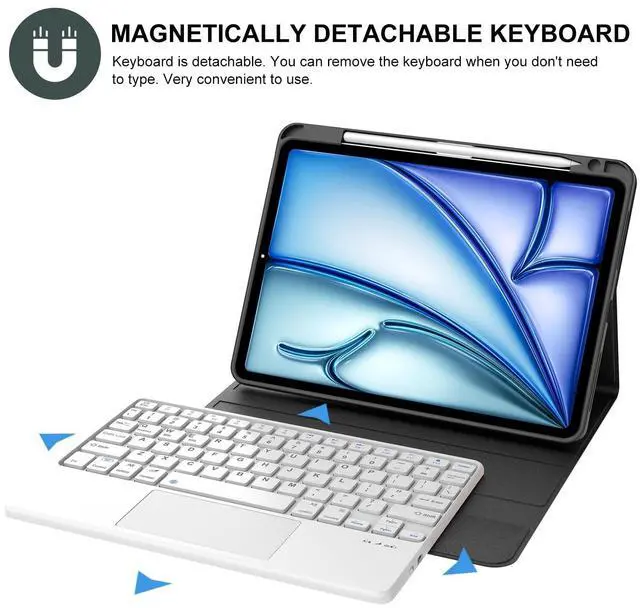
- Detachable Backlit KeyboardThe keyboard compatible with iPad air M3/M2 can be attached to the case with pretty strong magnets or detach completely. It is easy, fast and stable to connect via BT, reconnect immediately when turning it on.
- Built-in Apple Pencil Holder & Multiple Viewing Angle- Our iPa
+
+
Overview
Specs
Reviews

Any questions? Our AI mode will help you find out quickly.
Try me now
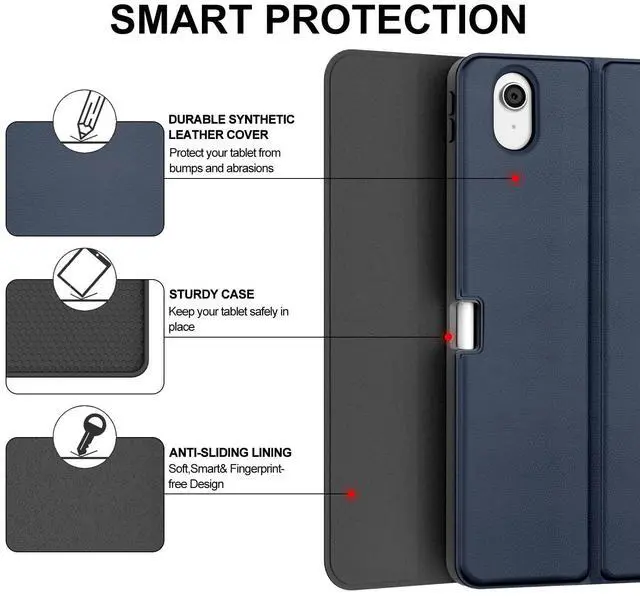
iPad Air M3 2025/Air M2 2024 Keyboard Case with Trackpad, BORIYUAN Detachable Touchpad Keyboard Slim Folio Smart Cover Dark BlueDescription: - Slim, sturdy and attractive design. The iPad fits snugly into the case and provide sufficient protections for daily use. - The built-in touchpad allows you to navigate and control the cursor like a laptop, no need have to touch the screen or additional mouse.
(Notice: To use the keyboard touchpad, Please go to the iPad accessibility setting to turn on the assistive touch function first! - A protective cover and real, quiet keyboard support 3 use modes - Typing, Viewing, Reading - giving you amazing versatility. It allows you to prop the iPad up for watching videos. - All your ipad needs in one tool. The Folio Case takes mobile computing to a new level. Now you can enjoy laptop-like typing anywhere you take your iPad. Its slim design make it a joy to use anywhere, anytime. - Bluetooth keyboard is responsive and held into the case by a magnet. - Perfect access to all ports/buttons and camera. * How to connect the Bluetooth? * Make sure the keyboard fully charged(usually 4-5hours) before first using. * Turn on the keyboard. * Click """"""""""""""""""""""""""""""""fn"""""""""""""""""""""""""""""""" + """"""""""""""""""""""""""""""""C"""""""""""""""""""""""""""""""" to open the Bluetooth of the keyboard. * Turn on the Bluetooth of your iPad. * Find the """"""""""""""""""""""""""""""""Bluetooth 3.0 Keyboard"""""""""""""""""""""""""""""""" and select it, the Bluetooth will be connected automatically.
* Packing List: 1* iPad Air M3 2025/Air M2 2024 Keyboard Case with Trackpad1* Micro USB 2.0 Cable(ONLY for the keyboard, NOT for iPad)1* User Manual
(Notice: To use the keyboard touchpad, Please go to the iPad accessibility setting to turn on the assistive touch function first! - A protective cover and real, quiet keyboard support 3 use modes - Typing, Viewing, Reading - giving you amazing versatility. It allows you to prop the iPad up for watching videos. - All your ipad needs in one tool. The Folio Case takes mobile computing to a new level. Now you can enjoy laptop-like typing anywhere you take your iPad. Its slim design make it a joy to use anywhere, anytime. - Bluetooth keyboard is responsive and held into the case by a magnet. - Perfect access to all ports/buttons and camera. * How to connect the Bluetooth? * Make sure the keyboard fully charged(usually 4-5hours) before first using. * Turn on the keyboard. * Click """"""""""""""""""""""""""""""""fn"""""""""""""""""""""""""""""""" + """"""""""""""""""""""""""""""""C"""""""""""""""""""""""""""""""" to open the Bluetooth of the keyboard. * Turn on the Bluetooth of your iPad. * Find the """"""""""""""""""""""""""""""""Bluetooth 3.0 Keyboard"""""""""""""""""""""""""""""""" and select it, the Bluetooth will be connected automatically.
* Packing List: 1* iPad Air M3 2025/Air M2 2024 Keyboard Case with Trackpad1* Micro USB 2.0 Cable(ONLY for the keyboard, NOT for iPad)1* User Manual
Warranty & Returns
Warranty, Returns, And Additional Information
Warranty
- Please contact the Seller directly for warranty information. Warranty information may also be found on the Manufacturer's website.
- CONTACT
Return Policies
- Return for refund within: 30 days
- Return for replacement within: 30 days
- This item is covered by kaipuda Return Policy
Manufacturer Contact Info
- For a directory of all our manufacturers, please click below.
- Manufacturers Directory
LOADING...