

Your Browsing History
- Free 30-day Returns
$58.99

Meet Your Seller


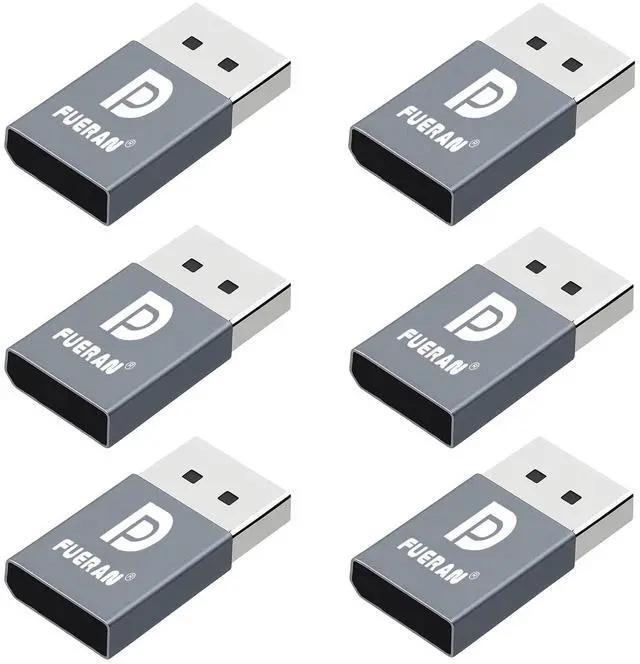


FUERAN DP Dummy Plug Display Emulator-DisplayPort Headless Ghost Display EDID Emulator,Virtual Display Adapter4K(fit Headless 1920x1080@60Hz/2560x1600@30Hz/3840x2160@17hz) (DP-2K-30Hz-6P)
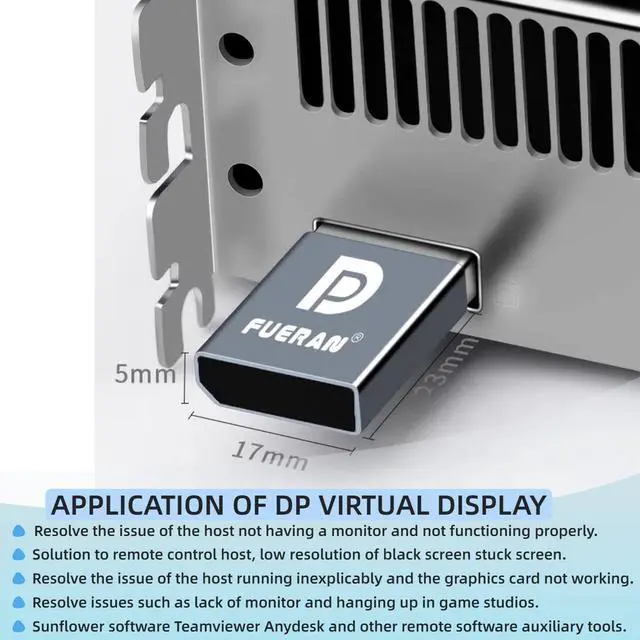
- The DP Dummy Plug simulates a virtual display, allowing the GPU to activate even when no physical monitor is connected, ensuring optimal performance for tasks like remote desktop access or GPU-intensive operations.
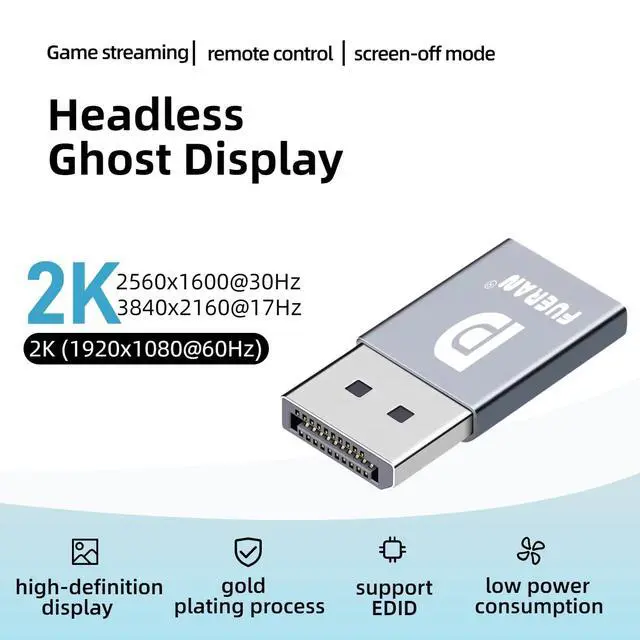
- It supports a wide range of resolutions, from 800x600 to 3840x2160 at different refresh rates, making it suitable for diverse use cases, including remote access, VR setups, and high-performance computing.1920x1080@60Hz/2560x1600@30Hz/3840x2160@17hz
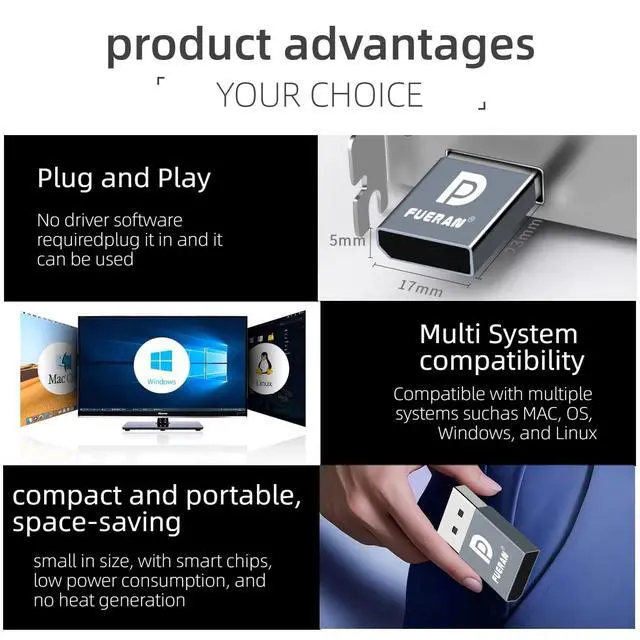
- The device is plug-and-play, meaning it requires no drivers, software, or configuration, providing ease of use and compatibility with various operating systems (Windows, Mac OS, Linux).
- It operates with low power consumption, generates no heat, and is small and portable, making it easy to transport and set up in various environments like data centers or mobile rigs.
- The device is useful in data centers, gaming, cryptocurrency mining, and virtual reality setups, providing a solution to GPU idle issues, low resolution in
+
+
Overview
Specs
Reviews

Any questions? Our AI mode will help you find out quickly.
Try me now
Key Features of the
DP Dummy Plug: Display
Emulator: The device acts as a "virtual display. " When connected to a computer, it makes the system think that an actual monitor is connected. This is useful for systems without a physical display or in headless setups (systems that are operating without a direct monitor).
GPU Activation: The device allows the operating system to detect a virtual display, thus enabling the GPU (Graphics Processing Unit). This prevents the GPU from being idle or disabled, which can happen in the absence of a connected monitor, and ensures the GPU operates optimally.
Improved Remote Desktop & Performance: In remote desktop scenarios, using the dummy plug can solve issues like low resolution, black or white screens, and ensure the GPU is being fully utilized for tasks like cryptocurrency mining, GPGPU operations, or other high-performance computing needs. Resolution and
Refresh Rate Support: The device supports various resolutions, from 800x600 up to 3840x2160 at 17Hz, allowing flexibility depending on your use case (e. g., for remote desktop, VR, or mining).
How it Helps Users: 1.
Fixes Remote Desktop Issues: Without a physical monitor, remote desktop sessions can have issues with low resolution or no display at all. The dummy plug ensures that a virtual display is detected, solving these problems. 2.
Prevents GPU Idle During Mining: Cryptocurrency miners often face problems where the GPU is underutilized or turned off if no display is connected. This device keeps the GPU activated, ensuring efficient mining performance. 3. Solves Low Resolution Issues in
Remote Access: When using remote access, the device ensures that the system is using a proper resolution, which is important for a smooth experience, particularly when using remote desktop software or virtual machines. 4. Remote Operation of a Computer with
No Monitor: It allows you to turn off the physical display and still remotely control the computer. This can be useful in server rooms, media centers, or any headless configuration where you don't need the actual monitor but want the system to behave as if one is connected. 5.
VR Compatibility: This device allows you to use a VR headset with a PC without the need for a traditional monitor, which is helpful for VR applications that require the system to think a monitor is connected. 6.
Plug and Play: No drivers, software, or additional configuration is needed. Just plug the device in, and it works immediately. 7.
Wide System Compatibility: It works across multiple operating systems including Windows (all versions from XP to 11), Mac OS, and Linux, making it versatile and suitable for various setups. 8.
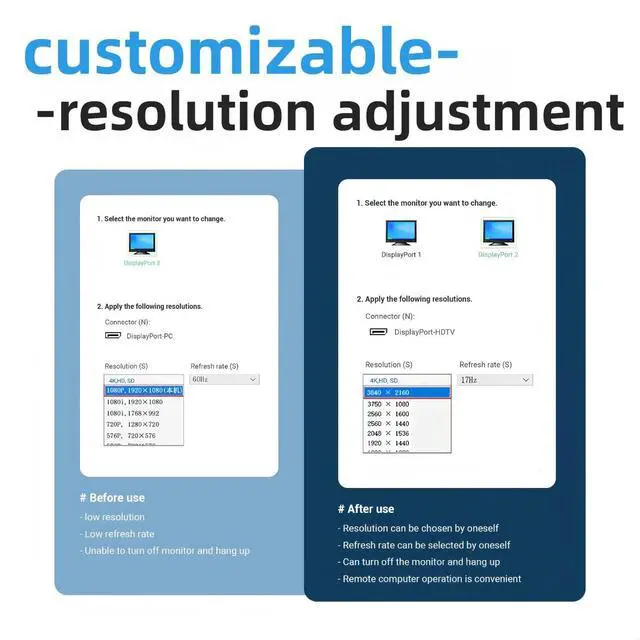
Multiple Resolution Support: The device supports many common resolutions, ensuring compatibility with a wide range of devices and applications. It can be adjusted based on specific needs, ranging from low to high resolution. 3840*2160@17Hz, 2560*1600@30Hz, 2560*1400@30Hz, 1920*1200@60Hz, 1920*1080@60Hz, 1680*1050 @60Hz1600* 900 @60Hz, 1440 *900@60Hz, 1366*768 @60Hz, 1360*768 @60Hz, 1280*1024 @60Hz, 1280*800 @60Hz, 1280*720 @60Hz, 1024*768 @60, 800*600 @60Hz, 640*480 @60Hz. 9.
Low Power Consumption: The device is efficient in terms of energy usage, has a small form factor, and produces no heat, making it easy to transport and use in different environments without adding significant load or space requirements. Use Cases in
Data Centers: It could be useful in data centers or server environments where multiple virtual machines or headless systems are running, and GPU resources need to be fully utilized.
Gaming or High-Performance Computing: If using the system for gaming or other GPU-intensive tasks, this device helps ensure that the GPU is fully activated even if no display is connected.
Virtual Reality Setup: When used with VR, it can bypass the need for a physical monitor, which is handy for VR experiences where a dedicated display may not be required.
Size and Portability: It is worth noting how small and portable this device
DP Dummy Plug: Display
Emulator: The device acts as a "virtual display. " When connected to a computer, it makes the system think that an actual monitor is connected. This is useful for systems without a physical display or in headless setups (systems that are operating without a direct monitor).
GPU Activation: The device allows the operating system to detect a virtual display, thus enabling the GPU (Graphics Processing Unit). This prevents the GPU from being idle or disabled, which can happen in the absence of a connected monitor, and ensures the GPU operates optimally.
Improved Remote Desktop & Performance: In remote desktop scenarios, using the dummy plug can solve issues like low resolution, black or white screens, and ensure the GPU is being fully utilized for tasks like cryptocurrency mining, GPGPU operations, or other high-performance computing needs. Resolution and
Refresh Rate Support: The device supports various resolutions, from 800x600 up to 3840x2160 at 17Hz, allowing flexibility depending on your use case (e. g., for remote desktop, VR, or mining).
How it Helps Users: 1.
Fixes Remote Desktop Issues: Without a physical monitor, remote desktop sessions can have issues with low resolution or no display at all. The dummy plug ensures that a virtual display is detected, solving these problems. 2.
Prevents GPU Idle During Mining: Cryptocurrency miners often face problems where the GPU is underutilized or turned off if no display is connected. This device keeps the GPU activated, ensuring efficient mining performance. 3. Solves Low Resolution Issues in
Remote Access: When using remote access, the device ensures that the system is using a proper resolution, which is important for a smooth experience, particularly when using remote desktop software or virtual machines. 4. Remote Operation of a Computer with
No Monitor: It allows you to turn off the physical display and still remotely control the computer. This can be useful in server rooms, media centers, or any headless configuration where you don't need the actual monitor but want the system to behave as if one is connected. 5.
VR Compatibility: This device allows you to use a VR headset with a PC without the need for a traditional monitor, which is helpful for VR applications that require the system to think a monitor is connected. 6.
Plug and Play: No drivers, software, or additional configuration is needed. Just plug the device in, and it works immediately. 7.
Wide System Compatibility: It works across multiple operating systems including Windows (all versions from XP to 11), Mac OS, and Linux, making it versatile and suitable for various setups. 8.
Multiple Resolution Support: The device supports many common resolutions, ensuring compatibility with a wide range of devices and applications. It can be adjusted based on specific needs, ranging from low to high resolution. 3840*2160@17Hz, 2560*1600@30Hz, 2560*1400@30Hz, 1920*1200@60Hz, 1920*1080@60Hz, 1680*1050 @60Hz1600* 900 @60Hz, 1440 *900@60Hz, 1366*768 @60Hz, 1360*768 @60Hz, 1280*1024 @60Hz, 1280*800 @60Hz, 1280*720 @60Hz, 1024*768 @60, 800*600 @60Hz, 640*480 @60Hz. 9.
Low Power Consumption: The device is efficient in terms of energy usage, has a small form factor, and produces no heat, making it easy to transport and use in different environments without adding significant load or space requirements. Use Cases in
Data Centers: It could be useful in data centers or server environments where multiple virtual machines or headless systems are running, and GPU resources need to be fully utilized.
Gaming or High-Performance Computing: If using the system for gaming or other GPU-intensive tasks, this device helps ensure that the GPU is fully activated even if no display is connected.
Virtual Reality Setup: When used with VR, it can bypass the need for a physical monitor, which is handy for VR experiences where a dedicated display may not be required.
Size and Portability: It is worth noting how small and portable this device
Warranty & Returns
Warranty, Returns, And Additional Information
Warranty
- Please contact the Seller directly for warranty information. Warranty information may also be found on the Manufacturer's website.
- CONTACT
Return Policies
- Return for refund within: 30 days
- Return for replacement within: 30 days
- This item is covered by StarDragon Return Policy
Manufacturer Contact Info
- For a directory of all our manufacturers, please click below.
- Manufacturers Directory
LOADING...