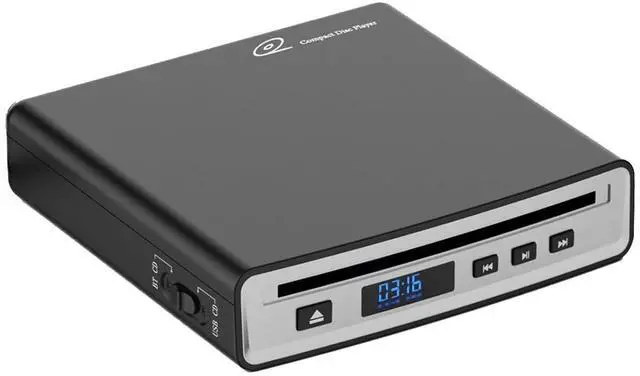
This portable external car CD Player, It is suitable for car Android multimedia large screen navigation and USB interface. Just insert the CD player into the USB interface of the car Android navigation host, and the CD player will automatically identify and display the data on your screen. You will be able to listen to music and audio novels in the car as you like, bringing you distinctive vision and hearing, creating a pleasant and comfortable atmosphere on the way to drive, making people relaxed and happy, instantly reducing the feeling of fatigue.
Not only is compatible with Android Car Navigation, Also compatible with Android Smart TVs, Windows and Mac OS desktop, laptop, PCS. 100% brand new high-quality car CD player has table working performance and long service life.
Product Specification: Voltage /
Current: DC5V
Min1AProduct size: 6.3 in* 6.1 in* 1.9 inWeight: About 700gOperating temperature-10 + 70
Android Version: For Android Version 4.4 or morePlayer
Disc Format: DVD-ROM, DVDR, DVDRW, CD-ROM, CD-R, and
CD-RWDisc adaptability: 12CM
DiscExternal interface: USB 2.0P ackage
Include: 1x CD Player for car The method of connecting the CD player to the car
Android navigationThe first method: car navigation has a dedicated CD player software. Insert the disc to be played, wait for the words "Preparing USB storage" to appear in the upper left corner of the screen, click the CD Player" icon, and then you can enjoy CD music.
The second method: without installing the APP, the USB can be used directly by plugging in, insert the CD discSelect USB data entry mode on Car modeclick the music icon on the large screen machine interface. Or connect the CD player to the USB interface of most cars, insert the CD music disc, Select USB data entry mode on Car modeand wait for a while to automatically read and play.
Notes: 1. It does not support playback of Blu-ray and vinyl records.