

Your Browsing History
- Free 30-day Returns
$120.99


Meet Your Seller


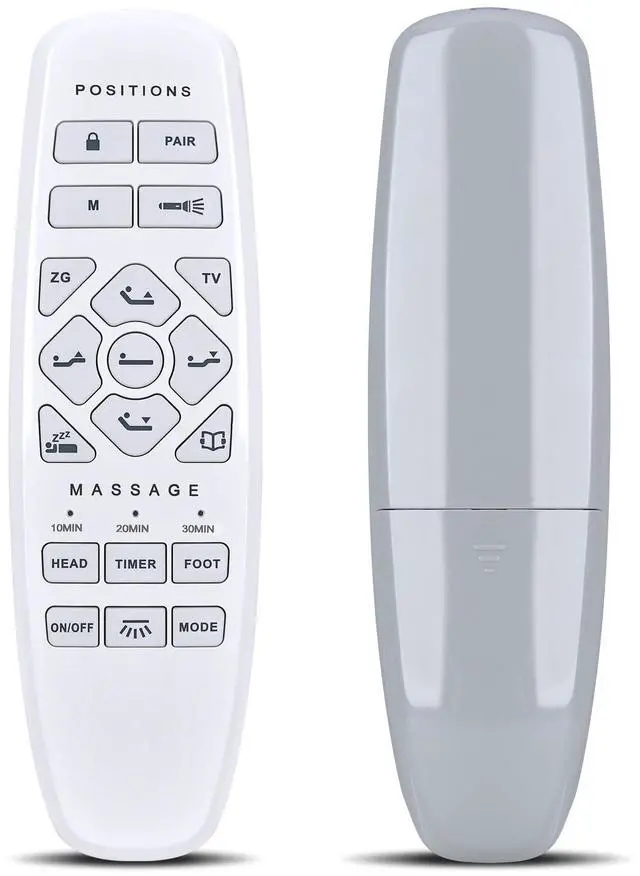


WKOLF RF.27.19.33 Replacement Bed Remote for Lucid L600, ESHINE 3000 5000 Series, ASONLY Adjustable Bed Base, for Marsail NS2 Pro
- Compatible ModelsAdjustable Bed Remote for LUCID L600, ESHINE 3000 5000 Series, ASONLY Adjustable Bed Base, for Marsail NS2 Pro
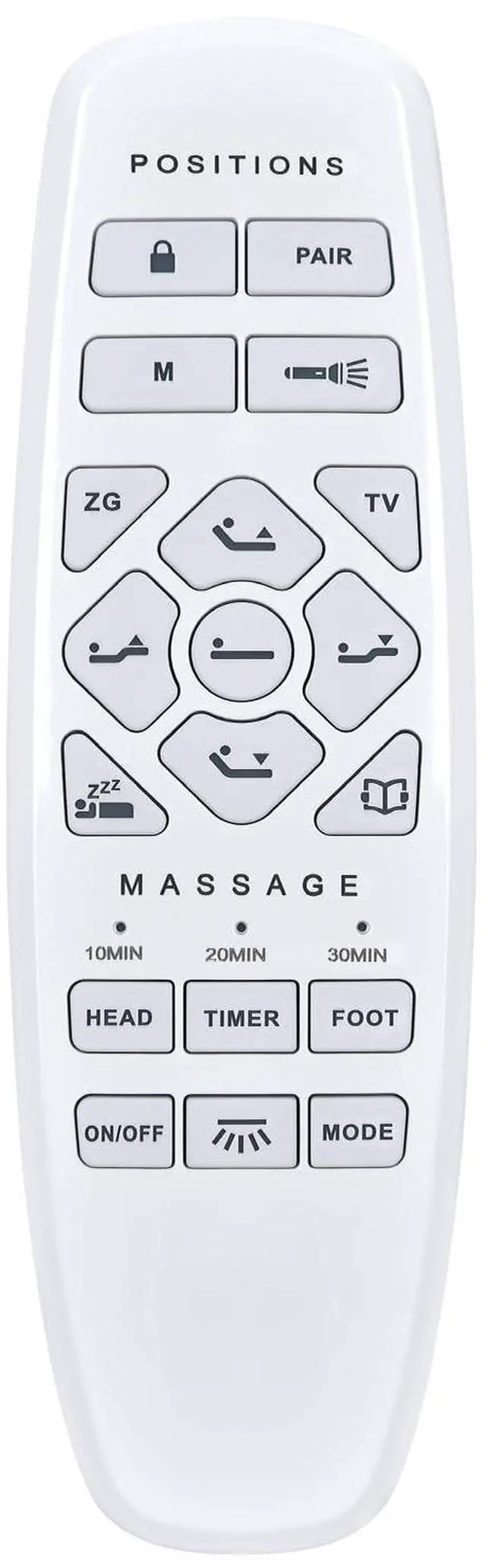
- Ergonomic Wireless RemoteTo assign the sleep position, use Backrest Up, Backrest Down, Footrest Up, and Footrest Down to adjust the bed to your desired position. Then press Sleep Position twice and then hold it until you hear a sound. Repeat this for TV Position and Reading Position. The remote also comes with an additional Position Memory which can be set to fit whatever backrest and footrest angle configuration you desire using the same procedure.
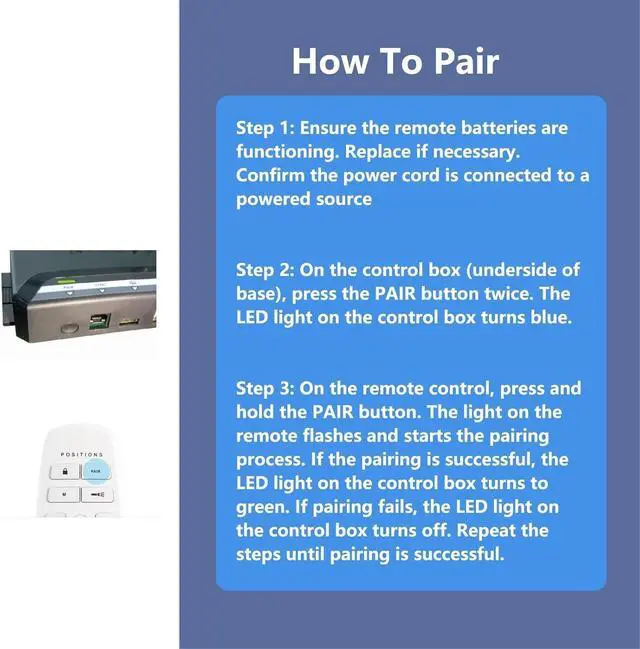
- How to Pair1) Ensure the remote batteries are functioning. Confirm the power cord is connected to a powered source. 2) On the control box (underside of base), press the PAIR button twice. The LED light on the control box turns blue. 3) On the remote, press and hold the PAIR button. The light on the remote flashes and starts the pairing process. If the pairing is successful, the LED light on the control
+
+
Overview
Specs
Reviews

Any questions? Our AI mode will help you find out quickly.
Try me now
Compatible ModelsAdjustable Bed Remote for LUCID L600, ESHINE 3000 5000 Series, ASONLY Adjustable Bed Base, for Marsail NS2 Pro ^^ Ergonomic Wireless RemoteTo assign the sleep position, use Backrest Up, Backrest Down, Footrest Up, and Footrest Down to adjust the bed to your desired position. Then press Sleep Position twice and then hold it until you hear a sound. Repeat this for TV Position and Reading Position. The remote also comes with an additional Position Memory which can be set to fit whatever backrest and footrest angle configuration you desire using the same procedure.
^^ How to Pair1) Ensure the remote batteries are functioning. Confirm the power cord is connected to a powered source. 2) On the control box (underside of base), press the PAIR button twice. The LED light on the control box turns blue. 3) On the remote, press and hold the PAIR button. The light on the remote flashes and starts the pairing process. If the pairing is successful, the LED light on the control box turns to green. Repeat the steps until pairing is successful. ^^ NotePlease Check your Label Before Ordering.
If your old remote has the different buttons, this will not work. ^^
Quality Assurance & SupportPackage Contains: 1x Remote Control, 1x Manual (2xAAA batteries are not included). Enjoy peace of mind with our comprehensive after-sales service. Contact us via email for any assistance, we'll get back to you within 12 hours on weekdays.
^^ How to Pair1) Ensure the remote batteries are functioning. Confirm the power cord is connected to a powered source. 2) On the control box (underside of base), press the PAIR button twice. The LED light on the control box turns blue. 3) On the remote, press and hold the PAIR button. The light on the remote flashes and starts the pairing process. If the pairing is successful, the LED light on the control box turns to green. Repeat the steps until pairing is successful. ^^ NotePlease Check your Label Before Ordering.
If your old remote has the different buttons, this will not work. ^^
Quality Assurance & SupportPackage Contains: 1x Remote Control, 1x Manual (2xAAA batteries are not included). Enjoy peace of mind with our comprehensive after-sales service. Contact us via email for any assistance, we'll get back to you within 12 hours on weekdays.
Warranty & Returns
Warranty, Returns, And Additional Information
Warranty
- Please contact the Seller directly for warranty information. Warranty information may also be found on the Manufacturer's website.
- CONTACT
Return Policies
- Return for refund within: 30 days
- Return for replacement within: 30 days
- This item is covered by HAIZHILANSTORE Return Policy
Manufacturer Contact Info
- For a directory of all our manufacturers, please click below.
- Manufacturers Directory
LOADING...