• $46.99
  • Free 30-day Returns
  • Price alert
    Shop it at NeweggBusiness.

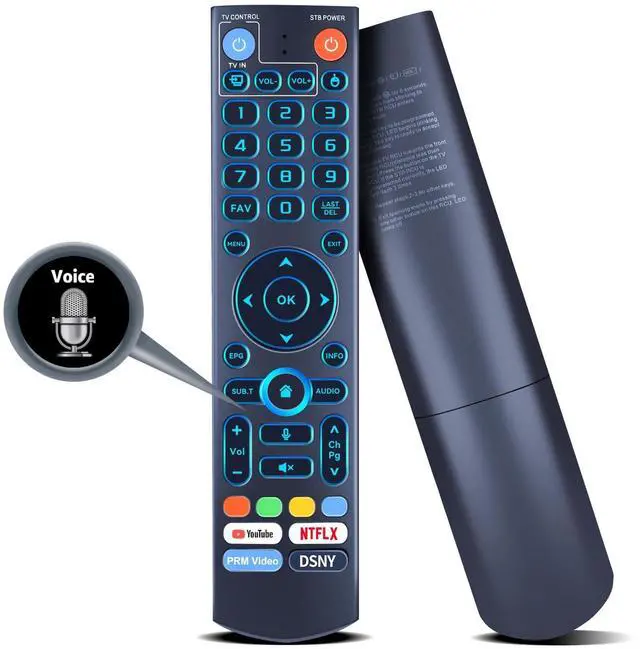
    PZL V5 Pro Replacement Backlit Voice Remote Control for Vseebox V3 Pro, V3 Plus, V5 Pro, V1, V1 Pro, V2, V2 Pro, V1 Max, Elite, Max

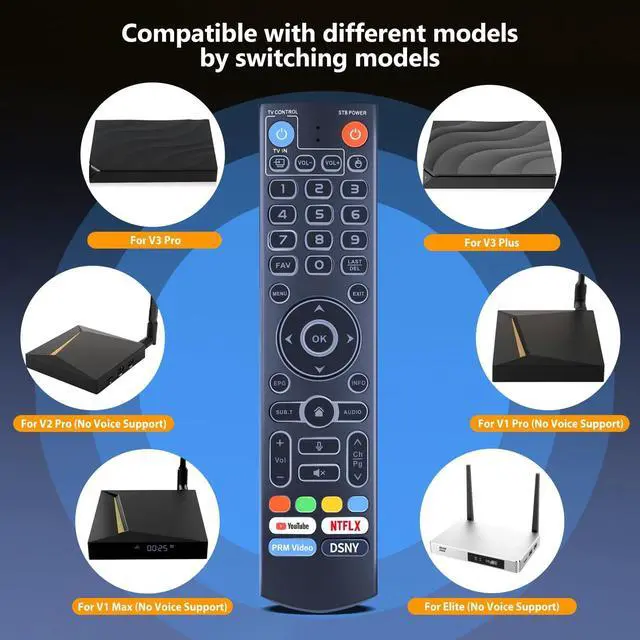
    • Compatibility: PZL replacement voice remote control for vseebox models - V5 Plus, V3 Pro, V3 Plus, V1, V1 Pro, V2, V2 Pro, V1 Max, Elite, Max
    • Night Backlight: This remote control features a night backlight function that automatically activates when ambient light levels are too low, allowing you to find it easily in the dark
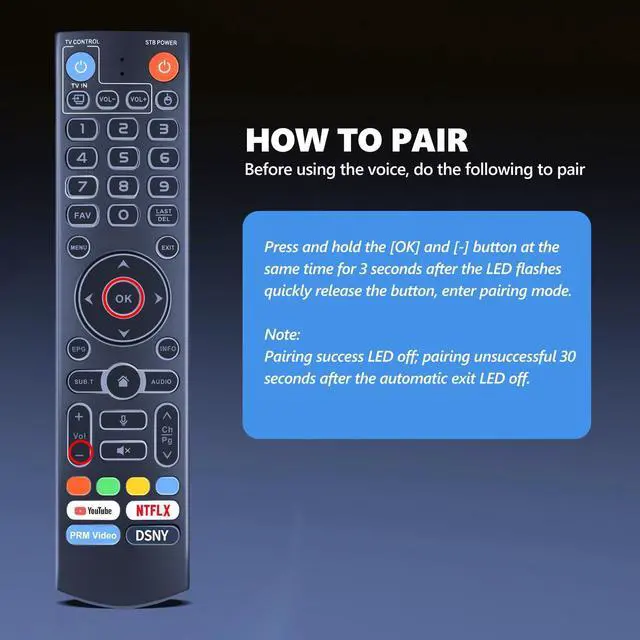
    • Pairing Method: Press and hold the [OK] and [-] buttons at the same time for least 3 seconds. The LED will flash rapidly and release the button to enter pairing mode, LED will go out if pairing is successful. LED will go out if pairing is unsuccessful and exit automatically after 30 seconds. Device Name: vseBox Remoter
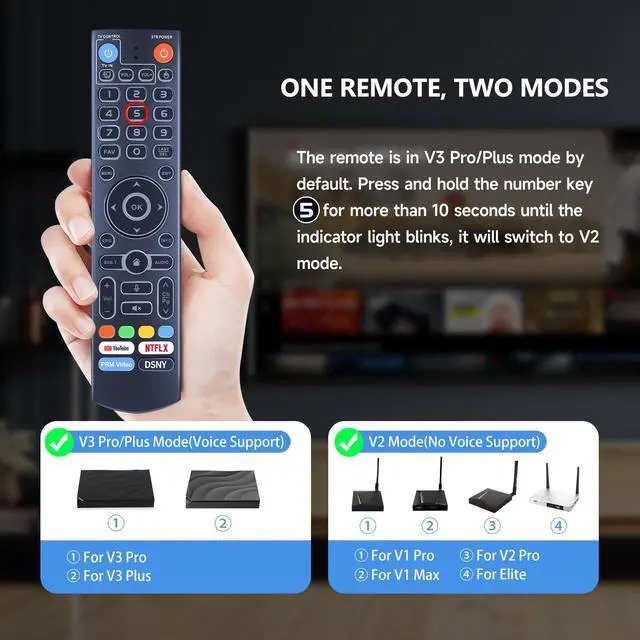
    • Switch Mode: Press and hold the number key [5] for more than 10 seconds to switch modes. V3 Pro working mode for V3 Pro, V2 Pro working mode for V3 Plus, V2 Pro, V3 Pro, V1 Pro, V1 Max, Elite
    • After-sales service: If you have any questions about your order or model, we will provide timely service within 24 hours.

    +
    +
    Overview
    Specs
    Reviews
    avatar

    Any questions? Our AI beta will help you find out quickly.

    Compatibility: PZL replacement voice remote control for vseebox models - V5 Plus, V3 Pro, V3 Plus, V1, V1 Pro, V2, V2 Pro, V1 Max, Elite, Max ^^
    Night Backlight: This remote control features a night backlight function that automatically activates when ambient light levels are too low, allowing you to find it easily in the dark ^^
    Pairing Method: Press and hold the [OK] and [-] buttons at the same time for least 3 seconds. The LED will flash rapidly and release the button to enter pairing mode, LED will go out if pairing is successful. LED will go out if pairing is unsuccessful and exit automatically after 30 seconds.
    Device Name: vseBox Remoter ^^
    Switch Mode: Press and hold the number key [5] for more than 10 seconds to switch modes. V3 Pro working mode for V3 Pro, V2 Pro working mode for V3 Plus, V2 Pro, V3 Pro, V1 Pro, V1 Max, Elite ^^
    After-sales service: If you have any questions about your order or model, we will provide timely service within 24 hours.

    Warranty & Returns

    Warranty, Returns, And Additional Information

    Warranty

    • Please contact the Seller directly for warranty information. Warranty information may also be found on the Manufacturer's website.
    • CONTACT

    Return Policies

    Manufacturer Contact Info

    LOADING...