

Your Browsing History
- Free 30-day Returns
$80.99

Meet Your Seller

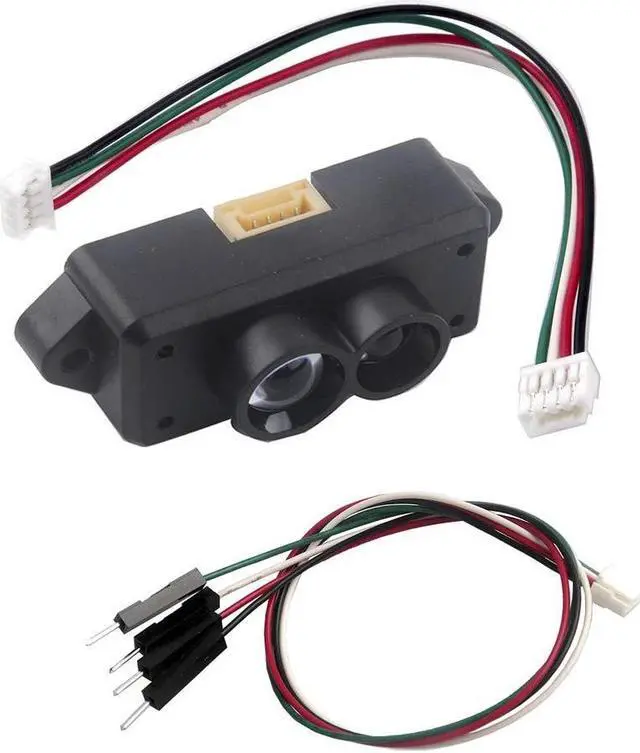
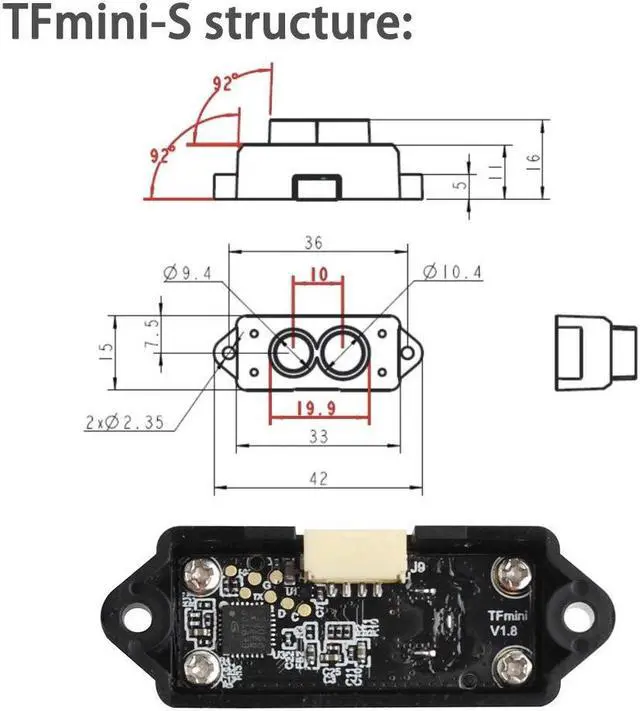


Benewake TFmini-S Lidar Range Finder Sensor Module Single-Point Micro Ranging Module for Arduino Raspberry Pi Pixhawk 4.5-6V UART I2C Interface
- How to work with pixhawk : https://discuss(dot)ardupilot(dot)org/t/avoidance-experiments-with-the-poc-and-benewake-tfmini/25277How to use with raspberry pi: https://github(dot)com/TFmini
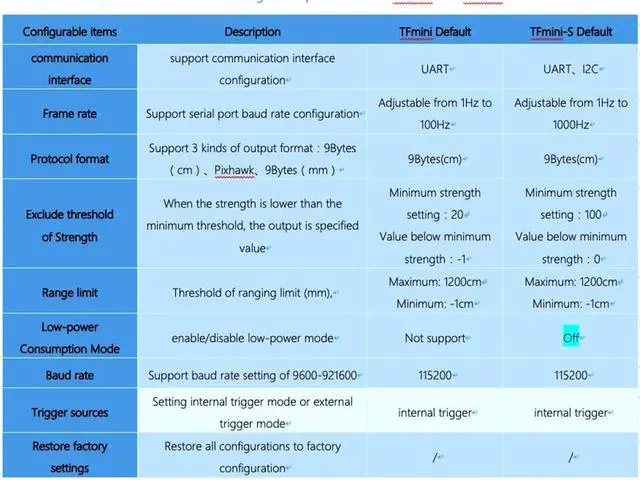
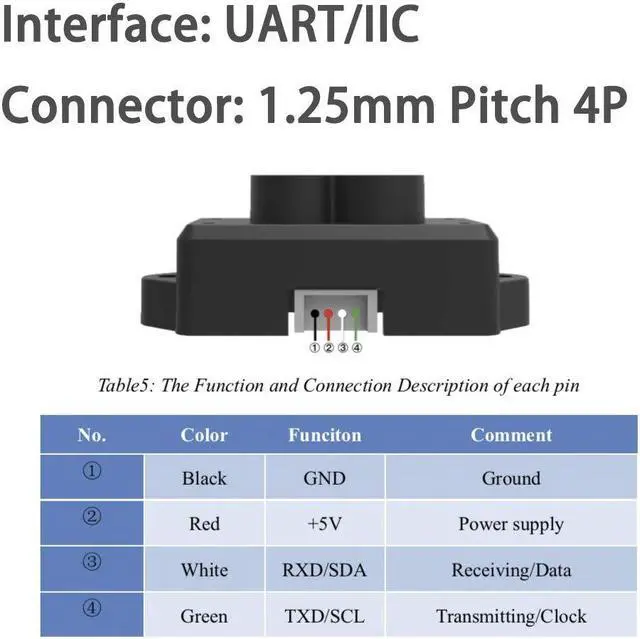
- Communication interface : UART/I2C, Default: UART. If you need I2C, pls send configuration commands to set (After connection enter: 5A 05 0A MODE SU where MODE = 0 (UART) or 1 (IIC) and SU stands for checksum. Important: After sending the parameter configuration command, be sure to send the "Save Configuration (5A 04 11 6F)" command, otherwise the parameters will be reset when the product is connected again.)
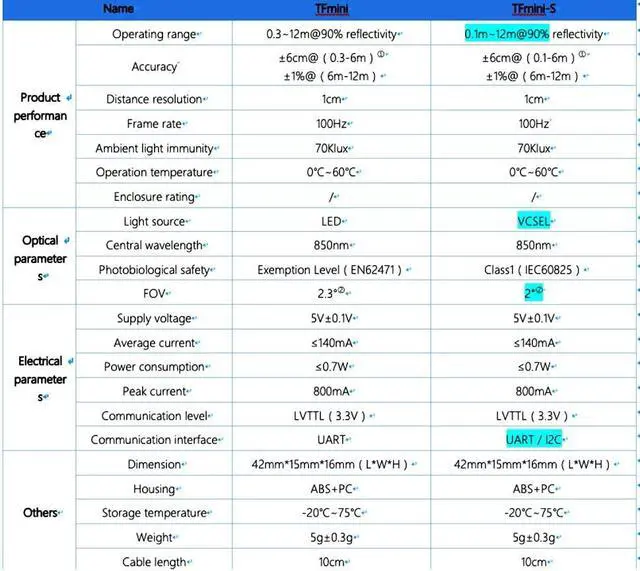
- Operating Range : 0.1-12m, Frequency: 100Hz(1-1000Hz adjustable), Light source:VCSEL, Applicable voltage range: 4.5-6V
- Applications: Traffic Monitoring, Obstacle detection, Obstacle detection, Level measurement, Smart device, Security and obstacle avoidance etc.
- What you will get: 1PCS TFmini-S and 2PCS Cables
+
+
Overview
Specs
Reviews

Any questions? Our AI mode will help you find out quickly.
Try me now
Benewake TFmini-S Lidar Range Finder Sensor Module Single-Point Micro Ranging Module for Arduino Raspberry Pi Pixhawk 4.5 -6V UART I2C Interface
Warranty & Returns
Warranty, Returns, And Additional Information
Warranty
- Please contact the Seller directly for warranty information. Warranty information may also be found on the Manufacturer's website.
- CONTACT
Return Policies
- Return for refund within: 30 days
- Return for replacement within: 30 days
- This item is covered by To the Internet media Return Policy
Manufacturer Contact Info
- For a directory of all our manufacturers, please click below.
- Manufacturers Directory
LOADING...