

Your Browsing History
- Free 30-day Returns
$65.99

Meet Your Seller


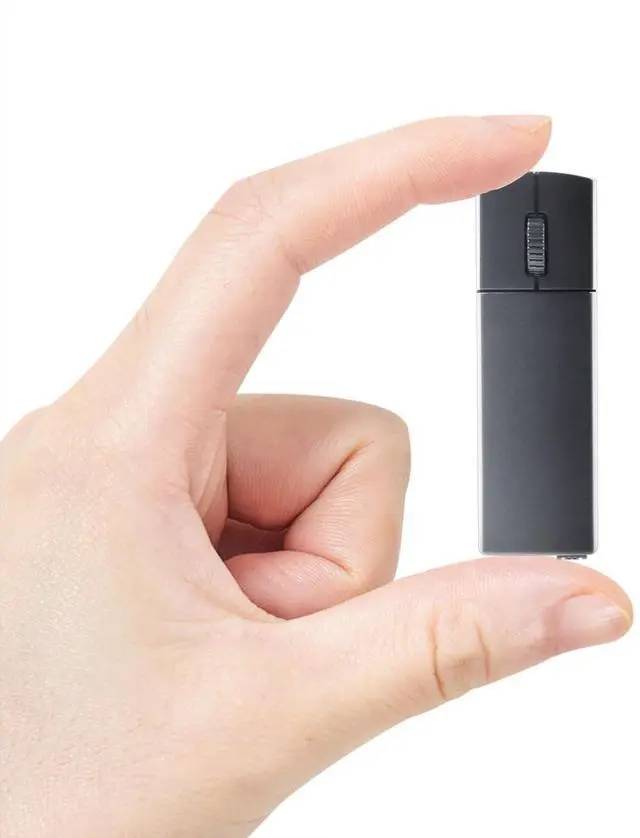


Ultra Small Bluetooth Wireless Mouse, Dual Mode (BT+2.4G) Noiseless Rechargeable (with Mouse Case), 1200 DPI Slim and Portable Mini Travel Cordless Mice for PC Computer Laptop (Black)
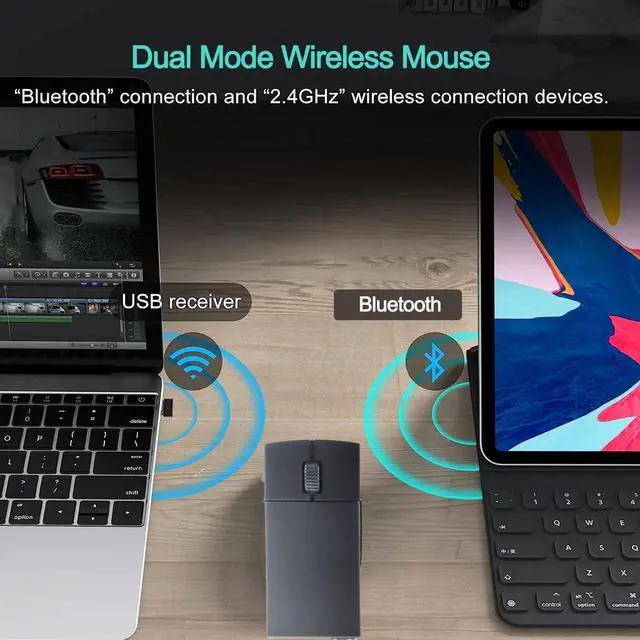
- Versatile ConnectivityOne mouse can control two computers, and the two computers can be connected to 2.4G and Bluetooth respectively, so that the two computers can be switched (Note: not all computers support dual mode, for example, desktop computers or WIN 7 systems do not support Bluetooth, and there is no USB interface computer does not support the receiver)
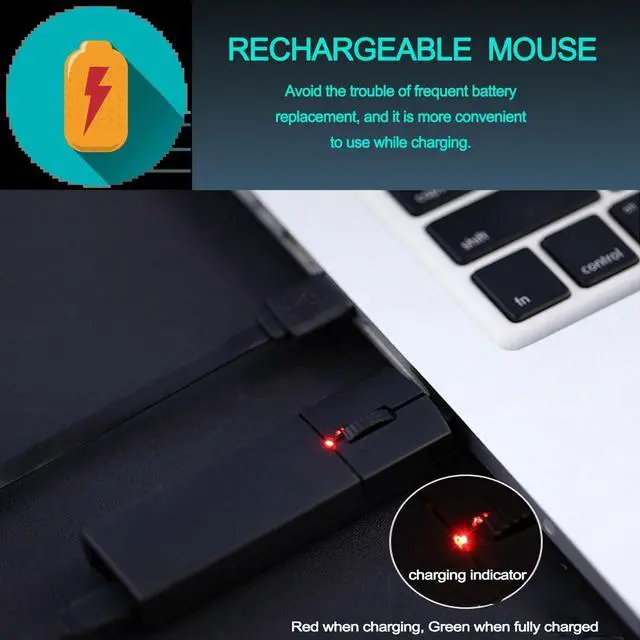
- Rechargeable DesignAvoid the trouble of frequent battery replacement. It has a charging indicator light, which displays red when charging and green when fully charged. (It is recommended to use the included Micro USB cable for charging)
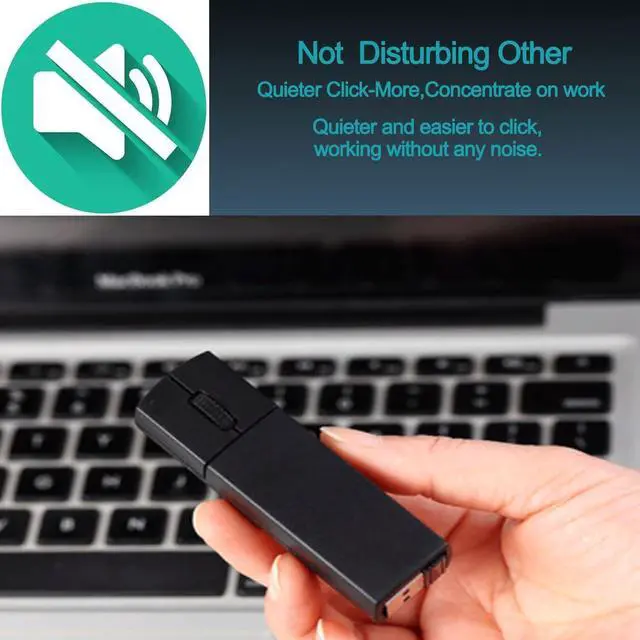
- Silent ClickFeaturing a classic design, the silent button reduces noise to meet most people's pursuit of a silent mouse. Ideal for use in offices, conference rooms, cafes, libraries, and bedrooms, allowing you to concentrate on your work or studies without disturbing those around you
- Plug and PlayPlug the USB receiver into the USB port of your computer, and you can work or use your compu
+
+
Overview
Specs
Reviews

Any questions? Our AI mode will help you find out quickly.
Try me now
How to switch between dual modes? It is recommended to charge the mouse for 1-2 hours before using it for the first time.
Bluetooth Mode: Step
01: Power on the Bluetooth mode, and the blue light is flashingStep 02: In Bluetooth mode, press the middle and right button for 1.5 s to enter the pairing state, and the blue light will flash (fast) 2.4G
USB Mode: Step
01: Turn on the mouse switchStep 02: Press and hold the left and right keys for 4 seconds to switch to 2.4G mode (the blue light is always on)
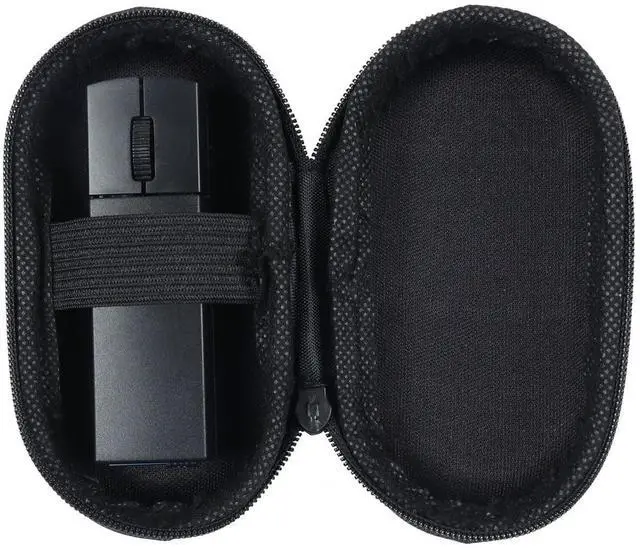
Step 03: Remove the USB receiver on the bottom of the mouseStep 04: Plug the USB receiver into the USB A port of your computer and wait a few seconds for it to be automatically recognized. Portable Mouse BoxDesigned for ultimate portability, our mouse comes with a convenient Mouse Box, Easily store it in your pocket or bag, ensuring protection and accessibility wherever you need itFree SwitchingYou can easily switch between Bluetooth and 2.4GH z modes with two buttons on the left and right mouse buttons. Enjoy seamless connectivity options for versatile use in any environmentComfortable DesignThis wireless mouse with an ergonomics design and smooth foot pads can prevent slipping, it can provide an incredible user experienceVersatile CompatibilityThis mouse is compatible with a wide range of operating systems. It works with Chromebook, Mac books, Laptops, PCs, and
ComputersSpecificationsProduct Dimensions: 7.7 x 2 x 1.3 cm / 3.03" x 0.79" x 0.51"W eight: 40g / 1.41 ozTracking
System: OpticalConnection
Method: Bluetooth and 2.4G
USB
Optical Resolution: 1200 DPI
Button Number: 3
ButtonsCharging Port: Micro USB
Wireless Transmission Frequency: 2.4GH zOperation
Distance: 10M (Unobstructed
Straight-Line Distance)Packing List: 1 x Bluetooth Wireless Mouse1 x Micro USB Charging Cable1 x Instruction Manual1 x USB Receiver
Bluetooth Mode: Step
01: Power on the Bluetooth mode, and the blue light is flashingStep 02: In Bluetooth mode, press the middle and right button for 1.5 s to enter the pairing state, and the blue light will flash (fast) 2.4G
USB Mode: Step
01: Turn on the mouse switchStep 02: Press and hold the left and right keys for 4 seconds to switch to 2.4G mode (the blue light is always on)
Step 03: Remove the USB receiver on the bottom of the mouseStep 04: Plug the USB receiver into the USB A port of your computer and wait a few seconds for it to be automatically recognized. Portable Mouse BoxDesigned for ultimate portability, our mouse comes with a convenient Mouse Box, Easily store it in your pocket or bag, ensuring protection and accessibility wherever you need itFree SwitchingYou can easily switch between Bluetooth and 2.4GH z modes with two buttons on the left and right mouse buttons. Enjoy seamless connectivity options for versatile use in any environmentComfortable DesignThis wireless mouse with an ergonomics design and smooth foot pads can prevent slipping, it can provide an incredible user experienceVersatile CompatibilityThis mouse is compatible with a wide range of operating systems. It works with Chromebook, Mac books, Laptops, PCs, and
ComputersSpecificationsProduct Dimensions: 7.7 x 2 x 1.3 cm / 3.03" x 0.79" x 0.51"W eight: 40g / 1.41 ozTracking
System: OpticalConnection
Method: Bluetooth and 2.4G
USB
Optical Resolution: 1200 DPI
Button Number: 3
ButtonsCharging Port: Micro USB
Wireless Transmission Frequency: 2.4GH zOperation
Distance: 10M (Unobstructed
Straight-Line Distance)Packing List: 1 x Bluetooth Wireless Mouse1 x Micro USB Charging Cable1 x Instruction Manual1 x USB Receiver
Warranty & Returns
Warranty, Returns, And Additional Information
Warranty
- Please contact the Seller directly for warranty information. Warranty information may also be found on the Manufacturer's website.
- CONTACT
Return Policies
- Return for refund within: 30 days
- Return for replacement within: 30 days
- This item is covered by StarDragon Return Policy
Manufacturer Contact Info
- For a directory of all our manufacturers, please click below.
- Manufacturers Directory
LOADING...